
KTC M27P6 4K Mini-LED Review: Can HDR1400 and 4K 160Hz Really Deliver at $499?
A real-world look at whether KTC’s $499 4K 160Hz mini-LED monitor can truly deliver premium HDR performance or just impressive specs on paper.

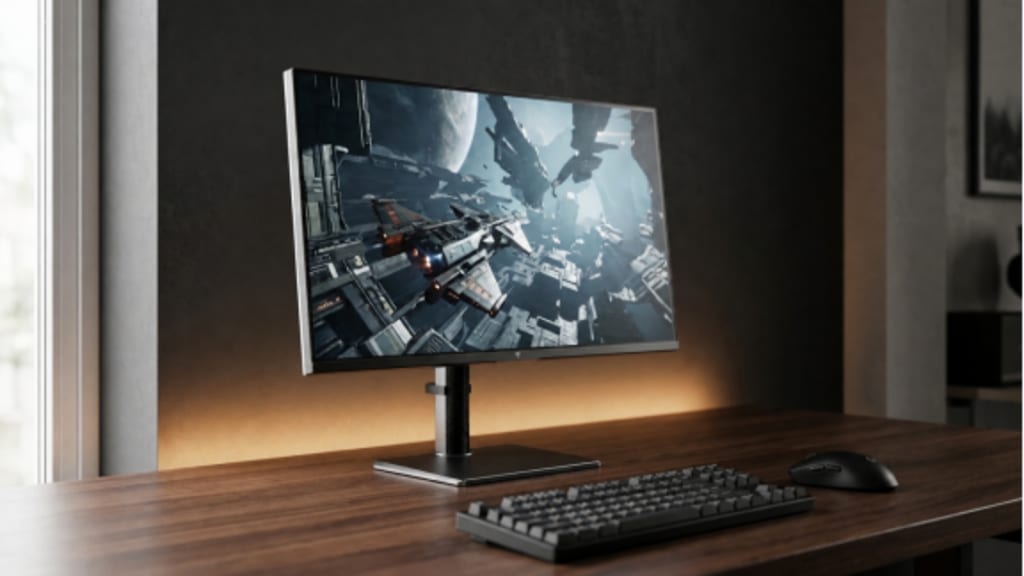
The KTC M27P6 looks unusually aggressive for the money, but the value case is believable if you expect strong HDR impact rather than flawless HDR behavior. At $499.00, this kind of monitor is usually winning on spec density, not perfection.
If you’ve ever stared at a monitor listing that promises sharp 4K detail, fast 160Hz gaming, and eye-catching HDR for less than many midrange alternatives, the natural reaction is doubt. That doubt is justified because many desktop mini-LED gaming monitors with serious local dimming still sell for well above $1,000.00. You’ll leave with a clear sense of whether the M27P6 is a real bargain, where it is most likely to cut corners, and whether it fits your desk better than an OLED or a faster 1440p option.
Why the spec sheet gets attention
4K and 160Hz are both meaningful upgrades
On paper, the M27P6 combines two features buyers usually have to prioritize separately: 4K resolution for clarity and a high refresh rate for motion. Lenovo notes that 4K means 3,840 x 2,160 pixels, and RTINGS points out that a 4K panel is pushing more than 8.29 million pixels. On a 27-inch screen, that translates into very crisp text, cleaner UI elements, and more detailed game environments than 1080p or 1440p.
The 160Hz part matters too. Even for people who are not playing esports full-time, the jump from 60Hz to high refresh changes how camera pans, aiming, racing, and general desktop movement feel. While many buyers traditionally hunt for a standard 4k 144hz gaming monitor, KTC nudges the ceiling slightly higher to 160Hz. This matches the real-world buying question seen in enthusiast discussions: many players are not chasing tournament-level speed, but they still want the picture to look big, pretty, and smooth at the same time.
The GPU requirement is the first reality check
The catch is simple: 4K at 160Hz is demanding. Lenovo’s 4K monitor guide makes the point directly that smoother 4K gaming depends on having a graphics card that can actually drive that resolution. If your system struggles at native 4K, the monitor’s refresh ceiling becomes less important than features like variable refresh rate, upscaling support, and how well the panel handles lower frame rates.
That does not make the spec useless. It just changes the buyer profile. A 4K 160Hz monitor makes the most sense for someone with a reasonably strong gaming PC today, or someone buying ahead of a planned GPU upgrade. If your machine is already stressed at 1440p, the M27P6 may still look excellent for work and media, but you would not be getting the full benefit of the gaming headline.
Does HDR1400 mean real HDR or just marketing?
Mini-LED gives this monitor a real chance
The good news is that mini-LED is not fake HDR by default. Lenovo explains that mini-LED uses much smaller backlight LEDs, allowing denser local dimming and better control over bright and dark parts of the image. RTINGS makes the same broader point: strong HDR needs bright highlights, deep blacks, and wide color, and mini-LED is one of the more affordable ways to get closer to that result on an LCD.
That matters because the jump from standard SDR to convincing HDR is easy to see when it is done well. In actual use, it is not about a logo on the box. It is about whether bright reflections, headlights, explosions, sunsets, and specular highlights stand out without washing the whole screen gray. If the M27P6 gets reasonably high peak brightness and competent local dimming, it can deliver a noticeably more dramatic image than a typical edge-lit 4K gaming monitor.
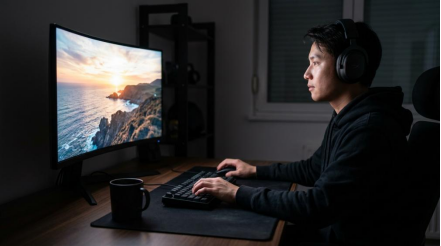
The badge alone does not guarantee quality
The problem is that HDR1400 is only one piece of the picture. RTINGS repeatedly stresses that HDR support alone does not equal good HDR performance, and its mini-LED guidance shows why: dimming behavior matters as much as peak brightness. On desktop-sized panels, local dimming zones are still much larger than many image elements, so small bright objects on dark backgrounds can cause blooming, dim text, or visible zone transitions.
That is the core reason a $499.00 mini-LED monitor can be exciting and limited at the same time. Amazon’s buying guidance for this category warns against low zone counts and recommends buyers verify the local dimming architecture instead of trusting the marketing label. So yes, the M27P6 can absolutely produce “real” HDR in the sense of brighter highlights and better contrast than basic LCDs. But no, that does not automatically mean it will look clean in every dark scene or handle subtitles, stars, and HUD elements with premium-level control.
Where a $499.00 4K 160Hz monitor usually compromises
Blooming, black crush, and dark-scene tradeoffs
This is the biggest likely compromise. RTINGS notes that mini-LED improves contrast by using many zones instead of one always-on backlight, but those zones still cover thousands of pixels each on desktop monitors. The result is a familiar tradeoff: tune the dimming aggressively and you risk crushing shadow detail; tune it more loosely and blacks rise, halos become more visible, and dark scenes lose depth.
That tradeoff is not limited to cheap monitors. Even highly rated mini-LED models can show front-view haloing, side-angle issues, flicker, or black crush depending on the scene and mode. At $499.00, buyers should assume the M27P6 will land somewhere in the “impressive for the money” range rather than the “reference-grade HDR” range. In practical terms, bright HDR scenes are likely to impress more than difficult near-black movie scenes.
Response tuning and firmware polish are common pain points
Budget high-spec monitors also tend to save money in less obvious places. One is response tuning. Amazon’s category guidance points buyers toward independently verified gray-to-gray performance because advertised response numbers rarely tell the whole story. RTINGS also shows that some otherwise strong gaming monitors still deal with overshoot, dark-scene smearing, VRR flicker, or mode-specific quirks.
The other common shortcut is firmware polish. This is where lower-cost models can feel less refined: inconsistent local dimming behavior between SDR and HDR, awkward default picture modes, limited OSD control, or a monitor that only behaves properly after manual tweaking. None of these problems kills the product, but they do separate a “great value” monitor from a “great monitor, period.”
Connectivity can decide whether the headline spec is usable
A monitor can advertise 4K 160Hz and still make that experience awkward if the port configuration is weak. Lenovo highlights DisplayPort and USB-C as important interface choices, while buyer guidance in this class recommends at least one HDMI 2.1 input and DisplayPort 1.4a with DSC for high-bandwidth use. That is the practical checkpoint for the M27P6.
If you want this display for a gaming PC, verify which port actually supports the full 4K 160Hz signal path. If you want it for a console and desktop hybrid setup, verify HDMI 2.1 behavior, VRR support, and whether there is useful USB-C support for a laptop. At $499.00, port limitations are one of the easiest ways for a spec-sheet winner to become a day-to-day annoyance.
Who should actually buy the KTC M27P6?
Best fit: mixed-use gamers who want one screen to do everything
This class of monitor makes the most sense for someone who wants one display for AAA gaming, media, and everyday productivity. Lenovo’s 4K and mini-LED guidance both support that use case: 4K helps with sharp text and content work, while mini-LED improves brightness and contrast for HDR video and gaming. If your desk has to handle spreadsheets at noon and Cyberpunk at night, that combination is practical.
It also makes sense for buyers who want stronger HDR than a standard IPS gaming monitor but do not want OLED tradeoffs. RTINGS consistently positions mini-LED as the lower-cost, brighter, burn-in-free alternative. For people who leave static windows on screen for long stretches or use the same monitor for work 10 or more hours a day, that matters.
Less ideal: pure esports buyers and black-level perfectionists
If your only goal is competitive speed, this is probably not the smartest use of $499.00. A 1440p 240Hz or 360Hz panel can be easier to drive and may deliver a cleaner competitive experience for the same budget. Amazon’s guidance also notes that mini-LED is less useful for esports-only upgrades and for buyers whose systems are too weak to take advantage of 4K.
It is also not the best choice for someone who is extremely sensitive to blooming or wants OLED-class dark-room image quality. RTINGS is very clear that OLED still leads for the best HDR picture quality overall, especially when scene precision matters more than raw brightness. If your favorite test is white subtitles on a black screen, mini-LED is still playing defense.
What to verify before you hit Buy
Before buying the M27P6, these are the checks that matter most:
- Confirm independent measurements for HDR brightness, local dimming behavior, and whether the HDR mode is actually usable.
- Verify the port spec needed for 4K 160Hz on your setup, especially HDMI 2.1 or DisplayPort with DSC.
- Check whether reviewers mention blooming, black crush, VRR flicker, or poor factory calibration.
- Look for the panel type and motion behavior, because IPS and VA tend to trade contrast against motion clarity differently.
- Make sure the seller has a solid return policy in case the unit has dead pixels, backlight issues, or firmware quirks.
Final Takeaway
The KTC M27P6 is probably not too good to be true in the absolute sense. A 4K 160Hz mini-LED monitor at $499.00 can be a legitimate value play because mini-LED is now mature enough to deliver visibly better HDR than ordinary LCD gaming displays, and the combination of sharp 4K detail plus high refresh is genuinely useful on a mixed-use desk.
The more accurate answer is that it is too good to be perfect. If the M27P6 delivers real brightness, enough dimming zones, and full-bandwidth connectivity, it could be one of the more compelling budget HDR gaming monitors around. If you expect OLED-level dark-scene precision, flawless tuning, and zero blooming at this price, you are setting the wrong target.
About the Creator
Steve Davis
Content writer and blogger.
Enjoyed the story? Support the Creator.
Subscribe for free to receive all their stories in your feed.
Comments