Producing a Vocal Story With Your Phone Or Tablet
A tutorial

Oh, no! Your PC or Chromebook is on the blitz, and you must get a new one or wait for repairs. Or, instead, you’ve gone on vacation and forgotten to bring your laptop with you. Either way, writing and posting to Vocal is now put on hold until you return to your device or buy a new one.
I have heard the same things from several people concerning using their cell phones or tablets to post a story to Vocal. They can not get the page to save, or they can not get the words to type onto the page. They have said that posting from a handheld device can not be done.
Well, I am here to show a way to get around the “I can not” and how there is a way to write for Vocal using only your phone. Because there is a way around the block, and it’s a reasonably simple bypass. It just requires a few steps, and you will have your story ready to post from your phone or tablet.
Once you read this article, you can quickly post from your phone or tablet. It is such a simple solution you will be like, why did I not think of this before? So, with no more pomp, I give you the answer to a dilemma.
** ** ** ** ** ** ** ** ** ** ** ** ** ** ** ** ** ** ** ** ** ** ** ** ** ** ** **
- The first step is to open up your Chrome app– not your Google, but your Chrome.
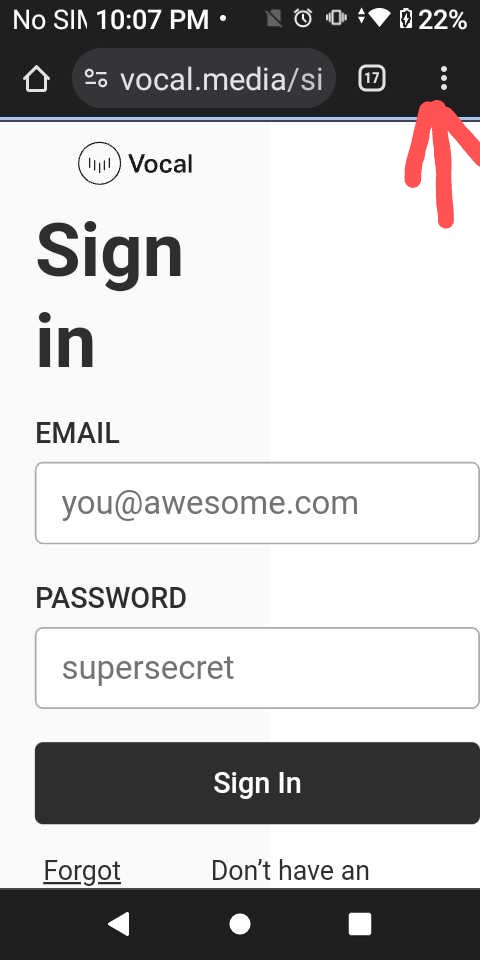
- Once you have opened Chrome, you want to click on the three dots in the top right-hand corner of the screen. Clicking these dots will bring down a drop-down.
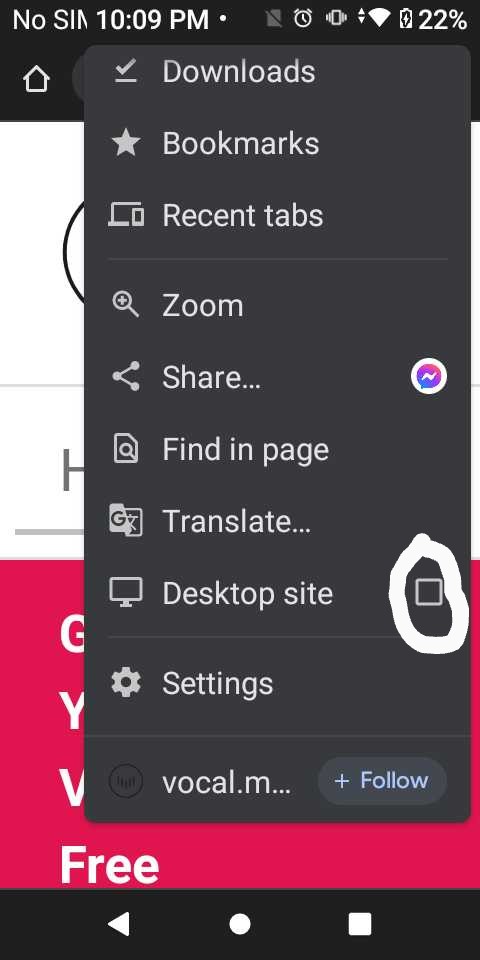
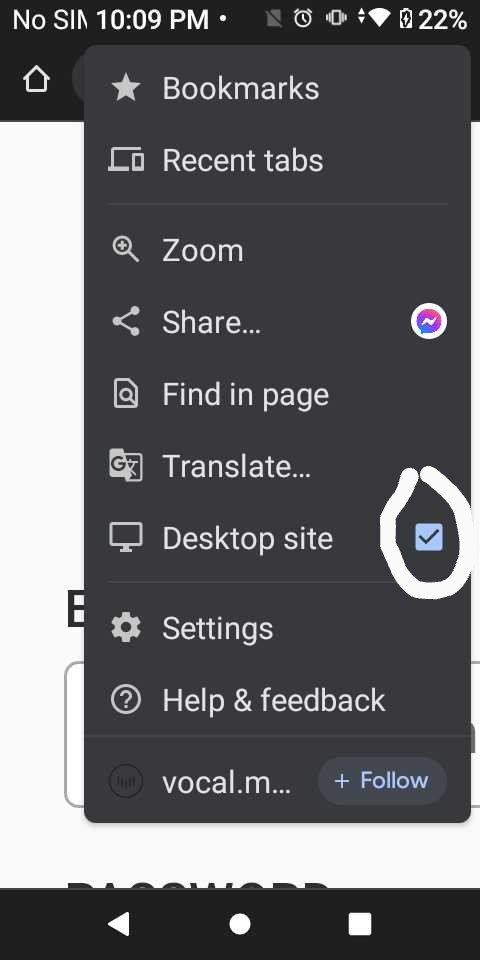
- There will be several things to select from in the drop-down menu. Look for the words Open in Desktop or View in Desktop. Doing this will change the app from a mobile site to a desktop site.
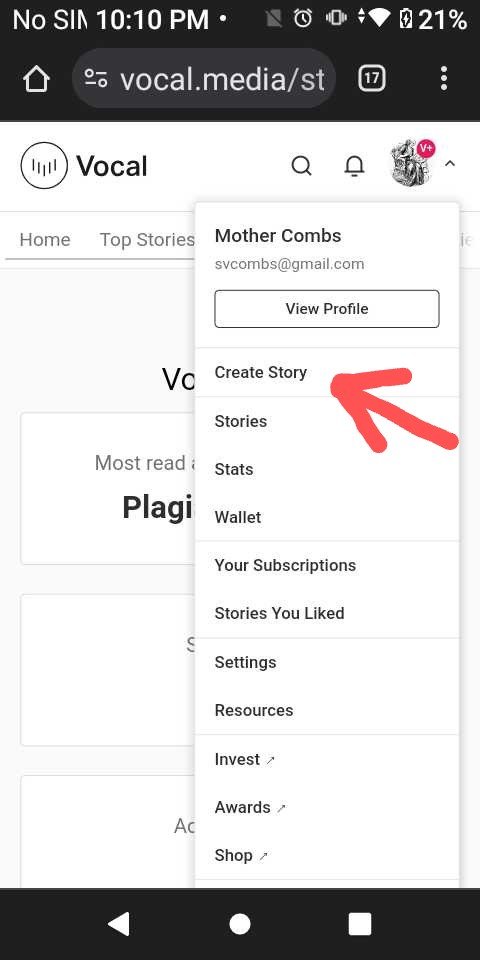
- After you have clicked the desktop site, you are ready to open vocal.media up. So go ahead and open it up, and click on “Create Story.”
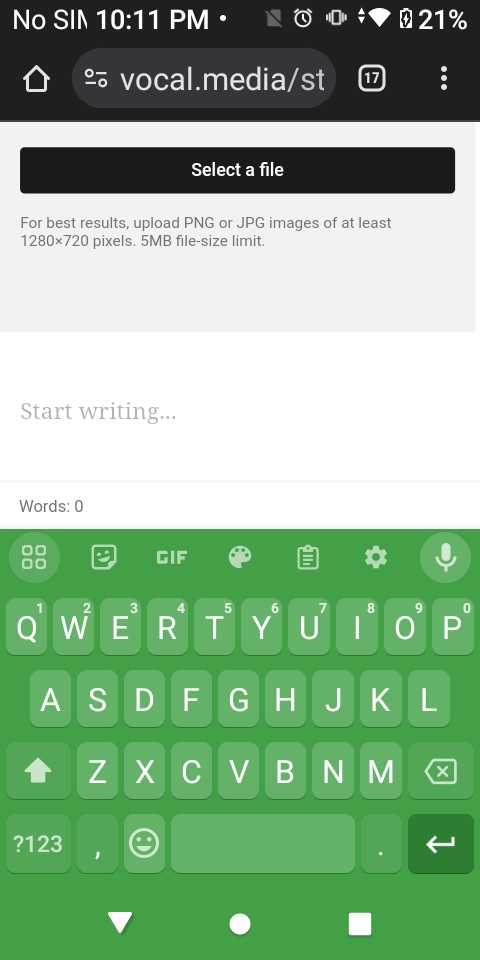
- You can begin writing your article once you have opened up the story editor. First, you must go ahead and Title, Subtitle, and add a picture to your story. When you have completed this, you need to save. Now, you are ready for the next step.
- Now you are ready to write the body of your article. To do this, you must open your writing app: whether Notes, Word, or Google Docs, it does not matter. So go ahead and open up your writing app. Since you are on a smaller device with a tiny keyboard, it is best to do voice dictation first to type out what I want, then edit any mistakes while still in my writing app.
- After editing your draft in your writing app, you can copy and paste the whole article to your copy on vocal.media. Save it immediately once you have copied and pasted it to the post.
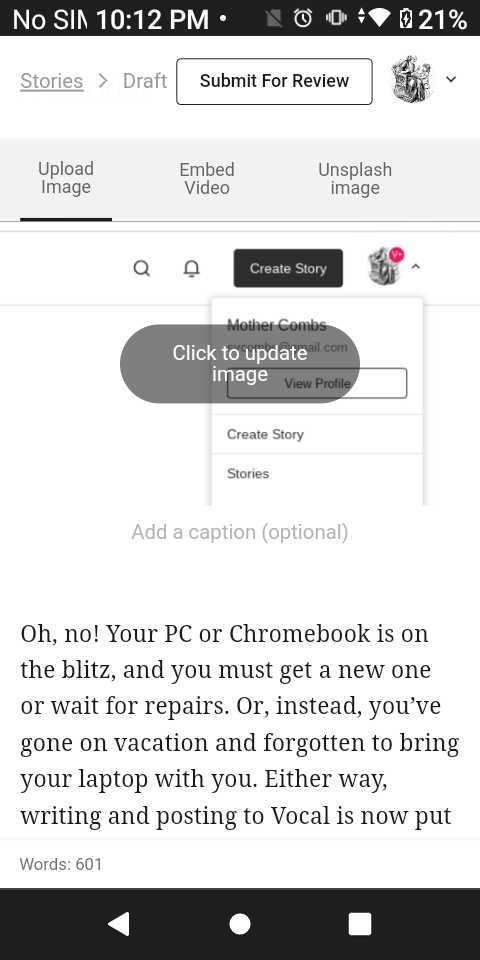
- Now comes the touchy part. Very carefully, you can add any formatting or pictures to the body you want; just watch your cursor. Save again when you are satisfied with the layout.
- Submit when you are happy with how it reads and looks.
** ** ** ** ** ** ** ** ** ** ** ** ** ** ** ** ** ** ** ** ** ** ** ** ** ** ** **
That is it. That’s all there is to it. I have included pictures with instructions for those who need them.
Thank you for reading. I hope this helps you.
About the Creator
Enjoyed the story? Support the Creator.
Subscribe for free to receive all their stories in your feed. You could also become a paid subscriber, letting them know you appreciate their work.
Comments
There are no comments for this story
Be the first to respond and start the conversation.