
How to Optimize Front-End Performance for Faster Load Times
A Complete Guide to Front-End Performance Optimization

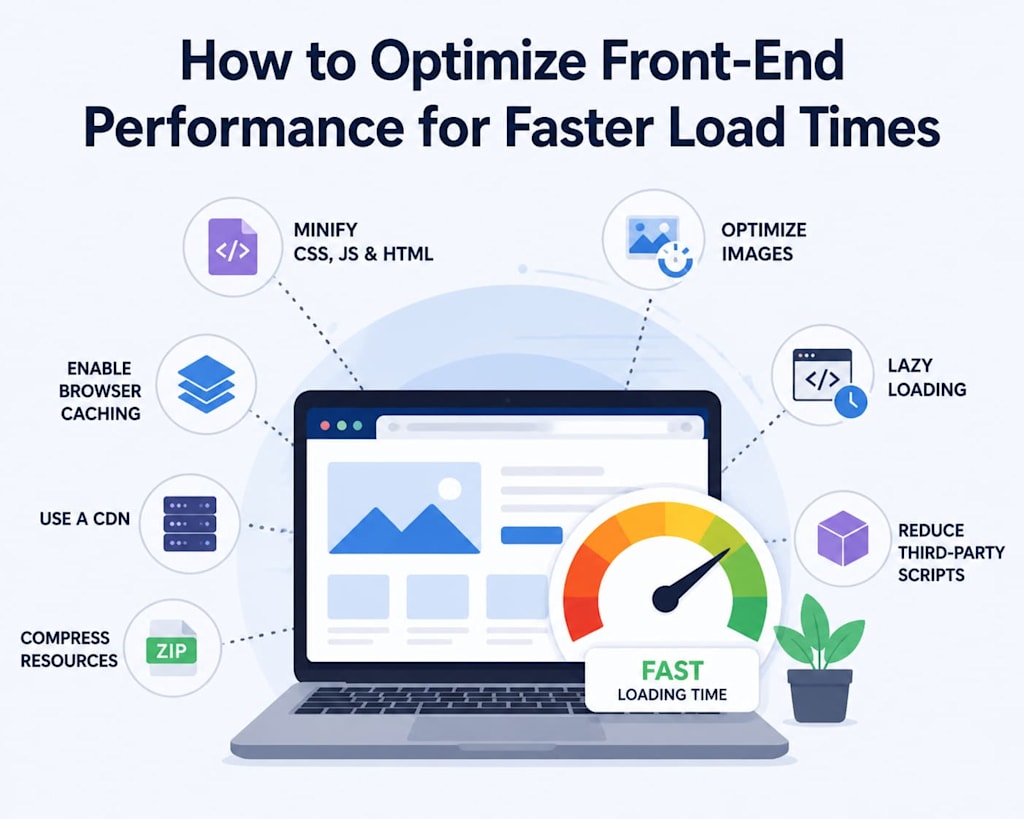
In today’s digital landscape, user experience is paramount, and website speed plays a critical role in how users perceive a site. Studies consistently show that even a one-second delay in page load time can reduce conversions by 7%. For businesses, slow websites are not just an inconvenience—they directly impact revenue, engagement, and search engine rankings. Therefore, optimizing front-end performance has become a key priority for developers, designers, and digital strategists alike.
This guide will explore strategies, best practices, and technical solutions to optimize front-end performance, ensuring faster load times and better overall user experience.
Understanding Front-End Performance
Front-end performance refers to how quickly and efficiently a website’s user interface (UI) renders in a browser. It is influenced by several factors:
- HTML, CSS, and JavaScript execution
- Media assets like images, videos, and fonts
- Network latency and server response time
- Third-party scripts such as ads, analytics, or social media integrations
Optimizing front-end performance is about reducing load time, minimizing blocking operations, and improving responsiveness. Performance is not just about speed—it’s also about stability, interactivity, and visual completeness. Google’s Core Web Vitals, for instance, measure metrics such as Largest Contentful Paint (LCP), First Input Delay (FID), and Cumulative Layout Shift (CLS), which are critical for SEO and user satisfaction.
1. Minimize HTTP Requests
Every asset on your website—CSS files, JavaScript scripts, images, and fonts—requires an HTTP request. The more requests, the longer it takes for a page to load.
Strategies:
- Combine CSS and JavaScript files where possible.
- Use CSS sprites for icons instead of separate image files.
- Inline critical CSS for above-the-fold content.
- Load fonts efficiently and avoid unnecessary weights/styles.
By reducing the number of HTTP requests, the browser spends less time fetching assets, which directly improves load times.
2. Optimize CSS, JavaScript, and HTML
Code efficiency is essential. Large, unoptimized scripts can block rendering and delay page interaction.
Best practices:
- Minification: Remove whitespace, comments, and unused code. Tools like UglifyJS (JavaScript) and CSSNano (CSS) are useful.
- Bundling: Combine multiple scripts and stylesheets into a single file to reduce HTTP requests.
- Defer and Async: Load non-critical JavaScript asynchronously (async) or after page render (defer).
- Eliminate render-blocking CSS: Use critical CSS for above-the-fold content, and load remaining styles asynchronously.
Efficient, clean, and properly loaded code significantly reduces the time it takes for a page to render and become interactive.
3. Image Optimization
Images are often the largest assets on a page and can dramatically affect load times. Optimizing them is crucial.
Techniques:
- Use modern formats: WebP or AVIF instead of JPEG/PNG.
- Resize images: Deliver images in the exact dimensions required on the page.
- Compress images: Use tools like ImageOptim, TinyPNG, or Squoosh.
- Lazy loading: Load images only when they enter the viewport. HTML5 loading="lazy" attribute simplifies this.
- Responsive images: Serve different image sizes for mobile, tablet, and desktop using <picture> or srcset.
Properly optimized images can reduce page weight by 50-70%, leading to faster load times.
4. Leverage Browser Caching
Caching allows a user’s browser to store static resources locally, so returning visitors don’t have to re-download files. This is a simple but powerful way to improve perceived load times.
Implementation tips:
- Set long expiration headers for static assets like images, CSS, and JS.
- Use versioning for assets to ensure updates are delivered without breaking the cache.
- Employ service workers for advanced caching strategies, especially in progressive web apps (PWAs).
With caching, repeat visits can load almost instantly, enhancing user experience and engagement.
5. Use Content Delivery Networks (CDNs)
A CDN is a network of servers distributed across the globe that delivers content from the nearest server to the user. CDNs reduce latency and bandwidth usage, especially for media-heavy websites.
Benefits of CDNs:
- Faster delivery of assets globally
- Reduced load on the origin server
- Improved resilience and uptime
Popular CDNs include Cloudflare, Akamai, AWS CloudFront, and Fastly. Integrating a CDN is particularly beneficial for websites with international traffic.
6. Optimize Fonts and Third-Party Scripts
Custom fonts and external scripts like analytics or ads can be render-blocking, slowing down page load.
Strategies:
- Use font-display: swap to prevent invisible text during font load.
- Load critical fonts inline if possible.
- Audit third-party scripts regularly; remove unnecessary ones.
- Defer or asynchronously load analytics, chat widgets, or ad scripts.
By carefully managing fonts and scripts, you can prevent render-blocking bottlenecks.
7. Enable Compression
Compression reduces the size of transmitted data, making pages load faster.
Techniques:
- Enable Gzip or Brotli compression on your server.
- Compress HTML, CSS, and JavaScript files.
- Some CDNs provide automatic compression.
Compression can reduce text-based resources by 50-70%, significantly improving load times.
8. Optimize Server Response and Hosting
Even the fastest front-end can be slowed by slow server response times. Optimizing hosting is crucial.
Tips:
- Use a high-performance hosting provider or cloud service.
- Reduce server processing time (optimize backend queries, database access).
- Use HTTP/2 or HTTP/3 protocols to speed up multiple simultaneous requests.
- Monitor server uptime and performance using tools like New Relic or Datadog.
Faster server response time ensures the browser can start rendering content sooner.
9. Implement Code Splitting and Lazy Loading
Large front-end bundles can slow down the initial load.
Techniques:
- Code splitting: Break your JavaScript bundle into smaller chunks loaded only when needed. Webpack and Vite support this.
- Lazy load non-critical components: Load components, images, and routes dynamically.
- Prefetch and preload: Hint browsers about assets that will be needed soon.
This reduces the initial payload and improves time-to-interactive.
10. Measure, Monitor, and Iterate
Front-end performance optimization is not a one-time task—it requires continuous monitoring.
Tools:
- Lighthouse (Chrome DevTools) — audit performance, accessibility, SEO.
- WebPageTest — detailed metrics, waterfall charts.
- PageSpeed Insights — Google recommendations for improvement.
- Real User Monitoring (RUM) — capture actual user experience in real-time.
Best practice:
- Set KPIs like LCP < 2.5s, FID < 100ms, CLS < 0.1.
- Perform regular audits after deploying new features.
- Continuously iterate on bottlenecks identified by monitoring.
11. Advanced Techniques
For large, complex applications, consider:
- Server-Side Rendering (SSR): Pre-render pages on the server for faster first paint.
- Progressive Web Apps (PWA): Enable offline caching and instant reloads.
- Edge computing: Deliver content closer to the user using serverless functions or edge workers.
- Tree shaking: Remove unused code during the build process to reduce bundle size.
These strategies are particularly useful for enterprise web apps and e-commerce platforms.
12. Benefits of Optimized Front-End Performance
By implementing these techniques, you can achieve:
- Faster load times: Improve Core Web Vitals and user satisfaction.
- Higher conversions: Users are less likely to abandon pages.
- Improved SEO: Google favors faster-loading sites.
- Reduced bandwidth costs: Smaller assets and optimized delivery.
- Better user engagement: Lower bounce rates, higher retention.
Conclusion
Optimizing front-end performance is essential for modern web applications. It requires a holistic approach, addressing code quality, media optimization, server performance, caching, and continuous monitoring. Whether you are a start-up launching a new site or an enterprise scaling complex applications, following these best practices ensures faster load times, happier users, and better business outcomes.
Remember: performance is not a one-time task. Regular audits, iterative improvements, and adopting modern technologies like micro frontends, PWAs, and CDNs are key to staying competitive in today’s fast-paced digital environment.
About the Creator
Chudovo
Chudovo is a custom software development company, focused on complex systems implementation.
Enjoyed the story? Support the Creator.
Subscribe for free to receive all their stories in your feed.
Comments
There are no comments for this story
Be the first to respond and start the conversation.