
How to Apply UI/UX Best Practices in Modern Web Apps to Improve Engagement
How thoughtful interface design and user-focused experiences help modern web applications increase retention, usability, and customer satisfaction

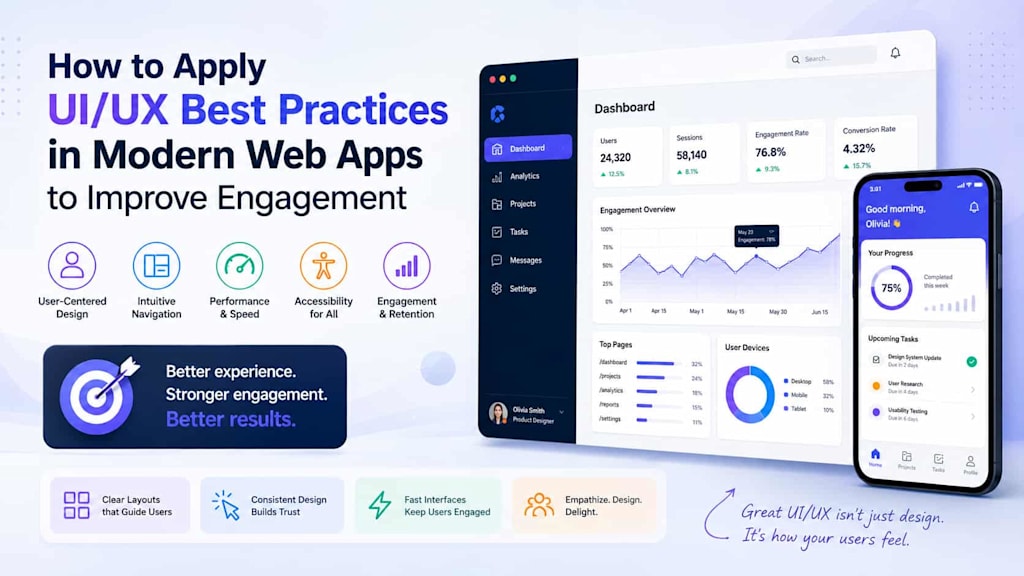
Modern users expect digital products to be fast, intuitive, visually appealing, and effortless to navigate. Whether they are shopping online, managing business operations, booking services, or collaborating remotely, users judge web applications within seconds of interaction. A confusing interface, inconsistent navigation, or slow experience can quickly drive people away — even if the application itself offers powerful functionality.
This is why UI and UX are no longer secondary considerations in software development. They have become core business priorities directly tied to engagement, retention, conversion rates, and long-term customer loyalty.
As competition intensifies across digital industries, companies are investing more heavily in user-centered design strategies that combine aesthetics with functionality. Businesses are increasingly recognizing that modern web applications must not only work efficiently but also provide enjoyable and frictionless experiences.
Applying effective UI/UX strategies requires more than adding attractive visuals. It involves understanding user behavior, simplifying workflows, improving accessibility, and aligning design decisions with business objectives.
Why UI/UX Matters More Than Ever in Modern Web Applications
User expectations continue to evolve rapidly. Consumers now compare every digital experience not only against direct competitors but against the best applications they use daily. This means even enterprise platforms are expected to deliver the same smooth interactions users experience in consumer-grade apps.
Poor usability creates friction. Friction reduces engagement.
When users struggle to complete tasks, locate information, or understand workflows, frustration grows quickly. Many users abandon applications entirely after only one poor experience. In contrast, applications that feel intuitive and responsive encourage longer sessions, increased interaction, and stronger customer loyalty.
Good UI/UX also directly affects business performance metrics, including:
- Customer retention
- User engagement
- Conversion rates
- Feature adoption
- Support ticket reduction
- Operational efficiency
In modern software environments, user experience influences perception of the entire brand. An outdated or inconsistent interface may make even technically advanced platforms appear unreliable.
At the same time, development teams face growing pressure to release features quickly while maintaining consistency across devices and platforms. This is where strong collaboration between developers, designers, and product teams becomes essential.
Successful organizations increasingly treat design as a strategic business function rather than a final visual layer added after development.
This shift is also connected to broader digital transformation efforts and the growing importance of UI/UX design best practices in creating competitive digital products.
Designing Interfaces That Reduce Friction and Increase Engagement
One of the primary goals of UI/UX design is reducing cognitive load. Users should not have to “figure out” how an application works. The interface should guide them naturally through actions and workflows.
Simple navigation remains one of the most important principles in modern design. Menus, buttons, and page structures should be predictable and consistent throughout the application. Users become frustrated when navigation patterns suddenly change between sections.
Visual hierarchy also plays a major role in usability. Important actions should stand out clearly, while less critical elements should remain accessible without overwhelming the interface. Effective spacing, typography, and color contrast help users process information more efficiently.
Another critical factor is responsiveness across devices. Users increasingly switch between desktops, tablets, and smartphones throughout the day. Interfaces must adapt smoothly to different screen sizes without sacrificing usability or performance.
Performance optimization is equally important for engagement. Slow-loading pages significantly increase abandonment rates. Modern users expect near-instant interactions, especially in SaaS platforms and eCommerce applications.
Accessibility has also become a fundamental requirement rather than an optional feature. Applications designed with accessibility in mind benefit a broader audience while improving usability for all users. Proper contrast ratios, keyboard navigation, readable typography, and screen-reader compatibility contribute to more inclusive digital experiences.
Microinteractions represent another valuable engagement tool. Small visual responses such as hover effects, loading indicators, progress animations, and confirmation messages provide users with immediate feedback and make applications feel more interactive and polished.
Many of these principles align closely with the best practices for modern interfaces that prioritize clarity, speed, and usability over unnecessary visual complexity.
Balancing Aesthetics, Performance, and Development Efficiency
A visually attractive application alone does not guarantee a good user experience. In many cases, overly complex interfaces actually reduce usability by introducing distractions and slowing performance.
Modern UI/UX strategies focus on balancing aesthetics with functionality.
Minimalist design continues to dominate because it helps users focus on core actions without unnecessary clutter. Clean layouts, consistent components, and intuitive workflows create more efficient interactions.
Design systems have become increasingly important in achieving consistency at scale. By using reusable components, organizations can maintain visual coherence across multiple products and development teams. Design systems also accelerate development by reducing repetitive design and coding tasks.
Collaboration between designers and developers is particularly critical here. Poor communication often leads to inconsistencies between intended design and final implementation.
This is where technical quality also influences user experience. Efficient frontend architecture, optimized rendering, and maintainable codebases contribute directly to performance and usability. Following clean code tips during development helps teams create interfaces that remain stable, scalable, and easier to improve over time.
Modern applications must also support continuous iteration. User expectations change quickly, and businesses need the flexibility to refine interfaces based on analytics, feedback, and behavioral data.
Analytics tools now allow teams to monitor user flows, identify friction points, and optimize experiences continuously. Heatmaps, session recordings, and user testing provide valuable insights into how real users interact with applications.
Rather than treating UI/UX as a one-time design phase, successful organizations approach it as an ongoing optimization process.
Emerging Trends Shaping Modern UI/UX Strategies
Digital experiences continue to evolve alongside advances in technology and user behavior. Several important trends are currently influencing how businesses approach interface design and user engagement.
Personalization is becoming increasingly sophisticated. Modern applications now adapt content, layouts, and recommendations based on user preferences and behavior patterns. Personalized experiences improve engagement because users feel applications are tailored to their needs.
AI-driven interfaces are also gaining momentum. Intelligent search, predictive suggestions, automated workflows, and conversational interfaces help users complete tasks more efficiently. However, successful AI integration still depends heavily on intuitive UX design that keeps automation transparent and user-friendly.
Dark mode and adaptive themes remain highly popular among users, particularly in productivity and enterprise applications. Offering customizable viewing experiences improves comfort and accessibility.
Motion design is evolving beyond decorative animation into functional communication. Subtle transitions and interactive feedback help guide user attention while improving perceived responsiveness.
Another important shift involves simplifying onboarding experiences. Users increasingly expect applications to provide immediate value without lengthy tutorials or complex setup processes. Progressive onboarding strategies help users learn features naturally while interacting with the product.
Voice interfaces and multimodal interactions are also expanding gradually, especially as AI assistants become more integrated into digital workflows.
Many of these developments reflect broader trends shaping 2026, where intelligent personalization, automation, accessibility, and cross-platform consistency continue to redefine user expectations.
At the same time, businesses must ensure these innovations do not compromise performance or usability. Adding excessive interactive elements or AI features without clear user value can easily create confusion rather than engagement.
The most successful products typically adopt new technologies selectively and strategically.
Building Long-Term Engagement Through User-Centered Design
Engagement is not created through visuals alone. It emerges when users consistently feel that an application helps them accomplish tasks efficiently and comfortably.
This requires organizations to think beyond isolated UI elements and focus on the complete user journey.
Every interaction matters:
- Login and onboarding flows
- Navigation structures
- Search experiences
- Error handling
- Checkout processes
- Dashboard organization
- Mobile responsiveness
- Loading states
- Notifications and feedback systems
When these elements work together seamlessly, users develop trust and familiarity with the product.
Consistency is especially important for enterprise platforms and scalable web apps where users interact with large amounts of data or complex workflows daily. A consistent experience reduces training time, improves productivity, and minimizes user frustration.
Cross-functional collaboration also plays a central role in successful UI/UX implementation. Designers, developers, QA teams, product managers, and business stakeholders must align around shared usability goals rather than treating design and engineering as separate priorities.
User testing should remain continuous throughout development cycles. Assumptions about user behavior are often inaccurate, and direct feedback helps teams identify usability issues early before they become expensive problems.
Importantly, UI/UX investments should always connect to measurable business outcomes. Better engagement is valuable not only because users enjoy the experience, but because it contributes to customer retention, operational efficiency, and revenue growth.
Conclusion
Modern web applications compete in an environment where user expectations are higher than ever. Businesses can no longer rely solely on functionality or technical performance to retain users and drive engagement.
Effective UI/UX strategies help organizations create digital products that are intuitive, efficient, accessible, and enjoyable to use. By reducing friction, improving usability, and continuously optimizing user journeys, companies can significantly increase engagement and long-term customer loyalty.
Successful applications combine thoughtful design, strong technical execution, and ongoing iteration based on real user behavior. They balance aesthetics with functionality while remaining adaptable to changing technologies and customer expectations.
As digital ecosystems continue to evolve, businesses that prioritize user-centered design will be better positioned to compete, innovate, and grow in increasingly crowded markets.
About the Creator
Markus Koch
I am a professional IT consultant with 5+ years of experience.
Enjoyed the story? Support the Creator.
Subscribe for free to receive all their stories in your feed.
Comments
There are no comments for this story
Be the first to respond and start the conversation.