
How to Register for Making Tax Digital for Income Tax
MTD for Income Tax Registration Guide

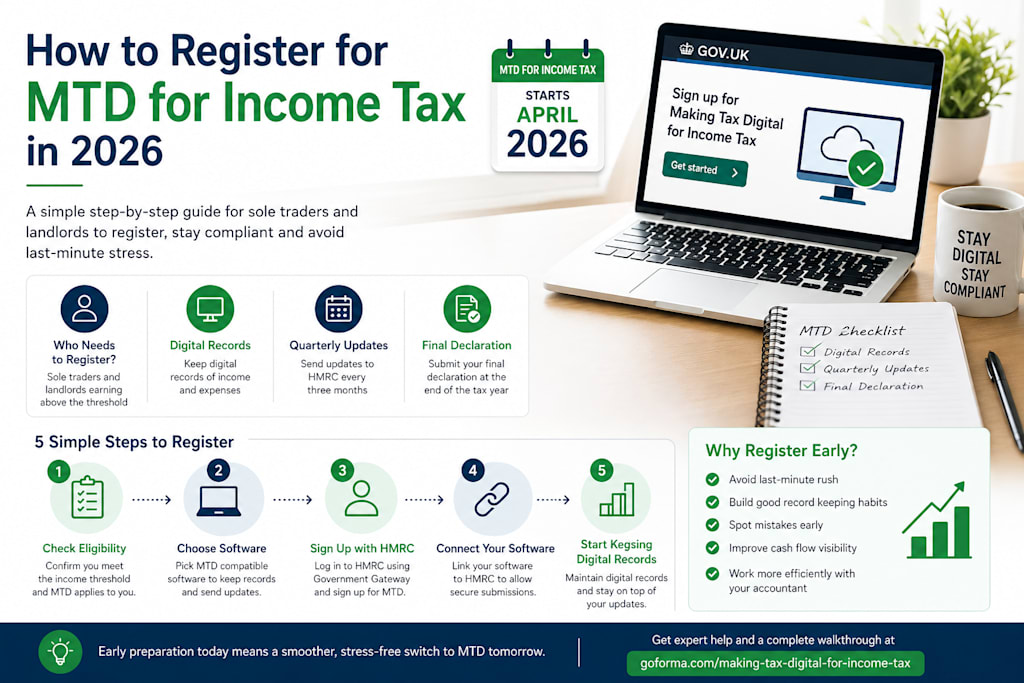
If you are searching for how to register for Making Tax Digital for Income Tax, you are not alone. Many sole traders and landlords across the UK are preparing for the 2026 changes, but the process still feels unclear. This guide breaks everything down into simple steps so you can register with confidence and avoid common mistakes.
What is Making Tax Digital for Income Tax?
Making Tax Digital for Income Tax, often called MTD for IT, is a UK government initiative that moves tax reporting online. Instead of one annual tax return, you will:
- Keep digital records of income and expenses
- Send quarterly updates to HMRC
- Submit a final declaration at the end of the tax year
From April 2026, this will apply to individuals with business or property income over £50,000. From April 2027, it will extend to those earning over £30,000.
Who Needs to Register for MTD for Income Tax?
You will need to sign up if you are:
- A sole trader with qualifying income above the threshold
- A landlord earning rental income above the threshold
- Already registered for Self Assessment
If your income is below the threshold, you can still join voluntarily to get used to the system early.
What You Need Before You Register
Before you start the registration process, make sure you have:
- A Government Gateway account
- Your Unique Taxpayer Reference
- Access to MTD compatible software
- Up to date Self Assessment registration
Without software, you will not be able to submit updates, so this step is essential.
How to Register for MTD for Income Tax
Step 1: Check Your Eligibility
Confirm your income level and whether MTD applies to you. You can review your latest tax return or speak with your accountant.
Step 2: Choose MTD Compatible Software
Pick MTD software that allows you to:
- Keep digital records
- Submit quarterly updates
- Send final declarations
Popular tools include Xero, QuickBooks, and FreeAgent.
Step 3: Sign Up with HMRC
Visit the HMRC MTD sign up page and log in using your Government Gateway details. Follow the prompts to join the service.
Step 4: Connect Your Software
Once registered, link your software to HMRC. This allows your records to sync and your updates to be sent directly.
Step 5: Start Keeping Digital Records
From this point, you need to maintain digital records of your income and expenses. This replaces manual spreadsheets or paper records.
Key Deadlines to Keep in Mind
- April 2026: MTD starts for income above £50,000
- April 2027: Threshold drops to £30,000
Even if you are not required yet, early preparation gives you a clear advantage.
Benefits of Registering Early
Getting started ahead of time can help you:
- Build a smooth record keeping habit
- Avoid last minute pressure
- Spot errors early
- Improve cash flow visibility
- Work more closely with your accountant
Early adopters often find the transition much easier.
Can an Accountant Register for You?
Yes, an accountant can handle the entire process if you authorise them. This includes:
- Checking eligibility
- Completing registration
- Setting up software
- Managing submissions
This is a good option if you want to save time and avoid technical issues.
Final Thoughts
MTD for Income Tax is a major shift, but the registration process becomes simple when you break it down step by step. Focus on getting the right software, signing up correctly, and keeping your records up to date.
About the Creator
Enjoyed the story? Support the Creator.
Subscribe for free to receive all their stories in your feed.
Comments