
Bringing the Brain to the Code: A Pragmatic Guide to Laravel and OpenAI
A Practical Approach to Integrating Generative AI into Modern Laravel Projects

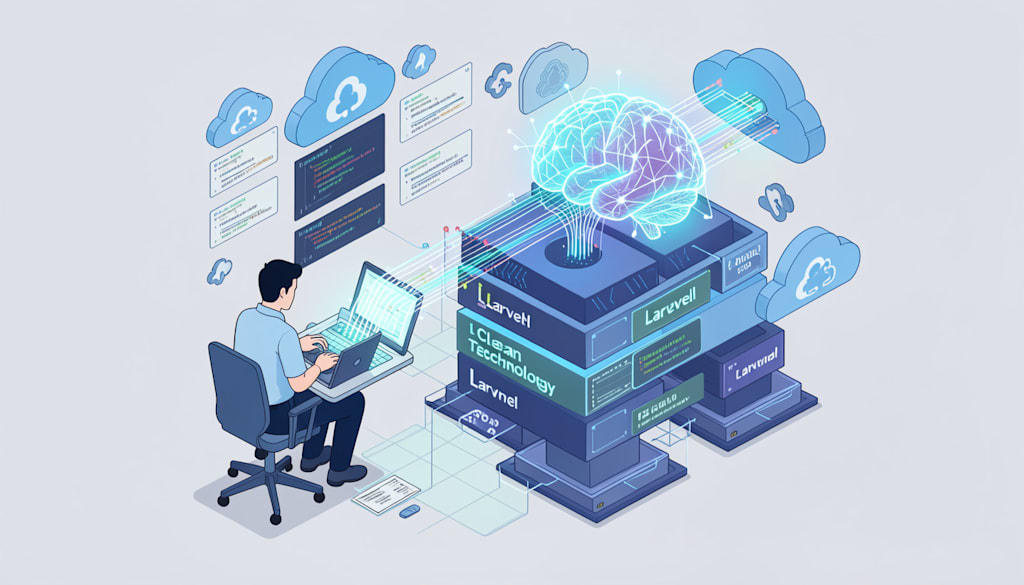
Most developers are building features that don't need to exist. We spend weeks architecting complex conditional logic and "smart" filtering systems that a well-tuned prompt could handle in five milliseconds. If you aren't plugging your Laravel application into an LLM right now, you're essentially building a calculator in the age of quantum computing.
The reality is that OpenAI isn't just a chatbot interface. It’s a specialized utility engine that solves the messy, unstructured data problems PHP has historically struggled with. Integrating it into Laravel isn't just about adding a "chat" button; it’s about offloading cognitive load from your codebase to an API.
Stop Writing Regex and Start Prompting
I recently worked with a logistics company that had a massive backlog of unorganized shipping manifests. They were trying to use complex regex patterns to extract dates, weights, and destination cities from messy, human-written text strings. It was a maintenance nightmare that broke every time a clerk typed a date differently.
We replaced three hundred lines of brittle validation logic with a single OpenAI API call. By sending the raw text to `gpt-4o` with a system instruction to "return a JSON object with these specific keys," we reached 99% accuracy overnight. This shift represents the Future of Laravel where we focus on user experience rather than fighting with string manipulation.
Laravel makes this transition incredibly smooth. While you can use a Guzzle bit to hit the endpoints manually, the ecosystem has already matured. Libraries like OpenAI PHP provide a clean, fluent interface that feels native to the framework. You aren't just making HTTP requests; you’re working with objects that feel like Eloquent for artificial intelligence.
The Architecture of an AI-Powered Feature
You shouldn't just spray API calls across your controllers. That’s a recipe for a slow, expensive application that crashes when OpenAI hits a rate limit. The best way to handle these integrations is through Laravel's Job system.
Think of it this way: a user submits a support ticket, and you want to summarize it and assign a sentiment score. Doing this during the request-response cycle is a mistake. It adds 2-3 seconds of latency that the user doesn't need to experience. Instead, dispatch a queued job.
```php
public function handle(): void
{
$response = OpenAI::chat()->create([
'model' => 'gpt-4o-mini',
'messages' => [
['role' => 'system', 'content' => 'Categorize this ticket sentiment.'],
['role' => 'user', 'content' => $this->ticket->body],
],
]);
$this->ticket->update([
'sentiment' => $response->choices[0]->message->content,
]);
}
```
This approach keeps your application snappy. If you're worried about the overhead of running background processes, checking out an Ultimate Guide to Laravel Performance Optimization will help you tune your Redis queues to handle thousands of these AI tasks without breaking a sweat.
Managing the Token Burn
Every API call has a price tag, and it isn't just the dollar amount on your OpenAI billing dashboard. It's the latency. Large prompts take time to process. To keep your app efficient, you need to implement a aggressive caching strategy.
If two different users ask for a summary of the same 50-page PDF, you shouldn't be paying for those tokens twice. Use Laravel’s `Cache` facade to store the response based on a hash of the input. I usually set these to expire after 24 hours or whenever the source data changes.
Another trick is to use "Structured Outputs." By forcing the model to respond in a strict JSON schema, you eliminate the need for post-processing logic in PHP. You don't have to check if the string starts with "Sure, here is the information." You just get the data you asked for, ready to be cast into a DTO or saved to your database. It's cleaner, faster, and keeps your controllers from becoming a dumping ground for string parsing.
Building for Resilience
The biggest mistake I see senior devs make is assuming the API will always be there. It won't. OpenAI goes down, quotas get hit, and sometimes the model just returns garbage. Your Laravel app needs to be defensive.
Wrap your calls in a `retry()` helper. Give it a three-attempt limit with a bit of exponential backoff. If it still fails after that, degrade gracefully. Maybe the user doesn't get an AI summary today, but they should still be able to use the rest of your app.
We often get caught up in the magic of what these models can do and forget that they're just another external dependency, like a payment gateway or a mail provider. Treat them with the same skepticism you'd give to any third-party service. Log your token usage per user so you can spot "runaway" accounts before they cost you a thousand dollars in a weekend.
Don't just read about this—go into your current project and find one "messy" piece of logic. Maybe it's a search function that only works with exact keywords, or a data entry form that's too tedious for humans. Replace that logic with a specific, scoped OpenAI call today and see how much code you can actually delete.
About the Creator
Jigar Shah
This is Jigar Shah, Owner of WPWeb Elite - Leading Plugin selling company featured as an Envato Elite Author on CodeCanyon.
Enjoyed the story? Support the Creator.
Subscribe for free to receive all their stories in your feed.
Comments
There are no comments for this story
Be the first to respond and start the conversation.