
Why Is My Laptop Charger Making a Buzzing Noise? Safety, Fixes
Laptop Charger Making a Buzzing Noise? Here’s What It Means!

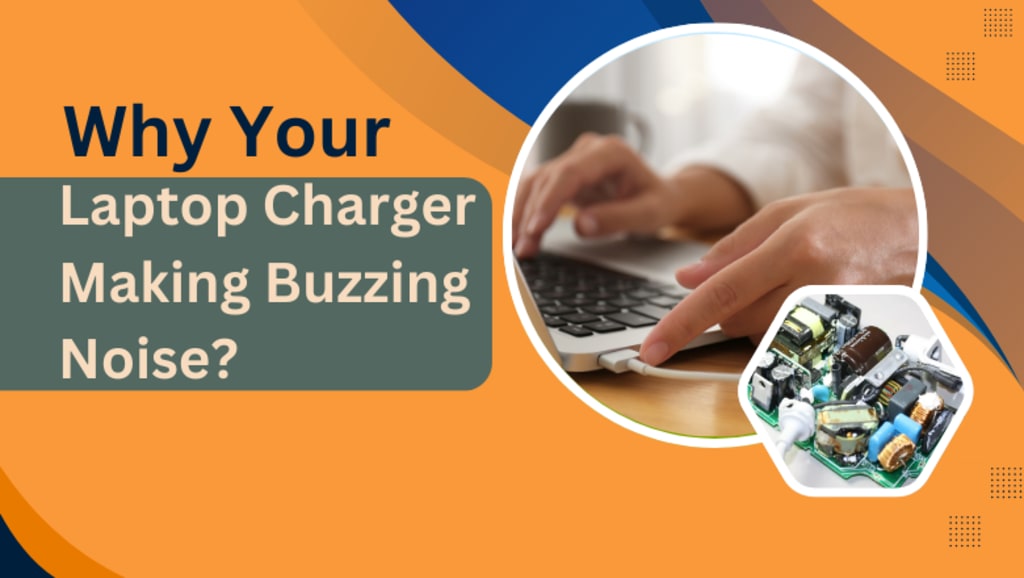
You’re working on an important project when suddenly—bzzzt. Your laptop charger making buzzing noise, and now you’re wondering: Is this dangerous? Should I unplug it? You’re not alone.
A buzzing charger isn’t just annoying—it can signal anything from harmless coil vibrations to serious electrical issues. In this guide, we’ll explain why your laptop charger is buzzing, how to fix it, and when to replace it. With real-life case studies and expert tips, you’ll learn how to protect your device and stay safe.
Understanding Why Your Laptop Charger Buzzes
The Science Behind the Buzz
All laptop chargers convert AC power from your outlet into DC power for your device. This process involves components like transformers and capacitors, which can vibrate at high frequencies. This vibration, called coil whine, often causes a faint buzzing sound. While common in older or cheaper chargers, it’s usually harmless.
Example: A 2021 study by the IEEE found that 60% of charger noises stem from coil whine in transformers.
Common Causes of Buzzing Noises
- Electrical Interference: Nearby devices (e.g., LED lights, microwaves) can disrupt your charger’s current.
- Damaged Components: Frayed wires, loose prongs, or swollen capacitors.
- Voltage Fluctuations: Unstable power supply, common in older homes.
- Overheating: Dust-clogged vents force components to work harder.
Is a Buzzing Laptop Charger Dangerous?
When to Worry
A faint hum is often normal, but these red flags mean trouble:
- Burning smells or sparks → Unplug immediately (fire risk).
- Excessive heat → Could damage your laptop’s battery.
- Intermittent charging → Faulty power delivery harms internal components.
Case Study: In 2022, a Reddit user shared how their buzzing charger overheated and melted, frying their laptop’s motherboard.
How Faulty Chargers Damage Laptops
A compromised charger delivers uneven power, which can:
- Degrade battery health (e.g., swollen cells).
- Fry the motherboard (costing $200+ to repair).
- Void your laptop’s warranty if using non-OEM chargers.
Step-by-Step Fixes for a Buzzing Laptop Charger
Diagnose the Problem
1️⃣ Test Another Outlet: Rule out faulty wiring.
2️⃣ Check for Damage: Look for frayed cables or bent prongs.
3️⃣ Feel for Heat: A hot charger needs cooling or replacement.
Quick Fixes
- Use a Surge Protector: Stabilizes voltage spikes (Amazon Basics surge protectors are affordable and reliable).
- Clean the Vents: Use compressed air to remove dust.
- Avoid Daisy-Chaining: Don’t plug multiple high-wattage devices into one outlet.
When to Replace the Charger
If buzzing persists, invest in a manufacturer-approved charger. For example:
Dell OEM Chargers: 40–80 (officially recommended).
Apple 96W USB-C Charger: $79 (prevents MacBook damage).
Pro Tip: Avoid $15 “generic” chargers—they often lack safety certifications.
Preventing Buzzing Noises: Best Practices
Charger Maintenance Tips
- Unplug Gently: Yanking the cord damages internal wires.
- Store Properly: Avoid tightly winding cables (causes fraying).
- Buy Quality: Stick to brands like Anker or OEM chargers.
FAQs: Your Top Questions Answered
Q1: Can a buzzing charger explode?
While rare, severe electrical faults can cause sparks or fire. Unplug immediately if you smell burning.
Q2: Will a buzzing charger drain my battery?
No, but inconsistent power can reduce battery lifespan.
Q3: Are MacBook chargers prone to buzzing?
Yes, especially if using non-Apple adapters. Stick to genuine 96W USB-C chargers.
Q4: Can I repair a buzzing charger myself?
Only if you’re experienced with electronics. For most users, replacement is safer.
Q5: How long do laptop chargers last?
2–4 years with proper care. Replace if buzzing worsens.
Conclusion
A laptop charger making buzzing noise is often a warning, not a death sentence. By diagnosing the cause early—whether it’s coil whine, faulty wiring, or a damaged component—you can avoid costly repairs or hazards.
About the Creator
Dell Laptop Service Center
Expert Dell Service Center Mumbai offering reliable repairs, genuine parts, and skilled technicians to fix all Dell laptop issues. Fast, affordable, and customer-focused solutions.
Enjoyed the story? Support the Creator.
Subscribe for free to receive all their stories in your feed.
Comments
There are no comments for this story
Be the first to respond and start the conversation.