
Why do we value convenience more than our own digital privacy?
Advanced Tactics to Erase Your Wireless Footprint

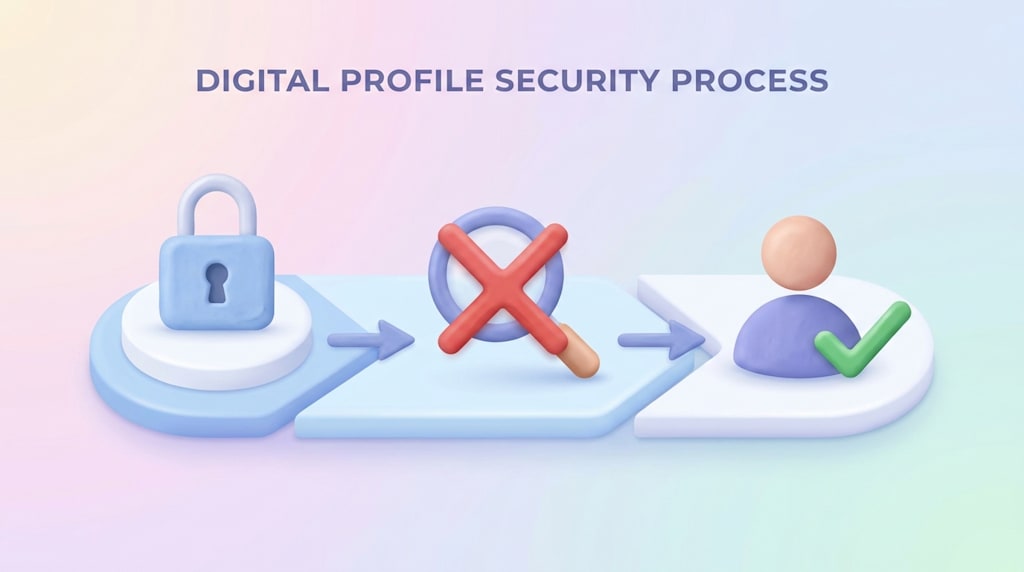
If you think your social media is private just because you have a password, I have some bad news. In the modern world, hackers, malicious actors, and third-party data brokers don’t always need your password to get your private info. Instead, they cleverly exploit the small gaps, hidden default permissions, and unoptimized privacy settings that you leave open in your accounts every single day.
In this digital era, your personal data is essentially a form of currency, and corporations are constantly tracking your digital footprint to profit from it. I want to help you close those security gaps once and for all. Here are four powerful, actionable steps you can take right now to secure your digital life and protect your identity online.
Step 1: The Ultimate Password Upgrade
Stop using the exact same password for everything. It is a very common human habit to reuse a single, easy-to-remember password across multiple platforms like Facebook, Netflix, online shopping sites, and email accounts. However, this creates a major security vulnerability known as credential stuffing.
If one minor, poorly secured website gets hacked and your data is leaked, the hackers will immediately take that exact email and password combination and try it on your Facebook, Instagram, Amazon, and sensitive bank accounts. To fix this, you should transition to using a passphrase. A passphrase is a long combination of random words that is very easy for you to visualize and remember, but absolutely impossible for a brute-force computer algorithm to guess in a billion years.
Step 2: Move Beyond SMS Codes for Two-Factor Authentication
Most people use their phone number to receive security codes via text message when logging into a new device. While having some form of Two-Factor Authentication (2FA) is better than having nothing at all, relying entirely on SMS codes is a massive mistake in modern cybersecurity.
Cybercriminals have mastered a technique called "SIM Swapping." In a SIM swap attack, a scammer convinces your mobile network provider that they are you, convinces them to port your phone number over to a brand new SIM card that the criminal controls, and instantly steals all your incoming security codes. To prevent this, you should immediately switch to a dedicated authenticator app, such as Google Authenticator, Microsoft Authenticator, or Bitwarden. Because these apps generate time-based codes that live exclusively on your physical hardware phone, it is vastly harder for a remote criminal to intercept or reach them.
Step 3: Kill the Invasive Ad Tracking System
Have you ever had a verbal conversation with a friend about a new pair of shoes, only to open your phone minutes later and see an ad for those exact shoes? This happens because your apps are constantly sharing data with one another behind the scenes. To stop this intrusive tracking, you need to navigate directly into your "Ad Preferences" or "Privacy Settings" on any major social media platform.
Inside those advanced menus, you will find a hidden setting typically called "Ads based on data from partners" or "Off-Facebook Activity." You must turn this feature completely off. Doing this effectively cuts the digital cord, preventing external e-commerce websites, games, and browsing trackers from constantly whispering to your social apps and reporting exactly what you are doing online.
Step 4: Hide Your Profiles from Public Search Engines
You absolutely do not want your private, personal profile, photos, and status updates showing up on the first page of Google results whenever a complete stranger, a potential employer, or a stalker searches your full legal name. By default, most social networks allow external search engines to index your profile page.
To reclaim your privacy, go deep into your account's privacy configuration settings and locate the specific option that asks: "Do you want search engines outside of this platform to link to your profile?" You must set this toggle to "No." Keep in mind that it usually takes a few weeks for Google's web crawlers to completely update their global database and remove your links, but making this simple change makes you much harder to track down.
The Ultimate Annual Privacy Audit
Implementing these four fundamental steps will successfully protect you from the vast majority of common automated digital threats and script-kiddie hackers. However, digital security is not a one-time setup; it is a continuous, ongoing practice. Even with the best settings configured, social media conglomerates frequently launch major platform updates that quietly reset your custom choices back to their original corporate-friendly defaults.
Because of this hidden practice, there is a professional-level, deep-dive privacy audit that you absolutely should perform at least once every single year to guarantee your digital castle remains completely unbreached. I have detailed the rest of the essential security configurations and the full "ultimate audit" checklist in my comprehensive framework. Don't wait until your identity is stolen, your accounts are locked out, or your private data is put up for sale on the dark web. Read the full, step-by-step Professional Privacy Audit here to take full control of your web presence today.
#SocialMediaSecurity #OnlineSafety #PrivacyGuide #SecurelyLife #CyberSecurityTips #DataPrivacy #InfoSec
About the Creator
Securely Life
"Welcome to Securely Life! Our mission is to empower you with expert-backed safety guides."
Enjoyed the story? Support the Creator.
Subscribe for free to receive all their stories in your feed.
Comments
There are no comments for this story
Be the first to respond and start the conversation.