
Samsung Chromebook 11 Review: Lightweight, Affordable, and Surprisingly Capable
Explore the Samsung Chromebook 11 in our in-depth review. Learn about its features, performance, pros, and cons to decide if this budget-friendly laptop is right for you.
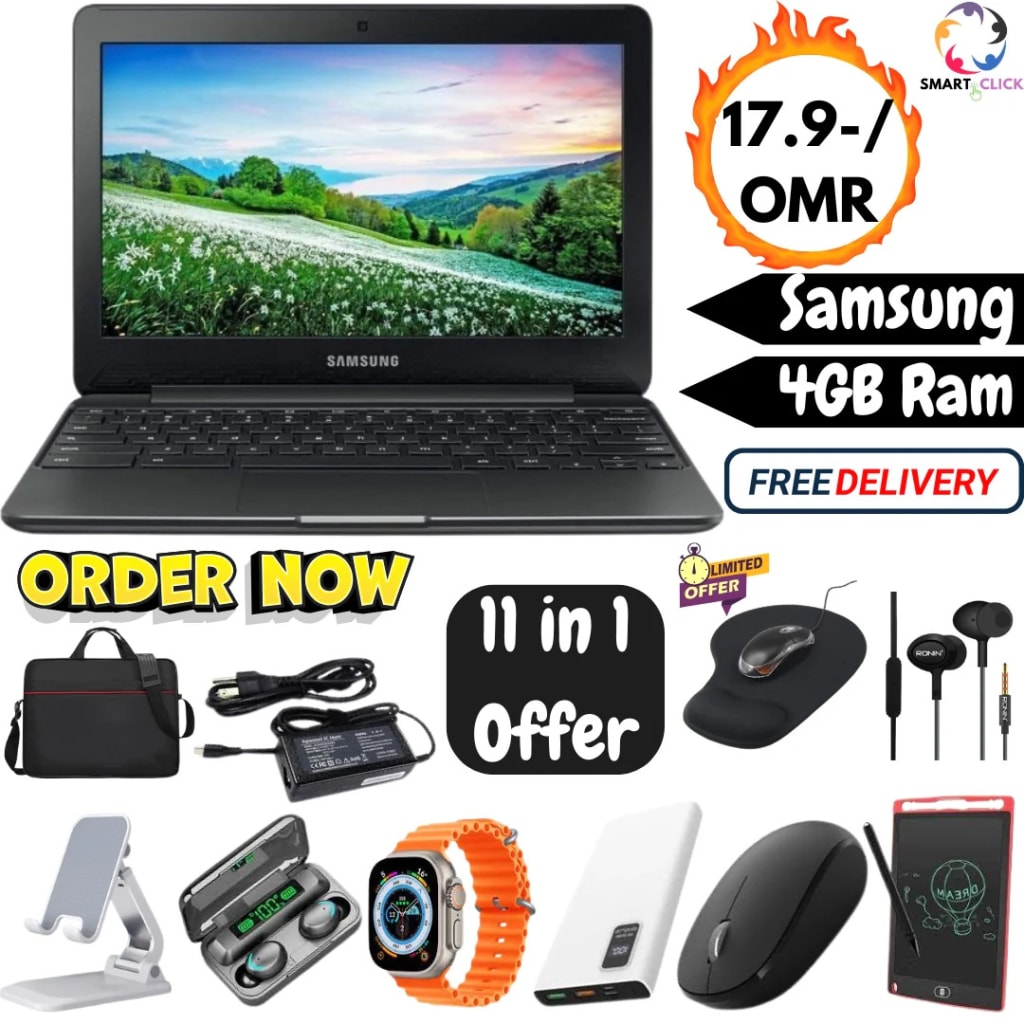
📝 Samsung Chromebook 11 Review: Lightweight, Affordable, and Surprisingly Capable
In today’s fast-paced digital world, choosing a reliable yet affordable laptop can feel like searching for a needle in a haystack. However, the Samsung Chromebook 11 stands out as a surprisingly competent contender in the budget Chromebook arena. With its compact design, long battery life, and seamless integration with Google services, it offers more than you might expect at first glance.
Whether you're a student looking for a dependable school laptop, a professional in need of a portable writing device, or simply someone who wants an affordable machine for browsing and streaming, the Samsung Chromebook 11 might just tick all the right boxes. In this detailed review, we’ll dive into everything you need to know—from design and display to performance and practicality.
🔷 1. Design and Build Quality
At first glance, the Samsung Chromebook 11 looks sleek and modern, with a minimalist design that doesn’t scream “budget.” The casing is usually made of durable plastic with a matte finish that resists fingerprints and minor scuffs. It's incredibly lightweight—just under 2.5 pounds—making it easy to carry around in a backpack or handbag.
The 11.6-inch screen makes the device compact, which is perfect for users who prioritize portability. The hinge design is firm and allows for a good viewing angle, though it doesn't rotate 360 degrees like some other Chromebooks. Overall, the Samsung Chromebook 11 feels solidly built, belying its entry-level price.
🔷 2. Display Quality
The display on the Samsung Chromebook 11 features an 11.6-inch HD screen with a resolution of 1366 x 768 pixels. While it won’t blow you away with ultra-sharp visuals or vibrant colors, it delivers respectable quality for everyday tasks like web browsing, streaming YouTube, or working on Google Docs.
The anti-glare coating is a nice touch, making it easier to use the device in brightly lit environments like classrooms or coffee shops. However, viewing angles are limited, and the brightness could be better for outdoor use. Still, for its price point, the display gets the job done.
🔷 3. Keyboard and Trackpad Experience
Typing on the Samsung Chromebook 11 is surprisingly comfortable. The keyboard has decent key travel, and the layout is spacious enough for long typing sessions, such as note-taking or writing assignments. It doesn’t offer backlighting, but that’s expected at this price level.
The trackpad is responsive and accurate. Multi-finger gestures work well, and navigating the Chrome OS interface feels smooth and intuitive. For students and casual users, the typing and navigation experience is more than adequate.
🔷 4. Performance: What’s Under the Hood?
The Samsung Chromebook 11 is typically powered by an Intel Celeron processor (such as the N3060 or N4000), paired with 2GB or 4GB of RAM and 16GB to 32GB of eMMC storage. This may not sound like much, especially compared to Windows laptops, but Chrome OS is lightweight and optimized to run efficiently on modest hardware.
Boot times are quick—usually under 10 seconds—and general performance is snappy for everyday tasks. You can run multiple tabs, stream videos, and use Google apps without significant slowdown. However, you may run into limitations if you try to multitask heavily or use demanding applications.
🔷 5. Battery Life: All-Day Power
One of the Chromebook 11's standout features is its battery life. Most users report getting around 10 to 12 hours of usage on a single charge, depending on screen brightness and workload. This makes it ideal for students and professionals who are constantly on the move and don’t want to carry a charger everywhere.
Chromebooks are designed to be energy-efficient, and Samsung’s offering is no exception. Whether you're working on documents, attending virtual classes, or watching Netflix, the Chromebook 11 will likely last you the whole day.
🔷 6. Chrome OS and Software Integration
Since it runs on Chrome OS, the Samsung Chromebook 11 benefits from seamless integration with Google services like Gmail, Drive, Docs, and Meet. It’s a cloud-first experience, meaning most of your work is saved online, reducing the risk of data loss and allowing for effortless sync between devices.
Chrome OS also supports Android apps via the Google Play Store, so you can download popular apps like Zoom, Spotify, Microsoft Office, and even some light games. The interface is user-friendly and perfect for people who want simplicity without sacrificing functionality.
🔷 7. Ports and Connectivity
The Samsung Chromebook 11 offers a practical range of ports, including:
2 x USB-A ports
1 x USB-C port (for charging and data transfer)
1 x headphone/mic combo jack
1 x microSD card slot
Wi-Fi and Bluetooth connectivity are reliable, and the built-in webcam and microphone perform adequately for video calls and online classes.
It doesn’t have HDMI out or multiple USB-C ports, but for casual users, this selection is generally sufficient.
🔷 8. Who Is It Best For?
This device is clearly targeted at:
Students in need of a basic, reliable laptop for note-taking, research, and virtual classes.
Parents looking for a child-friendly laptop for online learning or web browsing.
Professionals who need a lightweight travel companion for email, writing, and cloud-based tasks.
Budget-conscious users who just want to browse, stream, and stay connected without the bulk of a traditional laptop.
If your needs align with these categories, the Samsung Chromebook 11 is a great fit.
🔷 9. Limitations to Keep in Mind
Of course, no device is perfect. Here are some of the drawbacks:
Limited local storage (though Google Drive makes up for this)
Basic screen resolution
Not suitable for heavy multitasking or demanding software (like Photoshop or video editing tools)
No touchscreen functionality in most models
Still, these compromises are understandable for a device at this price point.
🔷 10. Final Verdict
The Samsung Chromebook 11 may not be a powerhouse, but it doesn’t try to be. Instead, it delivers reliable performance, excellent battery life, and seamless Google integration in a compact and affordable package. It’s a near-perfect entry-level device for light computing needs.
If you're looking for an affordable, no-fuss laptop for everyday use, the Samsung Chromebook 11 is definitely worth considering. It’s proof that a great user experience doesn’t have to come with a hefty price tag.
About the Creator
Enjoyed the story? Support the Creator.
Subscribe for free to receive all their stories in your feed.
Comments
There are no comments for this story
Be the first to respond and start the conversation.