
Reactivate Banned WhatsApp Account: Quick Guide
Unblock Whatsapp Account
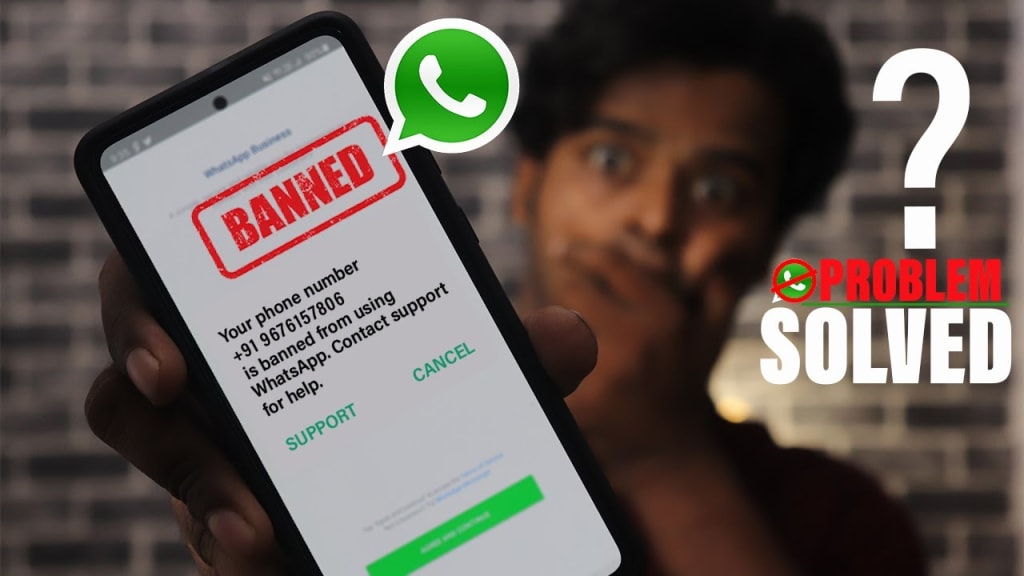
Guide to Reactivate Banned WhatsApp Account
WhatsApp has become an indispensable part of our communication landscape, both for personal chats and business interactions. However, encountering a ban can be particularly frustrating, especially when your account plays a crucial role in your daily life. If you find yourself in this predicament, knowing how to reactivate banned WhatsApp account and how to appeal WhatsApp ban is essential. In this guide, we’ll cover why accounts get banned, how to appeal the ban, and best practices to avoid future issues.
Common Reasons for WhatsApp Account Bans
Understanding why your account might have been banned is the first step to resolving the issue. Here are some key reasons:
1. Messaging Unsaved Contacts
A primary reason for bans is sending messages to users who haven’t saved your number. If a significant number of recipients report or block you, WhatsApp may take action against your account.
2. Spamming Behavior
Engaging in spamming by sending the same message to multiple users can trigger WhatsApp’s spam detection systems. This automated response can lead to a ban.
3. Inappropriate or Offensive Content
Sharing content that violates WhatsApp’s terms—like offensive language or misinformation—can result in an account suspension.
4. Suspicious Activity
Any unusual behavior, such as rapidly increasing messaging volume or creating multiple accounts in a short time, may also lead to a ban and complicate efforts to reactivate banned WhatsApp account.
Recognizing these causes is essential in not only reactivating your account but also preventing future issues.
Steps to Reactivate Banned WhatsApp Account
If you discover that your account has been banned, don’t worry. Here’s a step-by-step approach to appealing the ban:
1. Familiarize Yourself with WhatsApp’s Policies
Before reaching out for support, it’s wise to review WhatsApp’s privacy and messaging guidelines. Ensure your past messaging practices align with their policies.
2. Reach Out to WhatsApp Support
Open the WhatsApp app and navigate to the “Request a Review” option. This will allow you to submit an appeal to the support team.
3. Craft Your Appeal Message
When writing your appeal, it’s important to be polite and clear. Here’s a basic template you might use:
"Hello WhatsApp Support,
I believe my account has been mistakenly banned. I understand the importance of following your guidelines and am committed to doing so moving forward. Please consider my request for reactivation. Thank you.
Best,
[Your Name]"
4. Be Patient While Awaiting a Response
Once you’ve submitted your appeal, give it some time. Many users report reactivation within 6 to 24 hours. If you haven’t heard back by then, consider using the app’s “Contact Us” feature to assist in your efforts to reactivate banned WhatsApp account.
5. Verify Your Account After Unbanning
If your account is reinstated, you may be required to verify it by entering a code sent to your phone number.
Tips for Avoiding Future Bans
After successfully reactivating your banned WhatsApp account, it’s vital to implement strategies to prevent future issues and understand how to appeal WhatsApp ban effectively:
1. Limit Mass Messaging
Avoid sending bulk messages, especially to contacts who haven’t saved your number. Personalization can help maintain relevance and decrease the risk of being flagged.
2. Use Official WhatsApp Applications
Stay away from third-party apps or modified versions of WhatsApp, as these can violate terms and increase the likelihood of a ban.
3. Follow Privacy Guidelines
Only reach out to users who have opted to receive your messages. Unsolicited marketing can lead to account suspension.
4. Maintain Balanced Interaction
Ensure a mix of incoming and outgoing messages to avoid triggering spam detection, which is crucial for those looking to reactivate banned WhatsApp account. Tools that simulate natural messaging can help maintain account integrity.
5. Gradually Warm Up New Numbers
If you’re using a new number for outreach, give it time to establish a reputation. Start small and gradually increase your message volume to avoid being flagged as spammy.
Implementing these practices will not only help in reactivating your banned WhatsApp account but will also foster a healthier messaging environment.
Conclusion
To sum up, knowing how to reactivate banned WhatsApp account is crucial for anyone relying on the platform for communication. By understanding the reasons for bans and following the outlined steps, you can effectively appeal and ensure your messaging practices keep your account safe. Knowing how to appeal WhatsApp ban and engaging responsibly will go a long way in maintaining a smooth WhatsApp experience.
About the Creator
Enjoyed the story? Support the Creator.
Subscribe for free to receive all their stories in your feed.
Comments
There are no comments for this story
Be the first to respond and start the conversation.