
Lenovo 300e Chromebook is a part of Lenovo’s education
Discover the Lenovo 300e Chromebook a rugged, versatile, and budget-friendly laptop ideal for students and educators. Explore its features, performance, and why it's a top choice for classroom and remote learning.
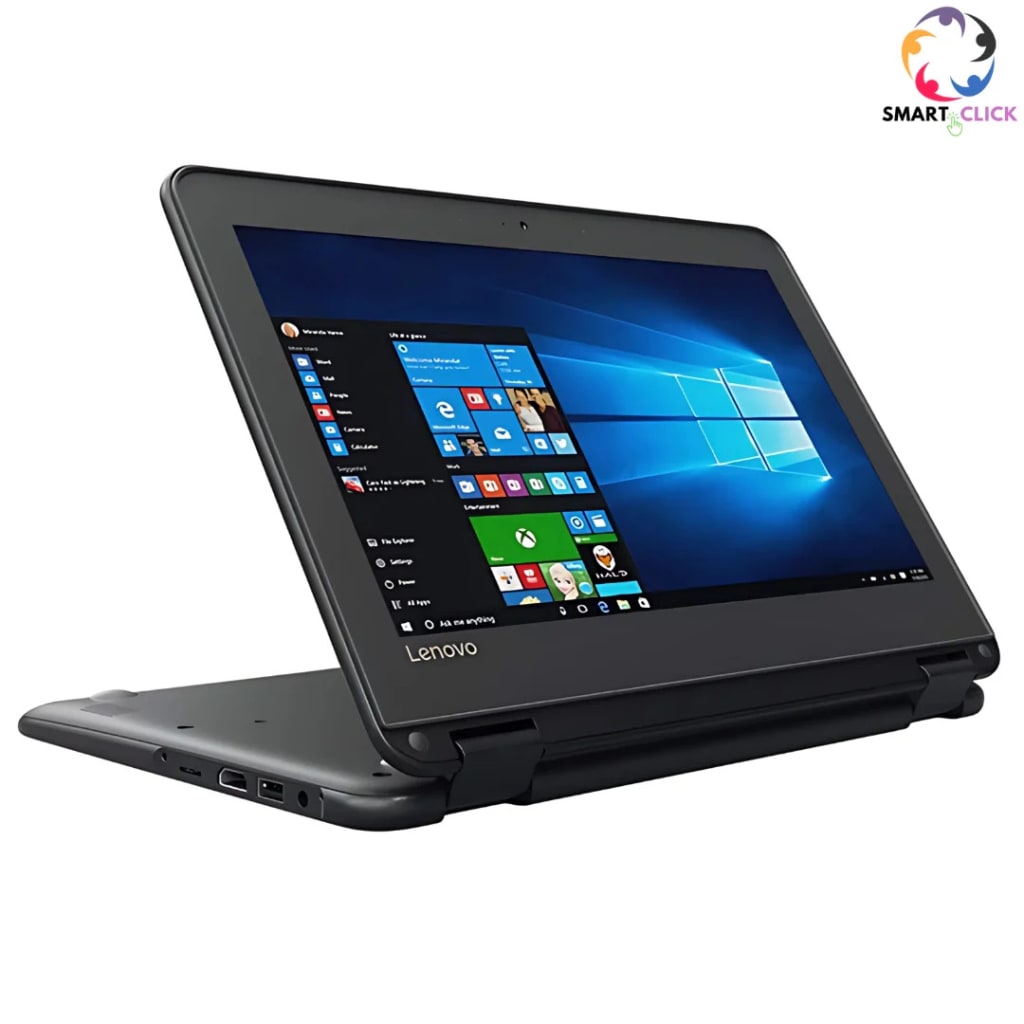
Lenovo 300e Chromebook Review: The Ultimate Affordable Learning Companion
In today’s digital-first educational landscape, having the right tech companion can make all the difference. One standout device that continues to gain traction in classrooms and homes alike is the Lenovo 300e Chromebook. Built specifically with students and teachers in mind, this compact, convertible laptop is as durable as it is functional. Whether you're a parent searching for a reliable device for your child, an educator managing a tech-equipped classroom, or simply looking for a budget-friendly yet capable laptop, the Lenovo 300e Chromebook deserves your attention.
A Glimpse at the Lenovo 300e Chromebook
The Lenovo 300e Chromebook is a part of Lenovo’s education-focused series of laptops. It’s designed to deliver essential computing power, rugged durability, and seamless integration with Google Workspace for Education. Available in multiple generations (currently Gen 3 and Gen 4 being the most recent), each version refines performance and user experience.
Let’s break down why the Lenovo 300e Chromebook is widely regarded as one of the best options in the budget education laptop category.
1. Built for the Real World: Rugged and Ready
The Lenovo 300e Chromebook stands out immediately with its military-grade durability (MIL-STD-810G compliant). That means it can handle drops, bumps, spills, and even classroom chaos. It features reinforced ports and hinges, a water-resistant keyboard, and rubber bumpers — all essential for surviving the rough-and-tumble environment of schools or everyday travel.
The keys are mechanically anchored, which is a clever feature preventing curious fingers from prying them off — a common issue in schools. This durability makes it ideal not just for children but also for professionals who need a no-nonsense, go-anywhere laptop.
2. 2-in-1 Flexibility: Learning in All Modes
One of the standout features of the Lenovo 300e Chromebook is its 360-degree hinge, allowing users to switch between laptop, tent, stand, and tablet modes. This multi-mode flexibility is incredibly useful for interactive learning, reading eBooks, watching videos, or giving presentations.
Thanks to its touchscreen display and EMR (electromagnetic resonance) pen support, students can take notes, draw diagrams, and complete assignments in a more hands-on and intuitive way. The optional Lenovo stylus doesn’t require charging and is responsive enough to offer a paper-like writing experience.
3. Performance That Gets the Job Done
While the 300e Chromebook isn’t a powerhouse machine, it offers enough performance to handle all typical school tasks without hiccups. Most models come equipped with MediaTek or Intel Celeron processors, 4GB RAM, and 32GB or 64GB of eMMC storage.
These specs might seem modest, but ChromeOS is optimized for efficiency. The Lenovo 300e handles web browsing, Google Docs, online classes, video streaming, and light multitasking with ease. Students won’t need much more for everyday educational needs, and the device boots up in seconds thanks to the lightweight OS.
For those looking for more power, higher-end configurations are available with faster processors and more storage.
4. ChromeOS: Simple, Secure, and Fast
One of the strongest selling points of the Lenovo 300e Chromebook is its operating system. ChromeOS is known for its simplicity, speed, and built-in security.
Since everything is cloud-based, there's no need to worry about constant software updates, viruses, or data loss. Google’s automatic updates and virus protection run quietly in the background. Plus, with Google Workspace integration, students and teachers can collaborate effortlessly using Google Docs, Slides, Drive, and Classroom.
Parents will also appreciate Google Family Link, allowing them to monitor and manage screen time, apps, and browsing activity.
5. Battery Life That Lasts the School Day
The Lenovo 300e Chromebook offers impressive battery life, typically lasting up to 10–12 hours on a single charge. That’s more than enough for a full day of classes, homework, and some evening YouTube time.
The long-lasting battery ensures students can focus on learning without being tethered to a power outlet or constantly worrying about charging their device.
6. Connectivity and Ports
Even though it's a budget laptop, the Lenovo 300e Chromebook offers decent connectivity. Most models include:
2 x USB-C ports
2 x USB-A ports
A microSD card reader
3.5mm headphone/mic combo jack
Wi-Fi 5 or Wi-Fi 6 (depending on model)
Bluetooth support
The inclusion of multiple USB ports and USB-C charging makes it easy to connect to external displays, projectors, printers, or external storage. This adds versatility for both home and school setups.
7. Affordability and Value
Perhaps the most compelling reason to choose the Lenovo 300e Chromebook is its affordable price tag. Depending on the generation and specs, it typically ranges from $200 to $350 USD, making it an excellent value for students, schools, and parents on a budget.
Many schools bulk-purchase Lenovo Chromebooks because they offer a low cost of ownership combined with reliability, ease of management, and durability. They also qualify for Google’s Chrome Education Upgrade, allowing IT administrators to manage fleets of devices easily.
8. Ideal Use Cases
Here’s where the Lenovo 300e Chromebook truly shines:
For Students (K-12): Perfect for virtual learning, assignments, and collaborative projects.
For Teachers: Great for lesson planning, grading, and classroom management apps.
For Parents: Easy to set up and monitor. Offers peace of mind with security and content filters.
For On-the-Go Users: Lightweight and rugged, it’s a reliable travel companion for basic tasks.
9. Limitations to Consider
While the Lenovo 300e Chromebook has a lot to offer, it’s not perfect for everyone:
Not suitable for heavy software like Photoshop or coding IDEs
Limited storage (though cloud storage is the norm in ChromeOS)
Modest performance for advanced multitasking or gaming
Still, for its target audience, these aren’t major drawbacks — just important considerations depending on your use case.
Final Thoughts: Is the Lenovo 300e Chromebook Worth It?
If you're looking for a reliable, affordable, and classroom-ready device, the Lenovo 300e Chromebook is hard to beat. Its rugged build, solid performance, touch and stylus support, long battery life, and seamless ChromeOS integration make it one of the top choices in the education sector.
Whether you're a parent trying to equip your child for the school year, a teacher managing digital lessons, or even a casual user needing a budget-friendly laptop, the Lenovo 300e delivers incredible value without compromise.
In a world where remote learning and hybrid classrooms are here to stay, investing in a device like the Lenovo 300e Chromebook ensures that you're ready for whatever the future of education holds.
About the Creator
Enjoyed the story? Support the Creator.
Subscribe for free to receive all their stories in your feed.
Comments
There are no comments for this story
Be the first to respond and start the conversation.