
Exploring Filmora 14's AI Sticker Generator: A Creative Revolution in Video Editing
Filmora 14's AI Sticker Generator
In the ever-evolving landscape of video editing, tools that enhance creativity and streamline the production process are invaluable. Filmora 14, the latest iteration of the popular video editing software, introduces an innovative feature that is set to transform how creators approach their projects: the AI Sticker Generator. This powerful tool not only simplifies the editing process but also adds a unique flair to videos, making them more engaging and visually appealing. In this article, we will delve into the functionalities of Filmora 14's AI Sticker Generator, its benefits, and how it can elevate your video projects.
What is the AI Sticker Generator?
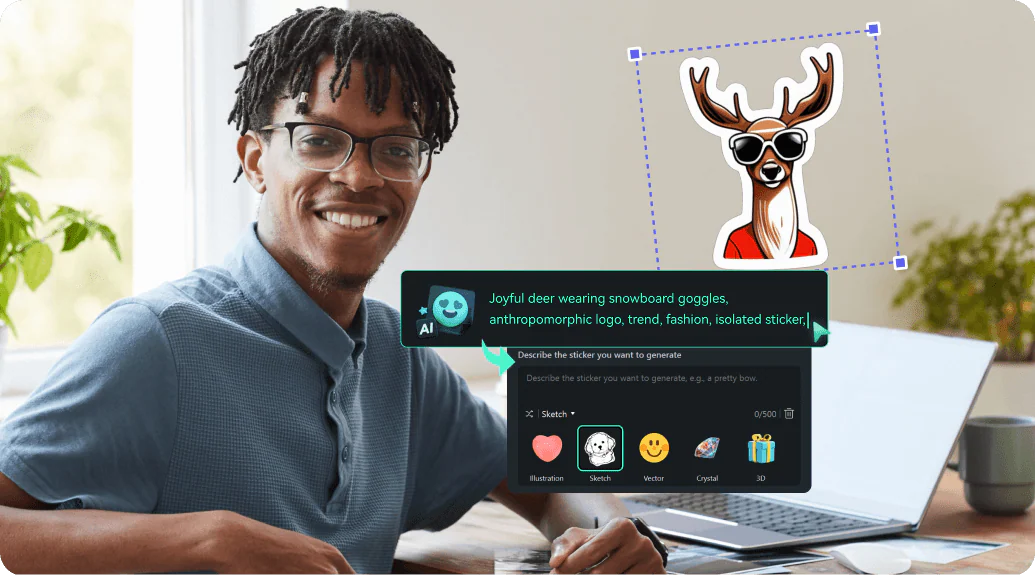
The AI Sticker Generator in Filmora 14 is a cutting-edge feature that allows users to create custom stickers for their videos using artificial intelligence. Unlike traditional sticker libraries that offer a limited selection of pre-made graphics, this tool empowers users to generate unique stickers tailored to their specific needs. By leveraging advanced algorithms, the AI Sticker Generator can analyze the content of your video and suggest relevant stickers that enhance the narrative or visual appeal.
Key Features of the AI Sticker Generator
1. Customizable Stickers
One of the standout features of the AI Sticker Generator is its ability to create customizable stickers. Users can input specific keywords or themes, and the AI will generate stickers that align with those parameters. This level of customization ensures that your stickers are not only relevant but also resonate with your audience.
2. Intelligent Suggestions
The AI Sticker Generator goes beyond mere sticker creation. It analyzes the context of your video, including the tone, subject matter, and even the emotions conveyed through the visuals. Based on this analysis, it offers intelligent sticker suggestions that can enhance storytelling. For instance, if your video features a celebration, the AI might suggest festive stickers like balloons or confetti.
3. User -Friendly Interface
Filmora 14 is known for its intuitive interface, and the AI Sticker Generator is no exception. The tool is designed to be accessible for users of all skill levels, from beginners to seasoned professionals. With just a few clicks, you can generate and incorporate stickers into your video, making the editing process both efficient and enjoyable.
4. Seamless Integration
The AI Sticker Generator seamlessly integrates with Filmora 14's existing editing tools. Once you create or select a sticker, you can easily adjust its size, position, and animation effects. This flexibility allows you to incorporate stickers in a way that complements your video’s overall aesthetic.
5. Diverse Sticker Library
In addition to generating custom stickers, Filmora 14 also offers a diverse library of pre-made stickers. This extensive collection includes everything from emojis and icons to themed graphics, ensuring that you have a wide range of options at your fingertips. Whether you’re creating a fun vlog, a professional presentation, or a heartfelt tribute, you’ll find stickers that suit your project.
Benefits of Using the AI Sticker Generator
1. Enhanced Creativity
The AI Sticker Generator encourages creativity by providing users with tools to express their ideas visually. By generating unique stickers that align with your video’s theme, you can add a personal touch that sets your content apart. This creative freedom can lead to more engaging and memorable videos.
2. Time Efficiency
Creating stickers from scratch can be a time-consuming process. The AI Sticker Generator streamlines this aspect of video editing, allowing you to generate and implement stickers quickly. This efficiency means you can focus more on the storytelling and overall production quality of your video.
3. Improved Audience Engagement
Incorporating stickers into your videos can significantly enhance viewer engagement. Stickers can evoke emotions, highlight key points, and add a layer of fun to your content. By using the AI Sticker Generator to create relevant and appealing stickers, you can capture your audience’s attention and keep them invested in your message.
4. Professional Quality
With the ability to generate high-quality, contextually relevant stickers, the AI Sticker Generator helps elevate the overall production value of your videos. This professional touch can be particularly beneficial for content creators looking to establish a strong brand identity or attract a larger audience.
5. Versatility Across Genres
Whether you’re creating educational content, entertainment, marketing videos, or personal projects, the AI Sticker Generator is versatile enough to cater to various genres. The ability to customize stickers based on the video’s context means that you can adapt your approach to suit different audiences and purposes.
How to Use the AI Sticker Generator in Filmora 14
Using the AI Sticker Generator in Filmora 14 is a straightforward process. Here’s a step-by-step guide to help you get started:
Step 1: Import Your Video
Begin by importing the video you want to edit into Filmora 14. Once your video is in the timeline, you can start exploring the AI Sticker Generator.
Step 2: Access the AI Sticker Generator
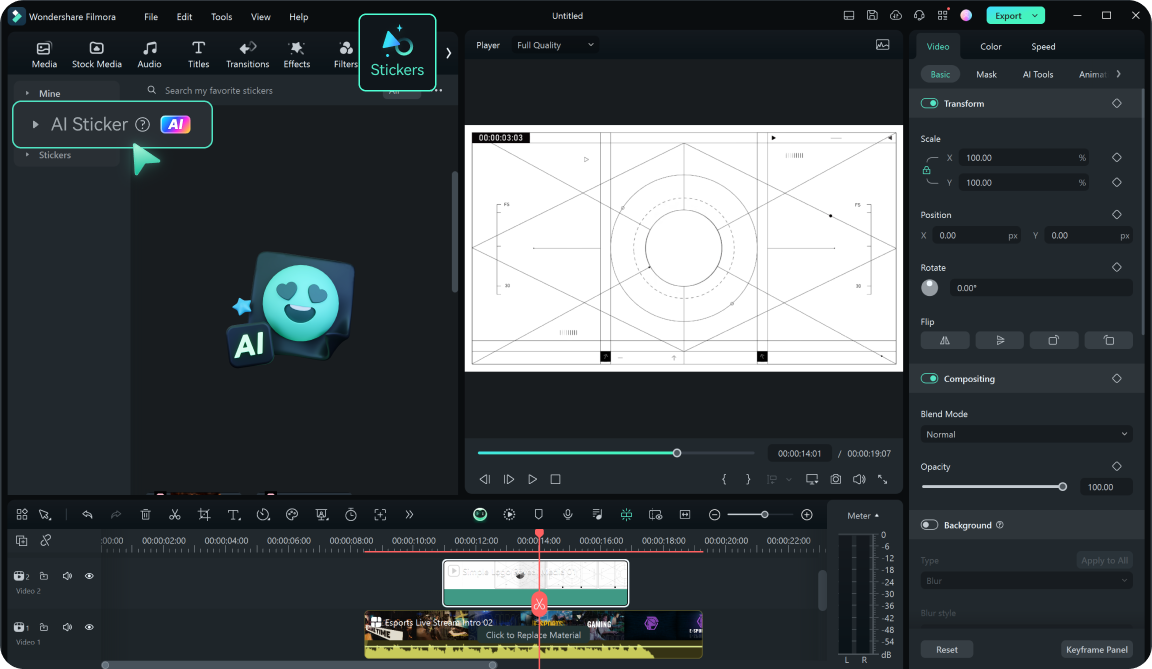
Navigate to the sticker section within Filmora 14. Here, you will find the AI Sticker Generator option prominently displayed. Click on it to open the tool and begin creating your custom stickers.
Step 3: Input Keywords or Themes
In the AI Sticker Generator interface, you will see a prompt to enter keywords or themes related to your video. Think about the message you want to convey and type in relevant terms. The AI will process this information to generate stickers that match your input.
Step 4: Review and Select Stickers
Once the AI has generated a selection of stickers, take your time to review the options. You can scroll through the suggestions and choose the ones that resonate most with your video’s theme. If you want to see more options, you can refine your keywords or try different themes.
Step 5: Customize Your Stickers
After selecting your stickers, you can customize them further. Adjust the size, position, and animation effects to ensure they fit seamlessly into your video. This customization allows you to maintain control over how the stickers enhance your content.
Step 6: Integrate Stickers into Your Video
With your stickers customized, drag and drop them onto the timeline where you want them to appear. You can layer stickers, adjust their timing, and even add transitions to create a polished final product.
Step 7: Preview and Export
Once you’ve integrated all your stickers, preview your video to see how everything flows together. Make any necessary adjustments, and when you’re satisfied with the result, export your video in your desired format.
Conclusion
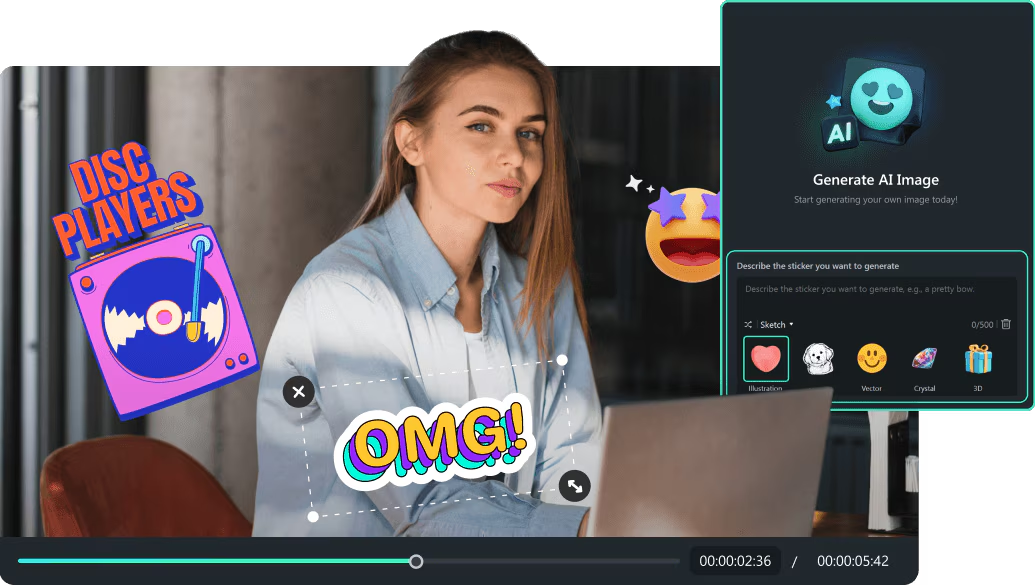
Filmora 14's AI Sticker Generator is a game-changer for video creators looking to enhance their projects with unique, contextually relevant stickers. By combining advanced AI technology with user-friendly design, this feature empowers users to express their creativity while saving time and improving audience engagement. Whether you’re a beginner or a seasoned professional, the AI Sticker Generator offers a wealth of possibilities to elevate your video editing experience. Embrace this innovative tool and watch your videos come to life with personalized stickers that resonate with your audience.
About the Creator
Enjoyed the story? Support the Creator.
Subscribe for free to receive all their stories in your feed.
Comments
There are no comments for this story
Be the first to respond and start the conversation.