
Dell Chromebook Touchscreen Review: A Smart Pick for Everyday Use
Discover why the Dell Chromebook touchscreen is the perfect blend of performance, portability, and productivity. Explore its features, benefits, and whether it suits your needs in this in-depth review.
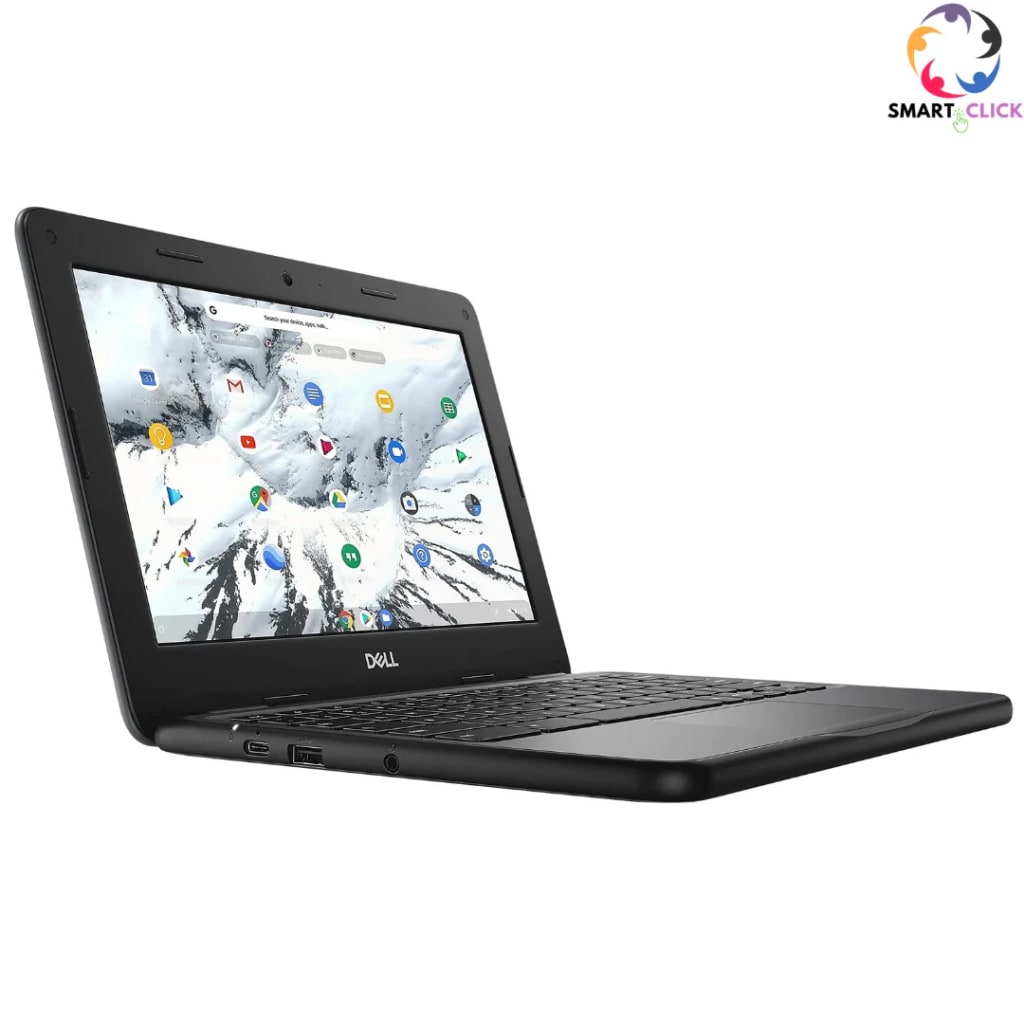
Dell Chromebook Touchscreen: A Smart, Sleek Companion for Modern Users
In a world where portability and productivity go hand in hand, Chromebooks have carved out a unique space. Among them, the Dell Chromebook touchscreen models stand out by offering excellent value, user-friendly design, and seamless performance, particularly for students, educators, and everyday users. Whether you're typing away at school, collaborating in the workplace, or browsing at home, Dell’s touchscreen Chromebooks blend simplicity and smart features to deliver an efficient digital experience.
In this article, we’ll take a deep dive into the Dell Chromebook touchscreen lineup, exploring key features, performance benchmarks, use-case scenarios, and why it might be the perfect tech companion for you.
What Is a Dell Chromebook Touchscreen?
At its core, a Chromebook is a lightweight laptop running on Chrome OS, Google’s cloud-centric operating system. Dell’s touchscreen Chromebooks add a tactile experience to this setup, allowing users to interact with the screen directly—just like a tablet or smartphone. This intuitive interface opens up new levels of productivity and creativity, especially for younger users or those transitioning from touch devices.
Key Features at a Glance
Let’s take a quick look at the standout features of most Dell Chromebook touchscreen models:
✅ Responsive touchscreen with multi-touch support
✅ Lightweight and durable build, ideal for travel
✅ Long-lasting battery life (up to 12 hours or more)
✅ Google Play Store and Android app support
✅ Fast boot-up and auto-updating Chrome OS
✅ Built-in virus protection and cloud backups
✅ Multiple ports (USB-A, USB-C, headphone jack)
While specifications may vary slightly between models like the Dell Chromebook 3100, 3110, or 5190, the overall design language and functionality remain consistently solid across the board.
Touchscreen: More Than Just a Gimmick
Some people still view touchscreens on laptops as a luxury rather than a necessity. But in the context of Chromebooks—especially those from Dell—the touchscreen has meaningful advantages.
🔹 Ease of Use: Tap, scroll, and swipe your way through documents and websites, reducing dependency on the trackpad.
🔹 Educational Tools: Perfect for digital whiteboards, note-taking, and creative apps like Google Keep or Jamboard.
🔹 Tablet Mode: Many Dell Chromebook touchscreen models come with 360-degree hinges, converting into a tablet for reading, watching videos, or presenting.
🔹 Accessibility: Great for users with limited mobility or vision impairments, offering more intuitive control options.
For students and multitaskers, the touchscreen is not just a nice-to-have—it’s a smart upgrade.
Performance and Productivity
While Chromebooks aren't meant for heavy-duty gaming or video editing, Dell ensures their touchscreen models deliver speedy performance for daily tasks. With Intel Celeron or Pentium processors, 4GB to 8GB of RAM, and SSD storage options, these machines handle web browsing, streaming, word processing, and video calls effortlessly.
Add to that the power of Google Workspace (Docs, Sheets, Slides, Meet) and you’ve got a system that’s tailor-made for remote learning, online collaboration, and digital organization.
Battery Life That Goes the Distance
One of the unsung heroes of the Dell Chromebook touchscreen series is its incredible battery life. Thanks to Chrome OS's efficiency and Dell's hardware optimization, many models can last between 10 to 14 hours on a single charge.
This means no more hunting for outlets in the middle of your school day or remote work session. It's a serious productivity booster.
Build Quality and Design
Dell brings its reputation for durable business laptops into the Chromebook space. Most models come with rugged builds designed to withstand drops, spills, and rough handling—perfect for students or on-the-go professionals.
Highlights include:
Rubberized edges for impact protection
Spill-resistant keyboards
Reinforced hinges (on convertible models)
HD webcam with privacy shutters (in newer editions)
The touchscreen itself is often protected by Gorilla Glass, ensuring resistance against scratches and fingerprints.
Ideal Users for Dell Chromebook Touchscreen
So, who exactly benefits the most from this device? Here’s a breakdown of ideal user profiles:
👨🎓 Students
From grade school to college, Dell Chromebooks provide a secure, manageable, and versatile platform for research, assignments, and digital collaboration. Teachers also love the centralized controls via Google Admin Console.
💼 Remote Workers
For professionals needing a distraction-free and secure environment, a Dell Chromebook touchscreen paired with cloud tools like Slack, Zoom, and Google Drive offers a streamlined workflow.
👨👩👧👦 Families
The ability to set up multiple user profiles, use parental controls, and access a wide range of educational and entertainment apps makes this a great shared home device.
👩🎨 Creatives
While not a replacement for full-featured graphic design laptops, touchscreen functionality opens the door to note-taking, sketching, and using Android creative apps like Autodesk SketchBook or Canva.
Chrome OS Experience
One of the biggest selling points of any Chromebook is its simplicity. Chrome OS is a minimal, fast, and secure platform. Here’s what users typically love about it:
⚡ Instant boot-up (under 10 seconds)
🔐 Auto-updates and virus protection built-in
☁️ Cloud-first storage with Google Drive integration
📱 Seamless sync with Android smartphones
🛠️ Google Admin tools for IT management (ideal for schools and businesses)
The Dell Chromebook touchscreen integrates seamlessly into this experience, making it feel like a natural extension of your Google-powered digital life.
Limitations to Consider
Of course, no device is perfect. Here are a few caveats to keep in mind:
❌ Limited offline functionality (most apps require internet access)
❌ Not suitable for heavy software like Adobe Premiere or AutoCAD
❌ Gaming capabilities are basic (mostly mobile-grade)
❌ Storage tends to be limited (32GB–128GB), though cloud storage compensates for it
If you need a machine for high-end creative work, software development, or gaming, you might want to consider a Windows or Mac alternative.
Final Verdict: Is It Worth Buying?
Absolutely—if your needs align with what a Chromebook is designed for. The Dell Chromebook touchscreen combines Dell’s robust hardware reputation with Google’s smart, secure operating system. It’s easy to use, hard to break, and designed to last all day. For students, casual users, or professionals who live in the cloud, this is a compelling and budget-friendly choice.
Its affordability, tactile responsiveness, and versatility give it an edge over similarly priced Windows laptops that often lag in performance or usability.
Buying Tips
If you’re looking to buy a Dell Chromebook touchscreen:
🔎 Look for deals during back-to-school or Black Friday events.
🏫 Check education discounts if you’re a student or teacher.
📦 Consider refurbished models for additional savings.
🖥️ If you need HDMI or Ethernet ports, consider buying a USB-C hub.
About the Creator
Enjoyed the story? Support the Creator.
Subscribe for free to receive all their stories in your feed.
Comments
There are no comments for this story
Be the first to respond and start the conversation.