
Dell Chromebook 3180 Review: Durable, Affordable, and Perfect for Students
Explore the Dell Chromebook 3180 a compact, rugged laptop designed for students and mobile professionals. Learn about its features, performance, and why it’s a top pick for classroom and everyday use.
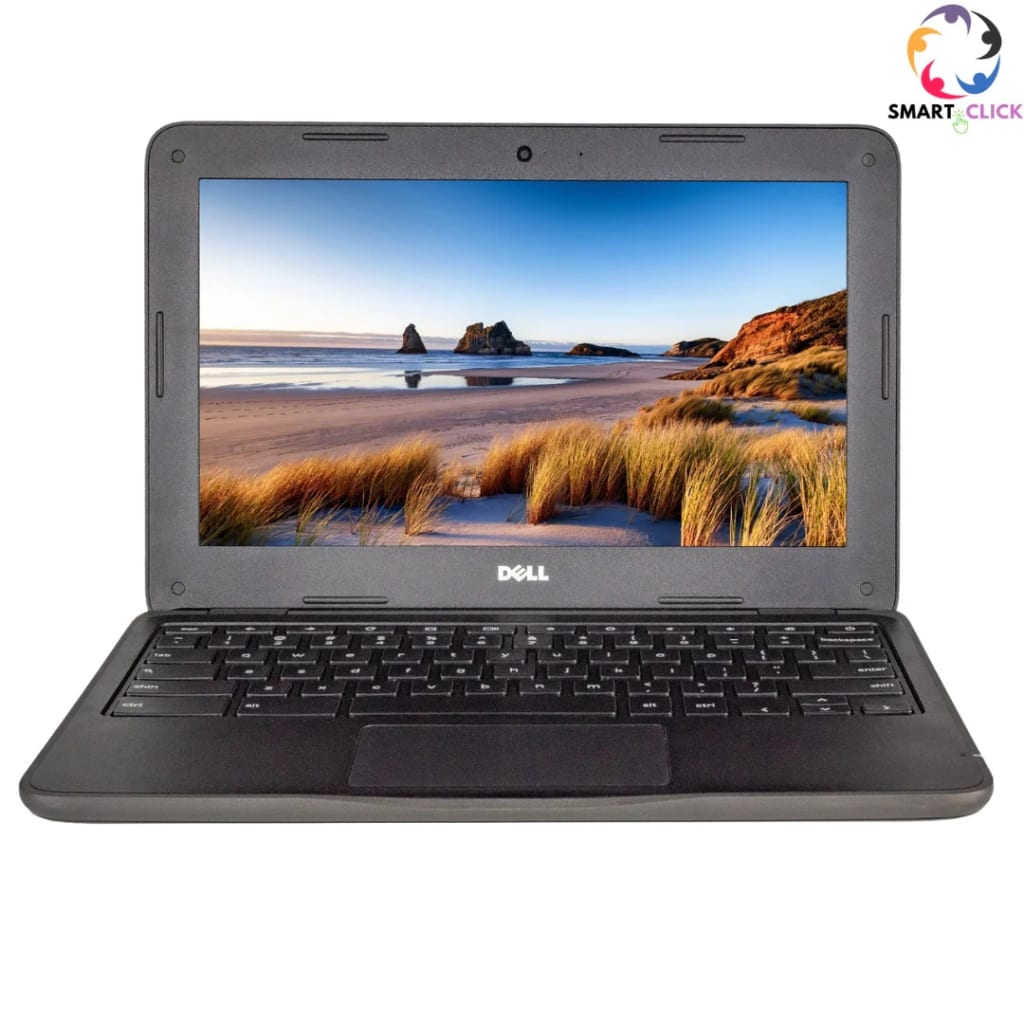
Dell Chromebook 3180 Review: A Budget-Friendly Champion Built for Education and Everyday Use
In today’s world of sleek ultrabooks and powerhouse gaming rigs, sometimes all you need is a simple, sturdy laptop that just gets the job done — without breaking the bank. That’s exactly where the Dell Chromebook 3180 comes in. A no-frills, education-focused Chromebook, the 3180 may not turn heads with flashy specs, but it earns high marks for reliability, portability, and resilience. Whether you're a student, parent, or educator looking for a dependable device, the 3180 offers solid value in a compact package.
In this article, we’ll explore everything you need to know about the Dell Chromebook 3180 — its features, performance, pros and cons, and whether it’s worth buying in 2025.
🔹 Design and Build: Tougher Than It Looks
One of the standout features of the Dell Chromebook 3180 is its rugged design. Built primarily for educational environments, the 3180 was made to survive the occasional drop, bump, or spill that might happen in a backpack or classroom.
Encased in a thick plastic chassis with reinforced corners and a rubberized edge, the laptop feels solid in the hands. It’s also compact and lightweight, weighing just under 3 pounds and measuring 11.6 inches across. This makes it highly portable — great for students moving between classes or anyone who works on the go.
It’s not flashy or premium-looking, but that’s not its purpose. What it lacks in style, it makes up for in durability.
🔹 Display and Keyboard: Simple, But Serviceable
The Dell Chromebook 3180 features an 11.6-inch HD display with a resolution of 1366 x 768 pixels. It’s not the sharpest screen you’ll ever see, but it’s sufficient for web browsing, typing documents, and streaming videos.
Color accuracy and brightness are average, so it may struggle in very bright environments or for tasks like photo editing. However, for most school or basic work-related tasks, the display does just fine.
The keyboard is another strong point. It’s a full-size, spill-resistant keyboard that offers a surprisingly decent typing experience for such a small device. The keys are well-spaced and responsive, making it ideal for long writing sessions, assignments, or emails.
🔹 Performance: Modest, But Efficient
Under the hood, the Chromebook 3180 comes equipped with an Intel Celeron N3060 processor, 2GB or 4GB of RAM, and 16GB or 32GB of eMMC storage. These specs are far from cutting-edge, but Chrome OS is lightweight and optimized for these lower-power components.
In practice, the 3180 boots up quickly and handles basic tasks like browsing, Google Docs, YouTube, and online classes without issue. Multitasking is smooth as long as you keep tabs and apps to a moderate number.
It’s not built for heavy-duty computing like video editing, gaming, or large spreadsheets, but for most users in its target audience — students and basic users — it gets the job done without fuss.
🔹 Battery Life: All-Day Power
One of the most impressive features of the Dell Chromebook 3180 is its battery life. With a 42Whr battery, the device is rated for up to 10 hours on a single charge — and in real-world use, it often hits that mark or comes very close.
This means you can go a full school day or work shift without needing to recharge. Combined with its compact size and lightweight build, it’s a great companion for mobility.
🔹 Connectivity and Ports: Everything You Need
Despite its small size, the Dell Chromebook 3180 includes a decent selection of ports:
2 x USB 3.1 Gen 1
1 x HDMI
1 x microSD card reader
Headphone/mic combo jack
This allows users to connect external displays, USB drives, and other accessories easily. Wi-Fi and Bluetooth are included as standard, and wireless connectivity is generally stable and reliable.
🔹 Chrome OS Experience
The Dell Chromebook 3180 runs on Google’s Chrome OS, which is centered around cloud computing and Google services. For users already integrated into the Google ecosystem (think Gmail, Docs, Drive, Classroom), it offers a seamless experience.
Chrome OS also offers built-in virus protection, fast updates, and a simplified interface that’s perfect for users who don’t want the complexity of traditional operating systems.
One key advantage is access to Android apps via the Google Play Store, which opens up a lot more functionality — from note-taking to media editing and even light gaming.
🔹 Who Is the Dell Chromebook 3180 Best For?
✅ Students: This is where the 3180 shines. It’s durable, portable, and has enough performance for note-taking, browsing, and online classes.
✅ Parents: If you’re looking for an affordable laptop for your kids’ homework or online classes, this Chromebook is a great low-risk investment.
✅ Budget-Conscious Users: For those who just want a laptop to check email, browse the web, and stream video, the 3180 is a simple and reliable option.
🚫 Not Recommended For:
❌ Power users or professionals who need multitasking, design software, or video editing capabilities.
❌ Users who need Windows-specific software, as Chrome OS doesn't support traditional desktop apps outside the browser environment.
🔹 Pros and Cons Summary
👍 Pros:
Rugged, student-proof design
Lightweight and portable
Excellent battery life
Affordable price
Simple and fast Chrome OS
Great keyboard
👎 Cons:
Low-resolution display
Limited local storage
Not suitable for demanding tasks
No touchscreen on base models
🔹 Final Verdict: A Dependable Workhorse for Everyday Tasks
The Dell Chromebook 3180 isn’t trying to compete with premium laptops, nor does it need to. It’s a tool — built for students, built to last, and built to handle everyday computing tasks efficiently.
With a solid battery life, rugged construction, and smooth Chrome OS performance, the 3180 checks a lot of boxes for its target audience. And at a budget-friendly price, it’s a smart choice for parents, schools, or anyone needing a no-nonsense laptop for light use.
In a world of constant tech upgrades, sometimes less is more — and the Dell Chromebook 3180 proves that sometimes, simplicity wins.
About the Creator
Enjoyed the story? Support the Creator.
Subscribe for free to receive all their stories in your feed.
Comments
There are no comments for this story
Be the first to respond and start the conversation.