
Bright Patch on Laptop Screen: Causes, Fixes & Prevention
How to Fix a Bright Patch on Your Laptop Screen and Prevent Future Issues

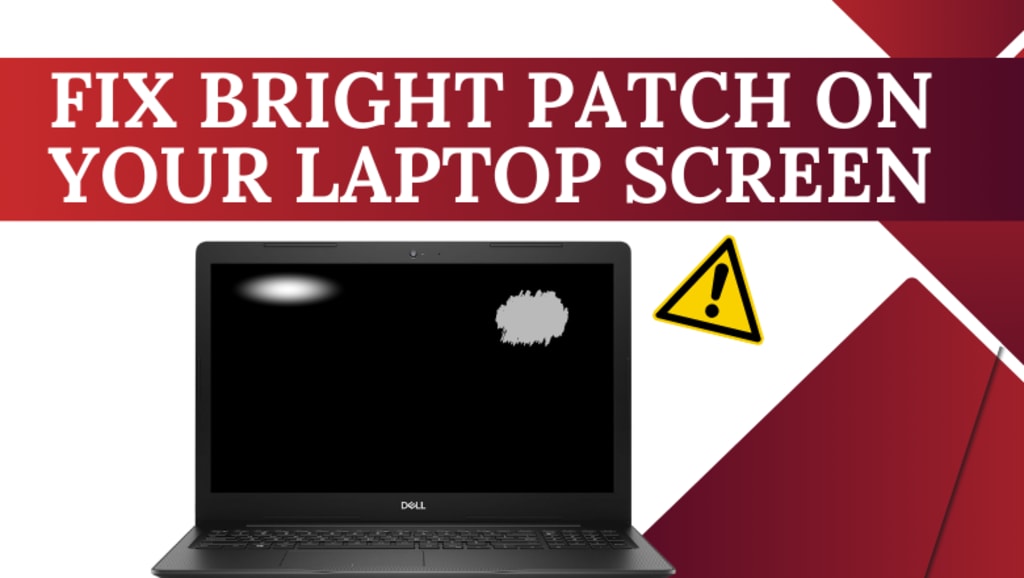
A bright patch on laptop screen can be an annoying distraction, affecting your productivity and overall experience. Whether it’s a small bright spot, a white patch, or an uneven glow, it’s important to understand the underlying cause before attempting a fix.
Laptop screens are delicate, and these bright patches can appear due to stuck pixels, backlight issues, physical pressure, or even software glitches. The good news? Many of these problems can be resolved with simple troubleshooting, while some may require professional screen repair.
In this article, we’ll cover:
✔️ Common causes of bright spots on a laptop screen
✔️ DIY methods to fix white patches and glowing spots
✔️ Preventive measures to avoid future screen damage
✔️ When to seek professional repair
Let’s dive in!
What Causes a Bright Patch on a Laptop Screen?
A bright patch on laptop screen can occur due to several reasons. Here are the most common ones:
1. Stuck or Dead Pixels
Your laptop screen is made up of millions of tiny pixels that change colors to display images. If one or more pixels fail to function properly, they can appear as small bright spots or white dots on the laptop screen.
Stuck Pixels – Remain locked in one color, often fixable.
Dead Pixels – Appear as black or white spots and may not be repairable.
2. Uneven Backlight or Backlight Bleeding
Laptop screens are illuminated by a backlight, which sometimes leaks unevenly, creating white patches or overly bright areas. This usually happens due to:
✔ Manufacturing defects
✔ Physical damage to the screen
✔ Aging display panels
3. Physical Pressure or Screen Damage
Accidental pressure on the screen—such as closing the lid too hard or keeping heavy objects on the laptop—can damage the LCD layers, resulting in bright white spots on the screen.
4. Software & Display Driver Issues
In some cases, the issue is not hardware-related. Outdated graphics drivers, incorrect display settings, or temporary glitches can create the appearance of a bright area on your laptop screen.
5. Dust, Smudges, or Scratches
Surprisingly, what appears to be a white patch on laptop screen might simply be dust, fingerprints, or minor scratches reflecting light differently.
How to Fix a Bright Patch on a Laptop Screen?
Before considering screen replacement, try these simple fixes to remove bright spots on a laptop screen.
1. Clean Your Screen Properly
🟢 Why? Dust, smudges, and fingerprints can create bright patches.
✅ Turn off your laptop.
✅ Use a microfiber cloth and a screen-safe cleaner.
✅ Gently wipe the screen in a circular motion.
✅ Restart your laptop and check if the patch is gone.
2. Apply Gentle Pressure to Fix Stuck Pixels
🟢 Why? Stuck pixels can sometimes be reactivated with slight pressure.
✅ Turn off the laptop.
✅ Place a soft cloth over the affected area.
✅ Apply gentle pressure using your finger for 5-10 seconds.
✅ Turn the laptop back on and check for improvement.
3. Use Pixel-Fixing Software
🟢 Why? Some software programs can unfreeze stuck pixels by flashing colors rapidly.
✅ JScreenFix – Run it for 10-15 minutes to refresh stuck pixels.
✅ Dead Pixel Buddy – Helps detect and fix minor pixel issues.
✅ UDPixel – Works similarly to revive faulty pixels.
4. Adjust Display Settings
🟢 Why? Incorrect brightness and contrast settings can make the bright patch more noticeable.
✅ Go to Display Settings on your laptop.
✅ Adjust brightness and contrast to a comfortable level.
✅ Disable adaptive brightness if enabled.
✅ Restart your laptop and check if the issue is resolved.
5. Check for Backlight Issues
🟢 Why? Backlight problems cause uneven brightness across the screen.
✅ Open a full-screen black image – If the patch glows, it’s a backlight issue.
✅ If the screen has noticeable light bleeding, it may need professional repair.
6. Restart Your Laptop
🟢 Why? Temporary software glitches can create display abnormalities.
✅ Shut down your laptop.
✅ Wait 30 seconds before turning it back on.
✅ Check if the bright spot on the laptop screen is still there.
7. Replace the Laptop Screen (Last Resort)
If none of the above solutions work, your screen may need replacement.
✅ Contact a certified repair service.
✅ Ensure that genuine parts are used.
✅ If your laptop is under warranty, check if the screen replacement is covered.
Preventing Future Bright Patches on Your Laptop Screen
Want to avoid dealing with white spots on a laptop screen in the future? Follow these preventive measures:
✔ Use a screen protector to prevent dust and minor scratches.
✔ Avoid pressing the screen too hard while cleaning.
✔ Close the lid gently to prevent LCD pressure damage.
✔ Store your laptop in a protective case when traveling.
✔ Keep liquids away to prevent accidental spills that may damage the screen.
When Should You Seek Professional Help?
If you’ve tried all possible solutions and the bright dot on laptop screen persists, it’s time for professional repair.
Signs You Need a Professional Repair Service:
🔹 The bright patch continues to grow over time.
🔹 The screen flickers or has distorted colors.
🔹 You notice physical cracks or dead pixels.
🔹 DIY fixes haven’t improved the problem.
For Dell laptops, Contact Dell Laptop Service Center in Ghatkopar ensures expert diagnosis and high-quality screen replacement.
FAQs
❓ Can a bright patch on a laptop screen be fixed?
✅ Yes, in many cases, simple fixes like cleaning the screen, using pixel-fixing tools, or adjusting display settings can help.
❓ How do I fix backlight bleeding?
✅ If backlight bleeding is minor, reducing brightness may help. For severe cases, screen replacement is usually necessary.
❓ Do dead pixels spread?
✅ Dead pixels don’t spread, but if your screen has manufacturing defects, more pixels may fail over time.
❓ Should I replace my screen for a single bright spot?
✅ If the bright spot is small and doesn’t interfere with usability, you may not need a replacement. However, for large, persistent spots, screen replacement is the best solution.
Final Thoughts
A bright patch on a laptop screen can result from stuck pixels, backlight bleeding, pressure damage, or software glitches. Before considering a screen replacement, try easy troubleshooting methods like cleaning, adjusting settings, or using pixel-repair software.
If the problem persists, seeking professional repair services is the best option to restore your laptop screen to perfect condition.
🚀 Need expert help? Book a laptop screen repair today!
About the Creator
Dell Laptop Service Center
Expert Dell Service Center Mumbai offering reliable repairs, genuine parts, and skilled technicians to fix all Dell laptop issues. Fast, affordable, and customer-focused solutions.
Enjoyed the story? Support the Creator.
Subscribe for free to receive all their stories in your feed.
Comments
There are no comments for this story
Be the first to respond and start the conversation.