
4 Key Micro-Interactions to remember in UX Design
Small Details, Big Impact


Have you ever wondered, how you discern that a button is pressed? or you have liked a post? or even how you receive confirmation of a successfully completed task? Well, these are what’s known as micro-interactions. Micro-interactions are subtle and often overlooked design elements that play a very crucial role in designing user-centric designs.
Micro-interactions are tiny, subtle response in apps or websites that gives you feedback when you do something.
Think of them like nods or winks from a digital system that acknowledges your action and confirms that it is noticed or completed.
In this article, we’ll dive into 4 key micro-interactions that significantly influence the user experience:”
Feedback is the core
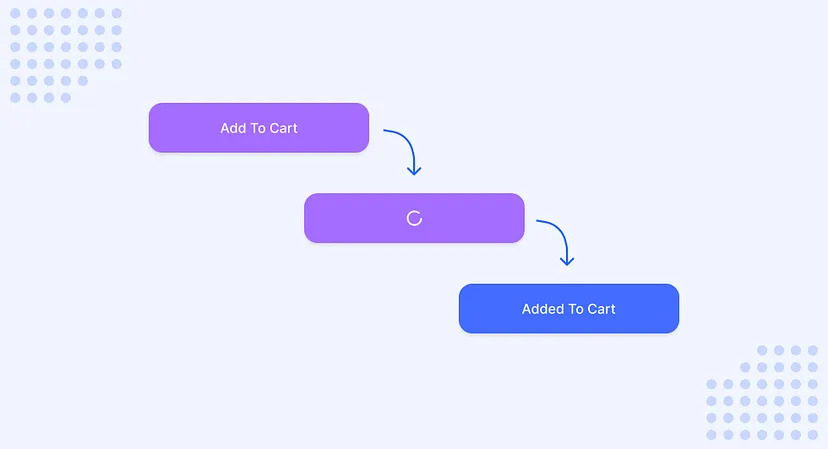
Think of a moment when you clicked a button but there was no visual feedback, and you wondered whether you actually clicked the button or not or you are trying to submit a form only to realize that your form is not getting submitted. This is where the feedback micro-interaction comes into play.
Feedback micro-interaction is designed to inform the user that the action performed by them has been acknowledged by the system. Some common examples are:
- Button Press — When a user clicks a button it should respond immediately with some visual change (either by showing a loading animation or a subtle change in color).
- Form validation — Validating the user input in real-time and showing a clear message, such as checking the email format or password strength.
Guiding The Users
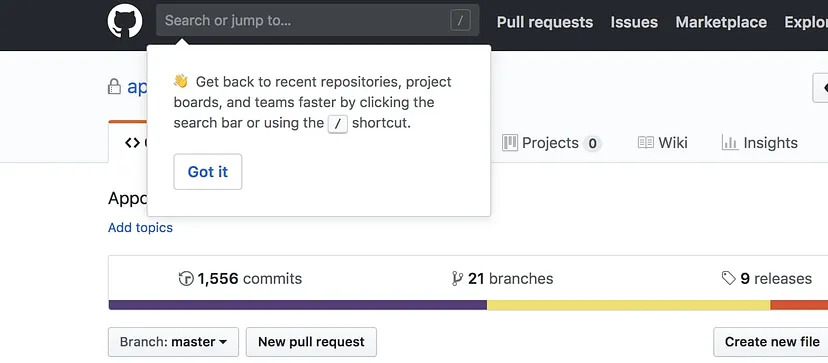
Guiding micro-interactions subtly assist users in navigating the UI and directing them toward the desired action. For example:
- Hover Effect — When a user hovers over a button or any clickable element in the UI it should respond with a subtle visual cue (such as changing cursor shape or highlighting the element).
- Tooltips — Tooltips that appear on hover provide contextual guidance to the user, providing a brief explanation and helping users understand their purpose.
Creating Anticipation
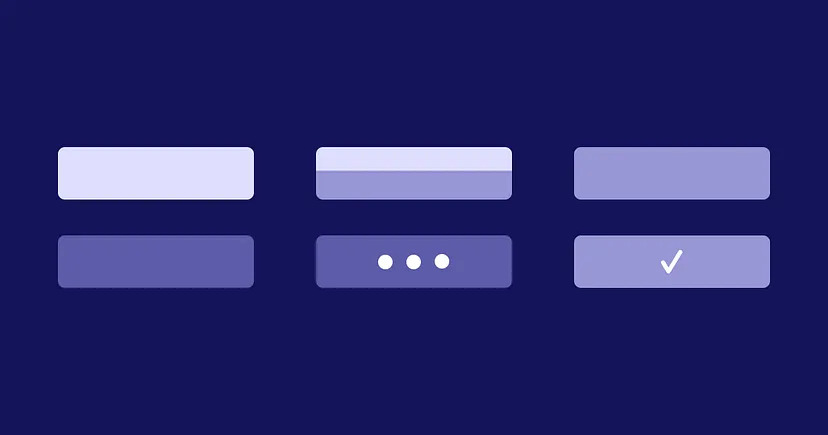
- Anticipation micro-interactions are those subtle design elements that create excitement and engagement by giving users a glimpse of what’s to come. For Example:
- Loading animation — Animation you see while waiting for the web page or app screen to load. This type of micro-interaction doesn’t just keep the user informed about the progress, but it also builds excitement. You can also take this a step further by showing users a custom message as the progress updates.
- Content Reveal — Revealing content as you scroll or swipe on your preferred device is another type of anticipation micro-interaction as it sparks curiosity for the user as the content is revealed and keeps them engaged.

Giving a Delightful Experience
While major design elements are crucial for any design, it is the small and delightful micro-interaction that leaves a memorable experience for the users. Delightful micro-interactions are those design elements that build a strong emotional attachment to the product or UI. For Example:
- Visual Animation — Subtle creative animation such as a heart icon bouncing when a user ‘likes’ a post or a smile emoji for successful task completion can bring a smile to the users’ faces.
- Sound Feedback — Incorporating a pleasant sound when a user accomplishes a task successfully.
- Hidden Interaction — Interactions that the user discovers after a playful exploration can surprise and delight users.
Micro-interactions are the unsung heroes of UX design, and understanding their importance can greatly enhance user experiences. As designers, it’s our job to harness the power of these micro-interactions to craft delightful user experiences that set our designs apart.
About the Creator
Ashish Garg
Following my Dreams & Passion 😊
Enjoyed the story? Support the Creator.
Subscribe for free to receive all their stories in your feed.
Comments
There are no comments for this story
Be the first to respond and start the conversation.