
Network Cable Management: Everything You Need to Know
by Coastal IT Services

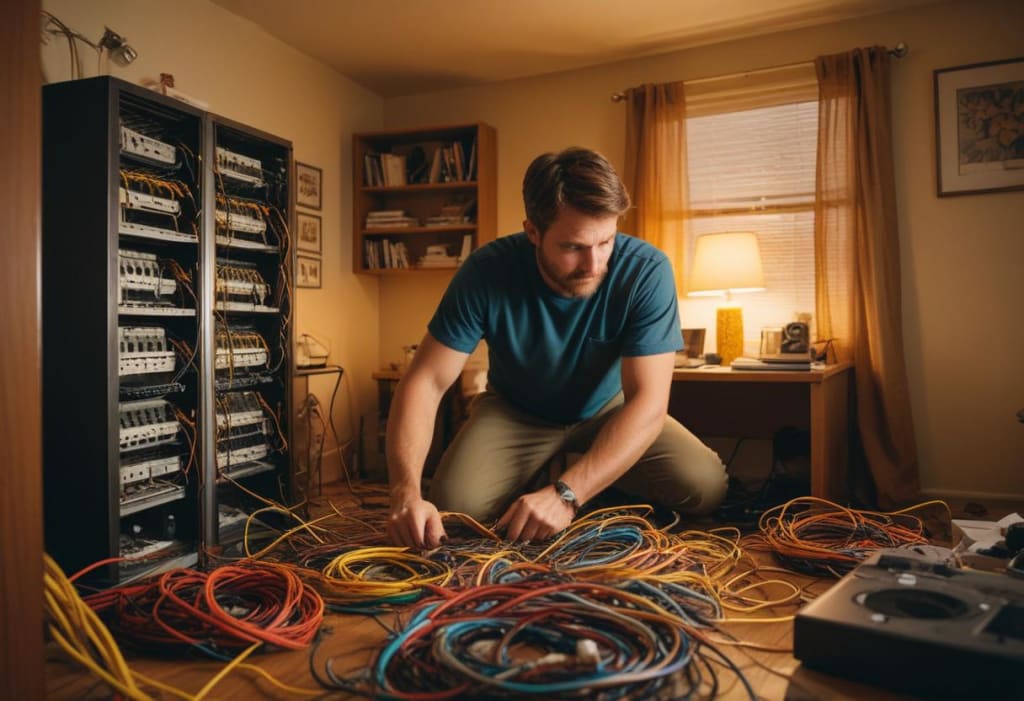
Efficient network cable management is essential for ensuring optimal performance, minimizing downtime, and maintaining a clean, organized workspace. Whether you're setting up a small office network or managing a large data center, understanding the best practices for cable management can save you time, money, and headaches.
What is Network Cable Management?
Network cable management involves organizing and securing cables to ensure they are easily accessible, properly labeled, and free from tangles and damage. Effective cable management can improve network performance, simplify maintenance, and enhance the overall appearance of your network setup.
The Importance of Network Cable Management
Proper network cable management is crucial for several reasons:
Enhanced Performance: Organized cables reduce signal interference and maintain the integrity of data transmission.
Easier Troubleshooting: Well-labeled and neatly arranged cables make it easier to identify and resolve network issues.
Improved Safety: Minimizing cable clutter reduces the risk of tripping hazards and equipment damage.
Scalability: A well-managed network is easier to expand and upgrade, saving time and reducing costs in the long run.
Best Practices for Network Cable Management
1. Plan Your Cable Layout
Before you start running cables, take the time to plan your layout. Consider the location of network devices, power sources, and potential obstacles. Use a detailed diagram to map out your cable paths and identify the best routes for each cable.
2. Label Everything
Labeling cables is one of the simplest yet most effective ways to manage your network. Use clear, durable labels to identify each cable's function and destination. This will save you time and frustration when troubleshooting or making changes to your network.
3. Use Cable Management Tools
Invest in cable management tools such as cable trays, racks, and ties. These tools help keep cables organized, secure, and free from tangles. Velcro ties are particularly useful as they are adjustable and reusable, making them ideal for dynamic network environments.
4. Separate Power and Data Cables
To minimize signal interference, keep power and data cables separate. Running these cables too close together can cause electromagnetic interference, leading to data corruption and network performance issues.
5. Maintain Proper Bend Radius
Avoid bending cables too sharply, as this can damage the internal wires and degrade performance. Follow the manufacturer's recommendations for the minimum bend radius to ensure the longevity and reliability of your cables.
6. Implement Patch Panels
Patch panels are an excellent way to centralize your network connections and keep cables organized. They allow you to easily connect and disconnect devices without disturbing the rest of the network. Patch panels also make it easier to label and manage cables.
7. Regularly Inspect and Maintain
Regular inspections and maintenance are crucial for keeping your network in top condition. Check for signs of wear and tear, such as frayed cables or loose connections, and address any issues promptly. Keeping your network clean and organized will prevent small problems from becoming major headaches.
Tips for Specific Network Environments
Data Centers
In data centers, cable management is particularly critical due to the high density of cables and devices. Use color-coded cables to differentiate between different types of connections, and implement cable management arms to keep cables organized within server racks.
Office Networks
For office networks, focus on keeping cables out of sight and out of the way. Use cable raceways and floor boxes to route cables under desks and along walls. This not only improves the appearance of the office but also reduces the risk of tripping hazards.
Home Networks
Even in home networks, proper cable management can make a big difference. Use cable clips and sleeves to keep cables tidy and prevent them from becoming tangled. Label each cable to make it easier to identify and troubleshoot connections.
Common Mistakes to Avoid
Overlooking Cable Length
Using cables that are too long or too short can lead to clutter and connectivity issues. Measure the distance between devices and choose cables of appropriate length to maintain a clean and efficient setup.
Skipping Labels
Failing to label cables is a common mistake that can lead to confusion and wasted time. Always label both ends of each cable to ensure quick and easy identification.
Ignoring Maintenance
Neglecting regular maintenance can result in degraded performance and unexpected downtime. Schedule routine inspections to check for damaged cables and ensure all connections are secure.
Frequently Asked Questions
What is the best way to label network cables?
The best way to label network cables is to use clear, durable labels with a concise description of each cable's function and destination. Label both ends of each cable to make identification easier.
How can I prevent cable tangles?
To prevent cable tangles, use cable management tools such as trays, racks, and ties. Keep cables organized and neatly arranged, and avoid running too many cables through the same pathway.
What are the benefits of using patch panels?
Patch panels centralize network connections, making it easier to manage and troubleshoot cables. They also allow for easy expansion and reconfiguration of the network without disturbing existing connections.
How often should I inspect my network cables?
Regular inspections are essential for maintaining network performance. Check cables for signs of wear and tear, such as fraying or loose connections, at least once every six months. Address any issues promptly to prevent further damage.
Conclusion
Network cable management is a vital aspect of maintaining a reliable and efficient network. By following best practices and using the right tools, you can improve network performance, simplify maintenance, and create a safer, more organized environment.
For businesses looking to optimize their IT infrastructure, Coastal IT Services is a premier IT center that can help. From network cable management to comprehensive IT solutions, Coastal IT Services offers expert guidance and support to keep your network running smoothly.
About the Creator
Zoe Miller
As an experienced IT professional with a passion for helping small businesses thrive, I specialize in providing comprehensive IT solutions that drive efficiency, security, and growth.
Enjoyed the story? Support the Creator.
Subscribe for free to receive all their stories in your feed.
Comments
There are no comments for this story
Be the first to respond and start the conversation.