
How to Use Stable Diffusion 3 Online?
Guide to Stable Diffusion 3

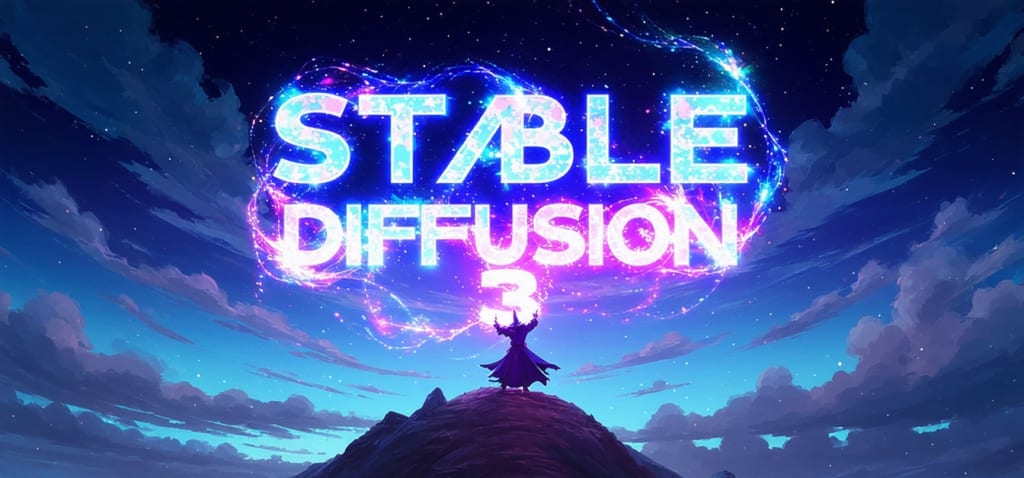
In the ever-evolving world of artificial intelligence, image generation has taken a giant leap forward with the introduction of Stable Diffusion 3 (SD3). This advanced text-to-image model not only enhances the quality of generated images but also allows for more creativity and flexibility in the prompts you provide. If you're curious about how to harness the power of SD3 online, you're in the right place! In this article, we'll explore what Stable Diffusion 3 is, and how to use it online as the perfect platform for your creative endeavors.
What is Stable Diffusion 3?
Stable Diffusion 3 is an innovative text-to-image model that stands out for its ability to handle multi-subject prompts with remarkable precision. It boasts improved image quality and a better understanding of text, making it a go-to choice for artists, designers, and anyone looking to create stunning visuals from simple text descriptions. With customizable options, SD3 is designed for safe and responsible use, allowing users to explore their creativity without limitations.
Features of Stable Diffusion 3
Stable Diffusion 3 comes packed with a range of impressive features that enhance its functionality and user experience:
1. Improved Image Quality: SD3 generates images with remarkable realism, making your projects visually stunning and engaging. This enhancement allows for a more immersive experience for viewers.
2. Better Text Representation: The model excels in accurately representing text within images, ensuring clarity and coherence. This feature is essential for projects that require precise communication through visuals.
3. Wider Accessibility: Designed for diverse hardware setups, SD3 is accessible to a broad audience, regardless of their technical resources. This inclusivity encourages more users to explore their creative potential.
4. Hardware Compatibility: Whether you have a high-end GPU or a modest configuration, Stable Diffusion 3 works seamlessly across various devices. This flexibility means you can create stunning images without needing top-tier hardware.
5. Scalable Models: With a suite of models ranging from 800 million to 8 billion parameters, SD3 offers scalability to meet different project needs, allowing users to choose the best fit for their specific requirements.
6. User-Friendly Interface: Its intuitive interface makes it easy for users of all skill levels to navigate and utilize the model effectively, empowering everyone to unleash their creativity without a steep learning curve.
How to Use Stable Diffusion 3 Online?
Using Stable Diffusion 3 online is a breeze, especially with the support of platforms like MimicPC. Here’s a step-by-step guide to get you started:
Step 1: Launch the ComfyUI Application
Begin by launching the ComfyUI application on MimicPC. This user-friendly interface is designed to make your experience seamless.
Step 2: Load the SD3 Model
In the preset workflow, navigate to the "Load Checkpoint" node and select the Stable Diffusion 3 model. This step ensures that you're using the latest and most powerful version of the model.
Step 3: Enter Your Prompts
Now it’s time to get creative! Enter the text prompt and counter-prompt you wish to use for image generation in the "Clip Text Prompt" field. This is where your imagination can run wild!
Step 4: Queue the Prompt
Once you’ve entered your prompts, click on "Queue Prompt" to initiate the image generation process. Sit back and watch as your ideas come to life!
Step 5: Preview or Save Your Image
After the image is generated, you’ll have the option to preview it. If it’s not quite what you envisioned, don’t worry! You can adjust settings such as style and size to refine the results until you’re satisfied.
What Industries Can Benefit Most From Using Stable Diffusion 3?
Stable Diffusion 3 can greatly benefit various industries, including entertainment, advertising, education, and content creation. In entertainment, it can enhance visual storytelling and concept art. Advertising professionals can create eye-catching visuals for campaigns, while educators can generate engaging materials for teaching. Content creators can leverage its capabilities to produce unique images for blogs, social media, and marketing. The versatility and high-quality output of SD3 make it an invaluable tool across these sectors, driving creativity and innovation.
Wrap Up!
Stable Diffusion 3 is a game-changer in the realm of text-to-image generation, offering enhanced performance and creative possibilities. By using MimicPC, you can easily access this powerful tool online, allowing you to focus on what truly matters—bringing your ideas to life. So why wait? Try Stable Diffusion 3 online today and unleash your creativity!
About the Creator
Enjoyed the story? Support the Creator.
Subscribe for free to receive all their stories in your feed.
Comments
There are no comments for this story
Be the first to respond and start the conversation.