
How DJs Create Seamless Mashups for Live Performances
Music musqub
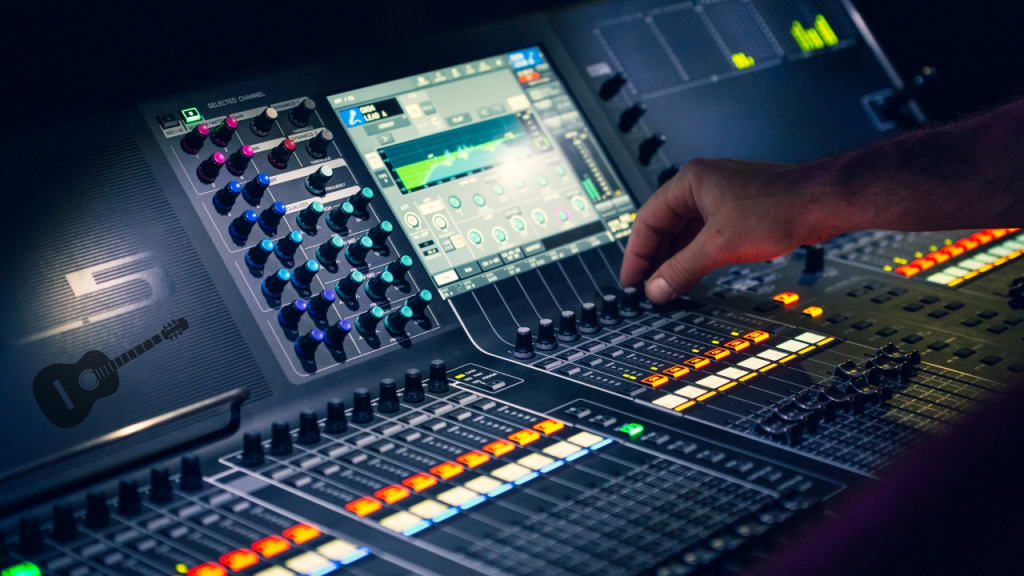
Creating a live music mashup is one of the most thrilling and rewarding aspects of being a DJ. Unlike studio mashups that are carefully edited and polished, live mashups demand quick thinking, impeccable timing, and a deep understanding of musical structure. For aspiring DJs and music producers, learning how to create a music mashup in a live setting is a crucial skill that can transform your performance and captivate your audience. This guide delves into the techniques, tools, and creative processes that DJs use to craft unforgettable mashups on stage.
The Art of Live Music Mashups
Live mashups are unique because they’re created in real time. DJs blend elements from two or more songs, such as instrumentals, vocals, and beats, to create a cohesive and energetic track. The key is to maintain a seamless flow that keeps the audience engaged.
Why Live Mashups Work: Live mashups bring a sense of spontaneity and energy to performances. The audience experiences a unique rendition of familiar songs, which can elevate the excitement of the event.
Challenges of Live Mashups: Performing mashups live requires quick decision-making, technical expertise, and a deep understanding of musical structure. Mistakes are inevitable but can often be creatively transformed into part of the performance.
Essential Tools for Live Mashups
To create a successful live mashup, DJs rely on specialized equipment and software. Here’s what you need:
DJ Controllers: Devices like the Pioneer DDJ series allow you to manipulate tracks in real time. They include jog wheels, faders, and performance pads for smooth transitions and effects.
DJ Software: Programs like Serato DJ Pro, Traktor Pro, and Rekordbox provide the digital interface for mixing and editing tracks during live performances.
Beatmatching Tools: Most DJ software includes automatic beatmatching, but learning to manually align beats is essential for precise mixing.
Headphones: A good pair of headphones is critical for cueing tracks and ensuring transitions are perfectly timed.
External Hardware: Advanced DJs may use synthesizers, drum machines, or samplers to add unique elements to their mashups.
Techniques for Crafting Seamless Live Mashups
1. Beatmatching
Beatmatching is the foundation of any great live mashup. This involves aligning the tempos (measured in beats per minute, or BPM) of two tracks so their rhythms synchronize. While modern DJ software can automate this, mastering manual beatmatching gives you greater control and accuracy.
2. Harmonic Mixing
Harmonic mixing ensures that the tracks being combined are in compatible musical keys. Tools like Mixed in Key can help identify the key of a track and suggest compatible songs. This prevents dissonance and creates a more pleasing mashup.
3. Cue Points
Setting cue points allows you to jump to specific parts of a track instantly. For example, you can set a cue point at the chorus of one song and seamlessly transition to it during a live performance.
4. Looping
Looping enables you to repeat a specific section of a song, such as a beat or bassline, to create a foundation for layering other elements. This is especially useful for building tension and anticipation in your set.
5. Layering Vocals and Instrumentals
One of the most popular techniques in live mashups is overlaying the vocals of one track onto the instrumental of another. This requires careful synchronization of tempo and timing.
6. Adding Effects
Effects like reverb, delay, and filters can enhance the transition between tracks and add a dynamic element to your mashup. Experimenting with effects helps create a unique sound and keeps the audience engaged.
7. Crossfading
The crossfader on your DJ controller allows you to smoothly transition between tracks. A gradual crossfade can create a seamless blend, while a sharp cut can add dramatic impact.
Adapting to the Crowd’s Energy
One of the most important aspects of creating live mashups is reading the room. Successful DJs adjust their setlists and mashups based on the energy of the crowd. Here’s how to do it:
Observe Reactions: Pay attention to how the audience responds to your transitions and track choices. If a mashup isn’t working, don’t hesitate to switch it up.
Build Momentum: Start with slower, more familiar tracks and gradually increase the tempo and energy level to keep the crowd engaged.
Interact with the Audience: Acknowledge the crowd with gestures or shoutouts to create a sense of connection and energy.
Overcoming Challenges in Live Mashups
Performing live mashups isn’t without its challenges. Here are common issues and solutions:
Technical Glitches: Equipment or software issues can occur at any time. Always have a backup plan, such as pre-mixed tracks or a secondary controller.
Timing Errors: If a transition doesn’t align perfectly, use effects like echo or reverb to mask the mistake and recover smoothly.
Key Clashes: If tracks sound dissonant, adjust the pitch or swap one of the tracks for a more compatible option.
Examples of Iconic Live Mashups
Some DJs have mastered the art of live mashups, setting benchmarks for creativity and skill:
DJ Earworm: Known for creating annual pop mashups featuring the year’s biggest hits.
Girl Talk: Fuses elements from diverse genres, creating dynamic and unpredictable sets.
Madeon: Gained fame for live mashups using his Launchpad to trigger samples and loops.
These artists demonstrate the potential of live mashups to captivate audiences and push creative boundaries.
Conclusion
Learning how to create a music mashup for live performances is a transformative skill for DJs. It combines technical expertise with creative improvisation, allowing you to craft unique musical experiences that resonate with your audience. From mastering beatmatching and harmonic mixing to adapting to crowd energy, the key to success lies in practice, preparation, and a willingness to experiment. Whether you’re a beginner or a seasoned DJ, live mashups are a powerful way to elevate your performances and leave a lasting impression. So, grab your gear, start mixing, and let the music flow!
About the Creator
SEO 5
Music Enthusiast | Industry Insider | Vocal Media Contributor
Passionate about sharing insights on the latest trends, emerging artists, and the evolving landscape of the music industry.
Enjoyed the story? Support the Creator.
Subscribe for free to receive all their stories in your feed.
Comments
There are no comments for this story
Be the first to respond and start the conversation.