
E-Commerce Platform Migration: How to Seamlessly Transition Without Losing Sales.
Migrating to a new e-commerce platform can be a challenging process. This article provides a guide on a seamless transition from one platform to another.
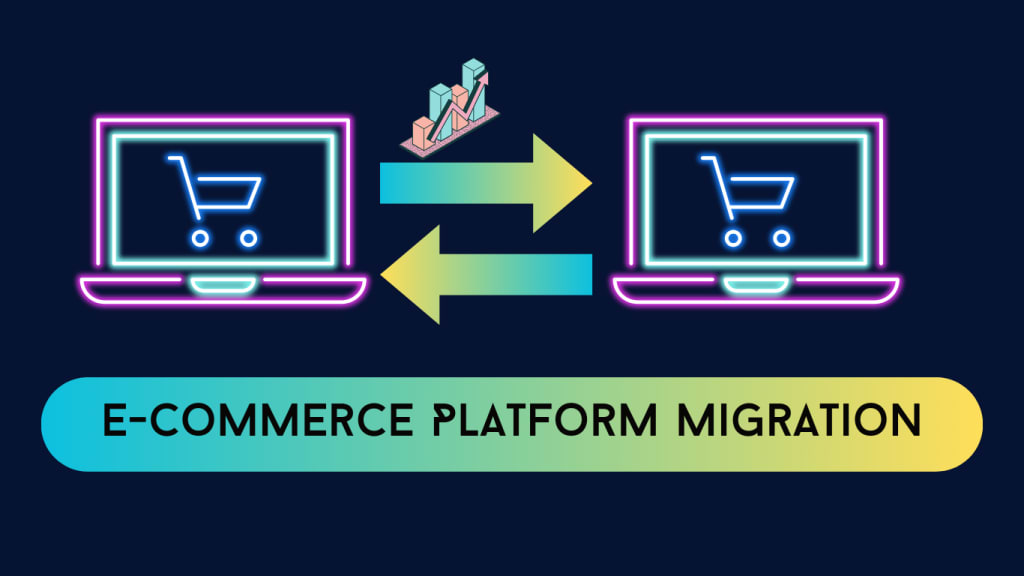
In the ever-evolving digital world, businesses need e-commerce platforms that can grow with them, offer better features, and meet the changing expectations of customers. However, migrating from one e-commerce platform to another can feel like a daunting task, especially when you consider the risks of losing sales, data, or search engine rankings during the transition.
This article will explore strategies to ensure a seamless ecommerce platform migration while maintaining business continuity, minimizing risks, and avoiding disruptions in sales.
Why E-Commerce Platform Migration Matters
E-commerce platforms are the backbone of any online store, handling everything from product listings and payments to inventory management and customer engagement. As your business grows, you may need to migrate to a more scalable, secure, or feature-rich platform that better meets your needs. The reasons for migrating may include:
Improved scalability: Expanding businesses need platforms that can handle higher volumes of traffic, transactions, and data.
Enhanced security: Newer platforms often provide more robust security features, including better protection against cyber threats.
Better performance: Outdated platforms may have slower load times, which can affect the user experience and SEO rankings.
Access to advanced features: Modern platforms offer features like personalized marketing, advanced analytics, and better integration with third-party apps.
Preparing for a Smooth Transition
A seamless migration begins with thorough planning and preparation. Here's how you can ensure your migration process is efficient and doesn't impact your sales:
1. Conduct a Full Audit of Your Current Platform
Before starting the migration process, assess your current platform. This includes analyzing your website’s performance, SEO, customer data, product listings, and integrations with third-party tools. Identify any potential issues, such as duplicate content, outdated plugins, or performance bottlenecks. Understanding your current system will help you prioritize what’s needed in the new platform.
2. Choose the Right E-Commerce Platform
Selecting the right platform is critical for a successful migration. Consider the following factors when choosing your new platform:
Scalability: Can the platform grow with your business?
Customization options: Does the platform allow for customizations that meet your business needs?
Ease of use: Is it user-friendly for your team to manage and update?
Integrations: Does it integrate well with existing third-party apps like CRM, ERP, and payment gateways?
Popular platforms such as Shopify, WooCommerce, Magento, and BigCommerce offer a wide range of features suited for various business sizes and requirements.
3. Develop a Detailed Migration Plan
A detailed migration plan should be created to outline each step of the process. This plan should include:
Data transfer: How will customer information, order histories, and product data be transferred securely?
Design and user experience: How will you maintain or enhance the current design and navigation during the transition?
SEO considerations: How will you preserve SEO rankings, including URLs, meta tags, and content structure?
Create a timeline for each stage of the migration process and assign tasks to responsible team members or your external migration partner.
Minimizing Sales Disruptions
4. Maintain a Backup of Your Current System
Before starting the migration, it’s essential to back up all your data, including product descriptions, customer profiles, sales reports, and SEO settings. Having a backup ensures you can recover lost information if something goes wrong during the migration.
5. Migrate During Off-Peak Hours
To minimize disruptions, plan your migration during off-peak hours when your website traffic is lowest. For example, late nights or weekends might have less customer activity, reducing the chances of sales loss.
6. Preserve Key SEO Elements
SEO plays a major role in generating organic traffic for e-commerce websites. To prevent a drop in search rankings, ensure the following during migration:
301 redirects: Redirect old URLs to new ones to avoid broken links and preserve search engine rankings.
Preserve metadata: Maintain important SEO elements such as meta titles, descriptions, and headers.
Test crawlability: Use tools like Google Search Console to ensure search engines can properly crawl and index your new site.
7. Test Before Launch
Before fully launching the new platform, run thorough tests to ensure everything works as intended. This includes checking page load speeds, ensuring all product listings are correct, testing the checkout process, and verifying that integrations with third-party tools are functioning properly.
Post-Migration Best Practices
Once your migration is complete, it’s crucial to monitor your site’s performance to ensure the transition has gone smoothly. Here's what to do post-migration:
8. Monitor Analytics and Performance
Keep a close eye on key metrics such as traffic, conversion rates, and page load speeds after the migration. Any sudden drops could indicate a problem that needs immediate attention.
9. Engage Customers with Clear Communication
Inform your customers about the migration process, particularly if there will be any downtime. Post-migration, highlight new features and improvements to encourage users to explore and engage with the new platform.
10. Update and Optimize Content
Migrating to a new platform offers an excellent opportunity to refresh your content. Update product descriptions, images, and user interface to ensure the best possible shopping experience for your customers.
Conclusion
Migrating to a new e-commerce platform is a significant undertaking, but with the right strategy, it can be done seamlessly without losing sales or hurting your business. By preparing thoroughly, maintaining strong SEO practices, and ensuring ongoing monitoring and optimization, you can ensure that your migration leads to improved performance, greater scalability, and enhanced customer satisfaction. The result is a more robust platform that’s equipped to handle your business's growth for years to come.
About the Creator
Enjoyed the story? Support the Creator.
Subscribe for free to receive all their stories in your feed.
Comments
There are no comments for this story
Be the first to respond and start the conversation.