product review
Reviewing the latest and greatest science fiction gadgets, tech, and accessories.
The Rise of DOOH: How Digital Out of Home Advertising Is Transforming Visual Communication
In recent years, advertising has evolved far beyond static posters and printed billboards. Today, brands communicate with audiences through dynamic digital screens that change content in real time, react to the environment, and deliver visuals that are brighter than ever before. This new wave of visual communication is known as DOOH, short for digital out of home advertising.
By charliesamuel11 months ago in Futurism
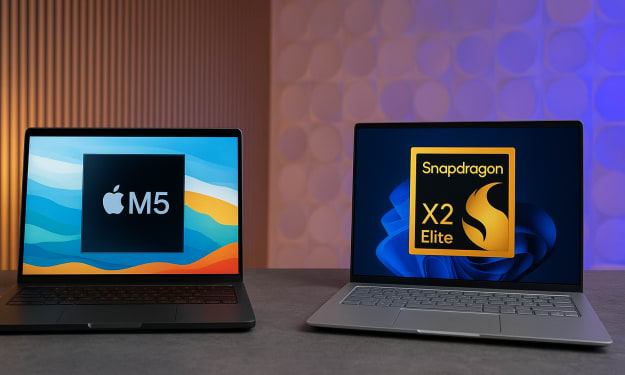
M5 MacBook Pro vs Snapdragon X2 Elite: The ARM Laptop Chip Showdown of 2025
When we talk about laptop performance in 2025, one of the most compelling rivalries isn’t between Intel and AMD any more — it’s between two ARM-based contenders: the newly-announced Apple M5 (inside the latest MacBook Pro) and the upcoming Snapdragon X2 Elite (and its Extreme variant) from Qualcomm. Both chips herald the next generation of ARM laptop computing. But which one takes the crown? Let’s dive into the numbers, the tech, and what it means for you — the user. Setting the stage: Why this matters The laptop market is evolving fast. Gone are the days when premium laptops meant bulky, hot-running Intel/AMD silicon. Today, ARM architectures are increasingly viable for high-performance computing: lower power, better integration, and fewer compromises. The M5 and Snapdragon X2 Elite both ride a 3 nm class process, signalling the next leap in mobile/ultraportable performance. For Apple, the M5 continues the narrative of vertical integration — hardware + software tuned for a singular ecosystem. For Qualcomm, the Snapdragon X2 Elite offers the promise of high-end ARM performance in Windows laptops from multiple OEMs, potentially shoring up competition. This is an important pivot in the “ARM laptop chips 2025” conversation. Core specs & architecture overview Apple M5 According to official and leaked data, the M5 uses a 10-core CPU configuration (likely 4 high-performance cores + 6 efficiency cores) built on a 3 nm (or equivalent) node. ([Wikipedia][1]) GPU side: Apple claims up to ~30% faster graphics versus its previous generation M4, with enhancements in ray-tracing and AI-accelerator capability. ([Wikipedia][1]) Key benchmark leak: in single-core testing the MacBook Pro M5 variant clocked ~4,263 in Geekbench-style tests. ([Tom's Hardware][2]) Snapdragon X2 Elite (Extreme) Built for Windows laptops in early 2026, the Snapdragon X2 Elite line (including the high-end “Extreme” variant) packs up to 18 CPU cores according to leaks and benchmarking sources. ([Windows Central][3]) Memory bandwidth and core count significantly higher: e.g., one spec list shows 228 GB/s vs 153 GB/s for M5 in one comparison. ([NanoReview.net][4]) Early results show strong multi-core and graphics performance, setting a new bar for ARM in laptops. ([WIRED][5]) Performance face-off: Single-core, multi-core & graphics Single-core performance In single-threaded workloads — the kind of tasks that emphasise responsiveness (web browsing, document editing, launching apps) — the M5 holds a slight edge. Leaked benchmark entries show it reaching around 4,263 vs ~4,080 for the Snapdragon X2 Elite Extreme. ([Tom's Hardware][2]) That’s an impressive feat: Apple continues to hit very high single-core ceilings, thanks in part to its strong performance cores and efficient thermal envelope inside the MacBook chassis. Multi-core performance Here is where the Snapdragon X2 Elite pulls ahead. With up to 18 cores, early benchmarks show it reaching multi-core scores of ~23,000+ (Geekbench-style) compared to the M5’s ~17,800 in comparable tests. ([TechRadar][6]) In real-world terms this means heavy workloads — GPU rendering, large-scale compiling, multitasking across dozens of threads — may favour the Snapdragon architecture. Graphics & GPU performance Graphics benchmarks (e.g., 3DMark Steel Nomad Light) show a tight contest. One source reports the Snapdragon X2 Elite Extreme achieving ~42.5 fps vs ~40.5 fps for the M5. ([Geeky Gadgets][7]) While the margin is small (~5 %), it signals that Qualcomm’s integrated GPU (Adreno X2-90/whatever the naming) is catching up or perhaps even surpassing Apple’s offering in certain GPU-bound tasks. That said, the ecosystem (drivers, optimised apps) still matter hugely. Efficiency, thermals & real-world considerations Benchmarks alone don’t tell the full story. In laptops, sustained performance, cooling, power draw, and battery life are often the differentiators. For the M5 MacBook Pro, reviewers report class-leading single-core scores, but some note battery life falling short of the headline figures (~18 hours vs a claimed 24) under heavy use. ([TechRadar][8]) The Snapdragon X2 Elite, by virtue of its higher core count and likely higher power envelope, will demand robust cooling and may be more dependent on laptop OEM design to deliver sustained performance without thermal throttling. The MacBook Pro benefits from Apple’s tight hardware/software integration — from the OS (macOS) to the cooling solution and power management. Windows laptops powered by Snapdragon chips will face heterogeneous ecosystems and variable hardware implementation. Thus, while the Snapdragon may have the peak multi-core numbers, real-world sustained performance, usability, battery life and ecosystem play in favour of Apple’s M5 in many scenarios. User-centric implications: What does this mean for you? If you prioritise responsiveness and general productivity If your workload is mostly office apps, web browsing, light photo editing, streaming and everyday tasks — you’ll likely be delighted with the M5 MacBook Pro. Its single-core strength ensures snappy responses, excellent integration, and a mature platform. The “M5 MacBook Pro vs Snapdragon X2 Elite” battle here tilts in favour of the M5 for this class of use-case. If you are into heavy multitasking, large projects, or thread-rich workflows If you compile large code-bases, render 3D scenes, run virtual machines, or heavily multitask across dozens of threads — the Snapdragon X2 Elite’s higher multi-core count gives it a meaningful edge in this domain. In those raw benchmark-type tasks, the extra cores matter. If you care about GPU/creative workloads The GPU gap is narrowing. The Snapdragon shows a slight lead in one benchmark, but the real differentiator may be in software optimisation and ecosystem. Apple already has a mature set of creative apps (Final Cut Pro, Logic, etc.) tuned to its hardware. Windows + Snapdragon hardware is still emerging. So for creatives, you’ll want to look at the entire system (app support, thermal cooling, display, I/O) not just the chip. When battery life, ecosystem & support matter Here, Apple takes advantage of years of integration. The M5 MacBook Pro offers a mature, polished experience. With a Snapdragon-based machine, you’ll need to check the OEM implementation, cooling solution, battery size, OS experience, and app compatibility. The chipset alone doesn’t guarantee the same level of user experience. Market & future implications The rivalry between Apple’s M5 and Qualcomm’s Snapdragon X2 Elite line reflects a larger shift in the ARM laptop space. For years Apple has defined what ARM could do in laptops. But now, companies like Qualcomm are bringing serious competition to the table. Qualcomm’s push means Windows OEMs might finally deliver ARM-laptop alternatives that can match or challenge Apple not just in light-use scenarios but heavier workloads too. For Apple, this competition pressures further innovation — we already hear about upcoming M5 Pro and M5 Max versions, which could widen the gap again or shift the battleground. ([TechRadar][8]) For consumers: more choice is good. More performance, more form-factors, potentially lower prices as competition heats up. Verdict: Who wins? The short version: there’s no absolute winner — the “better chip” depends heavily on your usage model. For everyday workflows, light-to-moderate workloads, and the best user experience today: the M5 MacBook Pro remains the reliable pick. For heavy multitasking, thread-intensive workloads, or if you’re building a high-end Windows ARM laptop and can wait for the Snapdragon X2 Elite ecosystem to mature — the Snapdragon brings serious promise. In other words: if you need maximum multi-core firepower now, keep an eye on the Snapdragon X2 Elite and its laptop partners. If you want a polished experience today with excellent performance and battery life: the M5 MacBook Pro is hard to beat. Final thoughts The headline “M5 MacBook Pro vs Snapdragon X2 Elite” may sound like a simple comparison — but in reality, it’s the beginning of a broader shift. ARM laptop chips in 2025 are no longer niche; they’re now contenders. And when chips like the M5 and Snapdragon X2 Elite go head-to-head, the winners aren’t just the brands — it’s us, the users, who benefit. The next few months will be fascinating: more benchmarks, more devices, more real-world reviews. Whether you’re an Apple loyalist or a Windows-ARM early-adopter, this era marks the start of a new chapter for portable computing. For now — choose the machine that matches your workflow, ecosystem preference, and budget. Because whichever chip you pick, you’re buying into a very powerful future.
By NextGen Mobile Tech11 months ago in Futurism
iPhone and Mac: How Apple’s Perfect Pair Transforms the Way You Work, Connect, and Create
In today’s digital world, convenience is everything. From managing work to staying in touch with family, the average person juggles multiple devices every day. For millions of Americans, that ecosystem is powered by Apple — and the magic truly happens when the iPhone and Mac work together. Apple’s seamless integration between these two devices is one of the company’s biggest strengths. Whether you’re replying to messages on your Mac, copying text from your iPhone and pasting it on your laptop, or using your phone’s camera as a webcam, Apple has created an environment where switching between devices feels effortless. If you’ve ever wondered how to make the most of your iPhone and Mac combo, this guide will show you exactly what’s possible — and how it can change the way you work, connect, and create. Why the iPhone–Mac Relationship Matters The iPhone and Mac are more than just two separate gadgets. Together, they form a unified ecosystem that enhances productivity and creativity. For U.S. professionals, students, freelancers, and everyday users, this pairing has become a modern essential. Here’s why: Continuity Across Devices – Start a task on one device and finish it on the other without interruption. Unified Communication – Send texts, answer calls, and respond to notifications from your Mac — even when your iPhone is across the room. Automatic Syncing – Photos, documents, passwords, and notes stay consistent across both devices through iCloud. Powerful Productivity Tools – From Handoff to AirDrop, these built-in features eliminate the friction between phone and computer. It’s not about flashy features — it’s about making technology invisible, so you can focus on what you actually want to do. The Core Features That Make iPhone + Mac So Powerful Apple’s ecosystem is built on small features that deliver a big impact. Below are the most important ones every iPhone and Mac user should know. 1. Handoff: Pick Up Right Where You Left Off Handoff allows you to start an email, document, or web page on your iPhone and continue instantly on your Mac. The feature appears as a small icon in your Mac’s dock or your iPhone’s app switcher. For example, if you’re reading an article on Safari during your morning commute, you can open your Mac at work and continue reading from the exact same spot — no extra steps needed. 2. Universal Clipboard: Copy Here, Paste There One of Apple’s most underrated tools is the Universal Clipboard. Copy text, images, or links on your iPhone, then paste them directly into a document on your Mac. Writers, designers, and marketers love this because it makes multitasking between devices seamless — no more emailing yourself notes or screenshots. 3. AirDrop: Instant File Sharing AirDrop uses Bluetooth and Wi-Fi to transfer files between your Apple devices without cables or internet. Whether you’re sharing photos, PDFs, or videos, it’s fast, private, and simple. For U.S. professionals working with clients, AirDrop also means no more waiting for uploads or digging through messy email attachments. 4. Continuity Camera: Use Your iPhone as a Mac Webcam When Apple introduced Continuity Camera, it instantly upgraded the video call experience. Instead of relying on the Mac’s built-in webcam, your iPhone becomes a high-definition camera that connects wirelessly. In a world where remote work and video calls are standard, this feature makes you look sharper and more professional — whether you’re in a Zoom meeting or recording content for YouTube. 5. iPhone Mirroring on macOS Sequoia: The Game Changer Apple’s latest addition, iPhone Mirroring (introduced with macOS Sequoia and iOS 18), takes integration to an entirely new level. It lets you view and control your iPhone directly from your Mac. Your iPhone’s screen appears in a window on your desktop, and you can use your Mac’s keyboard and trackpad to navigate apps, reply to messages, or even drag and drop files between devices. This is especially useful for multitasking — you can check notifications, edit photos, or browse social media on your iPhone without ever reaching for it physically. It’s like having your phone and computer merge into one workspace. Setting Up Your iPhone and Mac for Seamless Integration Getting started is easier than you might think. Here’s a quick setup checklist: 1. Sign in with the same Apple ID on both devices. 2. Enable Bluetooth, Wi-Fi, and Handoff (found under Settings → General → AirPlay & Handoff on iPhone, and System Settings → General → AirPlay & Handoff on Mac). 3. Connect to the same Wi-Fi network. 4. Turn on iCloud sync for apps like Notes, Photos, and Safari. 5. Update both devices to the latest iOS and macOS versions for full compatibility. Once everything is synced, your devices start communicating instantly. The magic happens behind the scenes — and that’s exactly how Apple designed it. Top 5 Must-Try iPhone + Mac Workflows To really unlock the potential of Apple’s ecosystem, try these practical workflows used by power users and professionals across the U.S. 1. Copy, Paste, and Go If you’re researching online on your iPhone, simply copy a paragraph or link, switch to your Mac, and paste it directly into your notes or document. This is a lifesaver for students and journalists who collect information on the go. 2. Take Calls and Messages from Your Mac When your iPhone and Mac are linked, you can make and receive calls right from your MacBook. Messages also sync, allowing you to text from your keyboard instead of typing on your phone. This helps maintain focus during work hours without constantly switching devices. 3. Use AirDrop for Instant File Transfers Need to send a photo or design from your iPhone to your Mac instantly? Just AirDrop it. The process is private, wireless, and far faster than emailing or using cloud services. 4. Mirror and Manage Your iPhone on Mac With iPhone Mirroring in macOS Sequoia, you can check notifications, manage apps, or access files while your phone stays in your pocket. It’s ideal for professionals who want to stay organized without being distracted by their devices. 5. Turn Your iPhone into a High-Quality Webcam Enable Continuity Camera to use your iPhone’s advanced lenses and sensors for video calls. You’ll notice sharper focus, better lighting, and a more natural look — perfect for remote work, interviews, or content creation. How This Integration Boosts Productivity and Creativity When your devices work together, your workflow becomes faster, smarter, and more enjoyable. For professionals: iPhone + Mac means quick access to files, real-time collaboration, and a unified workspace. For creatives: You can shoot 4K videos on iPhone, edit them seamlessly in Final Cut Pro on Mac, and export professional-quality projects. For students: Notes sync instantly, assignments move between devices, and researching is easier than ever. For everyday users: Simple conveniences — like answering a FaceTime call from your Mac — save time every day. This ecosystem isn’t just about convenience. It’s about focus. The integration removes the small daily interruptions that slow you down, allowing you to stay in your creative flow. Privacy and Security: Apple’s Hidden Advantage Apple’s device integration works through its secure iCloud and Bluetooth systems. All data transfers — from clipboard to AirDrop — are encrypted end-to-end. That means your information never leaves your devices or goes through third-party servers. For users in the U.S., this focus on privacy is a major reason Apple continues to dominate the premium tech market. It’s not only about what your devices can do, but how safely they do it. Final Thoughts: The Future of Apple’s Unified Experience The iPhone and Mac have always been strong on their own, but together they represent something bigger — a connected lifestyle. With features like iPhone Mirroring, Continuity Camera, and Universal Clipboard, Apple has blurred the line between mobile and desktop computing. As the company continues to push boundaries with artificial intelligence, on-device processing, and seamless syncing, the iPhone + Mac ecosystem will only get smarter. If you’re already an Apple user, take the time to explore these features. You might be surprised how much smoother your digital life can be when your devices truly work in harmony. And if you’re new to Apple, this pairing is one of the best reasons to consider joining the ecosystem — it’s not about having two devices; it’s about having one experience that moves with you.
By NextGen Mobile Tech11 months ago in Futurism
Huawei Pura 80 Ultra vs Honor Magic 7 Pro — Complete comparison (design, cameras, performance, battery, software, verdict
Short version: both are top-tier 2025 flagships: Huawei’s Pura 80 Ultra focuses on camera innovation and battery/charging tech, while Honor’s Magic 7 Pro emphasizes raw performance, wide software/ecosystem support, and strong zoom optics. Which one suits you depends on whether you prioritise camera hardware and Huawei’s proprietary stack, or Google-friendly Android performance and broader regional availability. Below is a full, walk-through comparison to help you decide. Quick model facts (release & positioning Huawei Pura 80 Ultra — flagship from Huawei’s 2025 Pura series; flagship camera innovations (switchable dual telephoto periscope), large main sensor, HarmonyOS-based software. (Huawei official specs / coverage). ([HUAWEI Consumer][1]) Honor Magic 7 Pro — Honor’s 2025 flagship positioned as a performance and camera leader with Snapdragon flagship silicon and advanced telephoto hardware; launched into international markets with Android-based MagicOS. ([Honor][2]) Design & display Huawei Pura 80 Ultra 6.8″ LTPO OLED, high refresh rate (adaptive), premium glass/metal build; large camera island to host its complex telephoto module. Official spec pages list the display and physical dimensions. ([HUAWEI Consumer][1]) Honor Magic 7 Pro 6.8″ OLED quad-curved “floating” screen, flagship class panels with high refresh rate and very slim bezels; compact/flat side profile and IP68/IP69 durability in some regional variants. ([Honor][3]) Takeaway: both use top-class OLED panels around 6.8″ with high refresh rates. Expect excellent brightness, contrast and smooth UI. Huawei’s design emphasizes the camera hardware; Honor targets a slightly sleeker IP-rated package. Performance (SoC, memory) Honor Magic 7 Pro Ships with a Qualcomm flagship (Snapdragon 8 Elite / 8 Gen 3 depending on SKU and market), tuned for performance and gaming. Multiple RAM/storage options (12GB+). Honor explicitly advertises the Snapdragon 8 Elite on global pages. ([Honor][2]) Huawei Pura 80 Ultra Huawei increasingly uses its own Kirin or region-specific chipsets; the Pura 80 Ultra focuses on camera and imaging compute rather than chasing raw Qualcomm peak in some international SKUs. Huawei’s pages show HarmonyOS and high-end memory options but chipset details vary by market. ([HUAWEI Consumer][1]) Takeaway: if peak CPU/GPU performance (and broad app/game compatibility on Android) is a priority, Honor’s Qualcomm-powered Magic 7 Pro will generally be the safer bet internationally. Huawei’s silicon + ISP strengths are tuned for imaging workloads and AI features inside HarmonyOS. Cameras (the biggest difference) Huawei Pura 80 Ultra — what stands out Innovative switchable dual-telephoto periscope system: two telephoto focal lengths (about 3.7× and 9.4× optical) using a movable prism to let two lenses share a larger sensor — a novel approach that saves space while delivering strong medium and long-range zoom. Main camera: 50MP 1-inch style (Ultra Lighting HDR) with variable aperture; a high-res ultra-wide as well. Huawei’s launch coverage highlights this mechanical/optical innovation. ([HUAWEI Consumer][1]) Honor Magic 7 Pro — what stands out Very strong multi-lens system with an emphasis on computational zoom and a 200MP telephoto module in some variants (Honor markets a 3× periscope with high megapixel count + AI Super Zoom). Honor combines high-res sensors with aggressive software sharpening/AI processing. Honor’s global spec pages and coverage describe the flagship telephoto and camera AI. ([Honor][2]) Real-world differences Huawei’s physical optical ingenuity (switchable tele lenses + larger main sensor) tends to produce very natural, high-dynamic-range images and excellent long-range detail without relying solely on heavy cropping. Honor’s approach blends very high megapixel sensors and Qualcomm’s ISP + Honor’s AI to achieve strong results and very usable zoom (often excellent at 3×–10× thanks to hybrid zoom algorithms). Takeaway: for pure optical engineering and especially long-range telephoto fidelity, Huawei’s Pura 80 Ultra is unique and compelling. For overall camera versatility, computational features, and aggressive megapixel zoom, Honor is excellent and often more predictable across apps/markets. Battery & charging Huawei Pura 80 Ultra — large battery capacity (Huawei cites figures in the 5,000–5,700 mAh range across the Pura family) and extremely fast wired/wireless charging in flagship trims; Huawei emphasizes fast wired + very fast wireless charging. ([HUAWEI Consumer][1]) Honor Magic 7 Pro — competitive battery (around 5,200–5,270 mAh in some specs), fast wired charging and proprietary silicon-carbon battery tech in Honor documentation; rated to do well across a full day of heavy use. ([Honor][2]) Takeaway: both provide excellent battery life and fast charging; Huawei may have a small edge in maximum charging rates and very large-cell options depending on the exact SKU. Software, ecosystem & app support Huawei Pura 80 Ultra Runs HarmonyOS (Huawei’s ecosystem). HarmonyOS includes deep Huawei-centric integrations and on-device AI features, but outside China users should check app availability: Huawei devices in many regions still face Google Mobile Services (GMS) limitations; Huawei supplies AppGallery + HMS alternatives. If you rely on Google apps/AOSP-dependent services, verify availability for your country. ([HUAWEI Consumer][1]) Honor Magic 7 Pro Runs MagicOS (Honor’s Android skin) based on recent Android versions (Android 14/15 depending on region) with full Google services in most international markets. Honor tends to ship with Google Play and familiar Android experience in Europe, South Asia and other regions. ([Honor][2]) Takeaway: software/ecosystem is a major decision factor: choose Honor for a classic Android + Google experience and wider third-party app compatibility; choose Huawei if you accept HarmonyOS and want Huawei’s on-device AI features and camera pipeline. Connectivity, network & available Honor generally sells widely in Europe, Asia, and many international markets with full band support and carrier compatibility. ([Honor][2]) Huawei increasingly sells flagship devices widely but availability and official support (and GMS) depend strongly on region due to trade/market restrictions. If you’re in Pakistan or other specific markets, check local stock and official service coverage before buying. ([The Verge][4]) Takeaway: Honor often has the edge in global availability and official warranties; Huawei may require import/grey-market purchases in some regions. Pricing (how they position value) Both are premium, flagship-priced phones. Huawei’s Pura 80 Ultra launched at flagship pricing in China (reports noted CNY9,999 for Ultra), while Honor’s Magic 7 Pro also sits in the flagship price bracket in Europe and other regions. Exact street prices vary by country, taxes and local SKUs — check local retailers for up-to-date pricing. ([The Verge][4]) Pros & Cons — quick summary Huawei Pura 80 Ultra Pros: breakthrough optical design (switchable dual telephoto), very large main sensor and strong imaging/AI pipeline, competitive battery/charging. ([HUAWEI Consumer][1]) Cons: software ecosystem may be constrained by GMS absence in some regions; availability/warranty/support varies by market. ([The Verge][4]) Honor Magic 7 Pro Pros: flagship Qualcomm performance, strong computational imaging (200MP telephoto in some SKUs), full Android/Google support in many markets, IP rating and broadly available. ([Honor][2]) Cons: camera results can be more “AI-processed” (sharpening/saturation) depending on taste; fewer radical optical hardware innovations compared with Huawei’s latest Ultra. ([Honor][2]) Who should buy which phone? Buy the Huawei Pura 80 Ultra if: you want the cutting edge in optical camera hardware, prefer Huawei’s imaging stack and on-device AI, and either live in a market where Huawei fully supports devices or are comfortable with AppGallery/Huawei services. ([HUAWEI Consumer][1]) Buy the Honor Magic 7 Pro if: you want a flagship with top-tier Qualcomm performance, full Android/Google compatibility, wide availability and a very strong (and often faster/safer for third-party apps) overall experience. ([Honor][2]) Final verdict (short) Both phones are excellent flagships in 2025. If your #1 requirement is optical fidelity and engineering novelty (real optical zoom and a 1-inch class main sensor), Huawei’s Pura 80 Ultra stands out. If you prefer raw performance, broad app compatibility, global support and strong computational zoom, Honor Magic 7 Pro is the more practical flagship choice for most international users.
By NextGen Mobile Tech12 months ago in Futurism
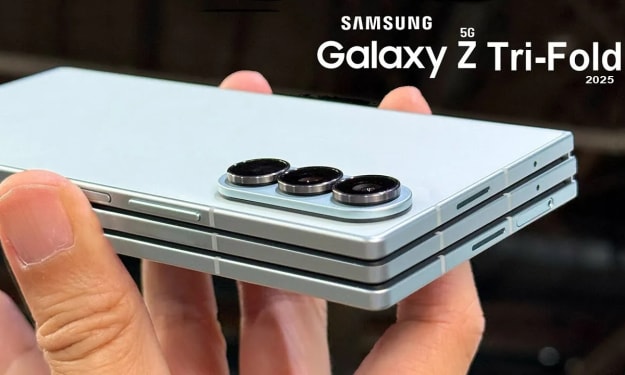
Samsung Galaxy Z Tri-Fold: The Future of Foldable Phones Is Here
Samsung is once again pushing the boundaries of smartphone innovation with its upcoming Galaxy Z Tri-Fold — a revolutionary device that redefines what a foldable phone can be. Combining futuristic design, premium engineering, and cutting-edge features, the Tri-Fold is shaping up to be one of the most talked-about tech releases of 2025. A New Era of Foldable Smartphones For years, Samsung has led the foldable market with its Galaxy Z Fold and Z Flip series. Now, the Galaxy Z Tri-Fold takes that legacy to an entirely new level. Instead of folding just once like the Fold series, this device features two hinges, allowing it to fold in three parts — creating an expansive, tablet-sized display when fully opened. Imagine carrying a smartphone that unfolds into a mini tablet — perfect for multitasking, gaming, or content creation. When closed, it’s compact enough to fit comfortably in your pocket. This triple-fold mechanism is not just a gimmick; it’s the future of portable computing. Premium Design and Precision Engineering Samsung’s engineers have invested years perfecting the tri-fold hinge system, ensuring that each fold is smooth, durable, and built to last. Early reports suggest the company has used a combination of aerospace-grade materials, ultra-thin glass, and reinforced flexible polymers to handle the stress of repeated folding. This level of craftsmanship explains the device’s exclusivity — manufacturing such a complex hinge system requires precision assembly and advanced robotics, making mass production extremely challenging. As a result, Samsung plans to release the Tri-Fold in limited quantities, elevating it to luxury status among tech enthusiasts. A Display That Redefines Immersion The Galaxy Z Tri-Fold boasts a massive AMOLED foldable display that expands to a tablet-like size when unfolded. Samsung’s proprietary Ultra Thin Glass (UTG) technology ensures crisp visuals, deep blacks, and vibrant colors that adapt seamlessly as you fold and unfold the device. When fully opened, it’s perfect for watching movies, editing photos, or running multiple apps simultaneously. Samsung’s Multi Window and App Continuity features have been further refined to support this new tri-panel layout, allowing users to drag and drop apps or split the screen into multiple functional areas effortlessly. This isn’t just a phone — it’s a productivity powerhouse that merges the convenience of a smartphone with the versatility of a tablet. Flagship Performance: Power Meets Innovation Under the hood, the Galaxy Z Tri-Fold is rumored to pack top-tier hardware that matches its premium price tag. Expected specs include: Processor: Qualcomm Snapdragon 8 Gen 4 or Samsung Exynos 2500 (depending on region) RAM: 16GB LPDDR5X Storage: Up to 1TB UFS 4.0 Battery: Dual-cell design with 120W fast charging and wireless charging support Software: Android 15 with Samsung’s One UI 7 These components ensure smooth performance, lightning-fast app switching, and energy-efficient multitasking. The Tri-Fold also supports Samsung DeX, transforming it into a full desktop-like workstation when connected to a monitor or keyboard. Camera System: A Photographer’s Dream Samsung continues to lead in smartphone photography, and the Tri-Fold raises the bar once again. Early leaks suggest a 200MP primary sensor, accompanied by a 12MP ultra-wide and 10MP telephoto lens with 100× Space Zoom. The result? Stunning clarity, even from a distance. On the front, the under-display selfie camera delivers immersive full-screen visuals without any notch interruption. The advanced AI imaging system adjusts lighting, sharpness, and color balance in real time, ensuring professional-level shots in any environment. Whether you’re a content creator, vlogger, or casual photographer, the Galaxy Z Tri-Fold’s camera setup promises to be one of the most versatile on the market. Exclusive Pricing and Target Market The Samsung Galaxy Z Tri-Fold isn’t aimed at the average smartphone user. With a projected price between $3,000 and $3,500, it clearly targets tech enthusiasts, professionals, and collectors who crave cutting-edge technology and exclusivity. This pricing places the Tri-Fold above even the most premium flagships, such as the Galaxy S26 Ultra or Huawei Mate XT. But Samsung isn’t just selling a phone — it’s offering a glimpse into the future of mobile technology, where innovation and luxury converge. Expected Release Date and Availability According to industry insiders, the Galaxy Z Tri-Fold is expected to debut by late October 2025, possibly during a high-profile event in South Korea or China. Samsung might choose the APEC Summit or a dedicated Galaxy Unpacked event to unveil this device to a global audience. Due to limited production, initial sales will likely focus on select Asian and European markets, with a gradual rollout to North America and the Middle East. Those looking to get their hands on one should register early or join Samsung’s pre-order program as units are expected to sell out quickly. How It Compares to Competitors The foldable phone market is heating up, with major players like Huawei, Xiaomi, and Honor competing for dominance. Huawei’s Mate XT offers a sleek dual-fold design, but Samsung’s triple-hinge innovation gives the Tri-Fold a clear edge in both versatility and usability. While most foldables today focus on form factor, Samsung’s approach emphasizes functionality, blending powerful hardware, a robust software ecosystem, and unmatched multitasking capabilities. The Tri-Fold could easily become the gold standard for next-generation foldable devices. Challenges and Durability Concerns Of course, innovation comes with challenges. Tri-fold mechanisms are inherently more complex than single-hinge designs, raising concerns about durability and long-term reliability. However, Samsung’s engineers claim the new hinge can withstand over 400,000 folds — nearly double the durability rating of previous models. The device also includes IPX8 water resistance, scratch-resistant coating, and dust protection improvements, ensuring it can handle everyday use despite its intricate design. The Future of Foldables: What the Galaxy Z Tri-Fold Represents Samsung’s Galaxy Z Tri-Fold isn’t just a smartphone — it’s a statement of what’s next in the world of mobile technology. As the lines between phones, tablets, and laptops continue to blur, the Tri-Fold represents a major step toward an era where one device can do it all. For professionals, it can replace a laptop for presentations and document editing. For gamers, it delivers an immersive experience unlike anything seen before. And for tech lovers, it’s a symbol of Samsung’s relentless pursuit of innovation. Final Thoughts The Samsung Galaxy Z Tri-Fold is shaping up to be one of the most ambitious and groundbreaking devices in recent memory. With its revolutionary tri-hinge design, powerful hardware, and ultra-premium aesthetic, it redefines what a smartphone can be. While the high price tag and limited availability make it a niche product, its impact on the smartphone industry will be anything but small. If you’re someone who values innovation over convention, and luxury over compromise, the Galaxy Z Tri-Fold might just be your next dream device. Samsung Galaxy Z Tri-Fol
By NextGen Mobile Tech12 months ago in Futurism
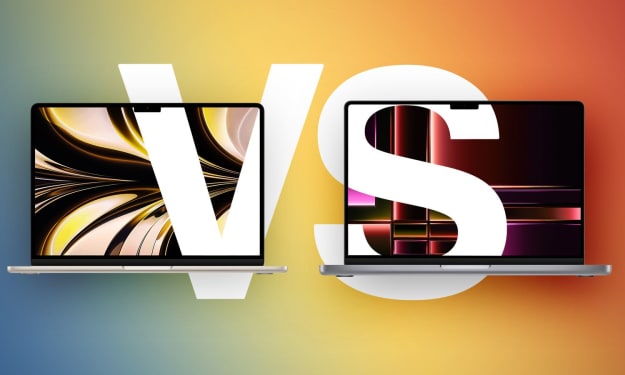
M4 MacBook Air vs. M5 MacBook Pro: Which Apple Laptop Is Worth Your Money in 2025?
Apple’s MacBook lineup has never looked sharper—or more confusing. With the launch of the M4 MacBook Air and M5 MacBook Pro, buyers in 2025 are faced with a classic Apple dilemma: should you choose the ultra-portable Air or invest in the powerhouse Pro? Both are cutting-edge machines with Apple Silicon chips, remarkable efficiency, and elegant design, but they serve very different audiences. If you’re trying to decide which MacBook offers the best value for your needs, this detailed buyer’s guide breaks down the differences in performance, design, display quality, battery life, and price so you can make an informed decision. Design and Build: Portability vs. Power When it comes to design, Apple has stayed true to the DNA of each product line. The M4 MacBook Air is all about portability and simplicity, while the M5 MacBook Pro emphasizes power and professional capability. The M4 MacBook Air comes in two sizes—13.6-inch and 15.3-inch—both featuring Apple’s signature wedge-free unibody aluminum design. It’s lightweight, slim, and incredibly easy to carry, weighing just 2.7 pounds for the 13-inch model. It’s ideal for students, writers, and professionals on the go. By contrast, the M5 MacBook Pro (14-inch) feels more substantial. It’s slightly thicker and heavier at around 3.5 pounds, but that added size houses active cooling fans and a more robust internal design that allows for sustained high performance. The Pro also comes in the striking new Space Black finish, giving it a more premium and professional look. In short: if you value mobility and simplicity, the Air wins. If you prefer a machine that means business, the Pro’s design is built for serious work. Display: Liquid Retina vs. Liquid Retina XDR The display is one of the clearest differentiators between these two MacBooks. The M4 MacBook Air features Apple’s Liquid Retina display—a bright, vibrant 60Hz panel that looks fantastic for everyday use. It supports one external display (up to 6K resolution at 60Hz) when the lid is closed, which is fine for casual setups but limiting for multitaskers. Meanwhile, the M5 MacBook Pro steps up to Apple’s Liquid Retina XDR display. This Mini-LED panel offers up to 1,000 nits of sustained brightness and 1,600 nits peak HDR, making it ideal for photographers, video editors, and creative professionals. It also supports ProMotion with a 120Hz refresh rate, ensuring buttery-smooth scrolling and animations. If you spend your days editing photos or videos—or you simply love stunning visuals—the Pro’s display is in a league of its own. Performance: M4 vs. M5 Silicon The real story lies under the hood. Apple’s M-series chips continue to redefine laptop performance, and the M4 and M5 show just how far things have come. The M4 chip, built on TSMC’s 3-nanometer process (N3E), delivers excellent performance and efficiency for an ultraportable machine. It features an 8-core CPU and up to a 10-core GPU, easily handling everyday tasks and light creative work. It’s faster than the M3 chip before it and remarkably power-efficient, keeping the Air cool without a fan. The M5 chip, however, is a generational leap. Manufactured using TSMC’s refined 3-nanometer (N3P) process, it brings improved CPU and GPU architecture. Apple claims the M5 delivers around 15% better multi-core CPU performance and up to 30–40% faster GPU performance compared to M4. It also includes hardware-accelerated ray tracing and improved neural processing, making it far more capable for video editing, 3D rendering, and AI-driven workflows. For most users, the M4 Air will feel lightning fast—but professionals running Final Cut Pro, Logic Pro, or Blender will appreciate the Pro’s sustained speed under load. Cooling and Noise: Silent Air, Powerful Pro One major difference between the two machines is cooling. The M4 MacBook Air uses a fanless design, meaning it’s completely silent even under stress. It stays cool for normal workloads but may throttle performance slightly during prolonged heavy tasks. The M5 MacBook Pro, in contrast, features active cooling with dual fans. This allows the M5 chip to maintain peak performance for much longer, making it better suited for demanding workflows like exporting large video projects or compiling code. If silence matters more than raw power, the Air is the clear winner. But if you push your machine to its limits, you’ll want the Pro’s thermal advantage. Ports and Connectivity: Versatility vs. Simplicity Apple continues to distinguish the Air and Pro models through connectivity. The M4 MacBook Air includes two Thunderbolt 4/USB-C ports, a MagSafe 3 charging connector, and a headphone jack. It’s simple but somewhat limited if you use multiple peripherals or external drives. The M5 MacBook Pro adds much more versatility: three Thunderbolt 4 ports, HDMI 2.1, an SDXC card slot, and a MagSafe charger. It can support up to two external displays simultaneously, which is a big advantage for creative professionals or multitaskers. If you rely on multiple connections or external monitors, the Pro gives you everything you need without extra dongles. Battery Life: Efficiency Meets Endurance Apple Silicon continues to impress in battery life. The M4 MacBook Air delivers up to 18 hours of video playback, which is already class-leading for an ultrathin laptop. The M5 MacBook Pro takes that even further, offering up to 24 hours of video playback—thanks to its larger battery and improved efficiency. In real-world use, both machines will easily last through a full workday, but if you’re constantly on the move and don’t want to think about charging, the Pro provides that extra cushion of endurance. Price and Value: What You Get for Your Money Here’s where the decision often becomes clear. M4 MacBook Air (13-inch): starts at $999 M4 MacBook Air (15-inch): starts at $1,199 M5 MacBook Pro (14-inch): starts around $1,599 That’s a significant gap—roughly $400 to $600 between comparable configurations. For many users, the Air’s combination of power, portability, and price makes it the sweet spot. However, if you’re already considering a high-end Air (say, 16GB RAM and 512GB storage), the price gap to a base-model Pro narrows to just a few hundred dollars. In that case, stepping up to the Pro brings better performance, a superior display, more ports, and longer battery life—all of which future-proof your investment. Who Should Buy Which MacBook? Here’s a quick summary to help you decide: | User Type | Best Choice | Why | | ----------------------------------------- | ------------------ | ---------------------------------------------------------------- | | Students, professionals, travelers | M4 MacBook Air | Lightweight, affordable, silent, all-day battery | | Content creators, developers, power users | M5 MacBook Pro | Higher performance, better cooling, superior display, more ports | | Long-term buyers (5+ years) | M5 MacBook Pro | More headroom for future software and updates | | Budget-conscious users | M4 MacBook Air | Best performance-per-dollar in Apple’s lineup | Final Thoughts: The Right MacBook for 2025 Both the M4 MacBook Air and M5 MacBook Pro represent the best of Apple’s engineering philosophy—but they serve different missions. The Air delivers exceptional performance and portability at a price that makes it accessible to almost anyone. It’s the perfect MacBook for students, writers, and professionals who want a sleek, reliable laptop without spending more than necessary. The M5 MacBook Pro, on the other hand, is the ultimate expression of Apple’s power and precision. Its breathtaking display, next-generation chip, and superior thermal design make it a true workhorse for creative and technical professionals. If your daily work involves demanding creative tasks, data processing, or software development, the M5 MacBook Pro is the smarter long-term investment. If you simply want a capable, silent, and stylish laptop for everyday life, the M4 MacBook Air remains the best-value MacBook Apple has ever made. Either way, Apple’s 2025 lineup ensures there’s a MacBook for everyone—and both options are built to last for years to come. M4 MacBook Air vs M5 MacBook Pro
By NextGen Mobile Tech12 months ago in Futurism
Xiaomi 17 Pro Max vs Samsung Galaxy S25 Ultra — Which flagship wins in 2025?
The flagship battle in late-2025 is a heavyweight match: Xiaomi’s 17 Pro Max arrives as a bold, battery-centric, dual-screen challenger while Samsung’s Galaxy S25 Ultra refines an already dominant formula with advanced AI, a pro-grade camera system, and a sleeker, titanium build. If you’re choosing between the two, here’s a complete, SEO-friendly comparison that covers displays, cameras, performance, battery, software, real-world use, pros & cons, and FAQs to help you pick the right phone. Quick snapshot — the headline specs Xiaomi 17 Pro Max: Snapdragon 8 Elite Gen 5, huge 7,500 mAh battery, 100W wired + 50W wireless charging, functional rear AMOLED secondary display, Leica-tuned 50MP triple cameras, HyperOS (Android 16/HyperOS 3). ([Xiaomi][1]) Samsung Galaxy S25 Ultra: Snapdragon 8 Elite (Galaxy variant), 6.9-inch QHD+ Dynamic AMOLED 2X 120Hz, 200MP main sensor, 5,000 mAh battery with ~45W wired charging, built-in S Pen, One UI 7 (Android 15) and deep Galaxy AI features. ([Samsung][2]) (Those two bullets are the core load-bearing claims — specs and platform choices that shape everything below.) Design & display — big, bright, and different Both phones are big and premium, but they take very different design approaches. Xiaomi 17 Pro Max leans into novelty with a functional rear AMOLED display that sits alongside its camera island. That rear screen is useful for notifications, creative widgets, and framing selfies with the main cameras — a clear differentiator if you like gadgetry and personalization. The main display aims to match flagship brightness and smoothness standards. ([Android Central][3]) Samsung Galaxy S25 Ultra keeps the “refined flagship” look: a near bezel-less, 6.9-inch Dynamic AMOLED 2X panel with QHD+ resolution and a 120Hz adaptive refresh rate. Samsung’s panel typically leads in color accuracy, adaptive brightness control and outdoor legibility, and the S25 Ultra continues that trend with minimal bezels and a more ergonomic titanium frame. ([Samsung][2]) Edge: Samsung for display quality and polish; Xiaomi for quirky, attention-grabbing features (rear screen). Cameras — versatility vs computational mastery Camera battles are subjective, but key differences are clear. Xiaomi 17 Pro Max focuses on Leica collaboration and large sensors across its triple-50MP array, plus a periscope telephoto (5× optical) — the emphasis is on natural color tuning and strong everyday performance, and the rear display gives you an easy way to take high-quality selfies with the main camera. ([Xiaomi][1]) Samsung Galaxy S25 Ultra doubles down on resolution and zoom: a 200MP primary sensor (for extreme detail with pixel-binning), upgraded wide and ultra-wide optics, and multiple telephoto modules for flexible long-range shots. Samsung’s computational pipeline (Galaxy AI, improved Nightography and Object-Aware Engine) also adds real advantages in low-light and complex scenes. ([Droid Life][4]) Edge: Samsung for sheer imaging versatility and computational features; Xiaomi for Leica tuning and practical selfie advantages via the rear screen. Performance & software — power with different philosophies Both phones use top-tier silicon and are engineered for sustained performance. Processor & RAM: Both leverage Qualcomm’s latest top-tier platform (Snapdragon 8 Elite family) and high RAM configurations (12–16GB), so raw CPU/GPU benchmarks will be competitive and excellent for gaming, multitasking, and AI features. ([Xiaomi][1]) Software: Xiaomi ships HyperOS (privacy-oriented updates, deep customization) and a China-first release strategy; the global HyperOS builds are improving but check region-specific services (Google, carrier features) if you import a China variant. Samsung runs One UI 7 with Galaxy AI integrated, plus years of promised Android updates and strong enterprise/brand support. ([Xiaomi][1]) Edge: Samsung for global software maturity and long-term updates; Xiaomi for a fresh take with HyperOS and experimental features. Battery & charging — Xiaomi’s clear advantage If endurance is your top priority: Xiaomi 17 Pro Max ships with a 7,500 mAh cell and 100W wired charging plus 50W wireless — phenomenal on paper and ideal for multi-day use, heavy gaming, or power users who dislike daily charging. The large capacity is the standout spec here. ([Xiaomi][1]) Samsung Galaxy S25 Ultra uses a 5,000 mAh battery with efficient display management and improved video playback times; Samsung’s power management and One UI optimizations are excellent, but the S25 Ultra won’t match the outright endurance numbers of Xiaomi’s 7,500 mAh flagship. ([Samsung][2]) Edge: Xiaomi for battery size and longer real-world runtime; Samsung for optimized efficiency and ecosystem reliability. Real-world use — which suits you? Buy the Xiaomi 17 Pro Max if you want massive battery life, a novel rear display, Leica color tuning, and top raw specs — and you’re comfortable checking bands/software if you’re outside China. ([Xiaomi][1]) Buy Samsung Galaxy S25 Ultra if you want the most polished Android experience, superior imaging versatility (especially telephoto and computational features), long software support and a globally supported device with the S Pen. ([Samsung][2]) Pros & Cons Xiaomi 17 Pro Max Pros Massive 7,500 mAh battery (excellent endurance). ([Xiaomi][1]) Unique, functional rear AMOLED display for selfies, widgets, and personalization. ([Android Central][3]) Leica-tuned cameras and flagship Snapdragon 8 Elite Gen 5 performance. ([Xiaomi][1]) Cons Likely China-first availability — possible Google services and carrier band issues if you import. ([Xiaomi][1]) Bigger and heavier (Pro Max size) — less pocketable. The software ecosystem (HyperOS) is great but newer than Samsung’s — update cadence in global markets may lag initially. Samsung Galaxy S25 Ultra Pros Best-in-class display, refined build (titanium frame), and proven software support. ([Samsung][2]) Extremely versatile camera system with 200MP main sensor and strong computational photography. ([Droid Life][4]) S Pen integration and deep Galaxy AI features for productivity. ([Samsung][2]) Cons Battery (5,000 mAh) is solid but not class-leading vs Xiaomi’s 7,500 mAh. ([Samsung][2]) Premium price — you pay for polish, brand, and support. ([The Guardian][5]) Incremental upgrades vs S24 Ultra; not a dramatic reinvention. Final verdict — who wins? There’s no single winner; the right choice depends on priorities: Choose Xiaomi 17 Pro Max if you prize battery life, a unique hardware trick (rear display), and raw value/specs — and you’re comfortable navigating regional availability or importing. ([Xiaomi][1]) Choose Samsung Galaxy S25 Ultra if you want a globally supported, polished flagship with best-in-class imaging flexibility, a premium build, and long software support (plus the S Pen). It’s the safer choice for most global buyers. ([Samsung][2]) FAQs (Frequently Asked Questions) Q: Is the Xiaomi 17 Pro Max available globally? A: Xiaomi initially launched the 17 series in China; global availability may follow but check local Xiaomi sites and carrier compatibility before buying — importing can lead to missing bands or limited warranty/support. ([Xiaomi][1]) Q: Which phone has better battery life? A: Xiaomi 17 Pro Max has a bigger battery (7,500 mAh) and faster wired charging, so it should outlast the Galaxy S25 Ultra in pure runtime. Samsung, however, is highly optimized and may feel more balanced for everyday users. ([Xiaomi][1]) Q: Which camera system is better for zoom and detail? A: Samsung’s S25 Ultra wins for zoom flexibility and high-resolution detail (200MP main sensor plus multiple telephoto options). Xiaomi’s Leica-tuned 50MP triple setup emphasizes color and real-world shooting simplicity. ([Droid Life][4]) Q: Should I worry about software updates and security? A: Samsung offers a well-established update policy on flagship devices and strong enterprise/security features. Xiaomi’s HyperOS is evolving fast and Xiaomi promises regular updates, but global rollout timing can vary. ([Samsung][2]) Q: Which is better for gaming? A: Both use top-tier chipsets (Snapdragon 8 Elite family) and high RAM options; gaming performance will be excellent on both. Xiaomi’s larger battery gives it an edge for extended sessions; Samsung may manage thermals and sustained performance slightly better thanks to refined cooling and software optimizations. ([Xiaomi][1])
By NextGen Mobile Tech12 months ago in Futurism
Apple iPad Pro 13-inch (M5) Review — Redefining the Future of Tablets
When Apple first launched the iPad Pro, it was clear that the company wanted to bridge the gap between tablet and laptop. Over the years, each generation has pushed that line further — but the new Apple iPad Pro 13-inch (M5) completely redraws it. With the blazing-fast M5 chip, Ultra Retina XDR display, Apple Intelligence integration, and iPadOS 26, this model doesn’t just refine the iPad experience — it reinvents it. In this in-depth review, we’ll explore everything you need to know about the iPad Pro (M5): its design, display, performance, AI capabilities, accessories, and whether it’s worth the $1,499 price tag. Design: Sleek, Lightweight, and Pro to the Core At first glance, the iPad Pro (M5) looks familiar — until you pick it up. Apple has trimmed the frame and bezels to make this the thinnest and lightest 13-inch iPad ever. The Space Black color gives it a striking, professional appeal, though a more minimalist Silver option is also available. The body is crafted from recycled aluminum, maintaining Apple’s sustainability push while feeling solid and premium in the hand. The precision of the build is unmistakable — from the even bezels around the display to the perfectly integrated Face ID sensors. At just under 1.2 pounds, it’s surprisingly light for a 13-inch device. Whether you’re sketching, editing, or reading, it’s comfortable to hold for long sessions. Apple’s design maturity truly shines here — every detail feels intentional and refined. Display: Ultra Retina XDR Is Simply Breathtaking The 13-inch Ultra Retina XDR display is one of the biggest highlights of this model. With a 2752-by-2064 resolution at 264 pixels per inch It delivers stunning clarity, brightness, and color accuracy. Apple’s new tandem OLED technology (used in this display) combines two OLED panels for better contrast and richer black levels. The result? Deep, inky blacks, dazzling whites, and incredible HDR performance. Watching 4K content or editing photos on this screen feels like looking through a window — not a display.
By NextGen Mobile Tech12 months ago in Futurism
JLab Go Pop+ vs Sony WF-1000XM5: Budget Simplicity Meets Premium Perfection
Detailed comparison of JLab Go Pop+ and Sony WF-1000XM5 true wireless earbuds — design, sound, ANC, battery life, and value analyzed by a tech expert. Introduction: Two Worlds of Wireless Audio The wireless-earbud market has never been more crowded, and 2025 continues to blur the line between budget and premium sound. On one end sits JLab’s Go Pop+, a wallet-friendly model designed for everyday practicality. On the other is Sony’s WF-1000XM5, widely considered one of the most advanced noise-cancelling earbuds available. Both claim to deliver excellent audio freedom — yet they serve completely different audiences. In this in-depth comparison, we’ll analyze JLab Go Pop+ vs Sony WF-1000XM5 across every key category: design, comfort, features, sound quality, battery life, and overall value. Design and Build Quality: Lightweight vs Luxury The JLab Go Pop+ aims for simplicity. Its compact, plastic housing feels light but sturdy enough for daily use. The case includes a built-in USB-C charging cable — an underrated convenience that makes charging on the go effortless. Color options like black, lilac, and aqua add a splash of personality that entry-level buyers appreciate. By contrast, Sony’s WF-1000XM5 embodies refinement. Sony has redesigned its flagship buds to be smaller, lighter, and more ergonomic than the WF-1000XM4. The sleek matte finish and soft-touch material convey premium craftsmanship. Even the case feels high-end, offering wireless charging and precise magnetic alignment. When it comes to build quality, the XM5 feels like an investment product, whereas the JLab offers a cheerful practicality. Verdict: JLab Go Pop+ — Functional and colorful design; built for convenience. Sony WF-1000XM5 — Premium aesthetics and materials; built for longevity. Comfort and Fit: Featherweight vs Ergonomic Precision JLab deserves credit for designing ultra-light earbuds that can stay in your ears comfortably for hours. The Go Pop+ uses small silicone tips with three size options, giving a secure fit for walking, working, or light workouts. There’s no ear fatigue even after extended sessions. The WF-1000XM5, on the other hand, takes comfort engineering to a new level. Sony’s “Noise Isolation Earbud Tips” use a unique foam-silicone blend that gently expands in your ear canal to enhance seal and comfort. The buds are 25 % smaller and 20 % lighter than their predecessor, making them ideal for long listening or flights. Verdict: Both fit well, but Sony’s adaptive materials and ergonomic shaping clearly lead the premium experience. Features and Technology: Simplicity vs Smart Innovation Here’s where the price difference truly shows. JLab Go Pop+: Practical Essentials The Go Pop+ includes all the basics: Bluetooth 5.3 for reliable connectivity Touch controls “Be Aware” mode (lets in ambient sound) JLab App with customizable EQ presets Google Fast Pair for Android users That’s a solid feature list for a sub-$50 product. What it lacks is active noise cancellation, multipoint pairing, or advanced codecs — features typically reserved for higher-end models. Sony WF-1000XM5: Feature Powerhouse Sony’s flagship model stands at the opposite end of the spectrum. It offers: Class-leading ANC powered by Sony’s QN2e and V2 processors Adaptive Sound Control that adjusts automatically based on environment Head Tracking and 360 Reality Audio for spatial listening Multipoint Bluetooth (connect two devices at once) Support for LDAC, AAC, and LC3 codecs for high-resolution streaming Speak-to-Chat and touch controls that adapt intelligently Simply put, the XM5 delivers almost every smart feature in the wireless-earbud category. Verdict: JLab Go Pop+ — Focused on affordability and ease of use. Sony WF-1000XM5 — Packed with intelligent, high-end tech. Sound Quality: Everyday Enjoyment vs Audiophile Precision Sound quality defines any earbud comparison, and this is where Sony’s expertise becomes undeniable. JLab Go Pop+: Tuned for Pop and Podcast Listeners With 6 mm dynamic drivers JLab's tuning emphasizes mids and highs. Vocals sound clear, podcasts come through crisply, and bass is present though not especially deep. For casual streaming or workout playlists, the sound is pleasing and balanced — especially for the cost. Through the app, users can toggle between JLab Signature, Balanced, and Bass Boost EQ profiles. Sony WF-1000XM5: Studio-Level Clarity Sony’s custom 8.4 mm “Dynamic Driver X” system delivers expansive, detailed audio. The XM5 reproduces subtle textures, wide stereo separation, and powerful yet controlled bass. LDAC support means listeners using Android devices can stream in near-lossless quality, a clear advantage over SBC/AAC-only models. The integrated processors also reduce distortion while enhancing low-end depth and vocal presence — elements that make the XM5 ideal for critical listening or professional use. Verdict: JLab Go Pop+ — Balanced and fun for the price. Sony WF-1000XM5 — Premium clarity, detail, and codec flexibility. Noise Cancellation and Transparency Modes This is the single biggest separator. The Go Pop+ lacks active noise cancellation (ANC); it relies on passive isolation from its silicone tips. That’s fine in quiet spaces but insufficient for noisy commutes or airplane cabins. Sony’s WF-1000XM5 excels in this department. The dual noise-cancelling processors and advanced microphones dynamically analyze ambient noise, effectively reducing low-frequency hums and chatter. Transparency mode (called “Ambient Sound Mode”) sounds natural and adjustable, making transitions between silence and awareness seamless. Verdict: Sony dominates with best-in-class ANC performance, unmatched by any budget alternative. Battery Life: Stamina vs Efficiency | Feature | JLab Go Pop+ | Sony WF-1000XM5 | | -------------------------- | --------------------------------- | ------------------------------------- | | Active Noise Cancellation | ❌ None (passive only) | ✅ Yes – industry-leading | | Driver Size / Audio Tech | 6 mm dynamic drivers | 8.4 mm Dynamic Driver X | | Codec Support | SBC, AAC | SBC, AAC, LDAC, LC3 | | Battery Life (earbuds) | ≈ 9 hours | ≈ 8 hours with ANC on | | Total Playtime (with case) | ≈ 35 hours | ≈ 24 hours with case | | Bluetooth Version | 5.3 | 5.3 + multipoint | | App Support | JLab App (EQ, Be Aware mode) | Sony Headphones Connect App | | Water Resistance | IPX4 (splash resistant) | IPX4 (same rating) | | Ideal For | Budget users, students, gym goers | Audiophiles, commuters, professionals | Battery life is one area where JLab surprisingly outperforms Sony. The Go Pop+ offers up to 9 hours per charge, and its compact case boosts total playtime beyond 35 hours. Sony’s WF-1000XM5 delivers around 8 hours with ANC on (or 12 hours with ANC off), plus another 16 hours from the case for roughly 24 hours total. While Sony’s ANC consumes more power, fast-charging mitigates the difference: a 3-minute top-up yields about an hour of playback. Verdict: JLab wins on endurance, Sony wins on intelligent power management. Call Quality and Connectivity Both earbuds use Bluetooth 5.3, ensuring stable connections and low latency. The Go Pop+ performs well for voice calls in quiet settings. Microphones are decent but can struggle in windy or crowded environments. The WF-1000XM5 integrates bone-conduction sensors and AI-based noise-reduction algorithms, producing clear speech even in busy streets. Multipoint connectivity allows seamless switching between laptop and phone — a convenience professionals value daily. Verdict: Sony delivers superior call clarity and connectivity features, fitting its premium tier. Price and Value: The Great Divide At roughly $39–$49, the JLab Go Pop+ sits firmly in the affordable segment. For its cost, it provides solid sound, impressive battery life, and comfort few budget models match. The Sony WF-1000XM5, priced around $279, represents the high end of consumer wireless audio. But its combination of ANC, codec support, and refined tuning justify the investment for users who demand excellence. Value perspective: JLab Go Pop+ gives maximum functionality per dollar. Sony WF-1000XM5 gives maximum performance per decibel. User Experience: Everyday Utility vs Immersive Luxury The JLab Go Pop+ embodies plug-and-play simplicity. Open the case, pair, and go. It’s designed for people who want fuss-free wireless listening at a fair price. Sony’s WF-1000XM5 immerses you in its ecosystem. Between adaptive sound modes, personalized EQ, and 360 Reality Audio, it transforms the listening experience into something cinematic. Yet, the app remains intuitive, giving control without overwhelming first-time users. Which One Should You Choose? Choose the JLab Go Pop+ if you: Want reliable earbuds under $50 Prioritize battery life and light design Don’t need ANC or high-resolution audio Prefer simple connectivity and EQ flexibility Plan to use them for workouts, podcasts, or casual streaming Choose the Sony WF-1000XM5 if you: Expect world-class ANC and sound quality Use Android devices with LDAC or premium music apps Frequently travel or commute in noisy environments Want professional call clarity and multipoint pairing See earbuds as a long-term audio investment Final Verdict: Two Winners, Different Missions In the debate of JLab Go Pop+ vs Sony WF-1000XM5 the winner depends entirely on your priorities. The JLab Go Pop+ is a budget champion — simple, energetic, and built for everyday users who want freedom without financial strain. The Sony WF-1000XM5 is a precision instrument — immersive, intelligent, and nearly flawless in sound and ANC. Both succeed because they understand their audience. JLab proves that affordability doesn’t mean compromise, while Sony reminds us that innovation still has a price — and for those who crave the best, it’s worth paying. In short: Casual listeners → JLab Go Pop+ Audio enthusiasts and travelers → Sony WF-1000XM5 Whether you’re chasing value or perfection, both deliver the wireless freedom that defines 2025’s listening experience.
By NextGen Mobile Tech12 months ago in Futurism
Comprehensive Review: Bose QuietComfort Earbuds
Whether you're commuting through the subway, taking conference-calls on the go, or simply seeking solace in a world of music, the Bose QuietComfort Earbuds are positioned as a compelling choice. In this review, we’ll dive deep into their performance, discuss strengths and weaknesses, and answer the most common questions to help you decide if these are the right wireless ANC earbuds for you. Overview The Bose QuietComfort Earbuds offer true wireless in-ear design, active noise cancellation (ANC), multipoint Bluetooth connectivity, IPX4 water/splash resistance, up to 8.5 hours of playback per charge (with the case providing additional charges), and a range of comfort and fit optimization options. They are aimed at listeners seeking premium sound and strong noise isolation without stepping up into ultra-high-end price tiers. According to Bose’s own marketing, they deliver: “Sound without compromise: Seize the day … and defy distractions …” ([Bose][1]) In typical retail configuration (as captured in your provided info), they’re priced around $139 (discounted from ~$179) via Amazon for the Black and Petal Pink colors — making them relatively affordable for Bose-branded ANC earbuds. Design & Fit Aesthetic & Build At first glance, these earbuds exhibit a clean, minimal design typical of Bose’s recent wireless offerings. The case and earbuds are finished in black (or other color variants such as Petal Pink). The charging case is compact enough for everyday use but by no means ultra-slim. Reviewers have described the case as somewhat bulky in pockets compared to some rivals. ([SoundGuys][2]) The build materials are high-quality and feel premium in hand, though some plastic elements are noticeable — not uncommon in this price class. The earbud housings are a bit larger than ultra-compact rivals, which may matter for users with smaller ears. Fit & Comfort Fit plays a crucial role in sound, ANC performance and comfort — and Bose delivers well here. Multiple eartip and stability band sizes are included to accommodate a variety of ear shapes (as your summary highlighted: “a trio of eartip and stability band sizes … to ensure … feel comfortable, snug, and secure”). That said, because the housings are somewhat large, some users report that the earbuds may protrude more than quieter, slimmer alternatives. One reviewer noted: > “The earbud encasing is still larger than most wireless earbuds. If you have small ears, you might experience some discomfort.” ([SoundGuys][2]) For everyday listening and commuting, though, comfort is solid, and users can wear them for extended sessions without major fatigue. Water Resistance & Durability These earbuds carry an IPX4 rating, meaning they are splash and sweat resistant (but not fully waterproof). That makes them suitable for general workouts or outdoor use in light rain, but not for heavy downpours or submersion. The “Stay-in-your-ear” stability bands help keep them in place during moderate movement. Sound Quality & Noise Cancellation Noise Cancellation (ANC) One of the standout features of Bose’s QuietComfort line has always been the ANC performance — and these deliver impressively. According to independent testing, the 2024 version of the QuietComfort Earbuds reduced many environmental noises by over 80%, placing them among the best in their category. ([SoundGuys][2]) In real-world commuting (on trains, buses, planes) users report noticeable suppression of low-frequency rumble (engines, ambient hum), and a clean transparency (or “Aware Mode”) when you want to hear your surroundings. The app allows toggling between noise-cancelled and pass-through modes, which helps when you need situational awareness (airport announcements, crosswalks). This ANC performance is one of the major reasons to consider this product. Sound Profile Out of the box, the QuietComfort Earbuds deliver a sound signature that’s accessible and enjoyable for most listeners: rich bass, defined highs, and good clarity. According to SoundGuys: > “The new Bose QuietComfort Earbuds have good sound quality. … Most listeners will enjoy this sound profile.” ([SoundGuys][2]) The Bose app also provides EQ controls (bass, mid-range, treble) so you can customise the audio to your taste. That’s a plus for listeners who prefer to fine-tune. Microphone & Call Quality Call quality is adequate. The built-in microphones perform well in moderate noise environments and enable hands-free talk in most scenarios. However, in very noisy or windy settings some background noise may leak through: > “The microphones … work well … but a long way from the best we’ve heard from a TWS earbud.” ([SoundGuys][3]) If calling quality is your top priority (say for heavy work calls outdoors), you may find better mic performance elsewhere — though for everyday calls they’ll do fine. Features & Connectivity Multipoint Bluetooth + Range These earbuds support Bluetooth 5.3 technology and offer multipoint connectivity, meaning you can connect to multiple devices (e.g., laptop + phone) simultaneously and switch between them seamlessly. Your provided product info lists this as a highlight: “Bluetooth multipoint lets you seamlessly connect… while Bluetooth 5.3 … keeps you connected within up to 30 feet.” This is a strong value-add for productivity users (switching from music on laptop to a call on phone) or multi-device households. Battery Life According to the spec sheet, you can expect up to 8.5 hours of playback from the earbuds themselves under typical use, plus additional charges via the case (quick 20-minute charge adds ~2 hours) as you noted. This is competitive for the category at this price point — not ultra-long (some rivals tout 10–12 hours) but entirely sufficient for many daily use cases. In real-world testing, reviewers measured around 5.5 hours with ANC on (on earlier generations) which means you should plan for somewhat less in very high-ANC/volume usage. ([SoundGuys][3]) App & Customisation The Bose QCE App offers EQ controls, battery monitoring, firmware updates, and likely ANC/aware mode toggles. This gives the user meaningful control over their listening environment. The touch controls on the earbuds allow for playback, volume adjustment, skip tracks, pause/play, and (depending on setup) maybe voice assistant invocation. Fit for Different Use Cases Commute / Travel: Excellent for this scenario thanks to strong ANC, comfortable fit, and compact portability. Work / Office: Easy switching between laptop and phone (multipoint) is a plus. Transparency mode helps when you need awareness. Workout / Gym: IPX4 is okay, stability bands help; however, for intense sweat/rain use you might prefer something higher rated for water resistance. Casual Listening: Very good – strong sound, adjustable EQ make it fun. Heavy Calls / Outdoor Use: Good, though not best-in-class mic performance for extreme noise. Pros & Cons ✅ Pros Excellent noise cancellation performance — among the best in this price band. Sound quality is strong and well-balanced, with customizable EQ via app. Bluetooth 5.3 + multipoint connectivity adds real-world versatility. Comfortable fit for many users, with included tip and band options. Splash/sweat resistant (IPX4) — suited for general activity and commuting. Good value (especially at the ~$139 promotional price) given Bose branding and feature set. Quick-charge support: 20 minutes = ~2 extra hours of playback. Reliable brand and ecosystem — Bose support, firmware updates, app backing. ⚠ Cons Battery life (8.5 hours) is solid but not exceptional compared to some rivals offering 10–12+ hours. Earbud and case size are on the bulkier side for some users/smaller ears. Some discomfort may result in long-hours for small-ear usages. ([SoundGuys][2]) The mic and call performance, while usable, are not best-in-class for very noisy outdoor conditions. IPX4 water-resistance is decent but not fully waterproof — if you expect heavy rain or intense splash exposure, there are more rugged alternatives. While the ~$139 price is competitive, original MSRP (~$179) still places them above many budget ANC alternatives; bargains often matter. Some early reviewers experienced connectivity issues (in earlier versions) — though Bose appears to have improved connectivity. ([SoundGuys][2]) Final Verdict If you’re looking for high-quality wireless earbuds with top-tier noise cancellation, strong sound, and smart connectivity features at a relatively accessible price point, the Bose QuietComfort Earbuds represent a very compelling choice. For commuting, travel, office use, and everyday listening they hit a very good balance of features and performance. However, if your priorities are maximum battery life, ultra-miniature case/earbud form factor, or highest-end calling/microphone performance in extreme outdoor environments — there are alternatives worth considering. Given the promotional pricing (~$139) and Bose’s reputation, these earbuds deliver excellent value in 2025. If I were to summarise: buy them if ANC + sound are your top priorities; consider alternatives if battery or ultra-slim size are your top priorities. Frequently Asked Questions (FAQs) Q: How long does the battery last with ANC turned on? A: Bose specifies up to 8.5 hours of playback in ideal conditions. In testing under ANC on and moderate volume, reviewers measured around ~5½ hours on earlier models. ([SoundGuys][3]) Q: Can the earbuds connect to two devices at once? A: Yes — the multipoint Bluetooth feature allows you to connect to multiple devices simultaneously (e.g., phone + laptop) and switch between them seamlessly. Q: Are they water-proof and good for workouts? A: They have an IPX4 rating (splash/sweat resistant). That means they’re fine for light workouts or casual outdoor use, but not guaranteed for heavy rain, swimming, or complete water immersion. Q: How effective is the noise cancellation? A: Very effective. Independent tests show the ANC attenuates a wide range of ambient noises by 80%+ when fitted correctly, putting these among the best in their class. ([SoundGuys][2]) Q: What about sound quality? A: Strong. Rich bass, clear mids/highs, and custom EQ in the app let you tailor the sound. Most users will find the default tuning very enjoyable. ([SoundGuys][2]) Q: Will they fit small ears comfortably? A: Bose provides multiple tip and stability band sizes to improve fit. However, because the earbud housings are somewhat bulky, users with very small ears may experience some protrusion or discomfort. One reviewer noted this as a caveat. ([SoundGuys][2]) Q: Are they a good value? A: Yes — especially at the discounted price (~$139) as you noted. Considering the ANC performance, brand, sound quality, and connectivity features, they deliver strong value for the money. Q: How do they compare to higher-end models (like Bose’s Ultra version)? A: The Ultra line from Bose offers additional features (e.g., spatial audio, more premium fit, possibly improved battery etc). For most users, the QuietComfort Earbuds offer the “sweet spot” of performance vs price. In reviews, the Ultra models are better, but also cost significantly more. ([GearLab][4]) If you’re reading this review because you’re searching for best noise cancelling wireless earbuds 2025”, “Bose QuietComfort Earbuds review”, or “wireless ANC earbuds under $150 with multipoint”, here’s why you should keep these on your shortlist: Buying Tips 1. Fit is key — take time to try different eartip and stability band sizes to get the best seal (critical for ANC & bass). 2. Update firmware & app — early reviews flagged connectivity issues; check for latest updates. 3. Set realistic expectations — 8.5 hours is the spec; real-world usage may vary lower under high-volume/ANC settings. 4. Use the EQ — take advantage of the app’s EQ controls to tailor sound to your preference (especially if you like more or less bass). 5. Match to use-case — if your priority is ultra-light earbuds for long battery life, consider alternatives; but if you want premium ANC + solid sound + brand support, these are very strong. Final Word The Bose QuietComfort Earbuds present a mature, well-rounded package for the majority of wireless earbud users who want premium noise cancellation, good sound, and smart connectivity features — without stepping into “flagship ultra-expensive” territory. While no product is perfect (battery life and earbud size are the minor caveats), the overall experience is very strong and the value at the current price is excellent. If you decide to buy, ensure you pair them properly, experiment with fit and tips, keep firmware current, and enjoy the quieter world and better audio they enable. wireless earbuds noise-cancelling earbuds Bose QuietComfort Bluetooth 5.3 multipoint connectivity IPX4 workout friendly
By NextGen Mobile Tech12 months ago in Futurism
Apple iPad Pro (2025) with M5 Chip: The Fastest and Smartest iPad Ever
Apple just redefined what a tablet can do — again. Apple has officially unveiled the 2025 iPad Pro, introducing a major leap in performance, efficiency, and AI capability. With the all-new M5 chip, blazing-fast **Wi-Fi 7, and up to 3.5x faster AI performance This iPad Pro is designed for creators, professionals, and tech enthusiasts who demand desktop-level power in a portable form. Let’s dive into everything new — from the M5 chip to faster charging and next-generation wireless connectivity. 🚀 Powering the Future: The Apple M5 Chip At the heart of the new iPad Pro is Apple’s custom-designed M5 chip, featuring a 10-core CPU (four performance cores and six efficiency cores). This architecture brings incredible processing efficiency while maintaining power balance — perfect for both everyday multitasking and demanding workflows like 3D modeling, video editing, and AI-driven art creation. Apple claims the M5 delivers up to 3.5x faster AI performance than the previous M4-powered iPad Pro, thanks to its next-generation Neural Accelerator integrated into each GPU core. Paired with a new 16-core Neural Engine, it’s built for the Apple Intelligence ecosystem — powering smart writing tools, intelligent photo editing, and real-time language translation with remarkable smoothness. 👉 Related article: [Apple Watch Ultra vs Series 10: Which One Should You Buy in 2025?]
By NextGen Mobile Tech12 months ago in Futurism