
Waiting on API Response and Using It to Make Assertions over UI Changes in Cypress
The waiting game has begun

Testing modern web apps isn’t just about checking whether elements exist. Most of what users see comes from asynchronous API calls — data loaded after the page renders. If you’re testing a component that depends on fetched data, you need a way to wait for the API response and verify the UI reflects it correctly.
Why this matters ?
Imagine you’re rendering a page that contains a list of users fetched from /api/users. The data is only displayed once the request finishes. If your test tries to assert the list before the data has been received, it’ll fail — not because the app is broken, but because the timing is off.
To handle this appropriately, you intercept the API call, wait for the response, and assert after the UI has been rendered from the data.
Cypress makes this straightforward with cy.intercept(). In this guide, we’ll walk through:
- How to intercept API requests
- How to wait for responses before asserting
- How to use the actual API response to assert what’s shown on screen
- How to stub responses with fixtures
- How to simulate delays and errors
- Best practices to avoid flaky tests
Let’s dig in.
Basic Setup: Intercepting an API Call
Let’s say you have a simple React or Vue app that displays a list of users fetched from /api/users.
When a user visits the page, the frontend sends a GET request to /api/users, and renders a list of user names.
To test this in Cypress:
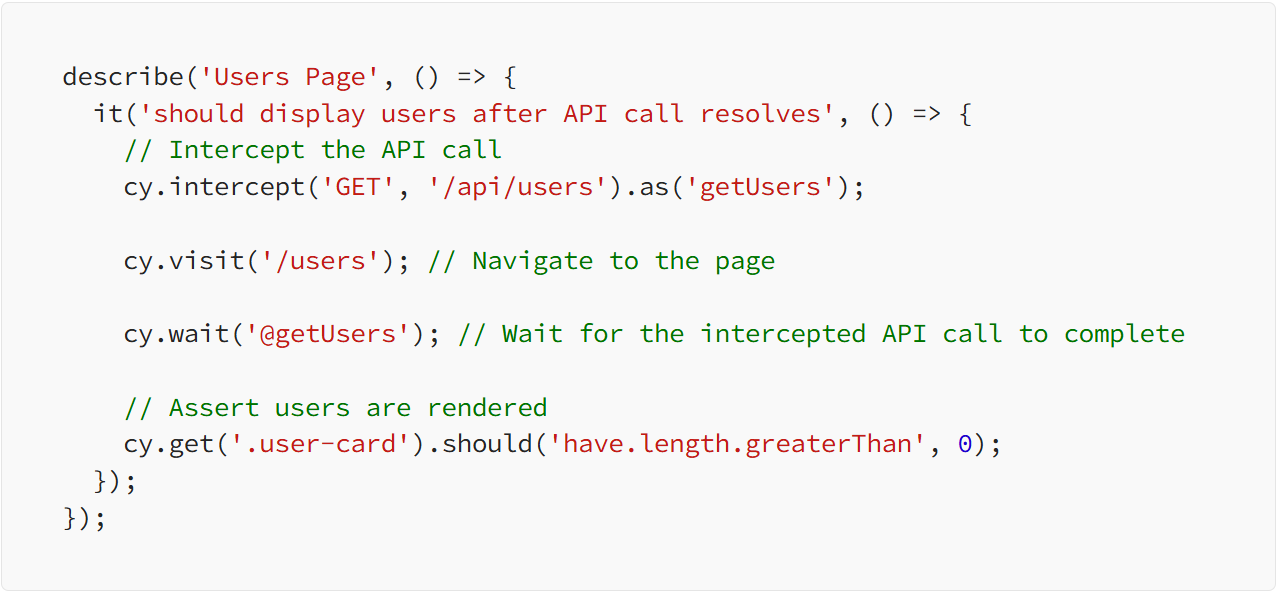
This test does three things:
- Intercepts the /api/users GET call.
- Visits the /users route.
- Waits for the request and then checks the DOM for user cards.
Simple, but effective.
Using API Response Data in Assertions
What if you want to assert not just that something rendered, but that the content matches the API response? That’s where cy.wait(‘@alias’).then() comes in.
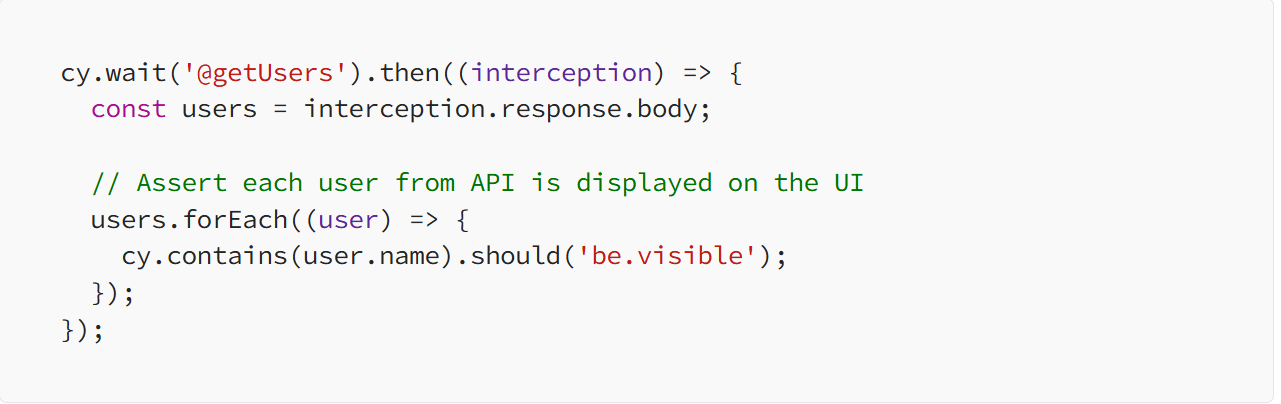
Here, Cypress captures the actual response body and lets you assert against it. You can verify the names, emails, or any other field from the API is shown in the DOM.
This is helpful when:
- UI is supposed to reflect backend data
- Content changes dynamically based on API results
- You need confidence that what’s rendered matches what’s fetched
Full Example: Users List Page
Let’s pull this all together in a complete example.
Assume your app sends a GET request to /api/users, and renders a user list. You want to verify:
- The API is called
- The correct number of users is rendered
- The name and email of each user match the response
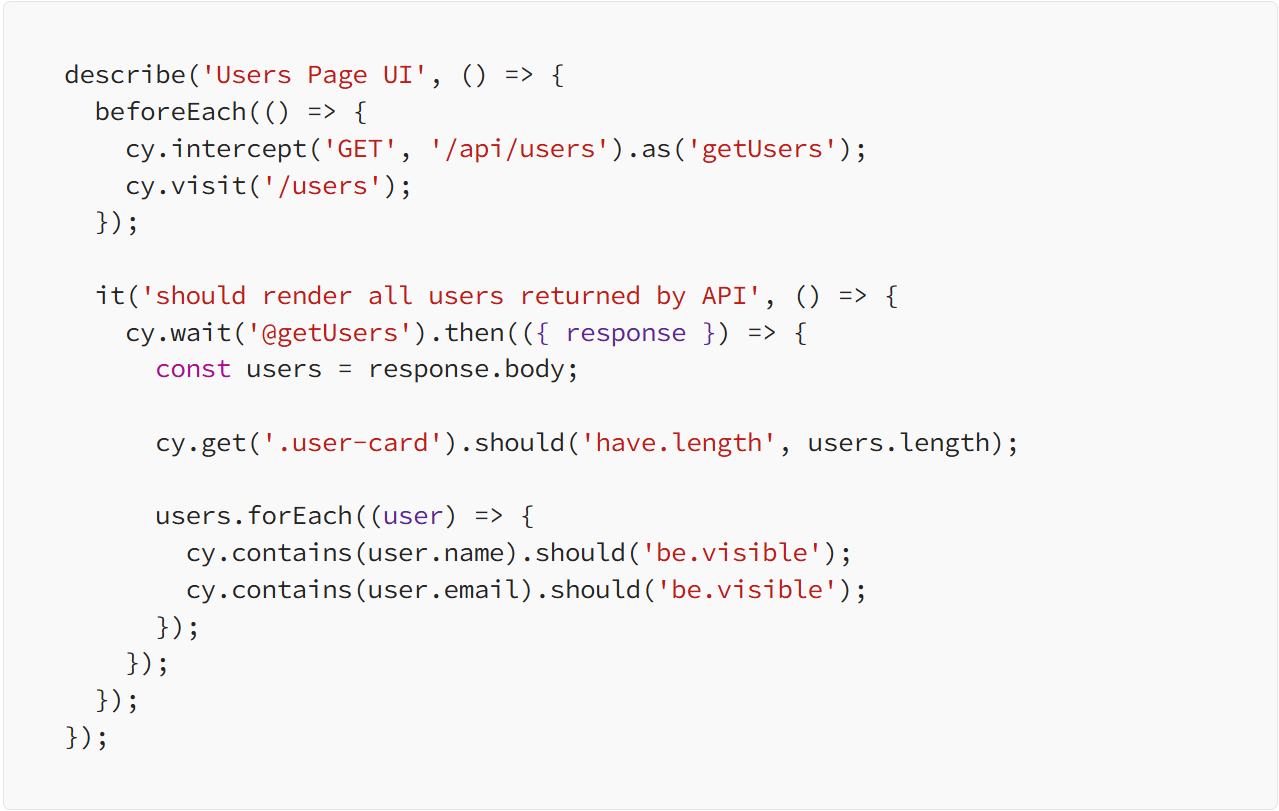
This test is more than just a UI check — it verifies full-stack consistency.
Stubbing API Responses with Fixtures
You don’t always want to hit the real backend during testing. Maybe the data is flaky, changes often, or isn’t ready yet. Cypress makes it easy to stub the response using a fixture:

Then in cypress/fixtures/users.json:
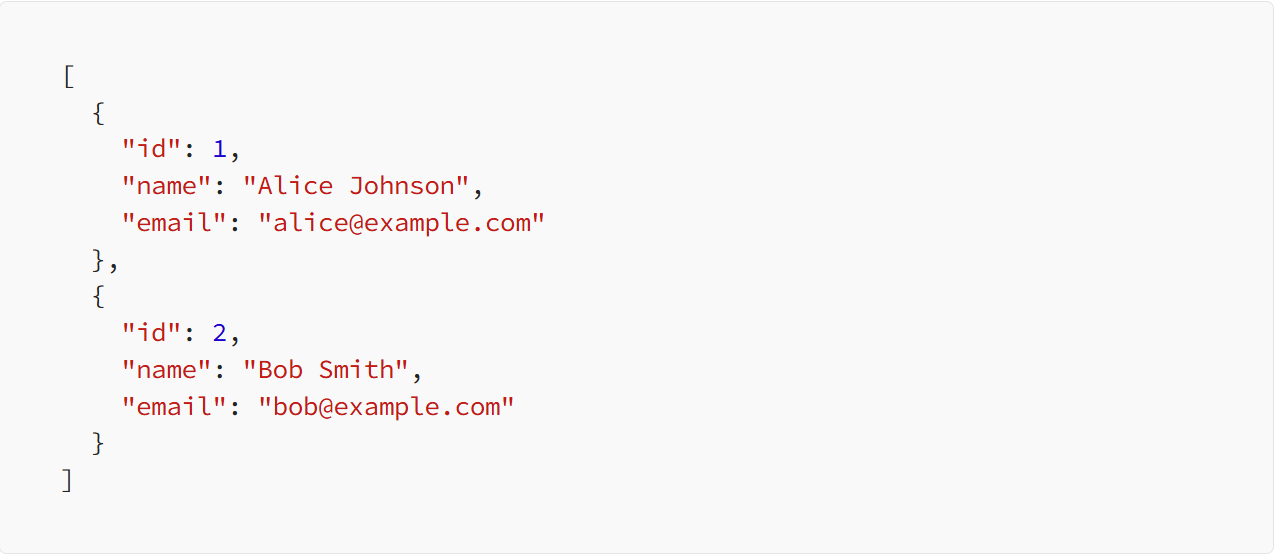
Now, the same test will use the stubbed data:
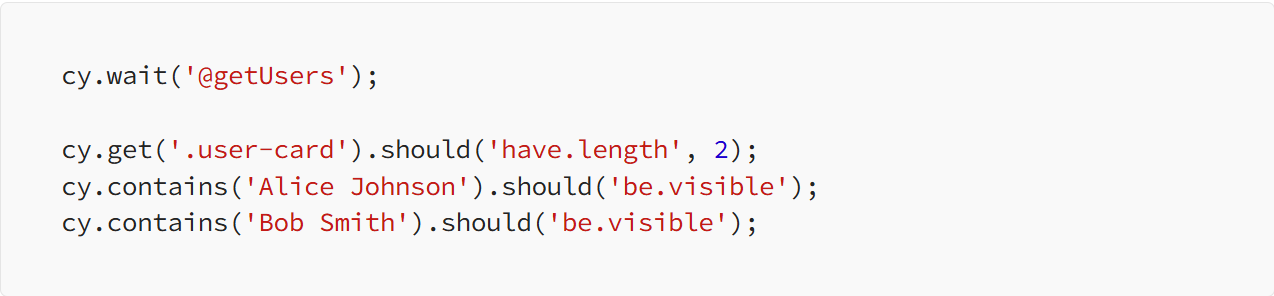
This is great for stable, repeatable tests that don’t depend on live data.
Controlling Timing with delay and forceNetworkError
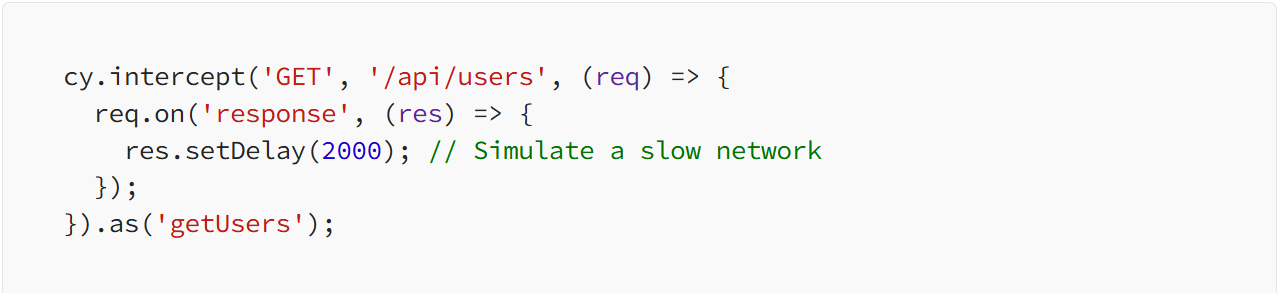
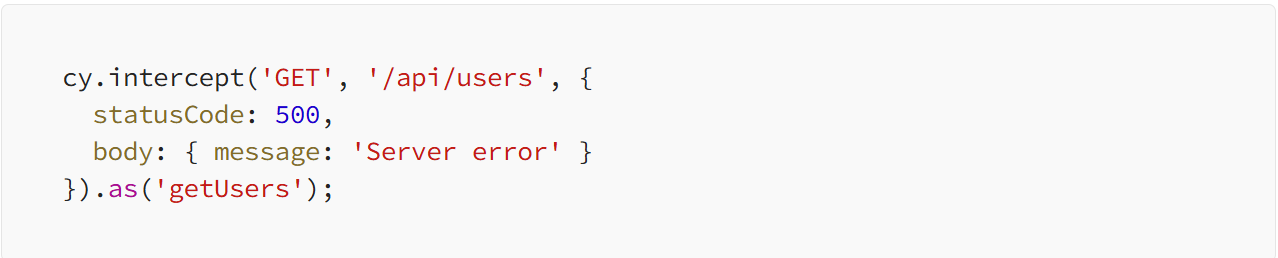
You can also simulate network issues to test loading states or error handling.
Simulate Loading Delay - Use this to test if a loading spinner shows up while the data is loading.
Simulate API Failure - Use this to test how your app handles failure: Does it show an error message? Retry the request?
Conditional UI: Use API Data to Drive Assertions
Say your UI renders different content depending on the user type returned by the API.
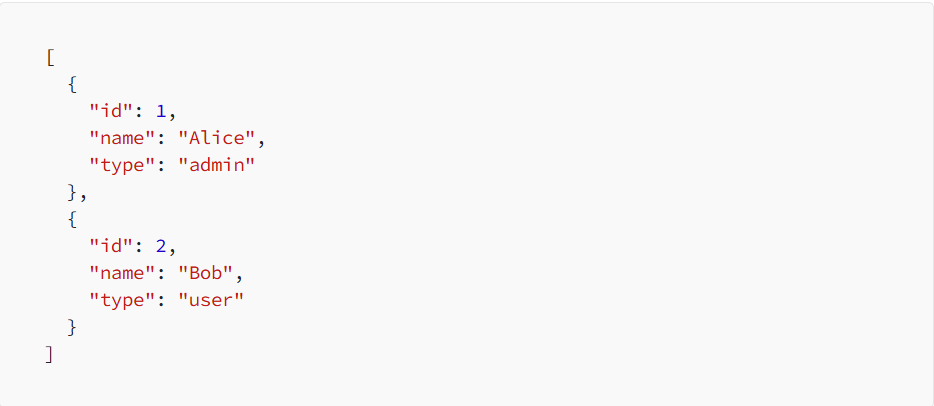
You can assert the UI reflects this logic:
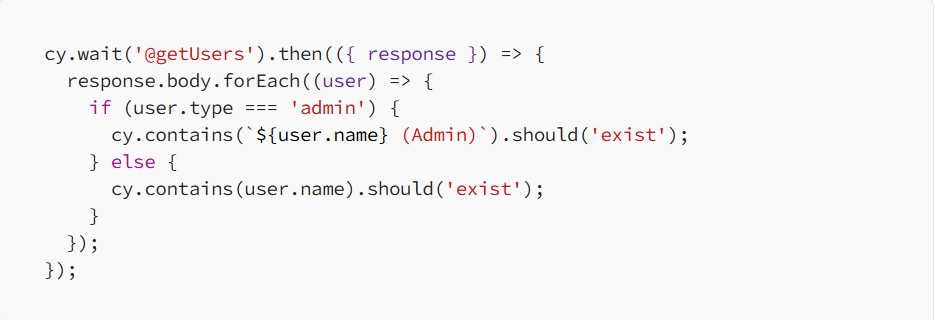
This ensures your UI logic responds correctly to different data structures or user roles.
Best Practices
1. Always Use Aliases for Intercepts
Using .as('alias') lets you easily wait on the request later with cy.wait('@alias'). This ensures the test doesn’t proceed before the response is available.
2. Avoid Arbitrary cy.wait() Timeouts
Hard waits like cy.wait(3000) are unreliable and brittle. Use cy.wait('@alias') instead to make your test sync with real app behavior.
3. Use Fixtures for Stable Data
Fixtures are ideal for simulating consistent scenarios. Use them when you want repeatable results and control over the response.
4. Assert Real Content, Not Just Presence
Rather than checking that something rendered, verify what rendered. Use response data in your assertions.
5. Test Loading and Error States Too
Don’t just test the happy path. Simulate slow or failed responses to check how your UI behaves under different conditions.
Final Thoughs
UI tests are not just clicking buttons and verifying that things are there — they’re about verifying that the interface accurately reflects the data. Cypress’s cy.intercept() gives you the power to pause tests until API responses stabilize, examine their contents, and assert on resulting UI.
Whether you’re stubbing back for consistency testing or integration test fidelity with real data, API call intercept and UI assertion on response is a key technique that should be on your test utility belt.
It makes your tests smarter, faster, and more reliable
About the Creator
Enjoyed the story? Support the Creator.
Subscribe for free to receive all their stories in your feed.
Comments
There are no comments for this story
Be the first to respond and start the conversation.