
Running Totals in SQL Server
How to calculate, why and a syntax explanation


This blog post explains how to calculate running totals in SQL Server, why you would use them and provides a breakdown of the syntax
What is a running total?
A running total is a cumulative sum that takes all the values of a sequence and adds them together. It is also called a cumulative sum
It is typically used in data analysis to calculate cumulative results over a period of time. For example, it can be used to calculate the running sum of sales over the past year.
An example of a use case is to calculate a predicted closing inventory. As part of an inventory forecasting process. Taking into account predicted sales and expected deliveries.
Why would you want to calculate a running total?
Calculating a running total can be helpful in many situations. It is an essential part of statistical and financial analysis and helps to explain trends, performance, and other changes over time. It is also helpful in forecasting sales and predicting future performance. Calculating running totals allows you to analyse data more effectively and find insights that would normally be hidden beneath the surface.
Using the inventory level prediction as an example, we could identify where there will be likely stock shortages. We can then use this information to bring in extra deliveries to keep up with demand at the right time
How to calculate a running total in SQL Server
Let’s use a simple example to illustrate the steps
Assuming you have a table of daily sales records
Select SaleDate, Sales_Gross from [dbo].[SalesSample]
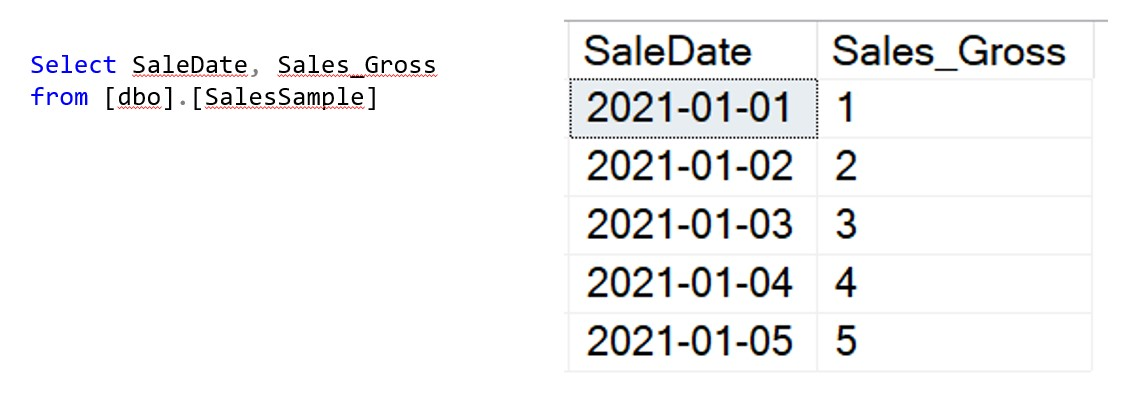
We want to see the cumulative total of Sales at the end of each day
Using a ‘window function’ we can calculate the running total from the Sales (Gross) column
Select SaleDate, Sales_Gross
, sum(Sales_Gross) over (order by SaleDate asc) as [Running Total]
from [dbo].[SalesSample]
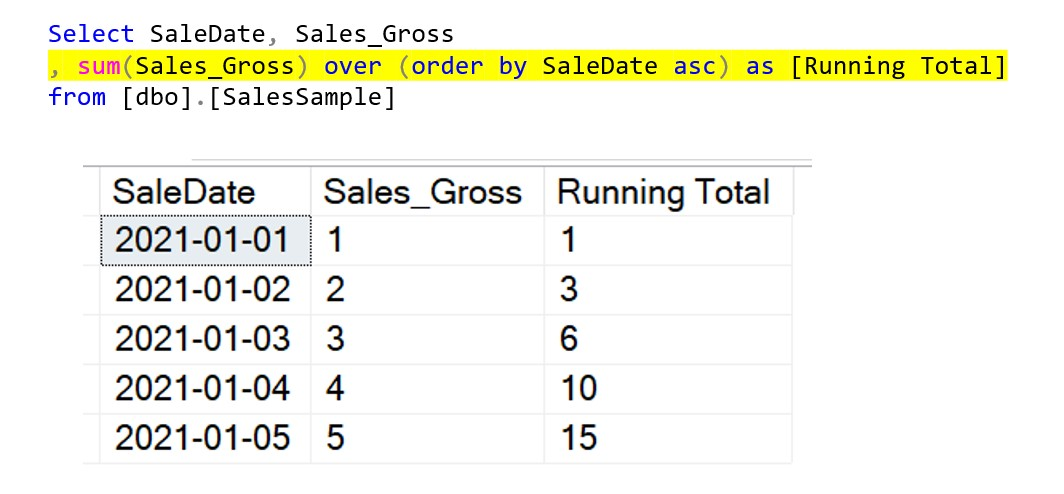
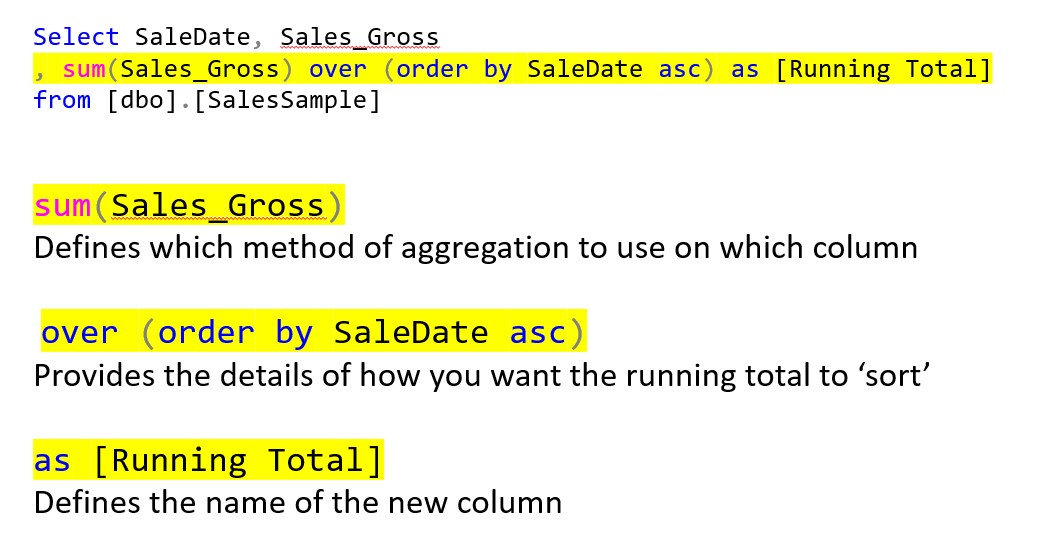
If we break down the elements of this code it will help to explain what each part does
sum(Sales_Gross)
This code defines which method of aggregation to use on the Sales_Gross column
over (order by SaleDate asc)
defines the sorting order to be applied in the running total
as [Running Total]
Defines the name of this new calculated column
You can now create running totals in SQL
From this code you can easily amend it to create running counts, running averages or other calculations
Running Totals in SQL Server – Conclusion
In conclusion, running totals are an invaluable tool for data analysis, financial accounting, and forecasting. They are used to highlight cumulative values and give the perspective of what the balance was at that point in time
It is easy to calculate a running total in SQL Server using the SUM() function with the and the OVER clause. You can also bring in PARTITION to provide the ability to have separate running totals say for different departments, but we will show that in more detail in a future post
Subscribe to our channel to see more SQL Tips and Timesavers
Select Distinct YouTube Channel
This article originally appeared in our blog
Our Business Analytics Timesavers are selected from our day to day analytics consultancy work. They are the everyday things we see that really help analysts, SQL developers, BI Developers and many more people.
Our blog has something for everyone, from tips for improving your SQL skills to posts about BI tools and techniques. We hope that you find these helpful!
If you have a tip or timesaver that you would like us to feature and that you think others would benefit from please get in touch
If there is a topic area you would like us to cover, let us know and we can plan something in
Simon Harrison Founder of Select Distinct Limited and a business intelligence expert
About the Creator
Simon Harrison
I am the founder and director of Select Distinct Limited
A Chartered Management Accountant with a passion for data analytics.
With real business experience in FTSE 100 organisations, I love turning business data into actionable insights
Enjoyed the story? Support the Creator.
Subscribe for free to receive all their stories in your feed.
Comments
There are no comments for this story
Be the first to respond and start the conversation.