
Private IP Addressing: A Simplifying Home Network Management
Learn How Private IP Addresses Enhance Security, Improve Efficiency, and Make Home Networks Easier to Manage
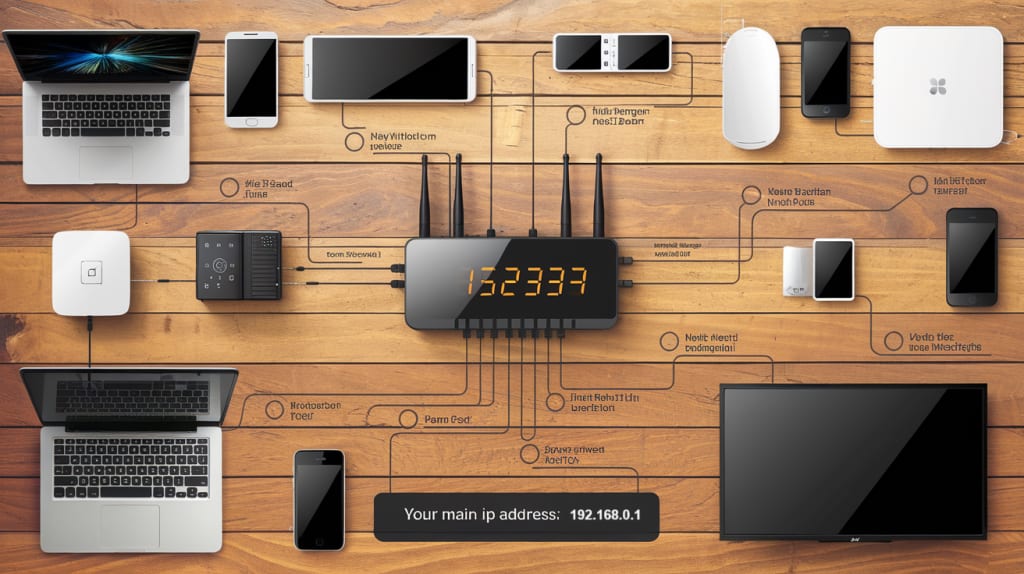
IP Addressing & Home Network Management
In today's digital age, home networks have become increasingly complex, with multiple devices connected to the internet. From smart TVs and gaming consoles to security cameras and IoT devices, managing a home network can be challenging. Private IP addressing plays a crucial role in simplifying home network management, enhancing security, and improving overall efficiency.
What is Private IP Addressing?
Private IP addresses are reserved for internal network use, allowing devices within a local network to communicate without being exposed to the public internet. Common private IP ranges include:
Class A: 10.0.0.0 – 10.255.255.255
Class B: 172.16.0.0 – 172.31.255.255
Class C: 192.168.0.0 – 192.168.255.255
These addresses are not routable on the internet, meaning external users cannot directly access devices using private IPs, making them ideal for home networks.
Why Private IP Addressing Matters
Private IP addressing is essential because it allows homeowners to create a secure and well-managed network without requiring a unique public IP for every connected device. Instead, a single public IP assigned by an internet service provider (ISP) can serve multiple devices within a local network, thanks to Network Address Translation (NAT).
Furthermore, private IPs prevent direct exposure to the internet, reducing the chances of cyber threats, hacking attempts, and malware intrusions. Without private IPs, every device would need a public IP, leading to excessive IP address consumption and increased vulnerability.
Benefits of Private IP Addressing for Home Networks
1. Enhanced Security
By using private IPs, home devices remain hidden from direct internet access, reducing the risk of cyberattacks. Only devices within the local network can communicate using these addresses, adding an extra layer of security against unauthorized access. Many modern routers also offer additional security features, such as firewalls and port filtering, to further protect the network.
2. Efficient Network Management
Private IPs allow routers to assign unique addresses to multiple devices using Network Address Translation (NAT). This eliminates the need for a public IP for each device, making it easier to manage and scale home networks. According to how to properly access and configure your router, private IP addressing is an essential practice for securing and organizing home networks efficiently.
3. Conserving Public IP Addresses
The IPv4 address pool is limited, and private IP addressing helps alleviate this issue by allowing multiple devices to share a single public IP via NAT. This ensures efficient utilization of available IP resources. With the rise of IPv6, a greater number of public addresses will become available, but private IP addressing remains a valuable solution for network optimization and resource management.
4. Customization & Control
With private IP addressing, users can configure their network settings, set up access controls, and establish custom firewall rules. This flexibility allows better control over the devices connected to the network. Homeowners can prioritize bandwidth for specific devices, restrict access for guests, and set up parental controls to ensure safe internet usage.
How to Set Up Private IP Addressing in a Home Network
Use a Router: Most home networks are automatically configured to use private IP addressing through a router. The router assigns private IPs to connected devices via DHCP (Dynamic Host Configuration Protocol).
Enable NAT: Network Address Translation helps convert private IP addresses into a single public IP for internet access. Most routers have this feature enabled by default, but users can manually configure it if needed.
Assign Static or Dynamic IPs: Depending on your needs, you can manually assign static IPs to critical devices like printers or gaming consoles while allowing dynamic IPs for other devices. Static IPs ensure that devices maintain the same address, preventing connectivity issues.
Implement Security Measures: Set up a strong password, enable WPA3 encryption, and configure a firewall to enhance network security. Regularly updating router firmware is also essential to protect against emerging threats.
Common Challenges in Private IP Addressing and Solutions
While private IP addressing simplifies home network management, it comes with some challenges. One common issue is IP address conflicts, where two devices on the same network are assigned the same private IP. This can lead to connectivity problems and disruptions. The best way to avoid this is by enabling DHCP reservation, which ensures that specific devices always receive the same private IP.
Another challenge is port forwarding, which is required when users need to access internal devices remotely. For instance, gamers or remote workers may need to open specific ports to allow external connections. Configuring port forwarding correctly in the router settings ensures smooth operation without compromising security.
Final Thoughts
Private IP addressing is a fundamental component of home network management. It enhances security, optimizes resource usage, and simplifies the management of multiple devices. Understanding how private IPs work, setting up a secure home network, and implementing best practices can help homeowners create a stable and efficient digital environment.
By learning the essentials of private IP addressing and router configuration, users can make informed decisions about their home networks, ensuring better security and performance.
About the Creator
Enjoyed the story? Support the Creator.
Subscribe for free to receive all their stories in your feed.
Comments