
Outline for Develoing Apps related to MovieBox Pro - A Guide for Developers
How to create apps - Guides for Developers

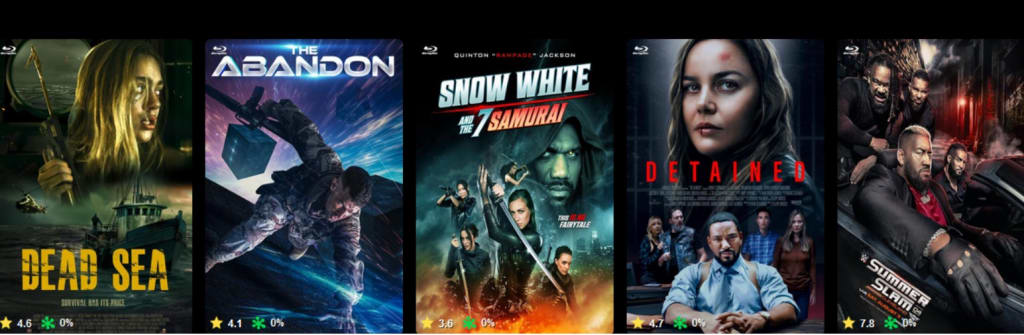
Creating a MovieBox Pro like application or code entails specific steps that involve understanding the platform's structure, acquiring legal permission to access media, and ensuring adherence to relevant regulations. It’s important to note that while MovieBox Pro is favored for streaming movies and TV shows, it isn’t found in mainstream app stores such as Google Play or the Apple Store, often placing it in legally ambiguous territories. If you plan to build a streaming app akin to MovieBox Pro, consider the following framework to manage the process ethically and legally.
1. Establish Legal LimitsBefore initiating the project, confirm you are following legal guidelines for streaming content. Licensing is vital since most media is protected by copyright. You might need to obtain licenses from content providers, studios, or distribution companies to stream movies and shows.
2. Define App FeaturesDecide which functionalities your app will have. Common features found in streaming applications like MovieBox Pro include:
- Search and browse options for content (movies, TV shows, genres)
- Watchlist for saving content to view later
- Personalized recommendations
- Options for streaming quality (1080p, 4K, etc.)
- Optional offline viewing
- User login capabilities if profiles are necessary
- Alerts for new content or updates
3. Select the Technology StackDetermine the technology stack (tools and languages) for developing your app. Popular tech stacks for mobile applications involve:
- Front-End (Mobile Application):
- iOS: Swift or Objective-C
- Android: Kotlin or Java (for native Android applications)
- Cross-Platform: Flutter or React Native
- Back-End (Server, Database, and APIs):
- Frameworks: Node.js, Django, or Ruby on Rails
- Databases: PostgreSQL, MongoDB, or Firebase for real-time data
- APIs: Use third-party APIs to acquire movie and TV show data, such as:
- TMDb (The Movie Database) API for movie metadata
- OMDb API for additional information
- Stream URLs (if linking content from authorized sources)
4. Design the User InterfaceThe user interface (UI) is crucial as it needs to be user-friendly and appealing. Adhere to these design principles:
- Intuitive navigation: Ensure easy access to categories, trending items, popular selections, and search features.
- Details page for movies/shows: Provide a summary, ratings, trailers, cast details, and streaming options.
- High-resolution thumbnails for better content browsing.
Use tools like Figma or Adobe XD for your UI design
5. Content Acquisition and Management Once you have legally secured content through licensing (or opted for public domain material), you can either:
- Host the content yourself if you possess the rights.
- Embed or link to authorized third-party streaming services.For embedding or linking, you may need to develop integration with third-party services, which could require using their SDKs or APIs.
6. Application Development Begin the development process for your app:
- iOS Development:
- Utilize Xcode and Swift for iOS apps.
- Use AVPlayer for video playback.
- Incorporate features such as login, search, and recommendations.
- Android Development:
- Employ Android Studio and Kotlin for Android apps.
- Use ExoPlayer or VideoView for video playback.
- Implement login, content management, and streaming functionalities.
- Cross-Platform Development:
- Consider Flutter or React Native for simultaneous development for both Android and iOS platforms.
7. Integrating Streaming Features If you prefer not to host your videos, consider integrating a video streaming API or service. Options include:
- AWS Media Services
- Vimeo OTT
- Brightcove
- JWPlayerThese services allow you to host and stream media while managing scalability and security.
8. Ensuring Security and Compliance Make certain your app is protected and complies with privacy and security regulations. You should:
- Implement SSL encryption for secure data transfers.
- Adhere to GDPR or relevant privacy legislation (based on the region).
- Utilize digital rights management (DRM) for safeguarding copyrighted content (where applicable).
9. Testing the App After development, thoroughly test the app for bugs and performance glitches:
- Verify compatibility with diverse devices (iOS/Android).
- Analyze streaming performance (buffering, quality).
- Ensure the app functions well across various network conditions.
10. Launch and Promote Once testing and optimization are complete, deploy your app:
- Google Play Store for Android applications.
- Apple App Store for iOS applications.Promoting your app involves creating a compelling landing page, leveraging social media, and optimizing for search engines (SEO). Additionally, partnerships with content providers or influencers could benefit marketing efforts.
11. Ongoing Updates and Maintenance Your app will need regular updates to:
- Introduce new features
- Resolve bugs
- Maintain compliance with changing laws and regulations
Building an application similar to MovieBox Pro requires careful planning and development, especially concerning licensing and content distribution. Commitment to ensuring all content is sourced legally is essential to avoid copyright infringements. You have the option to host your videos or collaborate with legitimate services for content provision in your app. Creating a movie streaming app is a complex yet achievable goal if you follow the necessary lawful and technical procedures.
About the Creator
sadbal
I am Developer and Secretary and Teacher, Interesting with many ares.
Enjoyed the story? Support the Creator.
Subscribe for free to receive all their stories in your feed.
Comments
There are no comments for this story
Be the first to respond and start the conversation.