
Mastering the Art of Video Editing: A Comprehensive Guide
Professional Video Editing: Tips for YouTube Success
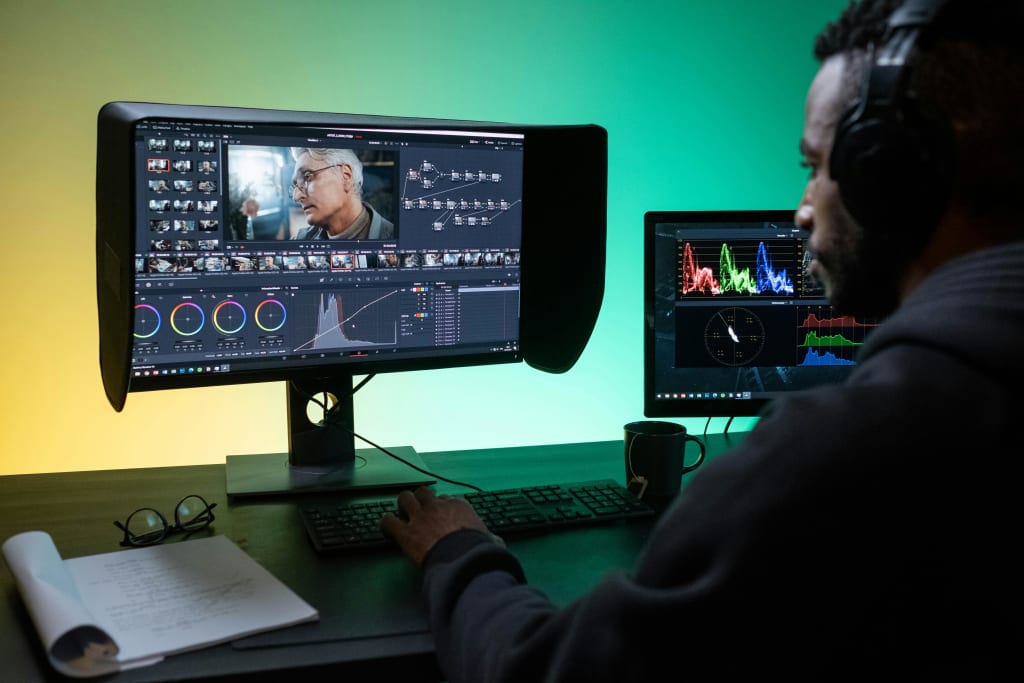
Mastering the Art of Video Editing: A Comprehensive Guide
Video editing has evolved from a niche skill to an essential competency in today's digital age. Whether you're a budding YouTuber, a small business owner, or a seasoned filmmaker, mastering the art of video editing can significantly elevate your content. This comprehensive guide will delve into the intricacies of video editing, providing tips, tricks, and best practices to help you create captivating visuals.
Understanding the Basics
Before diving into advanced techniques, it's crucial to grasp the fundamental concepts of video editing. This involves understanding the timeline, editing interface, and basic tools such as cutting, trimming, and splicing. While most video editing software offers similar functionalities, the specific interface may vary. Familiarize yourself with the software you've chosen to maximize your efficiency.
Crafting a Compelling Storyline
A well-edited video is more than just a collection of clips; it's a story waiting to be told. Begin by outlining your video's narrative. What message do you want to convey? Who is your target audience? Once you have a clear vision, you can start selecting the footage that aligns with your story. Remember, less is often more. Focus on capturing the essence of your message with concise and impactful visuals.
The Power of Editing Techniques
To create truly engaging videos, you'll need to master various editing techniques.
• Pacing: The rhythm of your video is crucial. Experiment with different speeds to create tension, excitement, or a sense of calm.
• Transitions: Smooth transitions between clips are essential for a seamless viewing experience. Explore different transition effects, such as cuts, dissolves, and wipes.
• J Cuts and L Cuts: These advanced techniques involve overlapping audio and video to create dynamic and engaging sequences.
• Color Correction and Grading: Enhance the visual appeal of your video by adjusting colors, contrast, and saturation.
• Audio Editing: High-quality audio is just as important as visuals. Clean up background noise, adjust volume levels, and consider adding music or sound effects.
Leveraging Video Editing Software
The right video editing software can significantly impact your workflow. Popular options include Adobe Premiere Pro, Final Cut Pro, DaVinci Resolve, and iMovie. Consider your needs and budget when choosing software. Explore the features and capabilities of each option to find the best fit for your projects.
Essential Tools and Plugins
To enhance your video editing capabilities, consider incorporating additional tools and plugins into your workflow. Some popular options include:
• Stock footage and music libraries: Access a vast collection of royalty-free content to enrich your videos.
• Color correction and grading plugins: Enhance your color grading abilities with specialized tools.
• Visual effects plugins: Create stunning visual effects to add impact to your videos.
• Audio plugins: Improve audio quality and add professional polish to your soundtracks.
Building Your Video Editing Workflow
Developing an efficient workflow is essential for maximizing productivity. Consider the following steps:
1. Project Planning: Outline your video concept, gather necessary footage, and create a shot list.
2. Import and Organize: Import your media files into your editing software and organize them into bins or folders.
3. Rough Cut: Assemble your video by laying out the clips in the desired order.
4. Fine Editing: Refine your video by trimming, adding transitions, and adjusting pacing.
5. Color Correction and Grading: Enhance the visual look of your video.
6. Audio Editing: Improve audio quality and add music or sound effects.
7. Export and Sharing: Export your video in the desired format and share it with your audience.
Tips for Engaging Video Editing
• Keep it simple: Avoid cluttering your videos with too many effects or transitions.
• Tell a story: Create a narrative that resonates with your audience.
• Use music effectively: Music can enhance the emotional impact of your video.
• Optimize for different platforms: Consider the aspect ratio and resolution requirements of various platforms (e.g., YouTube, Instagram).
• Seek feedback: Show your videos to others and incorporate their suggestions.
Taking Your Video Editing to the Next Level
To truly stand out, consider investing in professional video editing services. Platforms like Fiverr offer a wide range of video editing professionals who can help you bring your vision to life. From basic editing to complex visual effects, you can find the perfect freelancer to elevate your project.
By leveraging the expertise of professional video editors, you can save time, improve the quality of your videos, and achieve outstanding results.
Conclusion
Video editing is a skill that can be mastered with practice and dedication. By understanding the fundamentals, experimenting with different techniques, and utilizing the right tools, you can create captivating videos that leave a lasting impression on your audience. Remember, consistency is key. Keep creating and refining your skills to become a proficient video editor.
About the Creator
Enjoyed the story? Support the Creator.
Subscribe for free to receive all their stories in your feed.
Comments
There are no comments for this story
Be the first to respond and start the conversation.