
Mastering Python F-Strings: Unleashing the Power and Tricks of Dynamic String Formatting
f-strings can do so much more than just variable substitution

Python offers multiple methods for formatting text strings, such as %-formatting, str.format(), etc. While each method has its own advantages, they also come with drawbacks that make them less practical in real-world scenarios. To tackle this issue, a proposal was made for a new string formatting mechanism known as "Literal String Interpolation" or "f-strings." These f-strings utilize curly braces {} preceded by the 'f' character, providing a simpler and more intuitive approach to string interpolation and formatting.
f-strings are available from python 3.6 onwards!
f-strings is the new string formatting mechanism and takes the string formatting with at par to other programming languages.
For example, Python's f-strings offer powerful formatting specifiers that allow precise control over the appearance of values, such as specifying width, precision, and alignment. JavaScript's string interpolation, on the other hand, primarily focuses on variable substitution and dynamic content insertion.
Here are all the ways in which you can use fstring to maximise it's potential.
- Variable Substitution: embed the value of variables directly into strings by placing them inside curly braces {}.
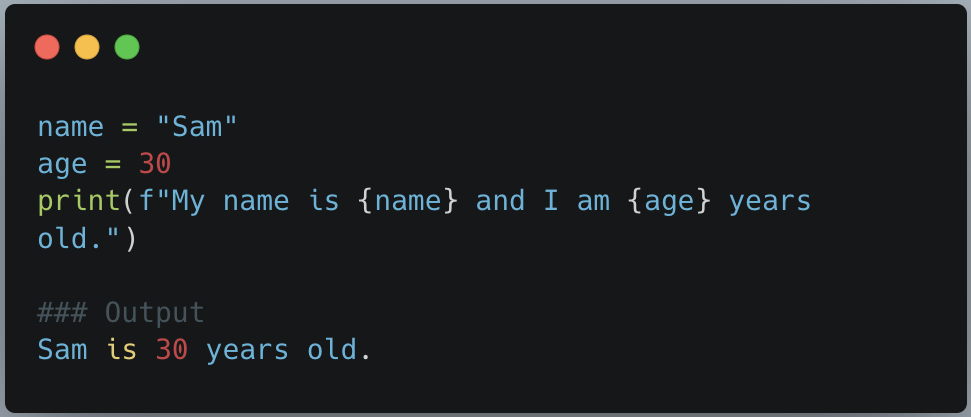
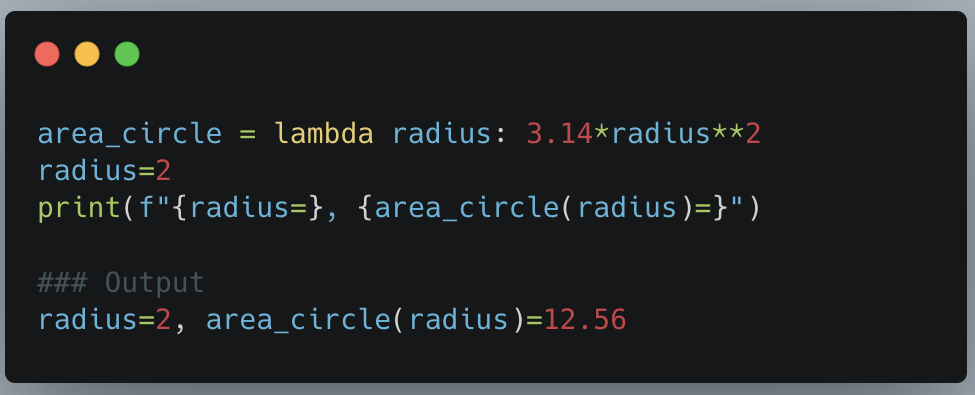
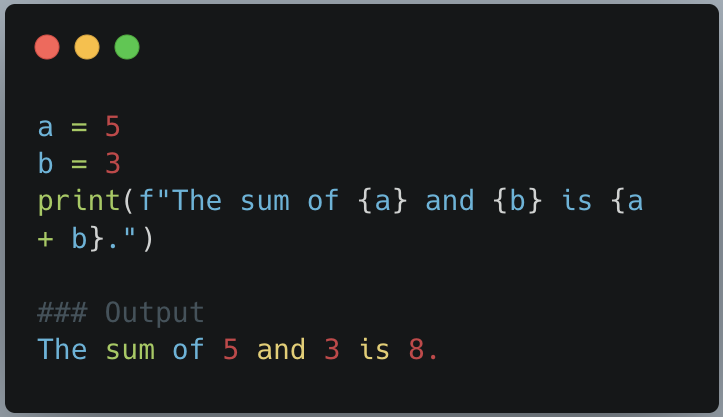
- Expressions and Functions: Perform calculations or call functions within f-strings. The expressions are evaluated and their results are embedded in the string.
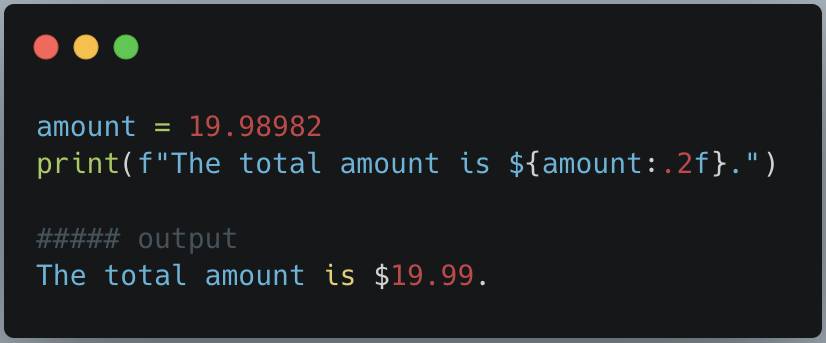
- Formatting Specifiers: F-strings support formatting specifiers to control the appearance of the embedded values. You can specify the width, precision, alignment, and other formatting options.
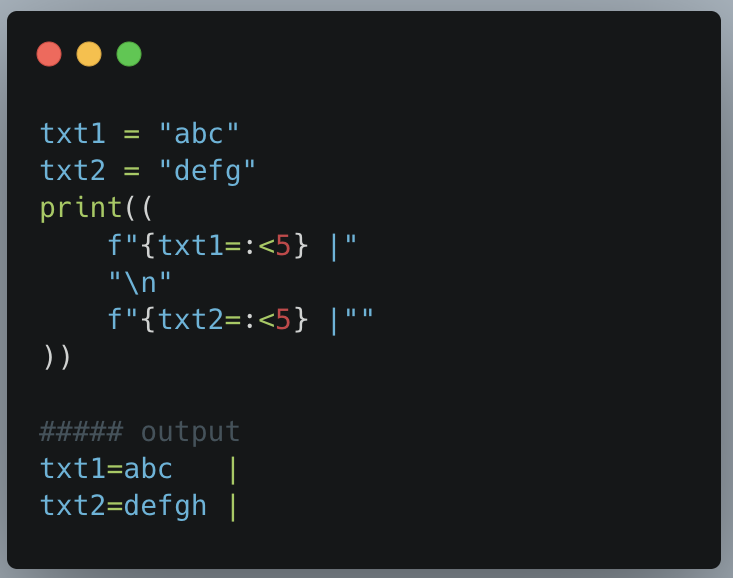
We can also specify the length of string. The best use case of this is in creation of beautiful logs. Each substitution can be of same length by just simple string interpolation
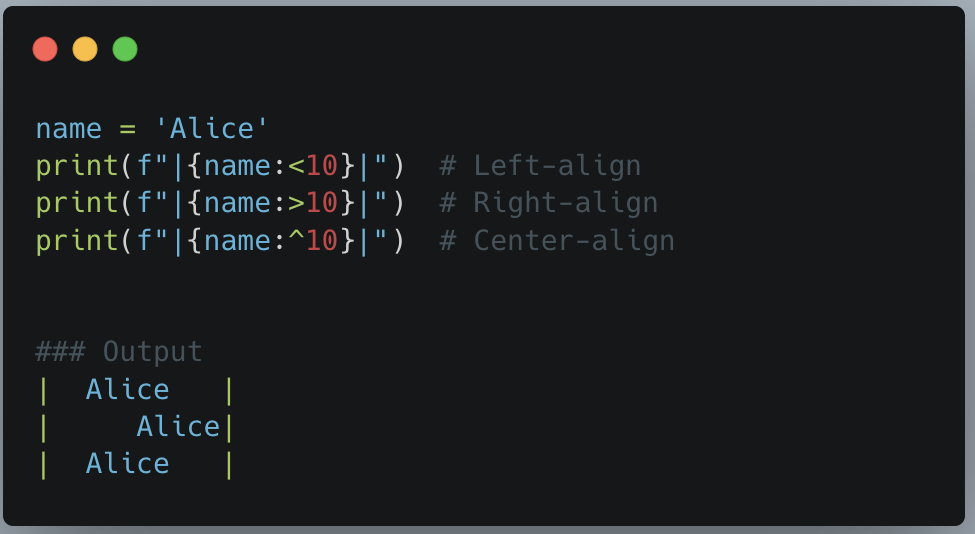
- F-strings provide alignment options to left, right, or center-align the values within the formatted string. This can be achieved using the ^, <, and > alignment specifiers respectively.
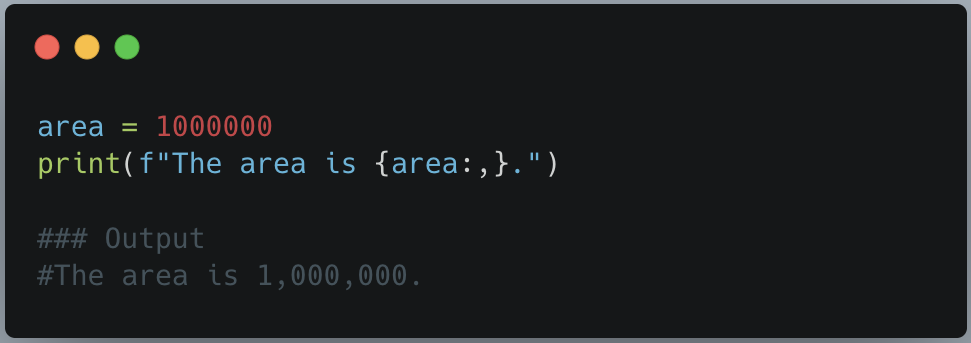
- Formatting Numbers with Commas: use the comma separator in f-strings to format numbers with thousands separators. This provides a more readable representation of large numbers.
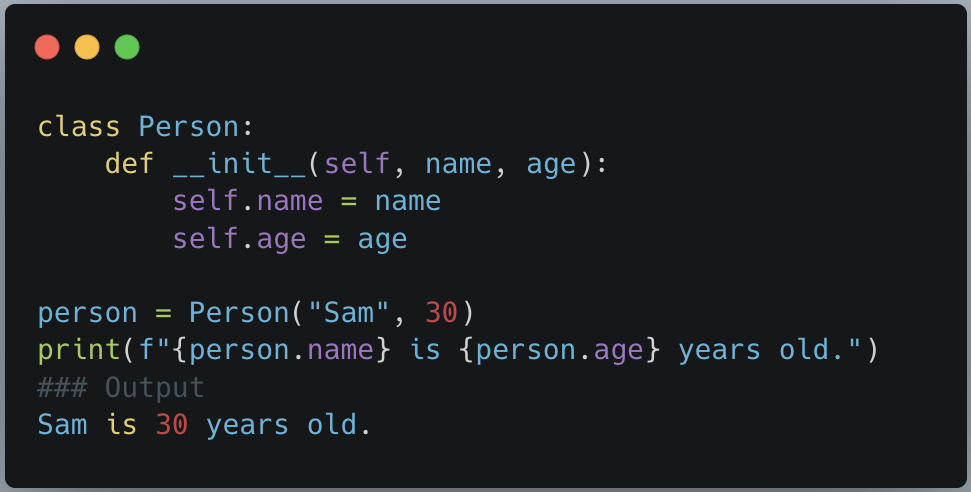
- Attribute and Method Access: Access attributes and call methods on objects directly within f-strings.
- Dictionary Access: F-strings allow accessing dictionary values by using keys inside curly braces {}
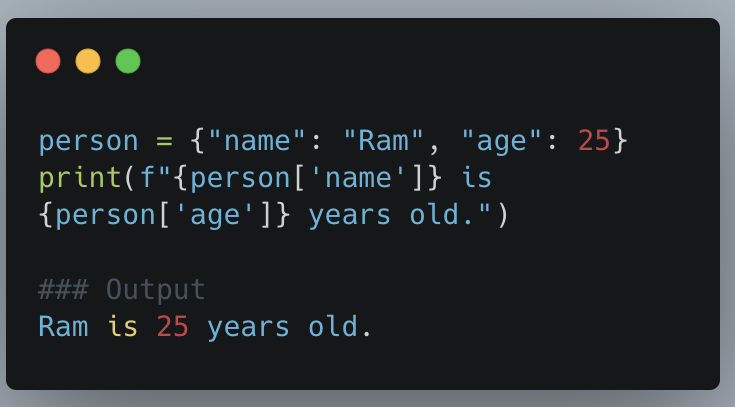
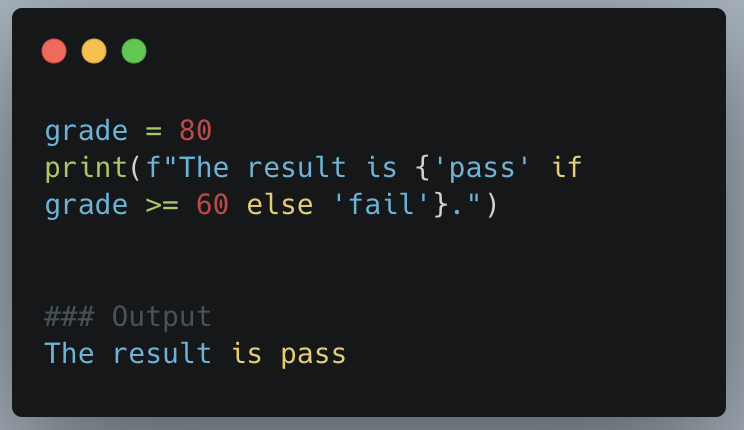
- Expressions and Control Flow: Include conditional statements or expressions within f-strings by using ternary operators or calling functions.
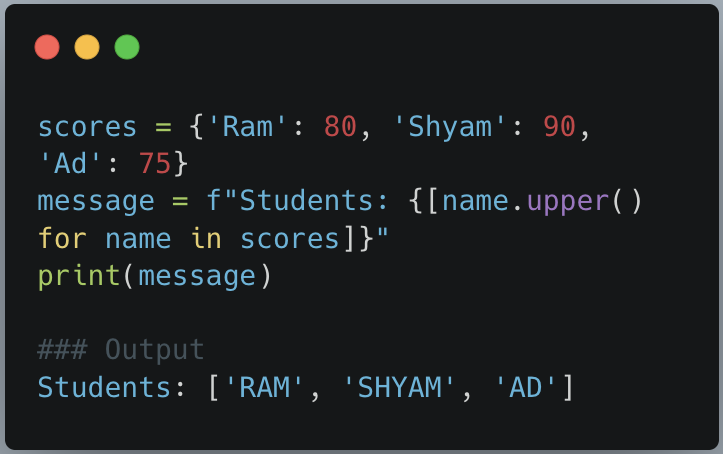
- Dictionary and List Comprehensions: F-strings can incorporate dictionary and list comprehensions to perform advanced operations within the formatted string. This allows you to iterate over collections and generate dynamic content.
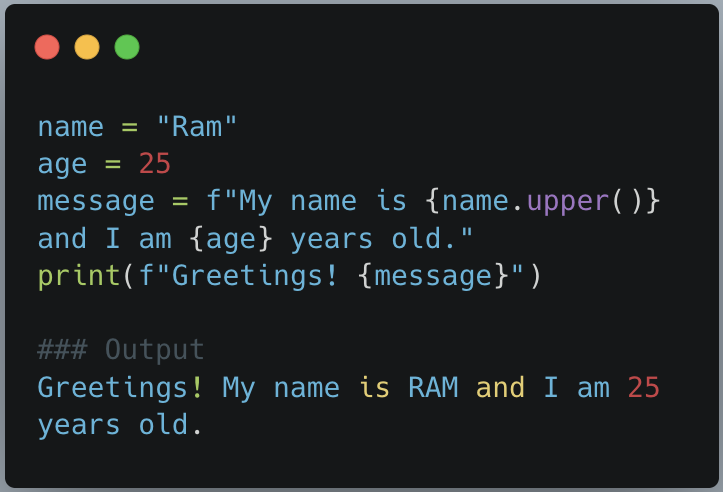
- Nested f-strings: nest f-strings within other f-strings to create complex formatted strings. This can be useful when you need to dynamically generate strings with multiple levels of interpolation.
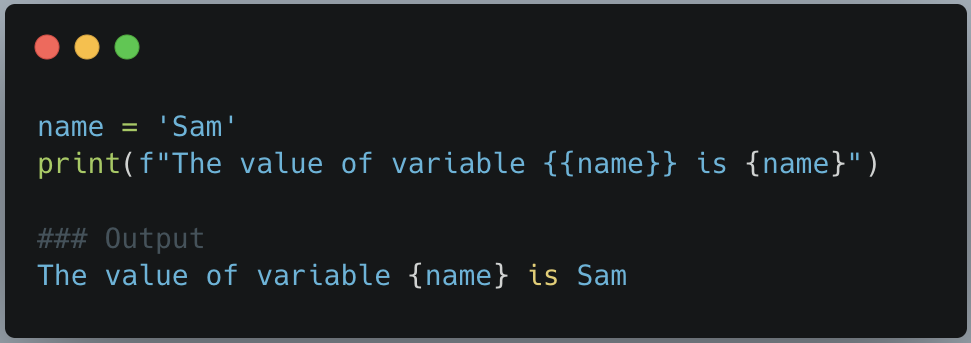
So far, we have talked how f-strings does wonders. They have one thing in common and that is curly braces {}. What if you want to include curly braces in the f-strings how we can escape it?
Escaping Curly Braces: To include literal curly braces in f-string without triggering interpolation, we can escape them by doubling them.
In conclusion, f-strings in Python offer more than just variable substitution.
Their demonstrated flexibility and power showcase the ability to create dynamic, expressive, and concise formatted strings. With features like arithmetic operations, nested interpolation, conditional expressions, debugging support, and integration with comprehensions, f-strings provide a robust toolset for generating highly customizable and readable strings in Python.
To learn more about python f-strings read the python documentation PEP guide
About Me
Aditya is a Data Scientist and software developer with 3+ years of experience. Writes clean Python code and embraces the art of good programming. Enjoys diving into mind-bending series and movies and indulging in the joy of reading.
About the Creator
Enjoyed the story? Support the Creator.
Subscribe for free to receive all their stories in your feed.
Comments
There are no comments for this story
Be the first to respond and start the conversation.