
Learn with Minecraft: Educational Resources for Students
Educational Resources for Students
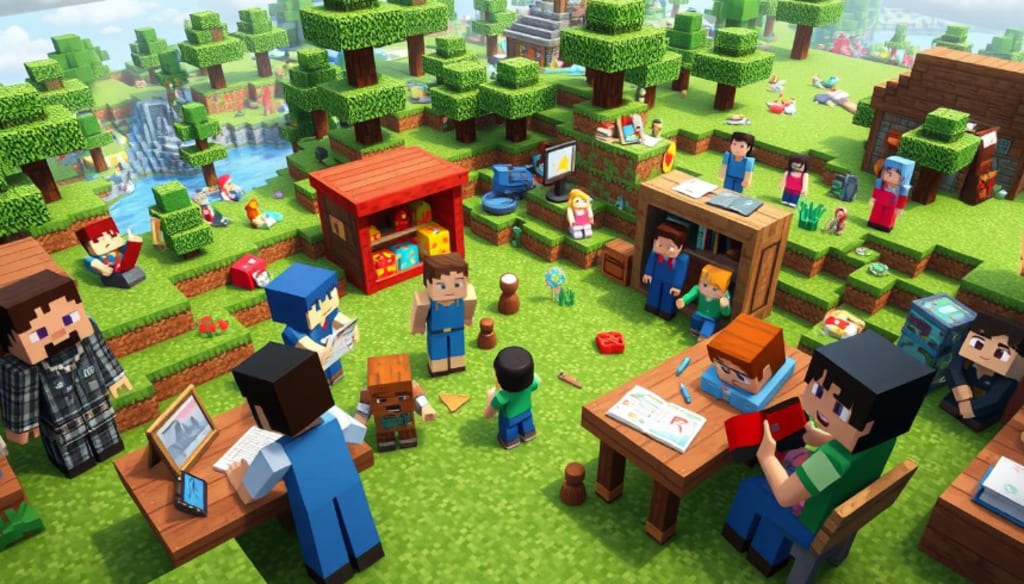
Learn with Minecraft: Educational Resources for Students
Every classroom has a secret door to imagination. For millions of students, that door is Minecraft Education. It turns learning into an exciting adventure where education meets creativity.
Minecraft education is more than just a digital tool. It's a new way to make learning fun through games. It mixes interactive fun with learning, creating a world where students can explore and learn at the same time.
Students can now learn complex subjects in a fun way. Minecraft Education Edition lets them explore virtual worlds. It offers learning experiences that books can't match, from science to history.
Key Takeaways
Minecraft transforms traditional classroom learning
Educational games provide immersive learning experiences
Interactive platforms engage students more effectively
Virtual worlds support diverse learning styles
Minecraft bridges entertainment and education
Getting Started with Minecraft Education Edition
Minecraft Education turns virtual worlds into powerful learning environments. This guide will help you start your educational journey in this digital platform.
Starting with Minecraft education requires preparation and understanding. Educators and students can find amazing learning opportunities in this interactive space.
System Requirements for Minecraft Education
Before starting, make sure your device meets these specs:
Windows 10 (64-bit) or macOS 10.12+
Minimum 4GB RAM
Intel HD Graphics 4000 or dedicated graphics card
Stable internet connection
Installation Process
Setting up Minecraft Education is easy. Just follow these steps:
Visit the official Minecraft Education website
Download the installation package
Complete the verification process
Install the application
Create your educational account
First Educational World Setup
Creating your first virtual world needs careful planning. Choose templates that fit your learning goals. Minecraft Education has pre-designed worlds for different subjects, making it easy to integrate with your curriculum.
"Minecraft Education turns classrooms into interactive learning landscapes" - Educational Technology Experts
Navigating the Interface
The Minecraft Education interface is easy to use. Key features include:
World creation tools
Collaborative workspace features
Educational resource panels
Student management controls
Understanding these basics helps educators use virtual worlds for engaging learning experiences.
The Power of Minecraft Education in Modern Classrooms
Game-based learning has changed how we teach, with Minecraft Education Edition leading the way. It makes classrooms exciting places where students take an active role in learning. This approach turns education into a fun, interactive experience.
"Minecraft transforms education by making learning an interactive, immersive experience that students genuinely enjoy." - Educational Technology Expert
Minecraft and similar games let students dive into complex topics in a fun way. It supports different learning styles by offering creative ways to learn about various subjects.
Encourages collaborative problem-solving
Supports personalized learning experiences
Develops critical thinking skills
Promotes digital literacy
Schools all over are seeing how game-based learning can change education. Students can now explore history, do science experiments, and solve math problems in a virtual world. It feels like play, not just learning.
Learning Dimension Minecraft Education Impact
Engagement Increases student motivation
Creativity Promotes innovative thinking
Collaboration Enhances team-based learning
Problem-Solving Develops strategic thinking skills
By using Minecraft Education in their lessons, teachers can offer immersive learning experiences. This connects with today's tech-savvy students, making learning more engaging and relevant.
Essential Tools and Features for STEM Learning
Minecraft Education Edition changes how we learn STEM. It offers tools that make learning fun and real. Students get to explore complex ideas through hands-on digital activities.
This platform opens up new ways to learn. It lets students dive into interactive educational experiences across many subjects.
Chemistry Lab Features
Virtual chemistry experiments are now fun and easy with Minecraft's lab. Students can:
Combine elements to create chemical compounds
Observe molecular interactions
Conduct safe digital experiments
Code Builder Integration
Coding for kids gets even better with Minecraft's tools. The Code Builder lets students:
Learn visual and text-based coding
Create custom game behaviors
Develop computational thinking skills
Mathematical Concepts Through Building
Minecraft makes math real by turning abstract ideas into building projects. Students learn about geometry, spatial reasoning, and scale through play.
"Learning happens best when students are actively engaged and enjoying the process." - Minecraft Education Team
STEM Learning Tool Key Educational Benefits
Chemistry Lab Interactive molecular exploration
Code Builder Programming skill development
Building Mechanics Geometric and spatial understanding
Game-Based Learning Benefits in Virtual Worlds
https://youtube.com/watch?v=SSimHPmZ0hA
Virtual worlds like Minecraft Education have changed how we learn. They make learning fun and interactive. Students now get to explore complex ideas in a digital world.
Game-based learning helps students learn by doing. In virtual worlds, they can try things out without worrying about mistakes. It's a safe space to learn and grow.
"Learning happens best when students are actively engaged and having fun" - Educational Technology Research
Enhances problem-solving capabilities
Promotes creative thinking
Increases student motivation
Develops collaborative skills
Studies show that learning in virtual worlds sticks with students. They learn by doing, making hard ideas easier to grasp. This hands-on approach helps them understand better.
Learning Dimension Virtual World Impact
Engagement 70% Higher than Traditional Methods
Information Retention 65% More Effective
Skill Development Interactive Practical Experience
Using virtual worlds for learning is a game-changer. It connects with today's tech-savvy students. Learning becomes an exciting, interactive adventure.
Developing 21st Century Skills Through Minecraft Education
Minecraft Education Edition is a great tool for students to learn important 21st century skills. It makes learning fun and interactive. Students learn to think creatively and work together well.
Today's education needs more than just memorizing facts. Students must develop skills that help them face future challenges. Minecraft offers a unique space where students learn to solve problems in a fun way.
Problem-Solving Activities
Students face exciting challenges that make them think and come up with new ideas. These activities help students:
Analyze complex scenarios
Develop multiple solution strategies
Test hypothetical approaches
Learn from iterative experimentation
Collaboration Projects
Minecraft's multiplayer mode promotes teamwork. It sets up scenarios that need everyone's help. Students learn to:
Communicate effectively
Divide complex tasks
Negotiate shared objectives
Resolve collaborative challenges
Digital Literacy Enhancement
Exploring virtual worlds helps students gain essential digital skills. These skills are useful in the real world. Students learn to manage interfaces, understand spatial concepts, and solve basic tech problems.
"Minecraft transforms learning from passive consumption to active creation." - Educational Technology Experts
Computational Thinking and Coding Fundamentals
Minecraft Education Edition makes coding fun for kids. It uses exciting gameplay to teach coding basics. Students learn to solve problems by breaking them down into smaller steps.
The Code Builder feature is a great tool for learning to code. It lets students create algorithms and design logical sequences. Even young kids can learn to code with its drag-and-drop interface.
"Computational thinking is not just about coding, but about developing problem-solving skills that prepare students for future challenges." - Educational Technology Expert
Learn core programming concepts through interactive gameplay
Practice logical reasoning and algorithmic thinking
Develop problem-solving skills in a creative environment
Explore coding fundamentals through Minecraft's intuitive interface
Students learn important skills like:
Decomposition: Breaking complex problems into smaller parts
Pattern Recognition: Identifying similarities and trends
Abstraction: Simplifying complex systems
Algorithmic Thinking: Creating step-by-step solutions
Minecraft Education Edition makes learning fun. It turns coding into an adventure. This inspires the next generation of digital innovators.
Creating Immersive Learning Environments
Minecraft Education Edition changes how we learn by making learning fun and interactive. It lets students dive into digital worlds to learn complex ideas. This makes learning exciting and meaningful.
Now, students can go beyond the classroom. They can explore virtual worlds that are rich and engaging. Teachers can create amazing learning experiences in many subjects.
Historical World Recreations
Students can travel back in time by building historical places with great detail. Minecraft lets them:
Explore ancient civilizations
Rebuild historical monuments
Understand architectural development
Analyze social structures through interactive environments
Scientific Simulations
Science learning becomes fun with Minecraft's detailed models of ecosystems and planets. Students can:
Simulate complex environmental interactions
Visualize molecular structures
Experiment with geological processes
Create dynamic research scenarios
Literature-Based Worlds
Minecraft turns reading into a hands-on experience. Students can:
Recreate book settings
Design character landscapes
Explore narrative structures
Enhance reading comprehension
"Learning becomes an adventure when imagination meets technology" - Minecraft Education Team
These worlds not only keep students interested but also help them think critically, be creative, and work together. They learn in many subjects.
Best Practices for Educational Success
To make Minecraft education work, you need a solid plan. Teachers can make learning fun by setting up well-organized spaces in Minecraft. This digital world is perfect for interactive learning.
Here are some key tips for success:
Make sure game activities match your learning goals
Plan Minecraft projects that fit into your curriculum
Set up ways to check how students are doing
Offer learning experiences that meet different needs
Managing the classroom is crucial for Minecraft education. Teachers should set clear rules for online behavior. It's important to balance learning with freedom to explore. This helps students think critically and solve problems.
"Minecraft turns regular learning into a fun, team effort that speaks to today's tech-savvy students." - Educational Technology Experts
Here are some ways to use Minecraft for STEM education:
Set clear goals before starting the game
Make levels easier to start with and harder as you go
Use teamwork for projects
Include real-life problems to solve
By following these tips, teachers can make Minecraft a powerful tool for learning. It can grab students' attention and teach them in many subjects.
Conclusion
Minecraft Education Edition is a new way to learn, mixing fun games with serious learning. It changes how we learn in school, making it more exciting. Students get to explore complex ideas in a fun, interactive way.
Learning through Minecraft helps students develop important skills for today's world. They learn to solve problems, think critically, and use technology. It's a new way to learn that goes beyond old teaching methods.
Minecraft Education is leading the way in new teaching tools. It combines STEM learning, teamwork, and creativity. This makes it a key tool for today's classrooms.
The future of learning is all about using technology to spark curiosity and thinking. Minecraft Education shows us how to make learning fun and interactive. It prepares students for a world that's more digital and connected.
FAQ
What is Minecraft Education Edition?
Minecraft Education Edition is a special version of Minecraft for classrooms. It helps teachers and students learn through a game-based platform. This platform supports creativity, teamwork, and learning in many subjects.
How can Minecraft be used for educational purposes?
Minecraft can teach subjects like STEM, history, literature, and coding. Students can make historical scenes, do science experiments, learn math, and improve coding skills. They do this through fun, interactive learning.
What are the system requirements for Minecraft Education Edition?
The system needs vary by device. But, most devices like Windows, Mac, Chrome OS, or iPads work. Schools need a Microsoft 365 Education account to use it.
Is Minecraft Education suitable for all age groups?
Yes, Minecraft Education is for students from elementary to high school. It has features for all learning levels. This way, it can engage students of different ages.
How does Minecraft support STEM learning?
Minecraft has tools like Code Builder and chemistry simulations. These help students learn programming and science in a fun way. It also improves spatial reasoning skills.
Can Minecraft help develop 21st-century skills?
Absolutely! Minecraft boosts critical thinking, teamwork, creativity, digital skills, and problem-solving. Its design makes learning these skills fun and engaging.
Do teachers need special training to use Minecraft Education?
While experience helps, Microsoft offers lots of training. They have tutorials and lesson plans. This makes Minecraft easy for teachers of all skill levels to use.
Is Minecraft Education Edition safe for students?
Yes, it has strong safety features. These include controlled multiplayer, content filters, and admin controls. Teachers can create safe, monitored learning spaces for students.
How much does Minecraft Education Edition cost?
Prices depend on the institution. There are options for individual and school-wide licenses. Many schools can get it through their Microsoft 365 Education subscriptions, making it affordable.
Can Minecraft Education be used for remote learning?
Yes, it supports remote and hybrid learning. Students can work together and learn in virtual spaces, no matter where they are. It's great for flexible learning.
About the Creator
Selim Miah
Freelance writer, artist and traveller
Enjoyed the story? Support the Creator.
Subscribe for free to receive all their stories in your feed.
Comments
There are no comments for this story
Be the first to respond and start the conversation.