
How to Split MBOX Files from ProtonMail?
Step-by-Step Explanation on Dividing Large MBOX Files From ProtonMail Easily and Conveniently.
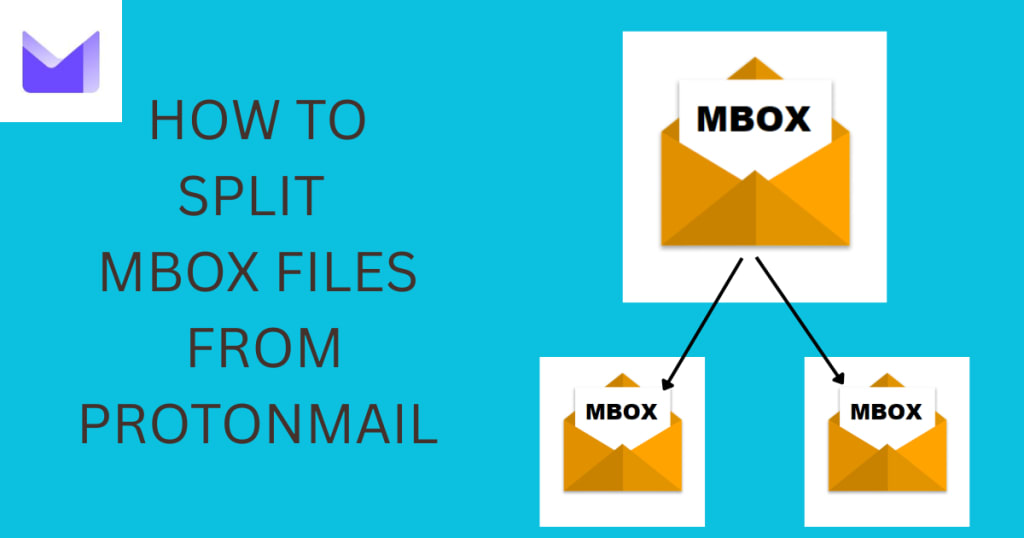
ProtonMail is an amazing email service that focuses on security and privacy. It is always a good idea to split Mbox files from ProtonMail on the basis of date or size to manage the content effectively. As your email data increases in size, it can become really difficult to manage. In this blog, we will discuss two methods of splitting MBOX Messages from ProtonMail, mainly manual and automatic methods, and also talk about a great solution to make your tasks easy.
Why do we Need to Divide the MBOX Files of ProtonMail?
Management of big MBOX files can be challenging because of their size and complexity. Other important points of MBOX Files from ProtonMail are as follows:
- Better organization: You can never go wrong with well-organized, smaller-sized files.
- Faster Email: Smaller files mean mail clients receive and send your emails quicker.
- Safe: The smaller the file size, the better chance of 'full recovery' on corrupt or damaged data.
Tricks to Split MBOX Files from ProtonMail
Here, we will now talk about various methods to Divide Mbox Files from ProtonMail. We can use both the manual as well as the automated approaches. Here we will mention all the possible methods to do this in the best way possible.
Manual Process to Divide Mbox Files from ProtonMail Using Thunderbird
About the Email client: Thunderbird is A free email client for reading and storing your MBOX files. You can segregate MBOX Files out of ProtonMail using Filters. Here are the steps:
Export emails in ProtonMail:
- God to your ProtonMail account.
- Export emails in MBOX with the ProtonMail Import/Export tool.
Install Thunderbird:
- Install Mozilla Thunderbird on your computer.
- Set up Thunderbird with a dummy local mail account.
Import MBOX File:
- You could import the ProtonMail MBOX file into Thunderbird using an add-on like ImportExportTools NG.
Create Filters to Divide Emails:
- Go to Tools > Message Filters to create a new filter.
- Set the rules you want to use to automatically organize emails, like part of the date, or anything related to the keyword.
- Place emails that fit your description into side folders.
Export Filtered Emails:
- Export the folders and turn them into MBOX format with the ImportExportTools NG add-on for Thunderbird.
Limitations:
- Run time is high for bigger datasets.
- Requires technical knowledge.
- Only available for manual split criteria.
Technique to Split Mbox Files from ProtonMail Using Professional Mbox Splitter Software
There is an advanced solution that can be used to break the MBOX file. To make things easier and more efficient, go for SysTools MBOX Splitter Tool. This will turn out helpful for you if you want to split MBOX Files from ProtonMail quickly and accurately.
Follow These to Use SysTools MBOX Splitter Software:
Download and Install:
- Go to the official website and load the Mbox Splitter Tool.
- Follow the prompt to install the software.
Add MBOX File:
- Open the tool and tap on "Add File."
- Choose the MBOX file exported from ProtonMail.
Choose Splitting Criteria:
- Choose a split rule, by date, size, or file/folder name.
- E.g., if you want to split one date, give start and end dates.
Set Output Location:
- Select a folder for the split files to be saved to.
Start Splitting Process:
- Click "Start" to split.
- The application will create numerous tiny-size MBOX files based on the set criteria.
- Fast and Accurate: Processes large-size files quickly and without data loss.
- Easy and Simple to use: Simple User Interface, users can easily use it.
- Extra Conditions: Allows split by date, size, folder, or number of emails.
Benefits of Using a Professional Mbox Splitter Software to Split Mbox Files from ProtonMail:
Guidelines to Separate MBOX Files from ProtonMail
- Take Backup of Original: First of all, need to take backup from the original ProtonMail data with all details.
- Logical Conditions: Select splitting conditions that reflect your workflow, for instance, particular date intervals or project groups.
- Check Split Files: Make sure the split files are complete and error-free.
Challenges and Solutions in the Process to Split Mbox Files from Protonmail:
When you are trying to split MBOX Files of ProtonMail some difficulties will come in front of you like big file size, data loss issues, incomplete splits etc. Risks in MBOX Splitting -Handling such large files is quite risky, so to avoid that use a professional MBOX Splitter Tool which makes splitting easier and trouble free.
Conclusion
Dealing with huge Mbox Files from ProtonMail is not convenient, but it is always a good idea to split Mbox files from ProtonMail into smaller and sorted files in order to make the process manageable. Manual ways such as Thunderbird can be used for small-size databases but, for large-scale processing, one needs to have a professional tool like SysTools Mbox Splitter Tool. Whether you are using it for personal or professional purposes, Mbox Files splitting from ProtonMail provides easy email management and increases productivity.
About the Creator
Enjoyed the story? Support the Creator.
Subscribe for free to receive all their stories in your feed.
Comments
There are no comments for this story
Be the first to respond and start the conversation.