
How to Move Data Workloads to the Cloud Without Rebuilding Everything
A practical approach to modernizing data infrastructure while preserving the systems and processes that already work.

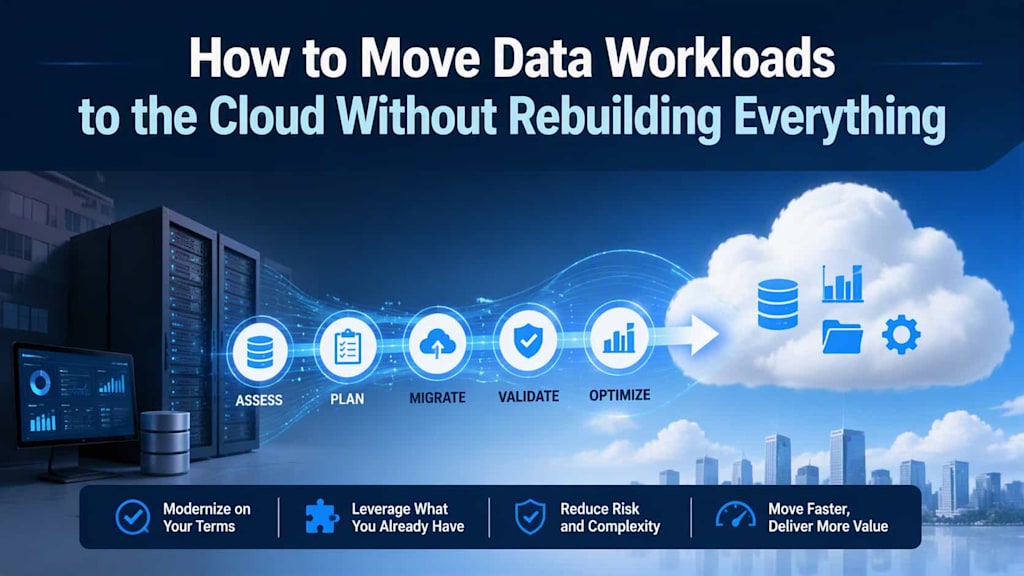
Moving data workloads to the cloud is often presented as an opportunity to start from scratch. Organizations are encouraged to replace legacy platforms, redesign data architectures, rewrite pipelines, and adopt entirely new technologies at the same time.
For many businesses, that approach is unnecessary and too disruptive.
Existing data environments often contain years of business logic, integrations, reporting processes, and operational knowledge. Rebuilding everything during a cloud migration can introduce risks that have little to do with the actual objective: gaining more scalable, flexible, and manageable infrastructure.
A better approach is to determine which components need to change, which can move with minimal modification, and which should be improved gradually after migration.
Start With the Existing Data Environment
Before selecting cloud services, organizations should create a clear inventory of their current data workloads.
This includes databases, data warehouses, ETL and ELT pipelines, file repositories, reporting platforms, APIs, scheduled jobs, data quality processes, and applications that depend on them.
The goal is to understand how data actually moves through the organization rather than relying only on architectural diagrams.
Some workloads may be tightly coupled to specific infrastructure. Others may already be portable. A database might support several applications while a reporting pipeline depends on a particular data format or scheduled process.
Mapping these relationships helps identify dependencies that could otherwise cause problems during migration.
It is also useful to classify workloads according to business importance. Critical operational data systems may require a carefully staged migration, while development environments or historical datasets may be easier to move first.
Separate Migration From Modernization
One of the most important principles of cloud migration is to avoid treating migration and modernization as the same project.
Migration means moving an existing workload to a new infrastructure environment with as few changes as practical. Modernization means changing the architecture, technologies, or processes to gain additional benefits.
These activities can happen together, but they do not have to.
For example, a company might move an existing database to cloud infrastructure without immediately replacing its data processing framework. Once the workload is operating reliably in the cloud, the organization can evaluate whether specific components should be redesigned.
This separation reduces project complexity and makes it easier to identify the source of problems. If an application fails immediately after migration, the team has fewer variables to investigate when the architecture has remained largely unchanged.
Choose the Right Migration Strategy for Each Workload
Not every workload needs the same migration method.
A rehost approach moves a workload with minimal changes. This can be useful when the immediate priority is infrastructure relocation.
A replatform approach introduces selected improvements without fundamentally changing the application or data architecture. For example, a database might move to a managed cloud service while applications continue to use the same logical data model.
A refactor or redesign involves more substantial architectural changes. This can provide greater long-term benefits but usually requires more planning, development, testing, and business involvement.
Organizations should choose among these approaches workload by workload rather than imposing one strategy across the entire environment.
For instance, a stable reporting database might be replatformed, while a heavily constrained legacy processing system may initially be rehosted and modernized later.
Preserve Business Logic That Still Works
Data systems often contain business rules that are not obvious from technical documentation.
A transformation pipeline may include special handling for customer categories. A reporting process may contain calculations developed over many years. An integration may depend on a particular sequence of events.
Rewriting these components simply because the organization is moving to the cloud can introduce subtle changes in business behavior.
Instead, teams should identify which logic is essential and preserve it during the initial migration whenever possible.
This is particularly relevant when moving existing data workloads onto Google Cloud, where organizations can combine infrastructure migration with selected use of managed services without necessarily redesigning every application at once.
The key is to treat existing business logic as an asset that must be understood before it is replaced.
Build a Dependency Map Before Moving Data
Dependencies are one of the biggest sources of migration surprises.
A single database may feed several dashboards, applications, APIs, exports, and downstream data pipelines. Moving it without understanding those connections can interrupt processes that were not included in the original migration plan.
A dependency map should show:
Data sources and destinations
Applications connected to each system
Batch and streaming pipelines
Reporting and analytics dependencies
Authentication and access requirements
External integrations
Data retention and compliance requirements
This map can then be used to determine migration waves.
Rather than moving an entire data environment simultaneously, organizations can group related workloads and migrate them in controlled stages.
Use Validation Before and After Migration
Data migration should be treated as a validation exercise, not simply a transfer of files or databases.
Before migration, teams should establish baseline measurements for important datasets and processes. These might include record counts, transaction totals, aggregation results, processing times, and key reporting figures.
After migration, the same measurements can be compared.
Automated validation is particularly useful for large datasets. It can identify missing records, duplicated data, changed values, broken relationships, or unexpected transformation differences.
Functional testing is equally important. A technically successful database transfer does not guarantee that applications, dashboards, or scheduled jobs will continue to work correctly.
Keep the Old Environment Temporarily
A controlled transition period can reduce risk.
Instead of immediately shutting down the existing environment, organizations can maintain it while validating the cloud workload. Depending on the architecture, data may be synchronized between environments during part of the migration.
This provides a fallback option if a significant problem appears.
The duration of this transition should be defined in advance. Keeping duplicate infrastructure indefinitely increases costs and creates uncertainty about which environment is authoritative.
A clear cutover plan should specify validation criteria, responsible teams, rollback conditions, and the point at which the legacy environment can be retired.
Modernize Where the Business Benefit Is Clear
Once workloads are running successfully in the cloud, organizations can begin evaluating modernization opportunities.
Managed databases may reduce operational maintenance. Cloud-native storage can simplify data management. Serverless processing may eliminate infrastructure administration for certain workloads. Modern analytics services can make data more accessible to business teams.
However, modernization should still be driven by a specific problem or opportunity.
For example, a data pipeline that regularly requires manual intervention may justify redesign. A reporting platform with slow refresh cycles may benefit from a different processing architecture.
In other cases, the existing architecture may already be reliable and economical enough to leave unchanged.
This is where redesigning the data layer around existing systems can become a targeted optimization rather than a mandatory part of the migration itself.
Plan for Security and Governance From the Beginning
Moving data to the cloud does not eliminate governance responsibilities.
Organizations need to review access controls, encryption, identity management, data classification, retention policies, logging, monitoring, and regulatory requirements.
Permissions should follow the principle of least privilege, and sensitive datasets should receive appropriate protection throughout migration and after cutover.
Governance should also account for temporary migration infrastructure. Data may exist in staging areas, transfer locations, backups, or temporary databases during the transition.
These environments should receive the same level of attention as production systems.
Measure the Results After Migration
A successful cloud migration should be measured against business and technical objectives.
Relevant metrics can include infrastructure costs, system availability, processing times, data pipeline reliability, deployment speed, operational workload, and recovery capabilities.
Teams should compare these results with the baseline established before migration.
This helps determine whether the migration delivered the expected benefits and identifies areas where additional modernization could provide value.
It also prevents organizations from assuming that cloud adoption automatically produces better outcomes. The technology is an enabler; the results depend on how workloads are designed, operated, and managed.
Conclusion
Moving data workloads to the cloud does not require rebuilding the entire data environment at once. In many cases, the safest and most practical approach is to separate migration from modernization, understand dependencies, preserve valuable business logic, and move workloads in controlled stages.
Rehosting or replatforming can provide a stable foundation, while modernization can follow where there is a clear operational or business benefit.
By treating cloud migration as a phased transformation rather than a complete architectural reset, organizations can reduce disruption, protect existing investments, and create a path toward a more flexible data environment without taking unnecessary risks.
About the Creator
Chudovo
Chudovo is a custom software development company, focused on complex systems implementation.
Enjoyed the story? Support the Creator.
Subscribe for free to receive all their stories in your feed.
Comments
There are no comments for this story
Be the first to respond and start the conversation.