
How to Modernize a Magento Store Without Breaking ERP and PIM Integrations
Upgrade your Magento storefront while keeping ERP, PIM, CRM, WMS, payment, and custom integrations stable.

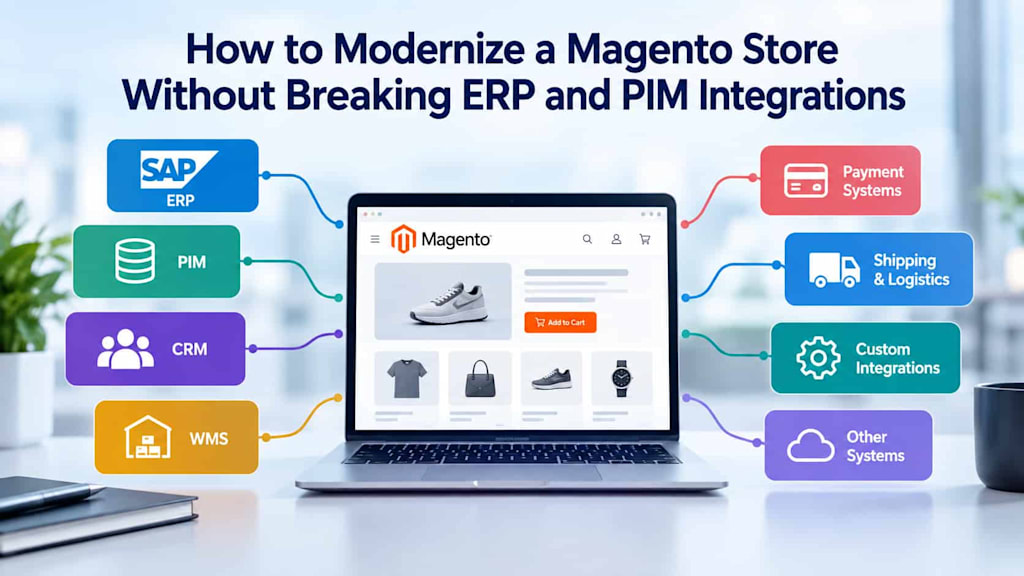
Modernizing a Magento store can improve performance, security, scalability, and customer experience. However, an eCommerce platform rarely operates in isolation. Behind the storefront, Magento may exchange thousands of records with SAP or another ERP, a PIM, CRM, WMS, payment gateways, shipping platforms, analytics tools, and custom business applications.
This interconnected environment makes modernization more complex than simply upgrading Magento or replacing outdated modules. A change to the catalog structure, checkout process, API behavior, or data model can affect multiple downstream systems. The goal is therefore not just to modernize the storefront, but to evolve the entire integration environment without interrupting business-critical processes.
A successful Magento integration modernization project starts with understanding dependencies, documenting data flows, validating API compatibility, and testing integrations before changes reach production.
Start With Dependency Mapping
Before modifying Magento, create a complete map of the systems connected to the store. This should include both officially documented integrations and less visible connections created by custom modules, scripts, scheduled jobs, or middleware.
Typical dependencies include:
ERP and SAP systems for orders, inventory, pricing, customers, and financial data
PIM platforms for product information, attributes, categories, and media
CRM systems for customer profiles and sales data
WMS platforms for inventory, fulfillment, and shipment updates
Payment gateways and fraud-prevention services
Shipping and tax providers
Marketing automation and analytics platforms
Custom APIs, webhooks, extensions, and scheduled data transfers
For each connection, document the systems involved, integration method, API version, authentication method, data format, synchronization frequency, and business purpose.
It is also important to identify which system is the source of truth for each data type. For example, the PIM may control product descriptions while the ERP controls inventory and pricing. Without this distinction, modernization can introduce duplicate or conflicting data.
Document the Critical Data Flows
Dependency mapping tells you what is connected. Data-flow mapping explains how information moves between those systems.
Create diagrams for important processes such as product creation, inventory synchronization, order processing, customer registration, payment confirmation, shipment updates, and returns.
Consider a typical order flow. A customer places an order in Magento, the payment provider authorizes the transaction, Magento sends the order to the ERP, the ERP passes fulfillment information to the WMS, and shipment data eventually returns to Magento. A change at any point could potentially interrupt the entire process.
For every flow, identify:
Where the data originates
Which system transforms it
Where it is stored
Which API or integration mechanism transports it
What happens if the transfer fails
How the transaction is retried or recovered
This exercise often reveals undocumented dependencies that would otherwise become problems during deployment.
Check API Compatibility Before Refactoring
API compatibility should be evaluated before changing Magento modules or integrations. Modernization may involve upgrading Magento, replacing custom extensions, moving from legacy interfaces to REST or GraphQL APIs, or introducing middleware.
Do not assume that an API returning the same general information will behave identically after an upgrade. Changes in authentication, field names, response structures, validation rules, pagination, error handling, or rate limits can affect connected applications.
Create an API compatibility matrix for critical integrations. Record the current endpoint, request and response structure, authentication requirements, expected data types, and dependent applications. Then compare these requirements against the target architecture.
If an external system cannot immediately support the new interface, an integration layer or adapter can provide a temporary compatibility boundary. This approach allows the Magento store to evolve without forcing every connected system to change simultaneously.
Protect Data Integrity During the Transition
Modernization projects should establish clear rules for data synchronization. Running old and new processes simultaneously without proper controls can create duplicate orders, conflicting inventory quantities, or inconsistent customer records.
For critical data, consider implementing:
Unique transaction and entity identifiers
Idempotent API operations
Timestamp or version-based synchronization
Retry mechanisms with controlled backoff
Dead-letter queues for failed messages
Validation before data is written
Audit logs for important transactions
Idempotency is particularly important for orders and payments. If a request is retried after a network failure, the integration should recognize that the transaction has already been processed instead of creating a duplicate record.
Data reconciliation should also be part of the modernization plan. After migration or synchronization, compare key records between systems to confirm that orders, inventory, products, customers, and other critical entities remain consistent.
Use Integration Testing, Not Just Functional Testing
A Magento upgrade can pass storefront tests while still breaking the business processes behind it. Testing must therefore cover the complete integration landscape.
Build an integration test environment that closely resembles production. Test realistic workflows rather than isolated API calls.
For example, an order test should verify the entire sequence from checkout through payment authorization, ERP order creation, inventory reservation, WMS processing, and shipment confirmation.
Important scenarios include:
Successful orders and payments
Failed and declined payments
Inventory updates
Product imports from the PIM
Price and promotion synchronization
Customer creation and updates
Order cancellations
Refunds and returns
Shipment notifications
API timeouts
Invalid or incomplete data
Duplicate messages
Third-party service failures
Load testing is equally important. A connection that works correctly with a small test dataset may fail when processing thousands of products or orders.
Introduce Changes Incrementally
Avoid replacing every integration at once unless there is a compelling reason. A phased approach reduces risk and makes troubleshooting easier.
For example, the team could first modernize the Magento application layer while keeping existing ERP and PIM interfaces intact. Once the new storefront is stable, individual integrations can be migrated or refactored one at a time.
Feature flags, adapters, middleware, and parallel processing can provide additional safety during the transition.
For particularly critical integrations, consider a controlled rollout. Start with internal users or a limited percentage of traffic, monitor the results, and gradually increase exposure.
Monitor Integrations After Deployment
Modernization does not end when the new Magento version goes live. Integration monitoring should continue throughout the stabilization period.
Track API errors, synchronization delays, failed messages, queue sizes, payment failures, inventory discrepancies, and unexpected changes in transaction volumes.
Business-level monitoring is especially valuable. Technical monitoring may show that an API is responding successfully while the business process is still incorrect. For example, an inventory synchronization could complete without errors but contain incorrect quantities.
Establish clear alerts and ownership for each critical integration. Teams should know who investigates an ERP synchronization failure, a payment issue, or a PIM import problem and how the process can be recovered.
Prepare a Rollback and Recovery Strategy
Even well-tested modernization projects can encounter unexpected production issues. A rollback plan should therefore be designed before deployment.
Document how to restore the previous Magento version, disable a new integration, replay failed messages, recover database records, and reconcile transactions created during the transition.
Backups should be verified rather than simply assumed to work. Recovery procedures should also be tested in a controlled environment.
The safest modernization strategy is one that assumes failures can occur and provides a controlled way to recover from them.
Conclusion
Modernizing a Magento store without disrupting ERP, PIM, CRM, WMS, payment, and custom integrations requires more than a successful platform upgrade. The key is to treat the store as part of a larger technology ecosystem.
Dependency mapping reveals hidden relationships, data-flow documentation clarifies how business information moves, and API compatibility checks prevent unexpected integration failures. Comprehensive integration testing validates complete business processes, while phased deployment, monitoring, and rollback procedures reduce operational risk.
With a structured approach, businesses can modernize their Magento environment while preserving the integrations that keep commerce, inventory, fulfillment, payments, and customer operations running reliably.
About the Creator
Chudovo
Chudovo is a custom software development company, focused on complex systems implementation.
Enjoyed the story? Support the Creator.
Subscribe for free to receive all their stories in your feed.
Comments
There are no comments for this story
Be the first to respond and start the conversation.