
How to install MovieBox Pro for Android with vShare
A to Z Guides for Android Smart Phone and Tab Users

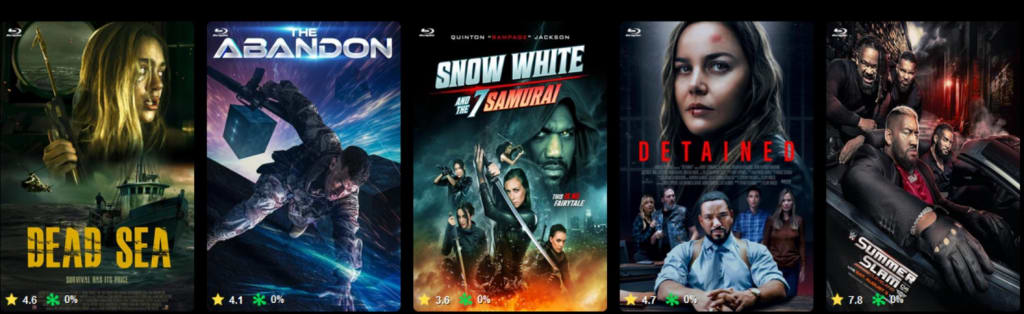
Yes, MovieBox Pro is compatible with Android devices. The application is accessible on various Android versions and devices, enabling to stream both movies and television shows. Below are some specifics regarding its compatibility and installation steps. Keep in mind, This application is not available with Play Store and App Store. Please follow our compete guides to download and install application for Android Device.
Compatibility
- Android Version: MovieBox Pro typically supports devices with Android 5.0 (Lollipop) and newer. For optimal performance, it is advisable to use a device with a more current Android version.
- Device Types: It can be used on smartphones, tablets, and even Android TV devices.
- Internet Connection: A reliable internet connection is essential for smooth streaming of content.
How to Install MovieBox Pro on Android
1. Download the APK File:
- Visit the official MovieBox Pro website or a reliable source to get the APK file.
- Make sure that the source is secure and free from malware.
2. Enable Installation from Unknown Sources:
- Navigate to Settings > Security (or Privacy).
- Enable Unknown Sources or Allow Installation from Unknown Apps for your browser or file manager.
3. Install the APK:
- Open the downloaded APK file found in your Downloads folder.
- Follow the on-screen instructions to finish the installation.
4. Launch and Sign In:
- Open MovieBox Pro from your app drawer.
- Create an account or log in to access the available content. Some functionalities may require a VIP subscription.
Features for Android Users
- High-Quality Streaming: Watch content in HD or 4K, contingent on your device and subscription level.
- Offline Mode: Download movies and shows for viewing without an internet connection.
- Customizable Settings: Modify playback quality and subtitle settings to meet your needs.
MovieBox Pro is a widely used app for streaming movies and television programs. To download MovieBox Pro for Android through vShare, adhere to the following procedures:
Important Note
- Ensure Legality: Verify that MovieBox Pro is legal in your area and complies with copyright regulations before continuing.
- Allow Installation from Unknown Sources: Android devices need this setting enabled to install applications not sourced from the Google Play Store.
Steps to Download MovieBox Pro via vShare
1. Install vShare App:
o Go to the official vShare website from your Android device.
o Download the vShare APK file.
o Open your Android settings:
- Go to Security or Privacy.
- Enable Install Unknown Apps or Allow Installation from Unknown Sources for your browser.
2. Install vShare:
o Find the downloaded vShare APK file in your Downloads folder.
o Tap the file to start the installation process.
o Follow any on-screen instructions to complete it.
3. Search for MovieBox Pro:
o Launch the vShare app after installing it.
o Use the search feature to find " MovieBox Pro "
o Choose the correct application from the search results.
4. Download and Install MovieBox Pro:
o Press the "Download" or "Install" button within the vShare application.
o Once the download finishes, the MovieBox Pro APK will be saved in your device’s Downloads or vShare Downloads folder.
o Tap on the MovieBox Pro APK file to install it.
5. Open MovieBox Pro:
o After installation, open the app.
o You might need to log in or create an account to access the content.
Troubleshooting
• If the installation does not succeed, ensure that:
o Your device has adequate storage space.
o Unknown sources are enabled.
o The APK file is not damaged (consider redownloading if necessary).
General Tips
• Install Alternatives: If you consistently face installation issues, look into other applications like Popcorn Time or Kodi (ensure they are legal in your area).
• Check for Malware: If you acquired the APK from an untrustworthy source, scan your device using antivirus software.
For any ongoing issues, specify the exact problem or error message, and I will provide more detailed troubleshooting assistance.
About the Creator
sadbal
I am Developer and Secretary and Teacher, Interesting with many ares.
Enjoyed the story? Support the Creator.
Subscribe for free to receive all their stories in your feed.
Comments
There are no comments for this story
Be the first to respond and start the conversation.