
How to Digitize Municipal Inspection and Field Service Workflows
A practical guide to replacing manual processes with connected mobile tools, automated workflows, and real-time operational data.

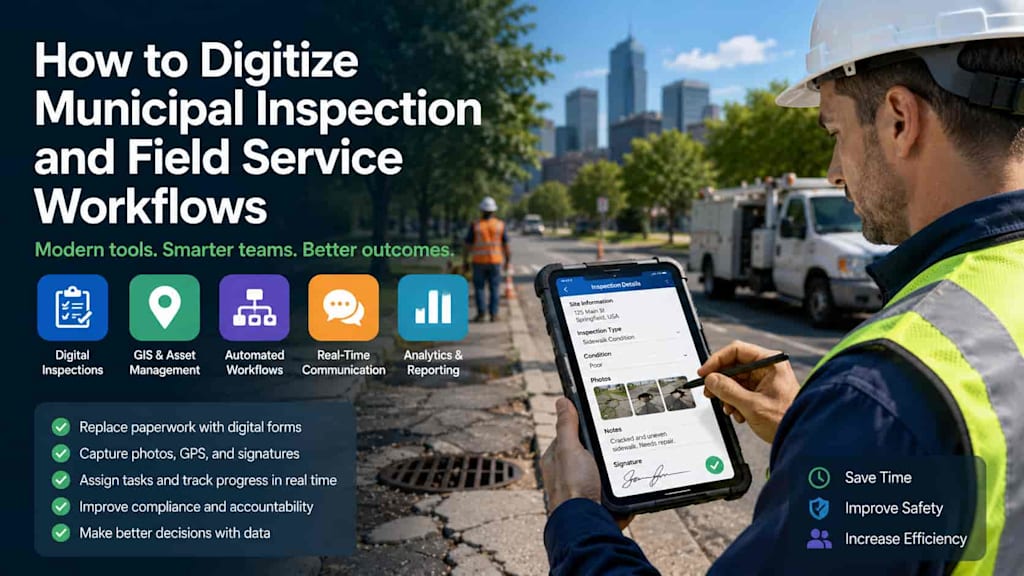
Municipalities rely on inspection and field service teams to maintain public infrastructure, enforce regulations, monitor facilities, and respond to issues across cities and communities. Inspectors may check roads, buildings, parks, utilities, construction sites, public spaces, and other assets every day.
However, many municipal workflows still depend heavily on paper forms, spreadsheets, phone calls, emails, and disconnected software systems. These processes can slow down inspections, create duplicate work, increase the risk of errors, and make it difficult for managers to understand what is happening in the field.
Digitization can change this approach. By connecting mobile applications, centralized workflow platforms, GIS data, automation, and analytics, municipalities can improve how field teams collect information, manage tasks, and coordinate follow-up activities.
This article explains how to digitize municipal inspection and field service workflows, what technologies to use, and how to implement a successful transformation.
Understand Existing Municipal Workflows
Before selecting software or building a custom solution, municipalities should analyze their current processes.
A typical inspection workflow may involve several steps:
A task is created by a manager or generated from a schedule.
The inspector receives the assignment.
The inspector travels to the location.
Information is collected using paper forms or separate digital tools.
Photos and notes are attached manually.
The completed report is returned to the office.
Data is entered into another system.
A follow-up task is created if action is required.
This process may involve unnecessary delays and multiple manual data transfers. Mapping the existing workflow helps identify where information is lost, duplicated, or delayed.
The goal should not simply be to replace paper with an electronic form. Municipalities should redesign processes to eliminate unnecessary steps and create a continuous flow of information between field workers, supervisors, departments, and operational systems.
Create Mobile-First Inspection Tools
Field employees need technology that works where the job takes place. A mobile application can provide inspectors and service teams with access to assignments, forms, maps, asset information, and historical records directly from a smartphone or tablet.
A typical mobile inspection application may include:
Daily task lists
Digital inspection checklists
Dynamic forms
Photo and video capture
GPS location tracking
Barcode or QR code scanning
Electronic signatures
Voice-to-text notes
Offline functionality
Automatic report generation
Digital forms can also adapt based on user input. For example, if an inspector identifies a safety violation, the application can automatically display additional questions, request photographs, and require the user to assign a severity level.
This approach reduces unnecessary data entry and helps ensure that inspectors collect complete and consistent information.
Connect Inspections with GIS and Asset Data
Location is a critical component of municipal operations. Integrating inspection software with GIS technology allows field workers to see tasks and assets on an interactive map.
An inspector can navigate directly to a specific location, review previous inspections, and access information about nearby infrastructure.
GIS integration can support the management of:
Roads and sidewalks
Streetlights
Water and utility assets
Public buildings
Parks and recreational facilities
Waste collection infrastructure
Construction and development sites
Location-based data also helps managers identify patterns. If multiple inspections reveal recurring problems in the same district, the municipality can investigate whether a broader infrastructure or operational issue is responsible.
Automate Task Assignment and Workflow Management
Manual task assignment can become inefficient when municipalities manage large numbers of inspections and service requests.
A digital workflow platform can automatically route tasks based on predefined rules. Assignment criteria may include location, department, employee skills, workload, priority, and service-level deadlines.
For example, a high-priority infrastructure issue can automatically be assigned to the nearest available field team. If the task is not completed within the required timeframe, the system can notify a supervisor or escalate the request.
Automation can also create follow-up tasks. If an inspection identifies damaged infrastructure, the platform can automatically generate a maintenance request and send it to the responsible department.
This is an important step toward helping municipalities digitize day-to-day municipal operations while reducing manual coordination and improving visibility across departments.
Enable Real-Time Communication
Field service work often requires fast communication between employees and supervisors. Traditional communication methods may leave important information scattered across phone calls, emails, and messaging applications.
A centralized platform can provide task-specific communication, allowing users to exchange comments, photos, documents, and updates within the relevant work order or inspection record.
Supervisors can monitor progress in real time and respond when field workers need assistance.
Notifications can also alert employees about:
New assignments
Changes in task priority
Upcoming deadlines
Emergency incidents
Additional information requests
Completed or cancelled work orders
Centralized communication creates a clearer record of operational activity and reduces the risk that important information will be lost.
Support Offline Work in the Field
Municipal employees may work in areas with unreliable or limited internet access. Inspection applications should therefore support offline functionality.
Users should be able to access assigned tasks, complete forms, capture photos, and record notes without a connection. Once connectivity becomes available, the application can synchronize the collected data with the central platform.
Offline capabilities are particularly important for inspections in underground facilities, remote areas, large parks, construction zones, and other locations where mobile connectivity may be inconsistent.
A well-designed synchronization process should prevent duplicate records and clearly resolve conflicts if multiple users modify the same information.
Integrate with Existing Municipal Systems
Municipal workflow software should not become another isolated system.
Depending on the municipality, the inspection platform may need to integrate with:
Asset management systems
Geographic information systems
Citizen reporting platforms
CRM solutions
Enterprise resource planning software
Document management systems
Financial systems
IoT platforms
Open data portals
APIs can help different systems exchange information automatically.
For example, a citizen report about a damaged streetlight can create an inspection task. The inspector can verify the problem, update the asset record, and generate a maintenance work order without requiring employees to enter the same information into several separate systems.
Integration creates a more complete digital environment and improves the value of existing municipal technology investments.
Use Analytics to Improve Performance
Digital workflows generate valuable operational data. Municipalities can analyze this information to understand how efficiently inspections and field services are performed.
Useful metrics may include:
Number of inspections completed
Average inspection duration
Travel time between tasks
Number of violations or defects identified
Average resolution time
Missed service-level deadlines
Employee workload
Recurring infrastructure problems
Dashboards can provide managers with real-time visibility into ongoing operations.
Over time, historical data can support predictive maintenance and better resource planning. For example, if certain assets repeatedly require repairs, the municipality may decide to replace them rather than continue performing reactive maintenance.
Focus on Security and Access Control
Municipal inspection platforms may store sensitive operational information, employee data, photographs, infrastructure records, and regulatory documentation.
Security should therefore be incorporated into the system architecture from the beginning.
Important measures include secure authentication, role-based access control, encrypted communications, audit trails, secure API design, device management, and regular security testing.
Different users should only have access to the information required for their responsibilities. For example, an inspector may update assigned tasks, while a department manager can access reports and performance analytics.
Audit logs can also provide a record of who created, modified, approved, or closed an inspection.
Implement Digitization Gradually
A large-scale digital transformation project does not need to start with every municipal department.
A practical approach is to begin with one high-impact workflow, such as road inspections, building inspections, or maintenance requests. The municipality can develop a pilot project, collect feedback from field employees, and refine the solution before expanding it.
The implementation process may include:
Analyzing existing workflows
Identifying operational bottlenecks
Defining business and technical requirements
Designing mobile and administrative interfaces
Developing a minimum viable product
Testing the platform with real field teams
Training employees
Measuring results and collecting feedback
Expanding to additional departments
The objective is to move inspections from paperwork to digital workflows in a way that improves the daily experience of employees rather than simply introducing another layer of technology.
Successful adoption also depends on change management. Field workers should be involved in testing the application because they understand the practical challenges of working outside the office.
Conclusion
Digitizing municipal inspection and field service workflows can improve efficiency, transparency, data quality, and coordination across local government departments. Mobile applications allow inspectors to collect information directly at the source, while centralized platforms automate task assignment, connect field teams with supervisors, and provide real-time visibility into operations.
The most effective solutions combine mobile technology, GIS integration, workflow automation, offline functionality, security, and analytics. Rather than attempting to transform every process at once, municipalities can begin with a focused pilot and gradually expand the platform based on real operational needs.
A well-designed digital workflow system can reduce paperwork, eliminate duplicate data entry, improve response times, and provide decision-makers with better information. Ultimately, digitization helps municipal organizations deliver more efficient and reliable services to the communities they serve.
About the Creator
Chudovo
Chudovo is a custom software development company, focused on complex systems implementation.
Enjoyed the story? Support the Creator.
Subscribe for free to receive all their stories in your feed.
Comments
There are no comments for this story
Be the first to respond and start the conversation.