
How To Build a CI/CD Pipeline for a SaaS Product from Scratch
A practical roadmap to designing, automating, and scaling a reliable CI/CD pipeline for modern SaaS applications

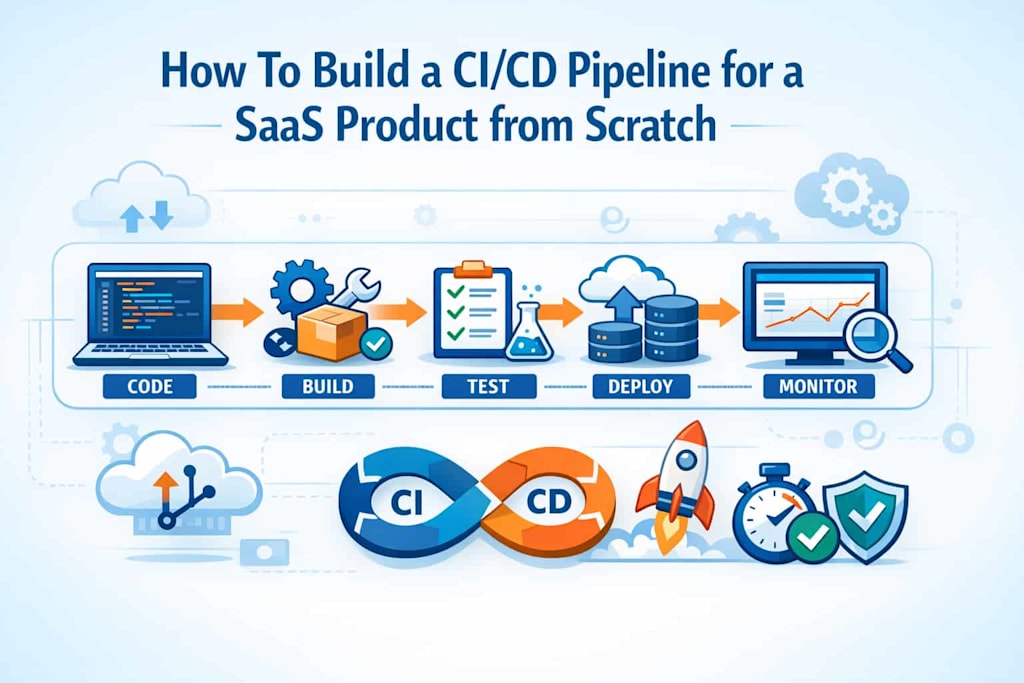
Building a CI/CD pipeline from scratch for a SaaS product is not just a technical task—it’s a strategic investment in speed, quality, and scalability. In today’s competitive landscape shaped by evolving SaaS trends, companies are expected to deliver features faster, maintain stability, and continuously improve user experience. A well-designed CI/CD (Continuous Integration and Continuous Delivery) pipeline enables exactly that.
This article walks through the process of designing and implementing a CI/CD pipeline tailored for SaaS products. It covers architecture decisions, tooling, automation strategies, and operational considerations. Whether you're launching a startup MVP or scaling an enterprise SaaS platform, this is a practical, experience-driven guide.
Understanding CI/CD in the Context of SaaS
Before diving into implementation, it’s essential to understand how CI/CD fits specifically into SaaS environments.
Unlike traditional software, SaaS products are continuously deployed and consumed in real time. This means:
- Frequent updates without downtime
- Multi-tenant architecture considerations
- Continuous monitoring and feedback loops
- Rapid rollback capabilities
CI/CD pipelines enable teams to automatically build, test, and deploy code changes. Continuous Integration ensures that code changes are merged and validated frequently, while Continuous Delivery (or Deployment) automates the release process.
This process is a core driver of IT innovation, allowing teams to experiment, iterate, and deliver improvements quickly without compromising stability.
A typical SaaS CI/CD pipeline includes:
- Source control integration
- Automated builds
- Testing layers (unit, integration, e2e)
- Artifact management
- Deployment automation
- Monitoring and rollback mechanisms
Understanding these components helps define the blueprint for your pipeline.
Designing the Pipeline Architecture
The first step in building your CI/CD pipeline is designing its architecture. This determines how code flows from development to production.
Source Control and Branching Strategy
Start with a version control system like Git. Your branching strategy should support collaboration and automation. Common approaches include:
- Git Flow (feature, develop, release branches)
- Trunk-based development (preferred for fast-moving SaaS teams)
For SaaS, trunk-based development often works best because it minimizes merge conflicts and supports continuous delivery.
Build Automation
Your pipeline should automatically trigger builds when code is pushed. This involves:
- Compiling code
- Installing dependencies
- Running static analysis tools
Tools commonly used include GitHub Actions, GitLab CI, Jenkins, and CircleCI.
Testing Layers
Testing is critical in SaaS due to constant updates. A robust pipeline includes:
- Unit tests (fast, isolated)
- Integration tests (services working together)
- End-to-end tests (real user scenarios)
Automated testing ensures that each deployment maintains product stability, which is a cornerstone of DevOps best practices.
Artifact Management
Once code passes tests, it should be packaged into deployable artifacts such as Docker images or build bundles.
Use artifact repositories like:
- Docker Hub
- AWS ECR
- Nexus or Artifactory
This ensures consistency between environments.
Deployment Strategy
SaaS applications benefit from advanced deployment strategies:
- Blue-green deployments
- Canary releases
- Rolling updates
These approaches minimize downtime and reduce risk.
Infrastructure as Code (IaC)
Use tools like Terraform or AWS CloudFormation to manage infrastructure. This allows your pipeline to provision environments automatically.
By codifying infrastructure, you ensure reproducibility and scalability.
Implementing the CI/CD Pipeline Step-by-Step
Now let’s walk through the implementation process.
Step 1: Set Up Version Control Integration
Connect your repository to your CI/CD tool. Configure triggers such as:
- Push to main branch
- Pull request creation
- Scheduled builds
This ensures automation starts immediately when changes occur.
Step 2: Configure Build Pipelines
Define your build pipeline using configuration files (e.g., YAML).
A typical build stage includes:
- Installing dependencies
- Running linters
- Compiling code
Keep builds fast and efficient by caching dependencies and parallelizing tasks.
Step 3: Add Automated Testing
Integrate test execution into your pipeline.
Best practices include:
- Running unit tests on every commit
- Running integration tests on merge
- Running full test suites before deployment
Fail fast—if tests fail, stop the pipeline immediately.
Step 4: Containerization
Package your application using Docker. This ensures consistency across environments.
Create a Dockerfile that defines:
- Base image
- Dependencies
- Application code
- Runtime configuration
Push the built image to your container registry.
Step 5: Deployment Automation
Automate deployments using scripts or orchestration tools like Kubernetes.
Define environments such as:
- Development
- Staging
- Production
Each environment should mirror production as closely as possible.
Use environment-specific configurations for secrets and variables.
Step 6: Monitoring and Logging
Once deployed, your pipeline should integrate monitoring tools such as:
- Prometheus
- Grafana
- ELK stack
Track metrics like:
- Deployment frequency
- Error rates
- Response times
This feedback loop is essential for continuous improvement.
Step 7: Rollback Mechanisms
Failures are inevitable. Your pipeline must support quick rollbacks.
Strategies include:
- Re-deploying previous versions
- Feature toggles
- Database versioning
This ensures minimal disruption to users.
Security, Compliance, and Scalability Considerations
A CI/CD pipeline is not complete without addressing security and scalability.
Security Integration
Integrate security checks into your pipeline:
- Static Application Security Testing (SAST)
- Dependency vulnerability scanning
- Secret detection
Shift-left security ensures vulnerabilities are caught early.
Access Control
Use role-based access control (RBAC) to limit who can:
- Deploy to production
- Modify pipeline configurations
- Access sensitive data
This is especially important for SaaS platforms handling customer data.
Scalability
As your SaaS product grows, your pipeline must scale:
- Use cloud-based CI/CD tools
- Parallelize builds and tests
- Optimize resource usage
A scalable pipeline supports high deployment frequency without bottlenecks.
Multi-Tenancy Awareness
SaaS applications often serve multiple customers on shared infrastructure. Your pipeline must:
- Handle tenant-specific configurations
- Ensure data isolation
- Support staged rollouts per tenant
These considerations are critical for enterprise SaaS products.
Optimizing and Evolving Your Pipeline
Your CI/CD pipeline should evolve as your product grows.
Metrics and KPIs
Track key performance indicators such as:
- Lead time for changes
- Deployment frequency
- Mean time to recovery (MTTR)
- Change failure rate
These metrics help identify bottlenecks and improvement areas.
Continuous Improvement
Regularly review and refine your pipeline:
- Remove redundant steps
- Optimize test coverage
- Improve deployment speed
Adopting a culture of continuous improvement aligns with modern engineering excellence.
Developer Experience
A good pipeline improves developer productivity:
- Fast feedback loops
- Clear error messages
- Easy debugging
This transforms your pipeline into a true guide for developers, helping teams ship better software faster.
Tooling Evolution
Stay updated with new tools and practices. The CI/CD ecosystem evolves rapidly, and adopting new solutions can improve efficiency.
However, avoid unnecessary complexity—choose tools that align with your team’s needs.
Conclusion
Building a CI/CD pipeline for a SaaS product from scratch requires careful planning, the right tooling, and a commitment to automation. It’s not just about deploying code—it’s about creating a system that supports rapid innovation, reliability, and scalability.
From designing architecture and implementing automation to ensuring security and optimizing performance, every step plays a critical role. By following proven DevOps best practices, teams can build pipelines that accelerate delivery while maintaining high quality.
In a world driven by IT innovation and evolving SaaS trends, a robust CI/CD pipeline is no longer optional—it’s a foundational capability. Invest in it early, refine it continuously, and it will become one of your strongest competitive advantages.
About the Creator
Markus Koch
I am a professional IT consultant with 5+ years of experience.
Enjoyed the story? Support the Creator.
Subscribe for free to receive all their stories in your feed.
Comments
There are no comments for this story
Be the first to respond and start the conversation.