
Build a URL Shortener with Flask: The Ultimate Beginner’s Guide to Creating Your Own Custom Link Generator!
Learn how to build a good-looking Flask website and create a URL shortener!
When sharing a link to a website, image or even a YouTube video can be long and sometimes hard to even copy. This can make sharing faster, more efficient, and cleaner, whether you’re sending a link in an email, a message, or a social media post. This is a project which is suited for beginner with some complex features which makes it also suited for those who are intermediate using python
Final Outcome:
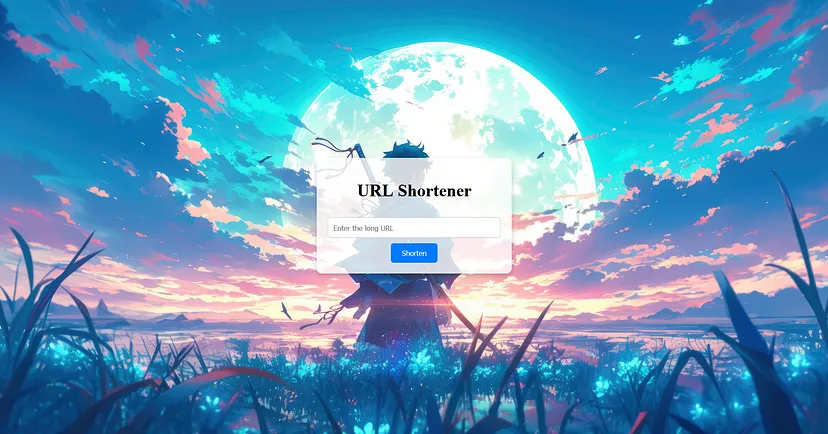
What is URL Shortener
URL shortening is a technique on the World Wide Web in which a Uniform Resource Locator (URL) may be made substantially shorter and still direct to the required page
Simply, it is a redirect of having another URL pointing to the same destination which is much shorter and easier to copy
GitHub Repo
https://github.com/xError101/Url-Shortener
Modules Needed
- Only thing you will need for this is python, preferably python3 and flask
- Download flask by “pip install flask”
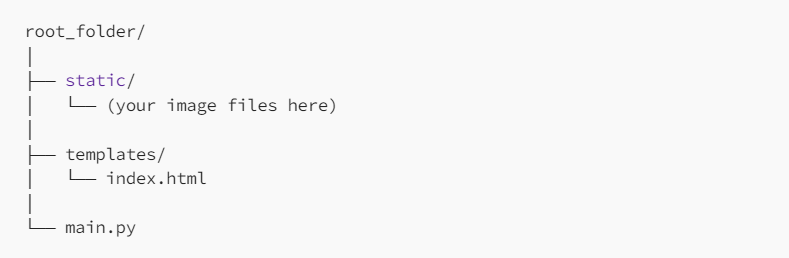
Folder Setup
You will need a root folder and under root folder, have a folder called templates inside with index.html and main.py inside root folder
Main.py
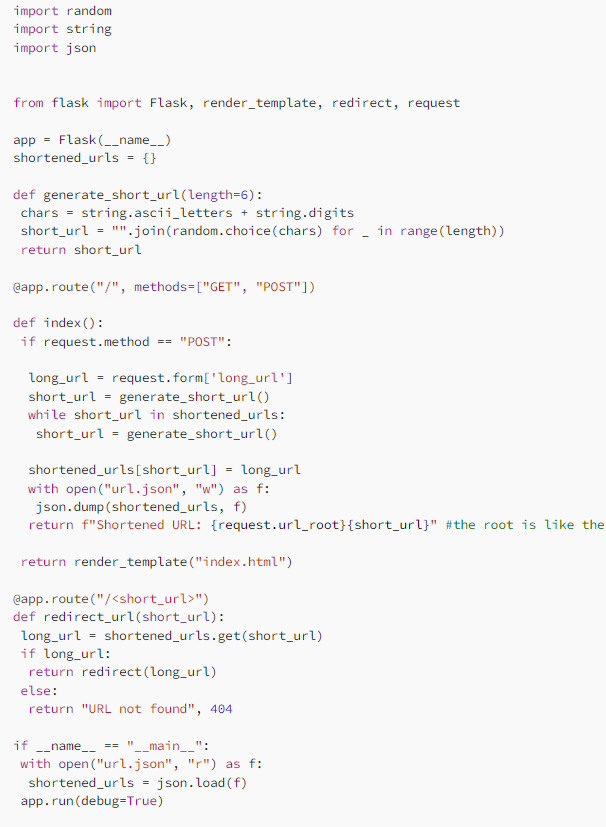
The idea of this main.py is to create an instance of flask, which is done by running main.py file. This has functions called generate_short_url, index, and redirect_url.
The generate_short_url has a parameter as the length of the redirect part consisting of 6 letters. These letters can be numbers or letters which we get from importing string. This is appended to form a random length string such as “eV2UMO”.
This app can have get or post request. If it is get request, it will just return index.html. If it is post, it will take the long url as a input. Then a variable called short_url saves the 6 letter string by calling generate_short_url function. We create a dictionary called shortened_urls which has all the short url we created. If a short_url is in that meaning if there is a duplicate, it will make another short_url until it is not a duplicate. We then use the dictionary to save short_url to long_url. This is then saved to a file called url.json which will add this to the file. It will return your domain so since I was running local host it would be “http://127.0.0.1:5000/” and then the 6 letters after e.g. “http://127.0.0.1:5000/eV2UMO”. This just returns the plain text and background is not returned.
After it has been returned, it can be used to redirect. It will check the arguement given which is the short_url after the “/”. This is checked if it is in the dictionary, if it is it will return the long_url otherwise it will say it is not found and give 404 message.
Index.html
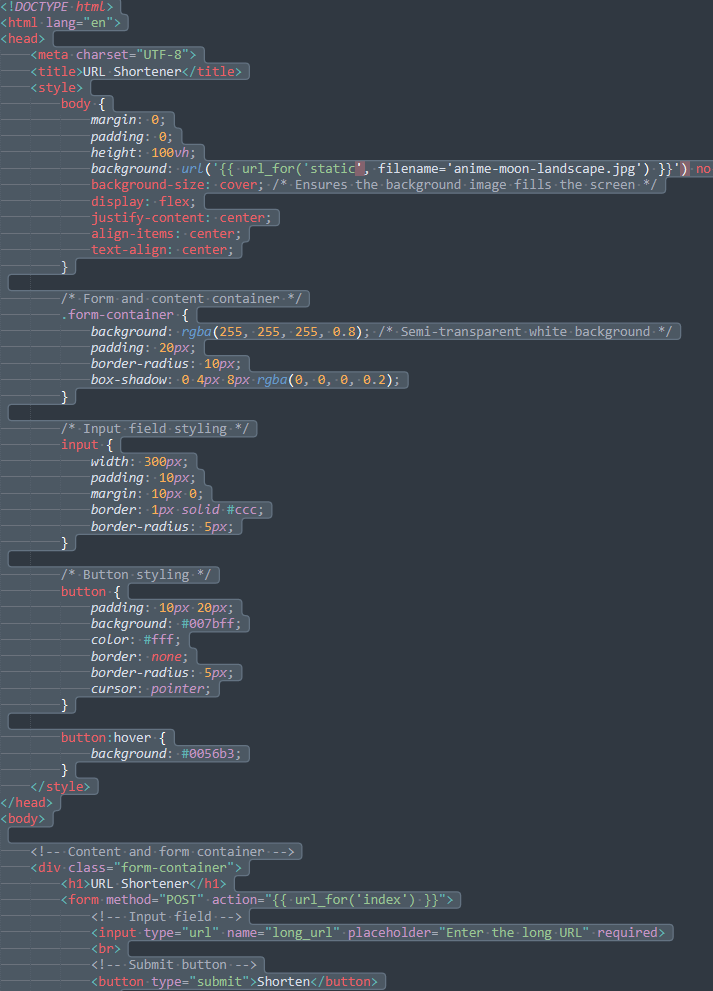
This code just sets the background image to be whatever was in static folder and creates the submit button and the form. It will send a post request on submit button and will run the index function in main.py. The rest just defines it styles and padding to make it look better.
URL.json
This dictionary stores the short_url 6 letters to long url for redirects.

Thank you so much for reading
Please follow, like and share to others and I hope this was useful when you are applying for future internship or jobs or side projects. My goal is for you to learn something new, and I look forward to seeing you in my next project.
Have a wonderful day!
About the Creator
Enjoyed the story? Support the Creator.
Subscribe for free to receive all their stories in your feed.
Comments
There are no comments for this story
Be the first to respond and start the conversation.