
Base64 to PDF Comprehensive Guide for Developers
Achieving Proficiency in Converting Base64 to PDF

In this post, we are going to discuss techniques of conversion from Base64 to PDF. We will use examples in Python, C#, and Node.js.
Base64 encoding is one popular technique that is converting binary data into a textual format. It is useful when working with PDF files, because the developer could store, transmit, or manipulate PDF data by using it in base64 format.
Find answers to other FAQs:
Can I encode base64 to PDF?
How to convert bytes to PDF?
What is Base64 for PDF?
How to convert blob to PDF online?
We will also dive into Base64 to PDF viewer methods, related searches, and practical code examples.
What Is Base64 for PDF?
Base64 is a binary-to-text encoding scheme that converts binary data, such as a PDF file, into an ASCII string. The encoded string can then be transferred or stored more easily in environments that require text-based data, such as in HTML, JSON, or databases.
When a PDF is encoded into Base64, it follows this format:
plaintext
data:application/pdf;base64,JVBERi0xLjQKJ.
This format carries a prefix including the MIME type, which is application/pdf, and it also states that the data carried by the string is Base64 encoded.
Can I convert Base64 to PDF?
Yes, base64 strings can be easily converted into PDFs. The steps to achieve this involve decoding the Base64 string back to their original binary form, then saving it as a .pdf file.
Popular Online Tools
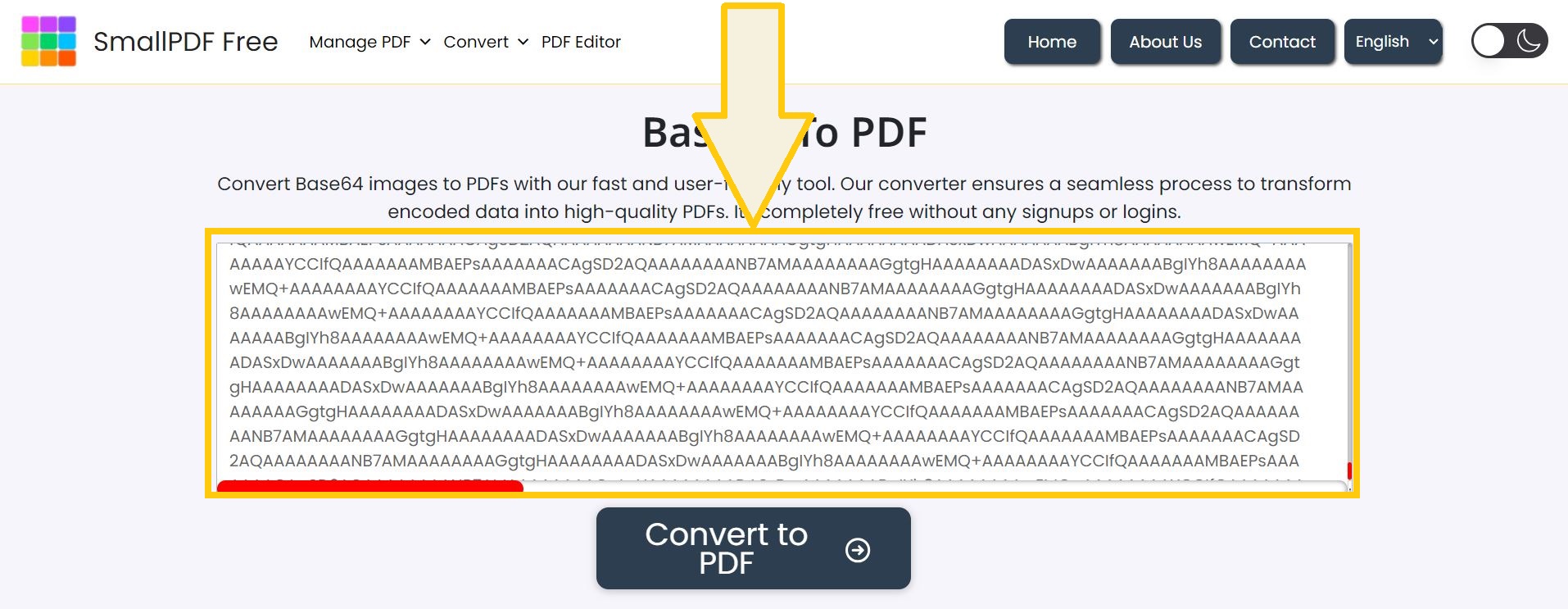
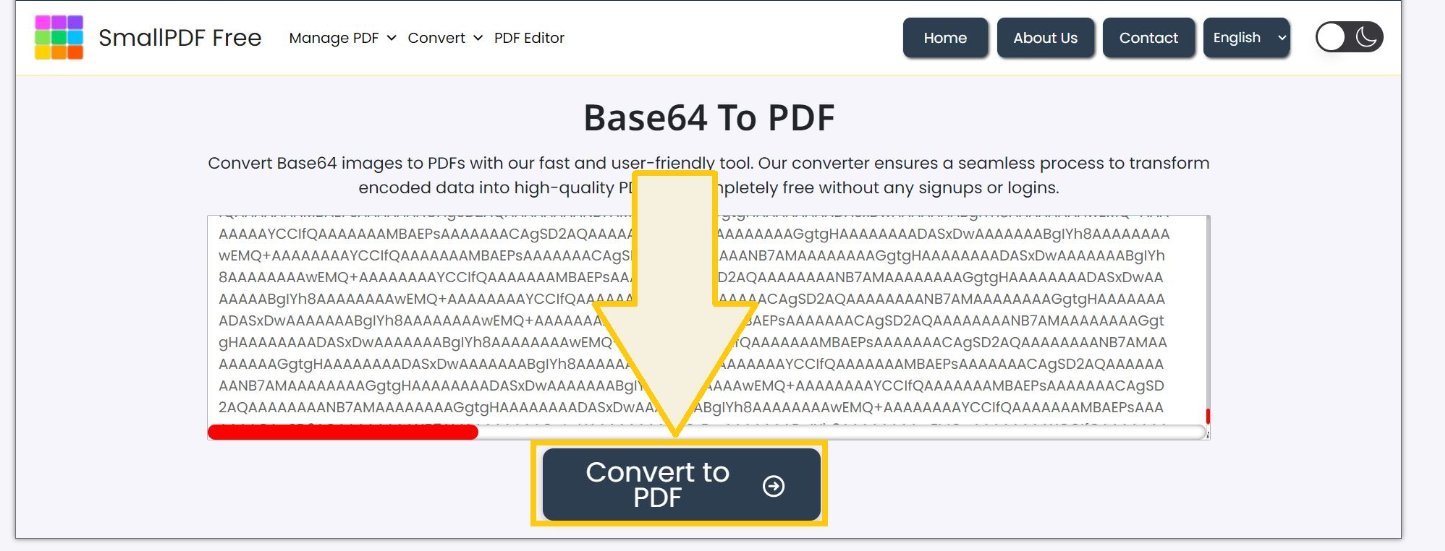
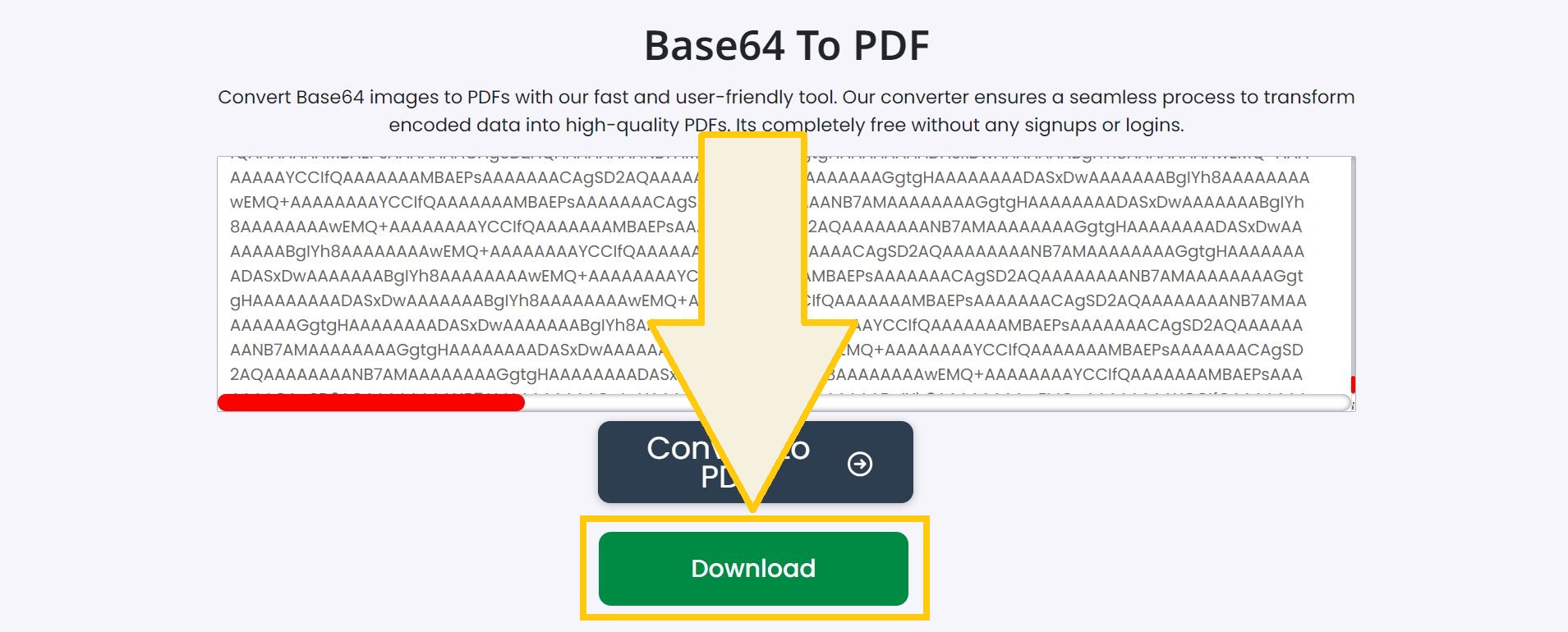
A free tool that decodes Base64 strings into PDF files. Paste your Base64 string, and the platform generates the corresponding PDF file.
This site supports encoding and decoding, making it simple to convert Base64 to PDF .
Steps to convert base64 to PDF
Decode the base64 string so that you recover the binary form of the original data.
Write the binary data to a .pdf file.
Open the PDF to confirm its content.
This process can be done through various programming languages or online tools.
Watch the Pictorial:
How to Convert Base64 to PDF Programmatically
Base64 to PDF in Python
Python offers a great method of translating Base64 strings into PDFs via its stdlib base64 library.
Python Code Example
import base64
# Base64 string of a PDF
base64_string = "data:application/pdf;base64,JVBERi0xLjQKJ."
# Remove the Base64 prefix if existing
if base64_string.startswith("data:application/pdf;base64,"):
base64_string = base64_string.split(",")[1]
# Decode the Base64 string
pdf_data = base64.b64decode(base64_string)
# Write the decoded data to a PDF file
with open("output.pdf", "wb") as pdf_file:
pdf_file.write(pdf_data)
print("PDF file has been created successfully!")
Base64 to PDF in C#
The Convert class in C# simplifies the process of handling Base64 encoding and decoding.
C# Code Snippet
namespace WorkingWithPdfFile
{
class Program
{
static void Main()
{
// Base64 string of a PDF
string base64String = "data:application/pdf;base64,JVBERi0xLjQKJ.";
//
// Eliminate the prefix if it exists
if (base64String.StartsWith("data:application/pdf;base64,"))
base64String = base64String.Substring(28);
}
// Decode the Base64 string
byte[] pdfBytes = Convert.FromBase64String(base64String);
// Save the PDF file
File.WriteAllBytes("output.pdf", pdfBytes);
Console.WriteLine("PDF file has been saved successfully!");
}
}
Base64 to PDF in Node.js
Node.js allows for fast decoding of Base64 and saving as a PDF using the Buffer class.
Example in Node.js
const fs = require('fs');
// Base64 string of a PDF
let base64String = "data:application/pdf;base64,JVBERi0xLjQKJ.";
// Remove the prefix
const base64Data = base64String.replace(/^data:application\/pdf;base64,/, "");
// Decode and save the PDF
const pdfBuffer = Buffer.from(base64Data, 'base64');
fs.writeFileSync('output.pdf', pdfBuffer);
console.log('PDF file has been created successfully!');
How to Convert Bytes to PDF?
Some times you may face raw byte data instead of a base64 string. You can easily convert bytes to a PDF by directly writing the byte data to a file with the .pdf extension.
Python Example
Byte data of a PDF file
byte_data = b" %PDF-1.4."
Save the byte data as a PDF file
with open("output.pdf", "wb") as pdf_file:
pdf_file.write(byte_data)
print("PDF file has been saved successfully!")
The same principle can also be implemented in the other programming languages, for instance C# or Node.js.
How to Convert Blob to PDF Online?
Blobs (Binary Large Objects) typically denote binary data, such as images or PDFs in web applications. Converting blob to pdf sometimes needs to write a blob into a file or view it in a browser window.
JavaScript Example
function saveBlobAsPDF(blob) {
const link = document.createElement('a');
link.href = URL.createObjectURL(blob);
link.download = 'output.pdf';
link.click();
}
/;
/
// Example: Create a Blob and save it as PDF
const binaryData = atob("JVBERi0xLjQKJ.");
const byteArray = new Uint8Array(binaryData.length);
for (let i = 0; i < binaryData.length; i++) {
byteArray[i] = binaryData.charCodeAt(i);
}
const blob = new Blob([byteArray], { type: 'application/pdf' });
saveBlobAsPDF(blob);
This justifies the existence of free online tools like Base64-Decode.com, where you can upload your blob data and convert it into PDF without coding.
Base64 to PDF Viewer
A Base64-encoded PDF can be instantly embedded within a webpage using an <iframe> or <object> tag. There is no need for the file to download.
HTML Example
<iframe src=\"data:application/pdf;base64,JVBERi0xLjQKJeLjz9MKMiAwIG9iago8PC9UeXBlIA.\"
width=\"600\" height=\"400\"></iframe>
This method is most helpful in viewing PDFs within web applications.
PDF to Base64 Online
The reverse process—converting a PDF file into Base64—is just as common. You could upload your pdf file to websites like Base64Encoder.io or PDFBase64Converter.com to get its Base64 version.
Or, in Python, you can do this:
import base64
# Open the PDF file
with open("input.pdf", "rb") as pdf_file:
pdf_data = pdf_file.read()
# Convert the PDF to Base64
base64_string = base64.b64encode(pdf_data).decode('utf-8')
print("Base64 version of the PDF:")
print(base64_string)
Base64 PDF Example
Here is an example of a Base64 string for a PDF file:
text
data:application/pdf;base64,JVBERi0xLjQKJeLjz9MKMiAwIG9iago8PC9UeXBlIC9QYWdlcwoxIDAgUi9LZXlzIDIgMCBSCj4+CnN0cmVhbQpIZWxsbyB3b3JsZC4KZW5kc3RyZWFtCmVuZG9iago=
Decoded from the string into a binary PDF file, this will yield a readable document.
Conclusion
Base64 encoding is a powerful tool for working with PDFs in a text-based format. Whether one needs to store, transmit, or embed PDF files, base64 makes things much easier. In this article, we discussed several methods for converting Base64 to PDF using Python, C#, and Node.js, as well as some online tools for easy conversion.
Now that you know how to encode Base64, it will make easy work of PDF conversion for your needs with these examples.
References
MDN Web Docs on Base64 Encoding
About the Creator
Enjoyed the story? Support the Creator.
Subscribe for free to receive all their stories in your feed.
Comments
There are no comments for this story
Be the first to respond and start the conversation.