
Backing Up Apple Mail the Right Way Without Running into Common Problems
If you use Apple Mail regularly, you already know how inconvenient backup methods can be. Instead of just reading about how Mail backup X handles those problems, try it yourself.

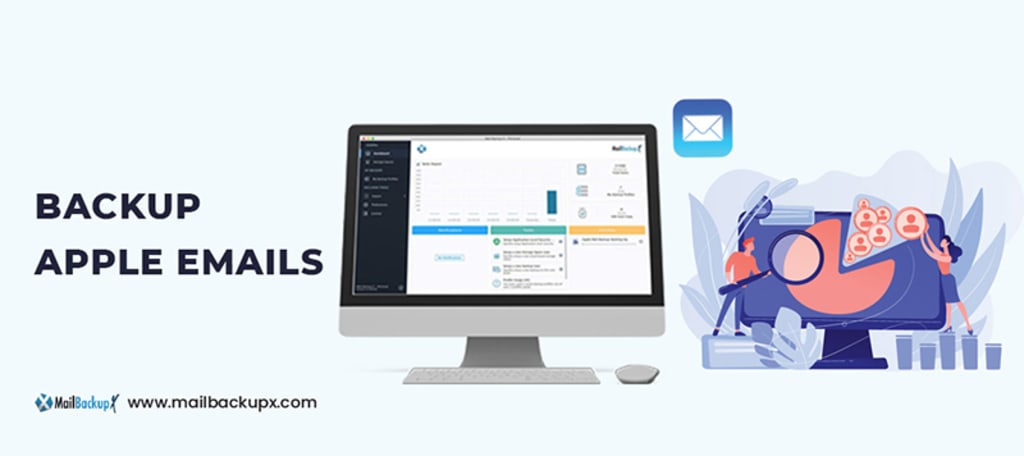
Most people think backing up Apple Mail is simple. You copy your mailbox data, put it in a safe location, and finish. However, this idea begins to fail when considering actual email usage. Mailboxes become larger over time, many attachments accumulate, and finding specific emails becomes difficult. If email restoration is needed, will the emails be in a usable format? Will their original organization be preserved? These details are very important, and people often realize this too late.
Apple Mail itself does not make email backup as easy as it ideally should be. Manual mailbox exporting is possible, but it has limitations. Firstly, the exported files may not fully retain the folder structure and re-importing them might not be smooth. Another problem is searching within these backups later. Without the appropriate tool, you will be searching through basic files without an easy method to locate what you need.
Then, storage becomes an important part of the process. Email archives are not static. They expand, they change and sometimes access from different devices is necessary. A fixed Apple Mail backup from today might have reduced effectivenessin the future when your mailbox has substantially changed. This is a weakness in many backup approaches.
A good Apple Mail backup is more than simply having a copy of your emails in some location. It requires a system that maintains organization, accessibility, and adaptability as your mailbox changes. Correct implementation means handling the limitations of typical backup methods and selecting a tool that supports your email habits, not opposes them.
Backing up Apple Mail can be approached in different ways, but not all methods hold up well when tested. Many seem simple initially, yet they lead to issues that only become apparent later. Some methods need continuous manual work, and others become ineffective if emails need organized restoration.
Reasons why Apple Mail backupTools Fail
Before deciding on any backup approach, understanding where these methods are inadequate can be helpful.
• One common approach is manually exporting mailboxes. Apple Mail allows users to export folders as .mbox files, which can then be stored on an external drive or a cloud service. This works to an extent, but the drawbacks become obvious when dealing with large mailboxes. The exported files do not always preserve folder structures in a way that re-importing is smooth. If the mailbox is large, the process can also be slow and prone to errors. A single corrupted file can make an entire batch of messages unreadable.
• Some people turn to cloud storage, thinking that syncing Apple Mail with a cloud-based service is the same as having an Apple Mail backup. This is not entirely true. Services like iCloud store emails on a remote server, but they do not provide versioned backups. If an email is deleted or a mailbox is accidentally modified, those changes sync across all devices. A backup should preserve emails exactly as they were at the time of backup, not just mirror the current state of the mailbox.
• Time Machine is another option that many Mac users use, but it has its own issues. Although it can back up the entire Mac, restoring specific emails is often complicated. Since Apple Mail stores messages within system files, Time Machine snapshots are not designed for selective email restoration. A full system restore is rarely practical, and manually searching through the backups is time-consuming.
• Third-party email archiving tools offer another approach. Although some claim to store emails in a searchable database, they frequently make users move emails to a different format. If the service ever shuts down or stops being supported, the archived emails could become difficult to retrieve. Dependence on proprietary formats creates a risk of losing access to emails in the long run.
None of these methods provide a complete solution. These methods might demand too much manual work, may not organize emails effectively, or could complicate the retrieval process.
An ideal Apple Mail backup approach should work with how people actually use email, not force them into extra steps that become a burden over time.
The important question is how to back up Apple Mail to avoid these typical problems, rather than simply asking how to back it up. This is where choosing the right tool makes a difference.
What does a good Apple Mail backup Solution look like?
After looking at the common Apple Mail backup methods and their flaws, the next step is to consider what a good backup solution should actually do. The goal is not just to store copies of emails but to make the entire process smooth, reliable, and adaptable to real-world needs:
- A proper backup should work automatically in the background without needing constant manual intervention.
- At the same time, it should give users control over their data, allowing them to access and restore emails whenever necessary.
- Backups should be stored in a way that keeps them usable in the long term, without locking them into a format that could become a problem later.
- Email archives can grow over time, making it necessary to have a system that avoids unnecessary clutter. A good Apple Mail backup solutionshould allow old emails to be stored efficiently while still being accessible when needed. It should also support smart compression to reduce the amount of storage required without affecting the quality or integrity of the saved emails.
- Many methods store emails in bulk but make it difficult to find a specific message later. Searchability is often overlooked in backup tools, unfortunately. A well-designed backup system should allow users to search for emails without restoring the entire archive.
- Emails often contain sensitive information, making it important to store it in a way that protects them from unauthorized access. A reliable backup tool should support encryption so that backed-up emails remain private. It should also provide access controls to prevent accidental modifications or deletions.
The ideal solution is one that brings together automation, control, storage efficiency, searchability, and security in a way that actually works in daily use. A tool designed specifically for Apple Mail backups should address these concerns without requiring users to constantly monitor the process.
The limitations of standard Apple Mail backup tools bring to light the importance of having a robust alternative. Mail backup X provides just that, ensuring comprehensive and user-friendly email data management.It’s a tool (for both Mac and Windows platform) that is developed by InventPure to resolve all of the complications we discussed above. Instead of dealing with the limitations of manual exports, cloud syncing, or unreliable third-party tools, it provides a dedicated solution that is built to handle real email backup needs.
If you use Apple Mail regularly, you already know how inconvenient backup methods can be. Instead of just reading about how Mail backup X handles those problems, try it yourself. Download the trial and see exactly how it organizes, stores, and retrieves your emails. No need to take anyone’s word for it. Run it, explore its options, and decide based on what you see.
About the Creator
InventPure
We started in 2010 with a problem at hand. How do we convert mail data for PC to Mac? It grew into a much broader idea to solve a much larger problem: Organizing, archiving migrating emails. Visit more https://www.mailbackupx.com/
Enjoyed the story? Support the Creator.
Subscribe for free to receive all their stories in your feed.
Comments
There are no comments for this story
Be the first to respond and start the conversation.