
Ayushman Card Download via NHA Beneficiary Portal: Step-by-Step Guide
ayushman card
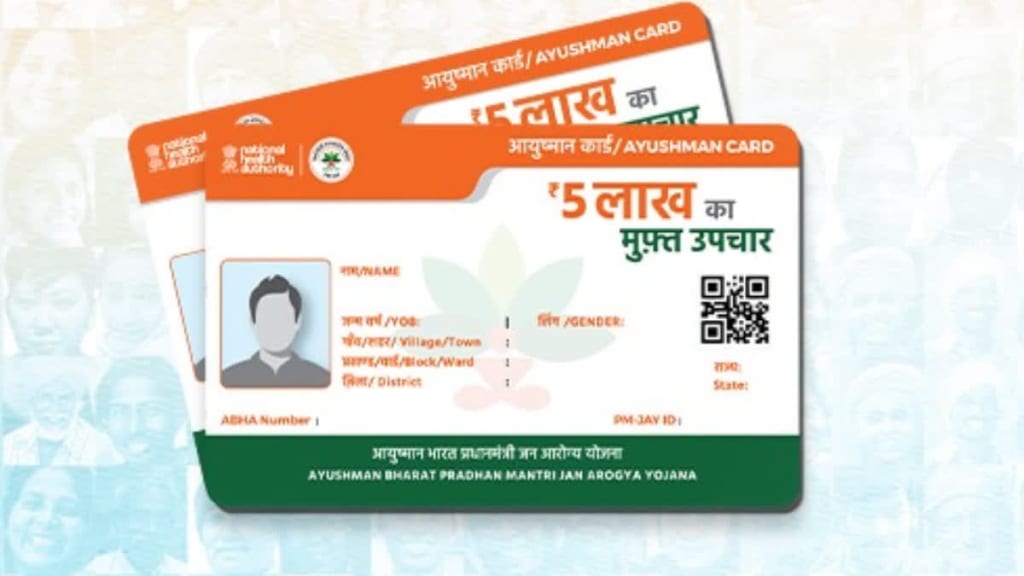
The Ayushman Bharat Pradhan Mantri Jan Arogya Yojana (PM-JAY) is a health insurance scheme launched by the Government of India to provide financial protection to economically weaker families. Under this scheme, beneficiaries receive an Ayushman Card, which allows them to avail of cashless medical treatment up to ₹5 lakh per year at registered hospitals.
For eligible beneficiaries, downloading the Ayushman Card is a simple and straightforward process. One of the most efficient ways to download it is through the National Health Authority (NHA) Beneficiary Portal. This method ensures a secure and hassle-free way to access the card online. In this article, we will explain how to download the Ayushman Card using the NHA Beneficiary Portal, step-by-step.
What is the NHA Beneficiary Portal?
The NHA Beneficiary Portal is an official platform provided by the National Health Authority where beneficiaries of the PM-JAY scheme can:
Check their eligibility for the Ayushman Bharat scheme
View and update their beneficiary details
Download their Ayushman Card in PDF format
The portal ensures that the e-Ayushman Card is easily accessible to registered users without requiring them to visit any physical office.
Step-by-Step Process to Download Ayushman Card via NHA Beneficiary Portal
Downloading the Ayushman Card via the NHA Beneficiary Portal is simple and can be done in just a few steps. Follow the instructions below:
Step 1: Visit the Official NHA Beneficiary Portal
Open your browser and go to the official PM-JAY Beneficiary Portal by entering the following URL:
➡ https://beneficiary.nha.gov.in/
Once you land on the homepage, you will find a login section to access your beneficiary details.
Step 2: Login with Your Mobile Number
On the right side of the homepage, you will see a "Beneficiary Login" section.
Click on the "Beneficiary" option.
Enter your Aadhaar-linked mobile number in the designated field.
Enter the Captcha Code as displayed on the screen.
Click on "Send OTP."
You will receive a One-Time Password (OTP) on your registered mobile number. Enter this OTP to log in.
💡 Note: If your mobile number is not linked with Aadhaar, you may need to visit a Common Service Center (CSC) for verification.
Step 3: Search for Your Ayushman Card Details
After successfully logging in, you will be redirected to a new page where you can search for your beneficiary details.
You will have multiple options to search for your Ayushman Card details, including:
✔ PMJAY ID (ABHA Number)
✔ Aadhaar Number
✔ Ration Card Number
✔ Name and Location (Rural or Urban)
Steps to Search for Your Details:
Select Your State from the drop-down list.
Choose the Scheme (select PM-JAY if applicable).
Enter Your Identification Details (Aadhaar, PMJAY ID, or Family ID).
Click on "Search" to retrieve your beneficiary information.
💡 Tip: If you have Aadhaar, it is recommended to use it as your primary search option for quick verification.
Step 4: Select Your Name from the List
Once you enter the required details and click "Search," a list of eligible beneficiaries will appear.
Look for your name in the list.
Click on "Get Ayushman Card" next to your name.
If your KYC verification is incomplete, you may need to verify using Aadhaar OTP.
💡 Important: If your name does not appear, double-check your details or visit a CSC center for verification.
Step 5: Download Your Ayushman Card
Once your details are verified, you can proceed to download the Ayushman Card:
Click on "Get Ayushman Card" to start the download process.
You will be prompted to verify your identity using Aadhaar OTP.
After successful verification, your e-Ayushman Card will be generated.
Click on "Download" to save your Ayushman Card PDF.
You can now print this e-Ayushman Card or store it digitally for future use.
What to Do If You Face Issues Downloading the Ayushman Card?
1. Your Name is Not Found in the List
Ensure that you entered the correct details (Aadhaar, Ration Card, or PMJAY ID).
Check your eligibility on the PMJAY website.
If you are still unable to find your name, visit the nearest Common Service Center (CSC) for assistance.
2. OTP Not Received on Mobile
Check if your mobile number is linked to Aadhaar.
Ensure your SIM card is active and receiving SMS.
Try again after waiting for a few minutes.
3. Unable to Download Ayushman Card
Try accessing the portal during non-peak hours.
Clear your browser cache and try again.
Use a different browser (Google Chrome or Mozilla Firefox).
If the issue persists, visit a CSC center for a printed copy.
Benefits of Downloading the Ayushman Card via NHA Portal
✔ Quick & Hassle-Free Process: The portal allows users to download their Ayushman Card within minutes.
✔ No Need to Visit Any Office: Beneficiaries can download the card from home, reducing time and effort.
✔ Secure & Official: The NHA Beneficiary Portal is government-approved, ensuring data privacy.
✔ Valid Across India: The e-Ayushman Card is accepted at all empaneled hospitals nationwide.
About the Creator
Enjoyed the story? Support the Creator.
Subscribe for free to receive all their stories in your feed.
Comments