
Aadhaar Card Download: How to Download Aadhaar Online?
aadhar card download
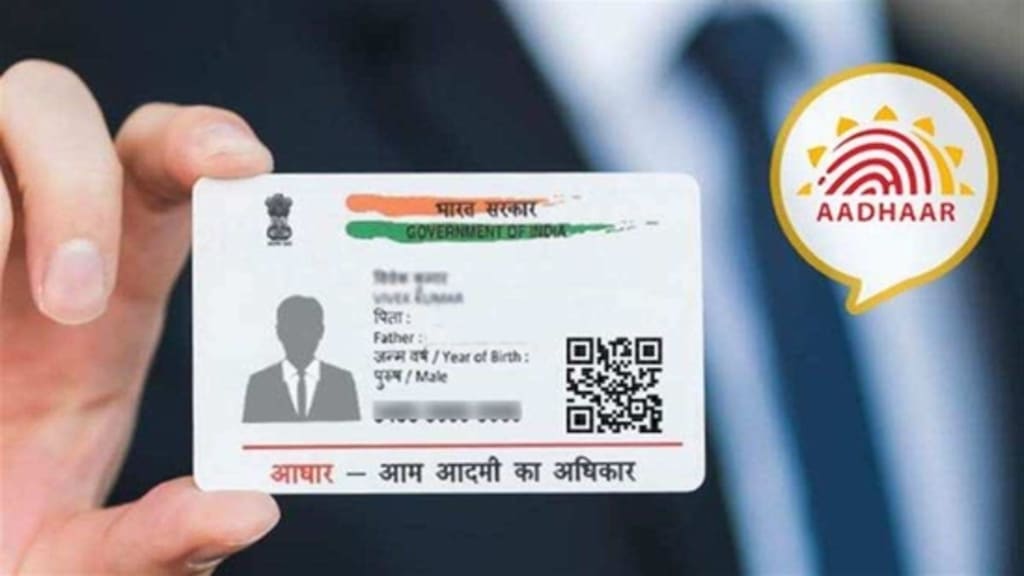
Aadhaar is a unique identification number issued by the Unique Identification Authority of India (UIDAI) to Indian residents. It serves as a vital document for identity and address proof and is widely used for government schemes, banking services, mobile connections, and other essential services.
If you have enrolled for an Aadhaar card and need a copy, UIDAI allows you to download an electronic version of Aadhaar (e-Aadhaar) online. This e-Aadhaar is equally valid as the physical Aadhaar card and can be accessed anytime.
In this article, we will guide you through the Aadhaar card download process, the different methods available, and frequently asked questions related to e-Aadhaar.
Methods to Download Aadhaar Card Online
UIDAI provides multiple ways to download Aadhaar based on different credentials. You can download Aadhaar using:
- Aadhaar Number (12-digit unique ID)
- Enrolment ID (EID)
- Virtual ID (VID)
- Name and Date of Birth
- Mobile Number via mAadhaar App
- DigiLocker Portal
Let’s go through each method step by step.
1. Download Aadhaar Using Aadhaar Number
If you have your 12-digit Aadhaar number, follow these steps:
Step-by-Step Process:
- Visit UIDAI’s official website – https://myaadhaar.uidai.gov.in/
- Click on "Download Aadhaar" under the My Aadhaar section.
- Select the Aadhaar Number option.
- Enter your 12-digit Aadhaar number and the Captcha Code displayed on the screen.
- Click on "Send OTP" to receive a One-Time Password (OTP) on your registered mobile number.
- Enter the OTP and click "Verify & Download."
- Your e-Aadhaar PDF file will be downloaded.
🔹 Password to Open Aadhaar PDF: The first four letters of your name (in uppercase) and your birth year (YYYY).
2. Download Aadhaar Using Enrolment ID (EID)
If you have lost your Aadhaar number but have the Enrolment ID (EID), you can still download it.
Step-by-Step Process:
- Go to https://myaadhaar.uidai.gov.in/
- Click on "Download Aadhaar."
- Select the Enrolment ID (EID) option.
- Enter your 14-digit EID (found on the enrolment slip) and the Captcha Code.
- Click on "Send OTP" to receive the verification code on your registered mobile.
- Enter the OTP and click "Verify & Download."
- Your Aadhaar will be downloaded in PDF format.
🔹 This method is useful if your Aadhaar card is still under processing.
3. Download Aadhaar Using Virtual ID (VID)
The Virtual ID (VID) is a 16-digit number that can be used instead of the Aadhaar number for security reasons.
Step-by-Step Process:
- Visit https://myaadhaar.uidai.gov.in/
- Click on "Download Aadhaar."
- Select the VID option and enter the 16-digit VID number along with the Captcha.
- Click on "Send OTP" to verify your mobile number.
- Enter the OTP received on your mobile and click "Verify & Download."
- Your e-Aadhaar will be downloaded.
🔹 VID ensures better security as you don’t have to share your actual Aadhaar number.
4. Download Aadhaar Using Name & Date of Birth
If you don’t have your Aadhaar or EID, you can retrieve it using your name and date of birth.
Step-by-Step Process:
- Go to https://myaadhaar.uidai.gov.in/retrieve-eid-uid
- Select whether you want to retrieve Aadhaar Number or Enrolment ID (EID).
- Enter your Full Name, Mobile Number, or Email ID and the Captcha code.
- Click on "Send OTP."
- Enter the OTP received on your registered mobile and click "Verify & Retrieve UID/EID."
- Once you get your Aadhaar Number or EID, follow the Download Aadhaar process mentioned above.
5. Download Aadhaar Using mAadhaar App
The mAadhaar mobile app by UIDAI allows users to download Aadhaar on their smartphones.
Step-by-Step Process:
- Download the mAadhaar App from the Google Play Store or Apple App Store.
- Open the app and select "Download Aadhaar."
- Enter your Aadhaar Number, VID, or EID and verify via OTP.
- Once verified, you can view and download your Aadhaar card in digital format.
🔹 mAadhaar allows you to carry your Aadhaar digitally without the need for a physical copy.
6. Download Aadhaar via DigiLocker
DigiLocker, a government-authorized platform, also provides access to your Aadhaar.
Step-by-Step Process:
- Login to https://digilocker.gov.in/
- Go to "Issued Documents" and select UIDAI Aadhaar.
- Authenticate using your registered mobile number.
- Your Aadhaar will be retrieved and saved in DigiLocker for future use.
🔹 This method is secure and does not require downloading Aadhaar repeatedly.
Conclusion
Downloading Aadhaar online is a simple, secure, and hassle-free process provided by UIDAI. Whether you use your Aadhaar Number, EID, VID, or DigiLocker, you can easily access your e-Aadhaar whenever needed. Ensure that your mobile number is registered with UIDAI to receive OTPs for verification.
With the availability of Aadhaar online, you no longer need to worry about losing your physical card. Just download, print, and use it whenever required!
About the Creator
Enjoyed the story? Support the Creator.
Subscribe for free to receive all their stories in your feed.
Comments