
Podcasting: Creating a Full-Fledged Show All by Yourself
Podcasting: Creating a Full-Fledged Show All by Yourself
A year ago, I was unsure whether to continue with my podcast.
I had recorded three episodes, but I ran into what seemed like a small issue that turned out to be a major obstacle: the music.
I couldn’t find a suitable intro track, I was concerned about copyright for background music, and I had no idea how to create transitions. After spending an entire day searching online, I mostly found royalty-free tracks with unclear licensing terms or commercial music that was far too expensive. At that point, it felt like music might be the reason I stopped podcasting altogether.
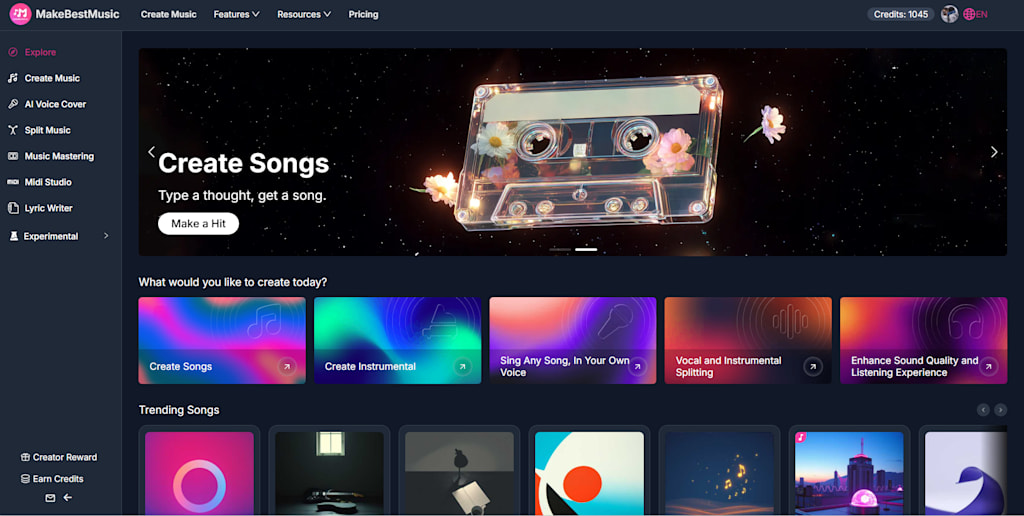
Eventually, I tried using an AI-based music tool like makebestmusic, which generates original tracks. I was skeptical at first, but I decided to test it out.
Since then, I’ve published over 40 episodes and grown my audience to more than 20,000 followers. Music has become a consistent part of every episode, and I’d like to share the process I now follow for anyone facing similar challenges.
The Pitfalls I Faced with Music While Podcasting
Copyright issues almost got my episode taken down
For my third episode, I used a piece of “royalty-free” background music I found online. A few days after publishing, I received a copyright complaint. The track was removed, and the episode lost visibility. I later realized that many so-called free tracks come with restrictions—some don’t allow commercial use, others require attribution, and some licenses can even be revoked. For independent creators, paying high fees for proper licenses isn’t always practical.
Inconsistent music made the show feel disjointed
At the beginning, I sourced music from different places. While each track worked individually, the overall sound of the podcast lacked consistency. One listener even commented that it felt like different people were hosting each episode. Without a unified sound, it’s difficult to build a recognizable identity.
No intro track made the podcast feel unpolished
I recorded nearly ten episodes without any intro music. Each one began the same way, jumping straight into the content. It lacked the structure and familiarity that many established podcasts have. A recognizable intro helps create a sense of continuity and professionalism.
These challenges made it difficult to maintain momentum early on.
A Different Approach to Podcast Music
After experimenting with tools such as makebestmusic, I found a more streamlined way to handle audio elements.
What stood out in the process
Music can be generated quickly using simple text descriptions
No prior knowledge of music production is required
Tracks can be customized to fit specific moods or segments
Licensing is clearer compared to many free online sources
Costs are more predictable compared to one-time licensing
Using a single system for all music—intro, background, and transitions—helped maintain consistency across episodes.
My Workflow for Creating Podcast Music
Over time, I developed a simple workflow that I now use for every episode.
Method 1: Creating an Intro Track
The intro track defines the identity of the podcast.
Step 1: Define the podcast identity
Genre: Career-focused discussions
Audience: Professionals aged 25–35
Tone: Professional, approachable, and moderately energetic
Step 2: Generate the track
Using a basic structure for prompts helps guide the output:
[Genre] + [Mood] + [Instruments] + [Tempo] + [Purpose]
Example:
“Modern electronic intro, professional and energetic, piano and synth, 90 BPM, short duration, podcast opening”
After generating a few variations, I selected one that matched the tone and trimmed it to fit the intro length.
Over time, this intro became a recognizable element of the show.
Method 2: Creating Background Music
Background music should support the content without overpowering it.
Templates I use for different segments:
Opening: Upbeat electronic, moderate energy
Interview: Soft piano and light strings, calm tone
Storytelling: Solo piano, slower tempo, subtle emotion
Ending: Acoustic guitar, reflective mood
Key practices:
Use instrumental-only tracks to avoid distraction
Keep volume significantly lower than the voice track
Reuse consistent tracks across episodes
This approach helps maintain a cohesive listening experience.
Method 3: Experimenting with Voice-Based Audio Elements
One feature I explored later was generating voice-based audio variations using AI Voice Cover.
The idea was to create short vocal segments—such as a tagline—that could serve as an additional audio identity element.
Basic process:
Upload voice samples to create a voice model
Generate or select a melody
Apply the voice model to the melody
The result is a short audio clip that resembles your own voice in a musical format. While optional, this can add another layer of uniqueness to a podcast.
Conclusion
After producing more than 40 episodes, one thing became clear: while content drives a podcast, sound design shapes how that content is perceived.
Music influences the tone, consistency, and memorability of each episode. Early challenges—unclear licensing, inconsistent styles, and lack of structure—made production difficult. Establishing a repeatable system for handling music helped solve those issues.
About the Creator
Enjoyed the story? Support the Creator.
Subscribe for free to receive all their stories in your feed.
Comments
There are no comments for this story
Be the first to respond and start the conversation.