
Why I prefer Swift and SwiftUI
Cross-Platform UI frameworks are a dead end. Don’t waste your time!


Apple provides a cross-platform language: Swift, and a proprietary framework, SwiftUI that runs exclusively on Apple hardware.
I will be comparing Swift/SwiftUI with cross platform solutions,.
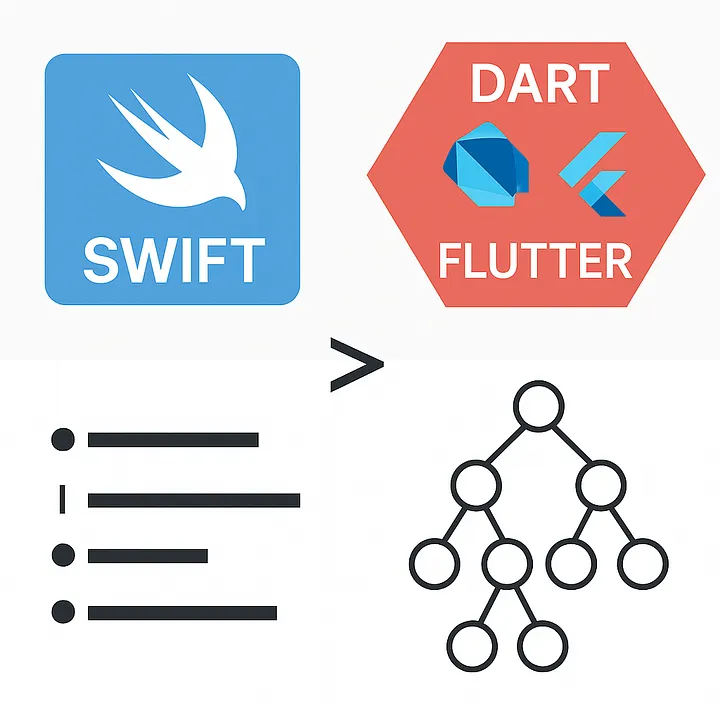
Apple made SwiftUI proprietary. It runs ONLY on Apple hardware. It says “we have a superior UI, superior to anything, and if you want it, you have to use our devices”.
This is what makes SwiftUI incredibly powerful. The optimization and simplicity.
Cross-Platform UI frameworks are a dead end. Don’t waste your time!
Please notice that Swift is an open source language available in many platforms, including Windows and Android.
I have trouble calling languages “cross platform” because normally the only thing you can do with ONLY a language is to output text in a terminal. And that is not what we have in mind when we say "cross-platform."
The language may be cross-platform, but the libraries are not always!
On each platform to do anything meaningful you depend on the libraries for that platform. So there is really nothing cross platform about a language per se.
For short, in this article Cross-Platform UI frameworks = cross platform.
The purpose of this article is to save the indie developer from wasting his life in the pursuit of a very old hoax: “cross platform” development.
The fact that I chose Flutter is irrelevant. React Native, Xamarin or Ionic would have the same or worse issues.
I Prefer Swift Over Cross-Platform Frameworks
As a developer who’s spent considerable time exploring both native and cross-platform ecosystems, I want to make a case for why Swift — and particularly SwiftUI —are my language and framework of choice. And yes, I say this with a deep appreciation for Dart, C and other languages which I still admire.
“I love Dart. It is a natural language progression after C, Java, and JavaScript. It feels natural. I’m comfortable with it.”
Indeed, Dart’s flexibility is commendable. You can write in a classic imperative style or embrace the modern declarative paradigm. I was running away from the JavaScript nightmare when I found Dart, and to this day I like its syntax. But time moves on and new and better languages appear.
Accidental birth of Flutter

When Google stumbled (yes, it was accidental) upon the performance gains of bypassing web standards and rendering directly to the canvas, Flutter was born — and Dart became its soul.
From a pure performance standpoint, Flutter was revolutionary (as compared to standard web solutions). But this innovation came with a cost.
The Problem with Flutter’s Complexity
Flutter introduced a paradigm that requires developers to juggle at least three tree structures — the widget tree, the element tree, and the render tree. These aren’t optional; they’re essential for the Flutter developer.
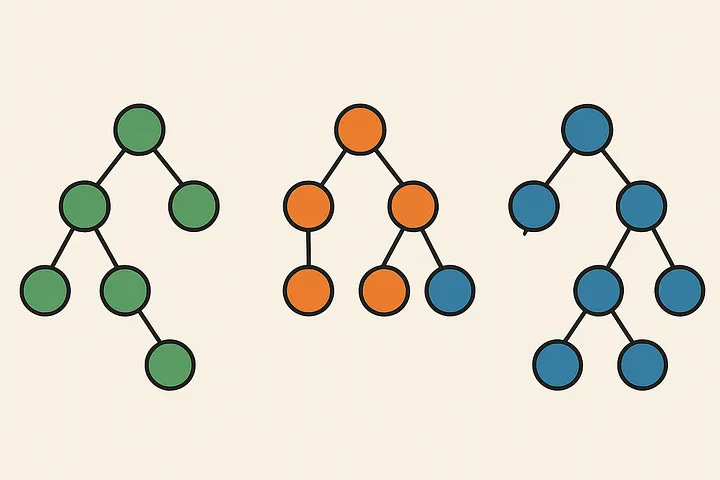
In Flutter you must learn the quirks and manage their cycles to write production-ready apps.
“Flutter's trees overload the developer enormously — especially because there are even more trees that you need to eventually learn and manage as you become proficient.”
All of this for the purpose of painting fake controls in the screen, in Flutter it is all smoke and mirrors. You are painting controls in a canvas.
Things are slightly better in React Native, because RN at least tries to use native controls to render the UI.
Both Xamarin and Ionic have similar issues.
Others have failed at cross-platform before
As far as I can recall, in the 70s (when we were character based and had just moved from punched cards to green tubes) we had code generators, and everybody ignored them. Then around 1980 we had GEM, Open Look and others pretending to be “cross platform UIs”.
They also failed.
They were followed by Java who promised “write once, run everywhere” and yes, Java looked odd in all platforms and also failed. Had Google not made the mistake to use Java for Android, nobody today would know what Java was and Java could never claim that it runs on “millions of devices."
Yes, they are almost all Android devices!
Now we have the same situation with Flutter, React Native and others. We have seen this before!

Compare this to SwiftUI, where tree complexity is abstracted away. This is what a real framework should do. You write declarative code and let the framework handle the rest. The cognitive overhead drops significantly, making SwiftUI more elegant, brief and intuitive.
“Swift code achieves the same results with less than a third of the lines of Flutter code. And it runs at least twice as fast.”
Not only is SwiftUI lean, but its compiled binaries are much smaller. And they are actual native optimized binaries. Generated for highly optimized custom silicon. We have to give Apple credit for optimizing the hardware, the operating system and the development framework.
A simple app doesn’t drag in an entire canvas rendering engine and dozens of packages with it, — it just runs.
What Swift and SwiftUI Provides
Out of the box means without the unreliable code of a community developer package. Yes, the community developer is that guy that will abandon his package (that you are using) as soon as he gets a real job!
Out of the box Swift and SwiftUI gives you:
* Persistence
* State management
* Automatic UI transformation to the particular device you are using: from watch to TV and beyond (3D glasses?)
* Synchronization among all your devices (assuming same user ID)
* Messaging
* Navigation
* Sound, video, camera (if available), orientation, and any other hardware features provided by the platform (device) you are using
* Cloud synchronization
* Asynchronous processing
* Multi-threading
* AI (basic now, and soon to be enhanced)
Think for a moment, how many components you need to do all this. In Swift UI they are all part of the standard library. No component is needed.
And I mean no need to learn the quirky installation, configuration and syntax of a hobbyist “package.” No component hell when Apple upgrades the OS or the version of Swift or SwitUI.
By now you should realize why cross platform is ineficient. The mere existence of the “community components” is a big tell!
The completeness of SwiftUI comes from a philosophy that says that if the developer has to jump through hoops and load different packages to provide acceptable UI in different platforms then the framework is a failure.
SwiftUI has very few “widgets” (they call them views) and they all come with the framework, you don’t have to download packages from anyone.
And once you develop an app, let’s say for iPhone, without changing a line of code, your app will run in almost all Apple platforms (maybe not as nicely on the watch because of size constraints).

Literally each and every widget automatically adapts, transforms (without you touching it) to the platform it is running under and it changes its appearance to fit the design language of that platform.
Liquid Glass
MacOS Tahoe 26 lets users customize the desktop and Dock with new looks for app icons and widgets crafted from multiple layers of Liquid Glass.

As I am finishing this article, Apple is deploying refined versions of Liquid Glass. Liquid Glass takes the UI where no UI has gone before because it is not just a “look”, it is also a context aware dynamic framework.
You can’t imitate Liquid Glass by painting pixels on a canvas. Because it has BEHAVIORS! It senses the finger pressure, the device orientation, the time of day, the colors in the background the battery level, the type of wireless connection, and considering all these factors adapts the look and the BEHAVIOR.
And all with secret APIs only accessible by SwiftUI.
Performance and Platform Philosophy
It’s true that SwiftUI doesn’t run on Android. Swift the language does, but SwiftUI the framework, doesn't.
SwiftUI will never run on Android or any other platform. This is by design and on purpose.
But let’s be honest — how many Android users are willing to pay for software?
“I have yet to find an Android user willing to pay for software. I’m sure your experience is different, but more devs earn first $1M in annual revenue from App Store than Google Play”
This isn’t just anecdotal. The average Android user globally paid less than $200 for their device. In contrast, the average iOS user spends around $758, suggesting a very different ecosystem and customer expectation.
This economic divide feeds into a broader truth: if you’re serious about monetizing apps, iOS is the better starting point.
Cross platform promises seamless compatibility and cost-effective scaling — but often ends in compromised performance, bloated code, odd looking interfaces, and a huge struggle with platform-specific quirks that force you back to native tools.
A Pragmatic Strategy
Here’s the approach I propose:
* Start with Swift and SwiftUI and build for iOS.
* Focus on features, not on great performance and clean, efficient code. Swift and SwiftUI automatically provide performance and minimize code.
* If your product succeeds and there’s a demand for Android, write a version of it in Kotlin.
The Android-specific optimizations will always outperform the awkward adaptations of cross-platform tools.
“I suggest you code for iOS, and if successful, learn to code for Android using Kotlin. You will thank me.
About the Creator
R F Dace
I say what others won't, this makes you think and stays with you. I won’t tell you what to think, but I will show you the issues. You will be challenged, and trusted to reach your own conclusions. Don't be shy, I'll appreciate your comments
Enjoyed the story? Support the Creator.
Subscribe for free to receive all their stories in your feed.
Comments
There are no comments for this story
Be the first to respond and start the conversation.