mobile
The ins and outs of mobile; explore the evolution and future of smartphones and how mobile technology impacts the way we live and communicate.
Zulay Magia Super Automatic Coffee Espresso Machine - Your Personal Barista
Zulay Magia Super Automatic Coffee Espresso Machine If you're a coffee lover and can't start your day without a cup of freshly brewed coffee, then the Zulay Magia Super Automatic Coffee Espresso Machine is the perfect addition to your kitchen. This high-tech espresso machine is designed to provide a personalized coffee making experience, and it's incredibly easy to use. With 18 preloaded coffee recipes and 20 different coffee options, you can make professional-tasting coffee at home without spending a fortune at a coffee shop.
By Metalogy Biz4 years ago in 01
AVEINE Connected Wine Aerator - Elevate Your Wine Experience with the Power of Technology
As a wine lover, it's always exciting to try new ways to enhance the flavor and aroma of your favorite wines. The AVEINE Connected Wine Aerator is a new and innovative tool that promises to take your wine experience to the next level. This connected aerator is adaptable to all wine bottles, precisely calculating the oxygenation required for immediate tasting of all types of wine, without prior decanting. In this product review, we'll take a closer look at the AVEINE Connected Wine Aerator and see if it lives up to its promises.
By Metalogy Biz4 years ago in 01
Keep Your Furry Friend Safe with the Jiobit GPS Tracker for Pets
Are you tired of constantly worrying about your furry friend's safety every time they step out of your sight? Say goodbye to the anxiety and stress with the Jiobit GPS tracker - the world's smallest and most durable GPS tracker designed exclusively for pets. Jiobit is a revolutionary product that offers real-time location sharing, long-lasting battery life, and a range of connectivity options to ensure that you always know where your beloved pet is.
By Metalogy Biz4 years ago in 01
Tile Mate Bluetooth Tracker
If you're someone who frequently misplaces their keys, phone, or other important items, you know how frustrating it can be to spend time looking for them. That's where the Tile Mate Bluetooth Tracker comes in. This handy device can help you locate your lost items quickly and easily using your smartphone.
By Metalogy Biz4 years ago in 01
Mobile phone etiquette: do's and don'ts for using your phone in public.
Mobile phones have become an integral part of our daily lives. We use them for everything from communication to entertainment, but it is important to use them with proper etiquette when in public. With the increase in mobile phone usage, it is important to be aware of how we use them in public spaces, as our actions can have an impact on those around us. In this blog, we will discuss the dos and don'ts of using your mobile phone in public. Do's: Use headphones: Wearing headphones in public is an excellent way to enjoy music or other audio content without disturbing others around you. When you use headphones, the sound is contained within the ear cups, and only you can hear it. This means that you can listen to your favourite tunes or podcasts at a volume that's comfortable for you without disturbing your fellow commuters, co-workers, or people in public places. Additionally, headphones can improve your focus and concentration, particularly in noisy or distracting environments. By blocking out external sounds, you can immerse yourself in your work or study materials and get more done in less time. Overall, wearing headphones in public is a polite and considerate way to enjoy your audio content while respecting the people around you. Keep conversations private. Keeping conversations private in public while talking on the phone is important for several reasons. Firstly, it is a matter of respect for the people around you. Conversations can be disruptive to others, especially if they are loud or involve sensitive topics. By keeping your voice down and using headphones, you can minimise the impact of your conversation on others. Secondly, maintaining privacy during phone conversations is crucial to protecting personal information. You may be discussing confidential or sensitive information that should not be shared with others. By keeping your conversation private, you reduce the risk of your information being overheard by strangers who could misuse it. Thirdly, keeping conversations private in public can help to avoid misunderstandings or conflicts. You may inadvertently say something that could be taken out of context or misinterpreted by others. By speaking more discreetly, you reduce the risk of being misunderstood and causing unnecessary tension or conflict. Overall, keeping conversations private in public while talking on the phone is a matter of common courtesy, respect, and personal privacy. It is a simple but effective way to maintain a peaceful and respectful environment for everyone. Put your phone on silent. To avoid disrupting others, put your phone on silent or vibrate mode when in public. This will ensure that your phone does not ring loudly and disturb others. Excuse yourself: If you need to take an urgent call or respond to an important message, excuse yourself from the group and move to a quiet area where you can take the call without disturbing others. Be mindful of your surroundings. When using your phone in public, be aware of your surroundings. Avoid using your phone in crowded areas where you could bump into others or cause a disruption. Don'ts: Text and walk: Texting while walking can be dangerous, as it can lead to accidents and collisions. Avoid texting or scrolling through your phone while walking in public places. Talk loudly: When making phone calls in public, avoid talking loudly or shouting into the phone. This can be distracting and annoying to those around you. Take photos or videos without permission: Taking photos or videos of others without their permission can be a violation of their privacy. Always ask for permission before taking photos or videos of others in public places. Use your phone during meetings: When in a meeting or at a social gathering, avoid using your phone unless it is absolutely necessary. Using your phone during these situations can be seen as disrespectful and can distract others. Play loud music or videos: Playing loud music or videos in public spaces can be disruptive and annoying to those around you. Use headphones to keep the sound to yourself. In conclusion, using your mobile phone in public requires proper etiquette. By following these dos and don'ts, you can ensure that you are respectful to those around you and avoid disrupting public spaces. Remember to be mindful of your surroundings and to use your phone with consideration for others.
By Aman Sharma4 years ago in 01
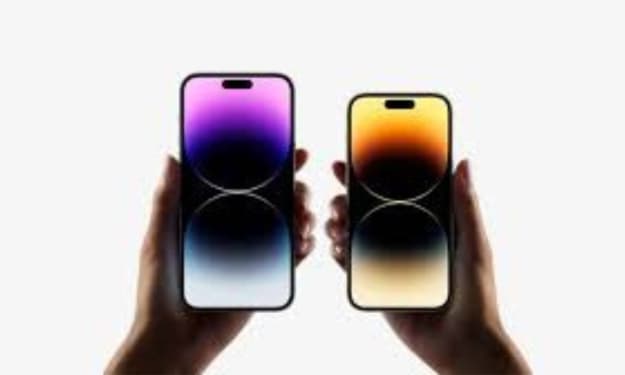
"Anticipating the Future of iPhone 14: Potential Features and Improvements
"What are the main future in iPhone 14" Introduce the topic of potential features in the iPhone 14 Apple's iPhone 14 is expected to be released in September 2023, and while there have been no official announcements yet, rumors and speculations have already started surfacing about the potential features and improvements that could be included in the next iteration of the iPhone. Here are some of the features and improvements that we can expect from the iPhone 14.
By deepak sanjay4 years ago in 01
How to I fix the green line on my one plus phone
OnePlus is a well-known smartphone brand that has gained a large following due to its high-quality devices that come at an affordable price. However, like all electronic devices, OnePlus phones can sometimes encounter problems. One such issue that OnePlus users may face is the appearance of a green line on their device's screen. This green line can be quite alarming, especially if you're not sure what's causing it. In this article, we'll explore the reasons behind the OnePlus green line and what you can do to fix it. What Causes the OnePlus Green Line? The OnePlus green line is most commonly caused by a hardware problem. Specifically, it's often the result of damage to the device's display or the connectors that link the display to the phone's internal components. This damage could be caused by dropping the phone, putting pressure on it, or even just normal wear and tear over time. Another possible cause of the OnePlus green line is a software issue. Specifically, it could be caused by a glitch or bug in the phone's operating system. This is less common than hardware damage but can still occur, especially if you recently updated your phone's software or installed a new app. How to Fix the OnePlus Green Line? If your OnePlus phone is displaying a green line, there are several steps you can take to try and fix the issue. Here are some of the most common solutions: Restart your phone- This might sound simple, but often restarting your phone can fix a lot of issues. This includes the OnePlus green line. To restart your phone, press and hold the power button until the "Power off" option appears on the screen. Tap this option to turn off your phone, then wait a few seconds before turning it back on. Check for software updates- If the green line is caused by a software issue, then installing the latest software update may fix the problem. To check for updates on your OnePlus phone, go to "Settings," then "System," and then "Software update." If an update is available, tap the "Download" button and wait for it to install. Check for app updates- If the green line appeared after you installed a new app, then updating that app may fix the issue. To check for updates, go to the Google Play Store, tap the three horizontal lines in the top left corner, and then select "My apps & games." If an update is available for the app that's causing the problem, tap "Update." Factory reset- If none of the above solutions work, then a factory reset may be necessary. This will erase all data on your phone, so make sure to back up any important files before proceeding. To factory reset your OnePlus phone, go to "Settings," then "System," and then "Reset options." From there, select "Erase all data (factory reset)" and follow the on-screen instructions. Contact customer support- If the green line persists after trying all the above solutions, then it's likely a hardware issue. In this case, you should contact OnePlus customer support for further assistance. They may be able to repair or replace your device, depending on the extent of the damage. Finally, the OnePlus green line is a common issue that can be caused by hardware or software problems. If you're experiencing this issue, try restarting your phone, checking for software and app updates, factory resetting your phone, and contacting customer support if necessary. With these steps, you should be able to fix the OnePlus green line and get back to using your device as normal.
By Pro Writer4 years ago in 01