how to
How tos for tech whizes and luddites alike; tips, tricks and shortcuts to optimize your computer, smartphone or internet mastery.
A Comprehensive Guide to SAAS
Each organization has a similar issue: keeping a steady benefit while extending and further developing consumer loyalty. Lately, the strategy associations accomplish this objective has modified, with programming being at the center of organization achievement. Organizations, similar to their clients, are not looking for a reasonable arrangement. They need to have the most acceptable conceivable experience. They're looking for a SAAS-based programming arrangement that helps efficiency, lessens expenses, and lifts benefits.
By neetesh crouch5 years ago in 01
5 Website Maintenance Tasks You Need To Do At Least Every Month
Website support and maintenance is a regular process of checking your website for errors and keeping it updated. 89% of users move to a competitor's website after a poor scrolling experience. Therefore, there is a strong need to perform some website maintenance duties at least once a month.
By Red Alkemi5 years ago in 01
Things to Consider Before Choosing “Accounting Software”
In today's aggressive business environment, it is very important to have efficient and eco-friendly accounting software that can keep the good eye on income, invoices, customer information and all other financial knowledge. It turns into a competent device throughout the choice. Good accounting devices will generate experiences at the right time and provide price range research material to make lifestyles more convenient and happier for a commercial owner. Now the million dollar query is how to select the right “accounting software” for your online business?
By Gena Sanford5 years ago in 01
COMPUTER SHORTCUTS
CTRL+A. . . . . . . . . . . . . . . . . Select All CTRL+C. . . . . . . . . . . . . . . . . Copy CTRL+X. . . . . . . . . . . . . . . . . Cut CTRL+V. . . . . . . . . . . . . . . . . Paste CTRL+Z. . . . . . . . . . . . . . . . . Undo CTRL+B. . . . . . . . . . . . . . . . . Bold CTRL+U. . . . . . . . . . . . . . . . . Underline CTRL+I . . . . . . . . . . . . . . . . . Italic bar options ALT+TAB . . . . . . . . . . . . . . . . Cycles between open applications ALT+F4 . . . . . . . . . . . . . . . . . Quit program, close current window ALT+F6 . . . . . . . . . . . . . . . . . Switch between current program windows ALT+ENTER. . . . . . . . . . . . . . Opens properties dialog ALT+SPACE . . . . . . . . . . . . . . System menu for current window ALT+¢ . . . . . . . . . . . . . . . . . . opens drop-down lists in dialog boxes BACKSPACE . . . . . . . . . . . . . Switch to parent Folder CTRL+ESC . . . . . . . . . . . . . . Opens Start menu CTRL+ALT+DEL . . . . . . . . . . Opens task manager, reboots the computer CTRL+TAB . . . . . . . . . . . . . . Move through property tabs CTRL+SHIFT+DRAG . . . . . . . Create shortcut (also right-click, drag) CTRL+DRAG . . . . . . . . . . . . . Copy File ESC . . . . . . . . . . . . . . . . . . . Cancel last function SHIFT . . . . . . . . . . . . . . . . . . Press/hold SHIFT, insert CD-ROM to bypass auto-play SHIFT+DRAG . . . . . . . . . . . . Move file SHIFT+F10. . . . . . . . . . . . . . . Opens context menu (same as right-click) SHIFT+DELETE . . . . . . . . . . . Full wipe delete (bypasses Recycle Bin) ALT+underlined letter . . . . Opens the corresponding menu PC Keyboard Shortcuts Document Cursor Controls HOME . . . . . . . . . . . . . . to beginning of line or far left of field or screen END . . . . . . . . . . . . . . . . to end of line, or far right of field or screen CTRL+HOME . . . . . . . . to the top CTRL+END . . . . . . . . . . to the bottom PAGE UP . . . . . . . . . . . . moves document or dialog box up one page PAGE DOWN . . . . . . . . moves document or dialog down one page ARROW KEYS . . . . . . . move focus in documents, dialogs, etc. CTRL+ > . . . . . . . . . . . . next word CTRL+SHIFT+ > . . . . . . selects word Windows Explorer Tree Control Numeric Keypad * . . . Expand all under current selection Numeric Keypad + . . . Expands current selection Numeric Keypad – . . . Collapses current selection ¦ . . . . . . . . . . . . . . . . . . Expand current selection or go to first child ‰ . . . . . . . . . . . . . . . . . . Collapse current selection or go to parent Special Characters ‘ Opening single quote . . . alt 0145 ’ Closing single quote . . . . alt 0146 “ Opening double quote . . . alt 0147 “ Closing double quote. . . . alt 0148 – En dash. . . . . . . . . . . . . . . alt 0150 — Em dash . . . . . . . . . . . . . . alt 0151 … Ellipsis. . . . . . . . . . . . . . . . alt 0133 • Bullet . . . . . . . . . . . . . . . . alt 0149 ® Registration Mark . . . . . . . alt 0174 © Copyright . . . . . . . . . . . . . alt 0169 ™ Trademark . . . . . . . . . . . . alt 0153 ° Degree symbol. . . . . . . . . alt 0176 ¢ Cent sign . . . . . . . . . . . . . alt 0162 1⁄4 . . . . . . . . . . . . . . . . . . . . . alt 0188 1⁄2 . . . . . . . . . . . . . . . . . . . . . alt 0189 3⁄4 . . . . . . . . . . . . . . . . . . . . . alt 0190 Creating unique images in a uniform world! Creating unique images in a uniform world! é . . . . . . . . . . . . . . . alt 0233 É . . . . . . . . . . . . . . . alt 0201 ñ . . . . . . . . . . . . . . . alt 0241 ÷ . . . . . . . . . . . . . . . alt 0247 File menu options in current program Alt + E Edit options in current program F1 Universal help (for all programs) Ctrl + A Select all text Ctrl + X Cut selected item Shift + Del Cut selected item Ctrl + C Copy selected item Ctrl + Ins Copy selected item Ctrl + V Paste Shift + Ins Paste Home Go to beginning of current line Ctrl + Home Go to beginning of document End Go to end of current line Ctrl + End Go to end of document Shift + Home Highlight from current position to beginning of line Shift + End Highlight from current position to end of line Ctrl + f Move one word to the left at a time Ctrl + g Move one word to the right at a time MICROSOFT® WINDOWS® SHORTCUT KEYS Alt + Tab Switch between open applications Alt + Shift + Tab Switch backwards between open applications Alt + Print Screen Create screen shot for current program Ctrl + Alt + Del Reboot/Windows® task manager Ctrl + Esc Bring up start menu Alt + Esc Switch between applications on taskbar F2 Rename selected icon F3 Start find from desktop F4 Open the drive selection when browsing F5 Refresh contents Alt + F4 Close current open program Ctrl + F4 Close window in program Ctrl + Plus Key Automatically adjust widths of all columns in Windows Explorer Alt + Enter Open properties window of selected icon or program Shift + F10 Simulate right-click on selected item Shift + Del Delete programs/files permanently Holding Shift During Bootup Boot safe mode or bypass system files Holding Shift During Bootup When putting in an audio CD, will prevent CD Player from playing WINKEY SHORTCUTS WINKEY + D Bring desktop to the top of other windows WINKEY + M Minimize all windows WINKEY + SHIFT + M Undo the minimize done by WINKEY + M and WINKEY + D WINKEY + E Open Microsoft Explorer WINKEY + Tab Cycle through open programs on taskbar WINKEY + F Display the Windows® Search/Find feature WINKEY + CTRL + F Display the search for computers window WINKEY + F1 Display the Microsoft® Windows® help WINKEY + R Open the run window WINKEY + Pause /Break Open the system properties window WINKEY + U Open utility manager WINKEY + L Lock the computer (Windows XP® & later) OUTLOOK® SHORTCUT KEYS Alt + S Send the email Ctrl + C Copy selected text Ctrl + X Cut selected text Ctrl + P Open print dialog box Ctrl + K Complete name/email typed in Address bar Ctrl + B Bold highlighted selection Ctrl + I Italicize highlighted selection Ctrl + U Underline highlighted selection Ctrl + R Reply to an email Ctrl + F Forward an email Ctrl + N Create a new email Ctrl + Shift + A Create a new appointment to Your calendar Ctrl + Shift + O Open the outbox Ctrl + Shift + I Open the inbox Ctrl + Shift + K Add a new task Ctrl + Shift + C Create a new contact Ctrl + Shift+ J Create a new journal entry Microsoft Word SORTCUT KEYS Ctrl + A Select all contents of the page Ctrl + B Bold highlighted selection Ctrl + C Copy selected text Ctrl + X Cut selected text Ctrl + N Open new/blank document Ctrl + O Open options Ctrl + P Open the print window Ctrl + F Open find box Ctrl + I Italicize highlighted selection Ctrl + K Insert link Ctrl + U Underline highlighted selection Ctrl + V Paste Ctrl + Y Redo the last action performed Ctrl + Z Undo last action Ctrl + G Find and replace options Ctrl + H Find and replace options Ctrl + J Justify paragraph alignment Ctrl + L Align selected text or line to the left Ctrl + Q Align selected paragraph to the left Ctrl + E Align F1 . . . . . . . . . . . . . . . . . . . . . . Help F2 . . . . . . . . . . . . . . . . . . . . . Rename selected object F3 . . . . . . . . . . . . . . . . . . . . . Find all files F4 . . . . . . . . . . . . . . . . . . . . . Opens file list drop-down in dialogs F5 . . . . . . . . . . . . . . . . . . . . . Refresh current window F6 . . . . . . . . . . . . . . . . . . . . . Shifts focus in Windows Explorer F10 . . . . . . . . . . . . . . . . . . . . Activates menu
By Ephraim Wiesenberg 5 years ago in 01
What is Seo? [2022] and How it helps to stand out?
Most people have questions about SEO, like what SEO is and why it is essential for content or blogs and articles. Well, the answer to these questions is if the content is a car, then SEO is the engine of the content. If the motor is not available in the vehicle, it means the car is lifeless. If your article is not ranked correctly, the possibility of getting traffic is less than 1%. This means the hard work of the writer will fail.
By kaliena Kin5 years ago in 01
5 Killer Tips to Send Great Emails
It is essential to send high-quality emails. If you use any social platforms such as Facebook, or Twitter, you need excellent emails for marketing. People pay attention to your emails if they grab the reader's attention. We get a lot of emails in our inbox, so make your email stand out from all the rest. An email is an effective form of communication if done correctly.
By Brian Lamacraft5 years ago in 01
5 Proven Ways to Increase Organic Traffic to Your Online Store
If you're an online business owner and have an online store, then you obviously know the importance of organic traffic. Organic traffic is a dream for all eCommerce sellers as it brings new customers and increases sales.
By Hermes Fang5 years ago in 01
What To Do When Your Laptop Hits The Floor?
At the time when your laptop hits the floor, you may experience a rush through your veins. Do not worry. The damage caused due to laptop drop could be minor or may need professional assistance. Moreover, if you are looking for Laptop Body Panel Replacement then we are the ones helping you with the services needed.
By Laptop Service Center 5 years ago in 01
8 Simple Tips To Help Small Businesses Succeed With Digital Marketing
Digital marketing is important for small businesses because it allows them to reach a large audience quickly and cheaply. Digital marketing includes activities such as creating websites, developing online advertising campaigns, and setting up social media accounts. These strategies allow small businesses to connect with customers and attract new customers.
By Menna El-Mahy5 years ago in 01
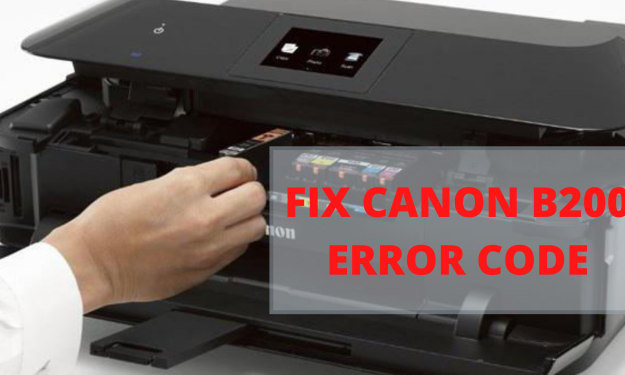
Canon B200 Printer Error - Steps to Fix It
The different types of Canon printer error codes have shown when you use the printer to print a document. One of the most common canon printer errors which has faced almost canon users is B200. The Canon B200 error is unable you to print the documents or photos.
By Robertcruse5 years ago in 01