
Samsung One UI 9 is FINALLY Here! 🚀 Android 17, Game-Changing Features, and Is Your Galaxy on the List?
Welcome to the future of the Galaxy! With Android 17 on the horizon, Samsung is once again leading the charge by launching the One UI 9 Beta Program. While many users are still getting comfortable with the One UI 8.5 stable rollout, Samsung has shifted gears to focus on the next generation of mobile experiences. Based on official announcements and newsroom updates as of May 2026, here is everything you need to know about One UI 9.

🚀 The One UI 9 Roadmap: Key Dates
Samsung has accelerated its development cycle this year. Because Google reached "Platform Stability" for Android 17 earlier than usual, the One UI 9 timeline has been moved forward.
Beta 1 Launch May 13, 2026 (US, UK, Germany, South Korea)
Beta 2 Launch May 26, 2026 (Expansion to India & Poland)
Official Stable Release July 2026 (Debuting with Z Fold 8 / Z Flip 8)
Wider Rollout (S26, S25, S24)August – September 2026
📱 Compatible Devices: Who’s On the List?
Samsung’s industry-leading update policy (offering up to 7 years of OS support for newer flagships) means the list of eligible devices is extensive.
The "First Wave" (Beta & Early Stable)Galaxy S Series: S26, S26+, S26 Ultra (Currently in Beta) Upcoming Foldables: Galaxy Z Fold 8, Z Flip 8 (Will ship with One UI 9) Existing Foldables: Galaxy Z Fold 7, Z Flip 7, Z TriFold .
The "Second Wave" (Expected Q3 2026)Galaxy S Series: S25 Ultra, S25+, S25, S25 FE, S24 Ultra, S24+, S24, S24 FE Galaxy Z Series: Z Fold 6, Z Flip 6, Z Fold SE (Special Edition) .
The "Third Wave" (Q4 2026 – Q1 2027)Galaxy S Series: S23 Ultra, S23+, S23, S23 FE Galaxy A Series: A57, A56, A55, A37, A36, A35, A26, A17 Galaxy Tab Series: Tab S11 series, Tab S10 series, Tab S9 series
Note: The Galaxy S22 series and Galaxy Z Fold 4/Flip 4 have reached the end of their major OS upgrade cycle and are expected to remain on One UI 8.5.
✨ What’s New in One UI 9?
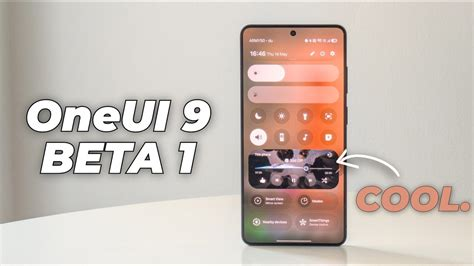
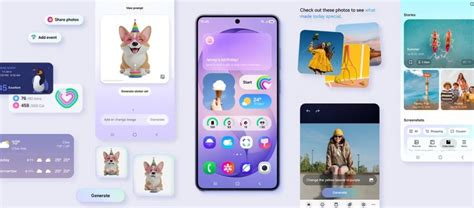
The focus this year is on "Fluid Intelligence"—making the interface feel more physical and responsive while deeply integrating AI.Refined Quick Panel: The brightness, volume, and media sliders are now independently adjustable and feature a thicker, more tactile design. Advanced Galaxy AI: New "Agentic AI" capabilities that can perform multi-step tasks across different apps (e.g., "Find the flight info in my email and add a reminder to my calendar"). Visual Overhaul: Fresh 3D "bouncy" animations, glowing elements in the notification shade, and a redesigned lock-screen media player with colorful waveform animations. Enhanced Privacy: A new blue location indicator in the status bar shows exactly when an app is pinging your GPS in real-time.
Quick Panel: A Cleaner and More Intuitive Layout
The redesigned Quick Panel in One UI 9 stands out as one of the most noticeable updates. It has been reimagined to offer a more streamlined and user-friendly experience. Key improvements include:
Thicker volume and brightness sliders, making adjustments easier and more precise.
Separated toggles for dark mode and sound profiles, resulting in a more organized and accessible layout.
Customizable slider and media player sizes, eliminating the need for third-party customization tools.
Modernized toggle designs with reduced borders, contributing to a sleeker aesthetic.
These refinements make it simpler to navigate and manage settings, making sure a smoother and more intuitive user experience.
Lock Screen: Enhanced Media Playback and Interactivity
The lock screen in One UI 9 has been upgraded with a focus on both functionality and visual appeal. The changes aim to make media playback more interactive while adding a polished look to the interface. Key enhancements include:
A revamped music player featuring wave animations, glowing sliders and separate playback buttons for better control.
Smoother expansion animations for notifications and widgets, creating a more fluid and dynamic experience.
These updates not only improve usability but also elevate the overall aesthetic of the lock screen, making it more engaging and visually appealing.
Animations: Smoother and More Responsive Transitions
Samsung has placed a strong emphasis on interface fluidity in One UI 9, resulting in a more cohesive and responsive system. Notable animation improvements include:
Enhanced transitions in the widget panel, settings menu and app drawer, making sure a seamless navigation experience.
Refined animations for the search bar in both the settings and app drawer, adding a touch of polish to everyday interactions.
These updates contribute to a system that feels more natural and engaging, making every interaction smoother and more enjoyable.
Settings Menu: Simplified Navigation
The settings menu in One UI 9 has been reorganized to improve clarity and usability, making it easier to locate features and settings. Key changes include:
A cleaner layout for the Galaxy AI section, simplifying access to AI-driven tools and features.
A new “What’s New in One UI 9” section within Accessibility settings, providing a quick overview of the latest updates.
These adjustments streamline the menu, making sure that users can navigate it with greater ease and efficiency.
Accessibility: New Tools for Personalized Usability
Accessibility receives a significant boost in One UI 9 with the introduction of new tools designed to enhance usability for all users. The standout feature is the “Text Spotlight” tool, which allows you to:
Highlight text for easier reading, particularly useful for users with visual impairments.
Customize font size, background color and scrolling speed to suit individual preferences.
This feature underscores Samsung’s commitment to personalization and inclusivity, making sure that the interface can be tailored to meet diverse needs.
General Refinements: A More Polished Interface
Beyond specific features, One UI 9 delivers a host of general refinements that enhance the overall user experience. These include:
Reduced lag and improved system responsiveness, making sure smoother performance across the board.
A more modernized interface that feels cohesive and visually appealing.
As the update progresses beyond its beta phase, these refinements will continue to evolve, offering users an increasingly intuitive and efficient experience.
Advancing Usability and Design
One UI 9 builds upon the strengths of One UI 8.5, introducing meaningful updates that prioritize customization, accessibility and performance. From the redesigned Quick Panel and enhanced lock screen to smoother animations and new accessibility tools, this update reflects Samsung’s dedication to delivering a user-friendly and visually appealing interface. These changes collectively contribute to a more seamless and enjoyable interaction with your device, making sure that One UI 9 remains a step forward in usability and design.
🛠️ How to Join the One UI 9 Beta?
If you own a Galaxy S26 series device in a supported region (US, UK, Germany, South Korea, and soon India/Poland), you can jump in now:
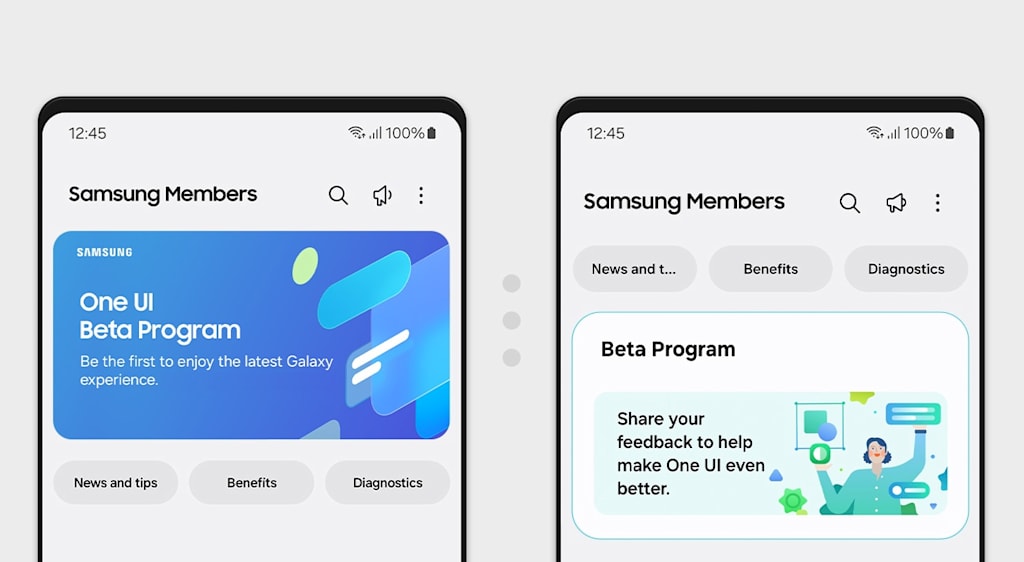
Open the Samsung Members app.
Log in with your Samsung Account.
Tap the "Registration for One UI Beta Program" banner on the home screen.
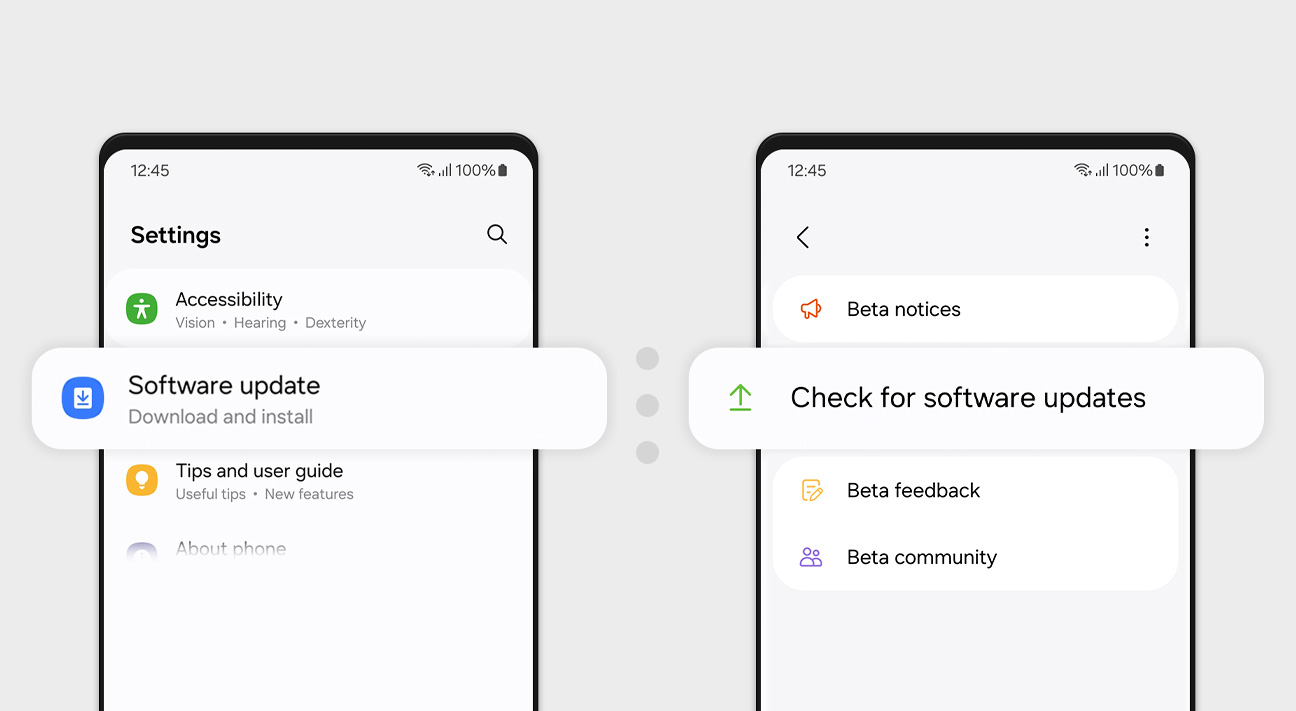
Once registered, go to Settings > Software update > Download and install.
Pro-Tip: Since this is a Beta, expect bugs and battery drain. Back up your data before installing, or better yet, use a secondary device!Are you planning to risk the bugs for an early look at Android 17, or will you be waiting for the stable release this July?
#punitkochaliyan
About the Creator
Punit kumar
PUNIT KUMAR - My Voice Rises 🗣️, My Stories Thrive ✨.
I write here to share, grow & earn 💰 - thanks to Vocal’s open platform 🌍. I explore what moves me. Monetize with Vocal+ 🎯 + fun Challenges 💸. turning my passion into purpose.
Enjoyed the story? Support the Creator.
Subscribe for free to receive all their stories in your feed.
Comments
There are no comments for this story
Be the first to respond and start the conversation.