
I Left Windows 11 for Linux: Five Months on Debian and I'm Not Going Back
A practical guide for coders, office workers, and anyone who wants a stable main machine without spending nights in the terminal.
Switching your main PC to Linux for the first time: which distro will not make you quit?
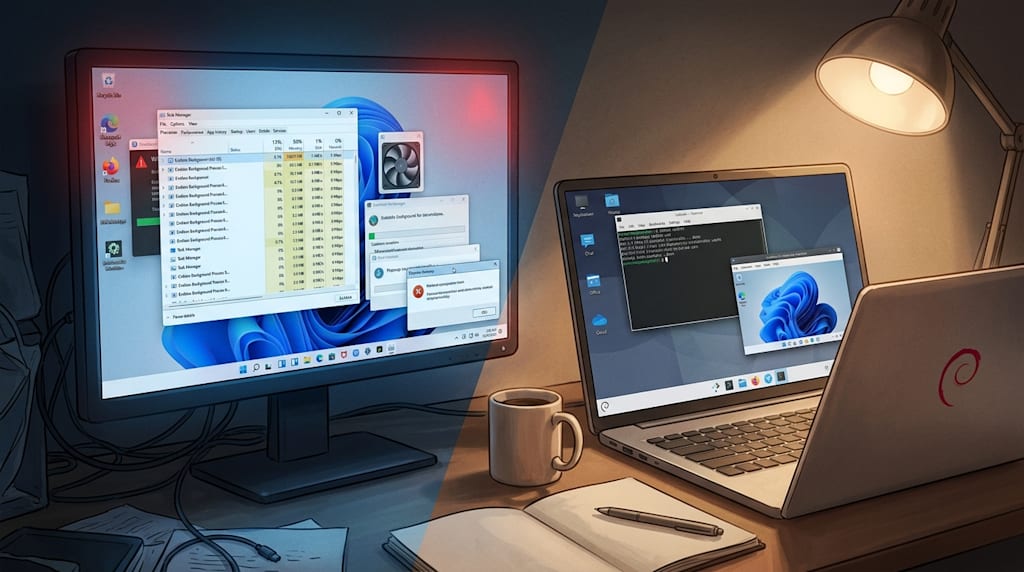
I did not switch because I love the terminal. Win11 updated one day, and I opened Task Manager. The process list went past three screens. The fan spun. I had written almost no code, and half the RAM was gone.
I moved my main machine to Linux after that. Five months. No recovery mode. No reinstall. No fear at boot.
This is for people like me. You write code, watch video, do office work, and sometimes handle WeChat files and cloud drives. You are not an expert. You do not want to tinker every night. You want to install the system and get back to work.
First rule: stability beats novelty.
A main machine is not a toy. You can live with older software. You cannot live with a broken desktop after an update, a missing Wi-Fi driver, or a Chinese input method that dies when you open WPS. The fear at every reboot is what makes people quit.
Ubuntu: biggest community, but Snap gets in the way
Ubuntu is where many people start. The community is large. Hardware support is good. When something breaks, you can usually find an answer. LTS releases get support for years. A new user can pick it and not make a fatal mistake.
Then Snap shows up. Snap packages start slowly, take more space, and update on their own schedule. I installed Ubuntu once and opened Firefox. It took five seconds. I replaced the Snap version with the .deb version. It opened at once.
If you care about a clean system, Ubuntu will make you frown now and then.
Fedora: new software, not the safest main machine
Fedora ships new packages and new technology. Many developers like it. Linus uses it.
New is not always good for a main machine. Updates come often. Drivers, input methods, and desktop environments sometimes break. I tried Fedora KDE. After I installed the NVIDIA driver, Wayland gave me screen tearing. Switching to X11 fixed it. For a tinkerer, that is a small thing. For someone who wants to work, it is a cost.
Linux Mint: looks like Windows, but only the surface
Mint is based on Ubuntu LTS, removes Snap, and uses a traditional desktop. The first hour feels familiar.
Then you notice it only looks like Windows. The logic underneath is still Linux. Cinnamon is fine if you like it. If you do not, there is little reason to stay. For a heavy Windows user, Mint can leave you stuck between two worlds.
Arch: powerful, not for a first main machine
The Arch Wiki is one of the best resources in Linux. Rolling updates give you the newest software.
You need to install it yourself. You need to maintain it. When it breaks, you fix it. If you have a used ThinkPad, like reading docs, and enjoy tinkering, Arch is great. If you want a main machine that just works, look elsewhere.
deepin and UOS: good for Chinese software, with tradeoffs
deepin and UOS handle Chinese software well. The interface is polished. They are friendly to users in China.
They also use more resources. The system is more closed. Some actions require an account. If you must use a domestic system, they are options. If you want a stable, free, low-maintenance main machine, Debian is more balanced.
Debian: stable, plain, hard to break
Debian is the parent of the Debian family. Its traits are clear.
It is very stable. The repositories are conservative but reliable. It does not push a commercial agenda. Normal use almost never breaks the system itself.
The cost is older kernels and older packages. Some Chinese software needs extra setup. Flatpak and the Spark Store cover most of that. Stability is the point. For a main machine, that is what matters.
Why I picked Debian
I have used Debian on my main machine for almost five months. Nothing has gone wrong.
It does not make you say "wow" every day. It lets you boot, work, and shut down. At the end of the day, nothing has failed.
My setup:
Use a domestic mirror during install.
Pick KDE Plasma as the desktop.
Get software from Flathub and the Spark Store.
Use fcitx5 for Chinese input.
Keep a Windows virtual machine.
With that setup, I rarely need the terminal.
Debian setup list
During install, choose a mirror in China. Debian's official mirrors can be slow. If you forget, edit /etc/apt/sources.list and replace deb.debian.org with a Tsinghua, USTC, or Aliyun mirror. A search will find the exact lines.
Pick KDE Plasma. It feels closer to Windows. The taskbar, start menu, and window controls are easy to learn. It is also customizable and does not eat too much RAM. GNOME works too, but KDE is a safer landing spot.
Enable contrib, non-free, and non-free-firmware. Debian only enables free software by default. You need these for graphics drivers and Wi-Fi firmware, especially with NVIDIA cards and some wireless chips.
Use Flatpak and Flathub for newer software. Debian's packages are old. Flatpak lets you run current versions of common apps. It costs disk space. One 500 MB app installed to 1.2 GB for me. If you have the room, it is easy.
Use the Spark Store for Chinese software. WPS, QQ, WeChat, NetEase Cloud Music, and Baidu Netdisk are usually there. I have installed all of them. They work for daily use. WeChat on Linux is not as full as the Windows version, but it handles chat and file transfer.
Use fcitx5 for input. It is the most mature Chinese input method on Linux. If an app does not work with it, try:
Switch to an X11 session.
Turn on fcitx5 compatibility mode.
Check GTK_IM_MODULE, QT_IM_MODULE, and XMODIFIERS.
WPS is the usual problem. It is also usually fixable.
Keep a Windows virtual machine. Some software only runs on Windows: Keil, Multisim, some bank controls. A VirtualBox or VMware Windows VM is easier than rebooting into a dual-boot setup. Even on Windows, I would use a VM to isolate bad software.
Back up. Use Timeshift for system snapshots. Use rsync for /home. Stable does not mean immortal. A backup is the last bit of peace of mind.
Commands a new user needs
You do not need to memorize the terminal. You need a few commands:
ls to list files.
cd to change directory.
chmod to change permissions.
apt to install and update software.
cp to copy.
nano to edit a text file.
alias to make shortcuts.
User groups and network configuration commands rarely matter for a personal machine. Ask an AI when you get stuck. Search when the AI is wrong. You are not taking an exam.
Problems you may hit
Hardware support: Linux support for NVIDIA cards and new wireless chips can lag behind Windows. Check your exact model before you install. Have a wired connection ready.
Input method: fcitx5 works well, but a few apps still fight it. X11, compatibility mode, and environment variables usually fix it.
WeChat files: the Linux client works, but it is not the Windows client. File transfer, tray icon, and input method can act up. If your job depends on WeChat, keep a Windows VM or dual boot.
Cloud drives: Baidu Netdisk has a Linux client, but it may lack features. The web version is a backup. Sync important files in more than one place.
Video: playback is fine. Browsers may need Widevine for Netflix, Spotify, and other DRM services. Use mpv or VLC for local files.
Office formats: WPS on Linux is enough for most work. Complex Office files can shift layout. Use a Windows VM with Office or an online editor for those.
Printers: printer drivers are a long-time Linux problem. Check for Linux support before you buy. HP and Brother usually work.
Linux is a tool, not a religion
Linux is not a church. A distro is not a team. Using Debian does not mean you hate Ubuntu. Using Arch does not make you better. Use what you like.
If you do not want to tinker, do not want to learn, and do not want to search for answers, Windows is still the easiest choice. If you can spend a weekend installing and setting up, Linux can give you a faster, more controlled main machine.
I recommend Debian because it balances stability and usability for a normal user. It is not perfect. Debian plus KDE Plasma plus Flatpak plus the Spark Store plus a Windows VM is the combination I would hand to someone who does not want to quit.
I might move to FreeBSD later. Systems are tools. People change.
I looked at the bottom right of my screen just now. The KDE taskbar was quiet. No popup. No update notice. No "Try Edge." WeChat sat in the tray. WPS had just saved a document. The terminal was running today's code.
I pressed the power button. The screen went dark.
Tomorrow it will boot the same way.
About the Creator
Jin
Writer of reamstories
https://reamstories.com/jin
Enjoyed the story? Support the Creator.
Subscribe for free to receive all their stories in your feed. You could also become a paid subscriber, letting them know you appreciate their work.
Comments
There are no comments for this story
Be the first to respond and start the conversation.