
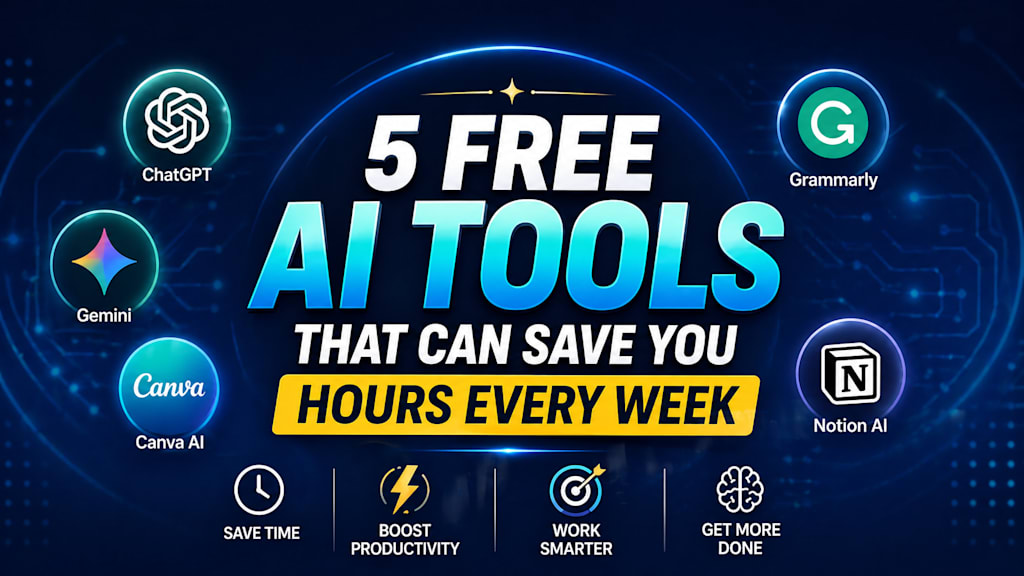
5 Free AI Tools That Can Save You Hours Every Week
The best free AI tools for writing, design, research, and organization that can save you valuable hours every week.

Time has become one of the most valuable things in modern life.
Most people are not short on ideas—they are short on hours. Between work, messages, deadlines, errands, and the constant pressure to keep up, many people end each day wondering where their time went.
That is one reason artificial intelligence tools have exploded in popularity.
Used properly, AI can remove repetitive tasks, speed up research, organize thoughts, generate content drafts, summarize information, and help people focus on what actually matters. The best part is that many powerful tools are available for free.
I spent time exploring useful AI platforms that ordinary people can start using right now. These are not magic buttons, and they will not replace skill or effort. But they can absolutely save hours every week when used wisely.
Here are five free AI tools worth knowing.
1. ChatGPT – Your Everyday Productivity Assistant
OpenAI ChatGPT remains one of the most useful all-around AI tools available today.
It can help with writing, brainstorming, planning, research, summaries, learning, email drafts, resumes, social captions, and problem-solving. Instead of spending thirty minutes staring at a blank screen, many people use ChatGPT to create a strong first draft in minutes.
Ways It Saves Time:
* Drafting emails quickly
* Summarizing long articles
* Generating blog ideas
* Creating schedules or to-do lists
* Explaining difficult topics simply
Example:
Instead of writing a cold outreach email from scratch, you can ask ChatGPT to draft one based on your business type and goal.
That alone can save hours every month.
2. Google Gemini – Fast Research and Idea Support
Google Gemini has become a strong option for people who need quick answers, idea generation, and help with research.
Because it is connected to Google’s ecosystem, many users like using it for productivity tasks, planning, comparisons, and gathering information quickly.
Ways It Saves Time:
* Comparing products
* Creating study notes
* Brainstorming business ideas
* Organizing projects
* Getting quick explanations
Example:
If you need to compare laptop options, software plans, or marketing ideas, Gemini can structure the information faster than doing everything manually.
For students and busy professionals, that can be a major time saver.
3. Canva AI – Fast Design Without Hiring a Designer
Canva has become a favorite tool for creators, business owners, and marketers. Its AI features help users create designs faster, generate content ideas, edit images, and build polished visuals without advanced skills.
For people who need social media graphics, presentations, resumes, posters, or business materials, Canva can eliminate hours of design stress.
Ways It Saves Time:
* Ready-made templates
* AI text suggestions
* Instant resizing for multiple platforms
* Background removal
* Quick branding kits
Example:
Instead of making separate graphics for Instagram, Facebook, and Pinterest, Canva can resize one design into multiple formats in minutes.
That can save creators serious time every week.
4. Grammarly – Smarter Writing in Minutes
Grammarly is one of the most practical AI tools for everyday communication.
Whether you are writing emails, proposals, captions, blog posts, or documents, Grammarly helps improve grammar, tone, clarity, and professionalism instantly.
Many people underestimate how much time is wasted rewriting sentences, checking spelling, or second-guessing tone.
Grammarly solves that quickly.
Ways It Saves Time:
* Fixing grammar instantly
* Improving sentence clarity
* Professional email tone suggestions
* Reducing editing time
* Catching mistakes before sending
Example:
Instead of rereading an important email five times, Grammarly can help polish it in seconds.
That saves time—and sometimes embarrassment.
5. Notion AI – Organize Work Without Chaos
Notion is already popular for note-taking and organization, but its AI tools make it even stronger.
If your week feels scattered between random notes, unfinished plans, forgotten ideas, and messy tasks, Notion AI can help bring structure.
Ways It Saves Time:
* Summarizing meeting notes
* Turning notes into action lists
* Organizing tasks
* Drafting documents
* Brainstorming content plans
Example:
Imagine turning rough meeting notes into a clean action plan in one click.
That can save teams and freelancers hours every week.
How to Actually Use These Tools the Right Way
Many people try AI once, ask one vague question, then decide it is overrated.
The truth is simple: AI works best when used intentionally.
Instead of asking:
“Help me.”
Try asking:
“Write a professional follow-up email for a freelance client who has not replied in 7 days.”
The more specific the request, the better the result.
That is where real time savings happen.
A Smart Weekly AI Workflow
Here is one practical way to use these tools together:
Monday:
Use ChatGPT to plan your week.
Tuesday:
Use Canva AI for content creation.
Wednesday:
Use Grammarly for important emails.
Thursday:
Use Gemini for research tasks.
Friday:
Use Notion AI to organize next week.
Small systems like this can create big results.
Important Reminder: AI Should Assist, Not Replace You
AI tools are powerful, but they are still tools.
They can speed up work, but they cannot replace judgment, creativity, emotional intelligence, or experience. Always review outputs, fact-check important details, and add your own voice.
The people who benefit most from AI are not the ones who blindly depend on it.
They are the ones who learn how to collaborate with it.
Final Thoughts
Saving time does not always require waking up earlier, working longer, or pushing harder.
Sometimes it simply means using better tools.
These five free AI platforms can help you reduce repetitive work, move faster, stay organized, and free up hours every week for the things that matter most.
And in a world where attention is expensive and time disappears quickly, that may be one of the biggest advantages of all.
Which AI Tool Would You Try First?
If you have already used one of these tools, share your experience.
The smartest way to learn AI may simply be to start using it today.
About the Creator
Enjoyed the story? Support the Creator.
Subscribe for free to receive all their stories in your feed.
Comments
There are no comments for this story
Be the first to respond and start the conversation.