
Why Writers Use Text Case Converters
Save Time, Improve Consistency, and Boost Productivity

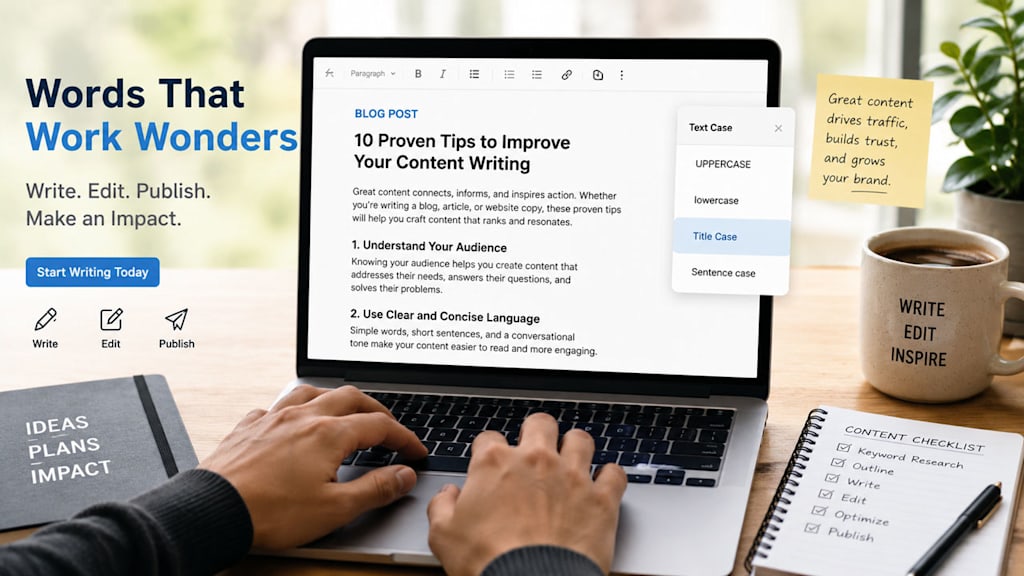
Writing is often viewed as a purely creative process, but experienced writers know that producing quality content involves much more than putting words on a page. Editing, formatting, proofreading, and maintaining consistency are all essential parts of creating professional content.
Among the many tools writers rely on, text case converters are often overlooked despite their practical value. Whether someone is drafting blog posts, preparing manuscripts, creating marketing content, or editing academic papers, a text case converter can simplify formatting tasks and eliminate repetitive manual work.
This article explores why writers use text case converters, how they improve workflow efficiency, and the benefits they offer across different types of writing projects.
What Is a Text Case Converter?
A text case converter is a tool that changes the capitalization style of selected text automatically. Instead of manually editing every word, writers can transform text into various formats with a single click.
Common case formats include:
- UPPERCASE
- lowercase
- Sentence case
- Title Case
- Capitalize Each Word
- Toggle Case
- Camel Case
- Pascal Case
These formatting styles serve different purposes depending on the writing project, audience, and publishing platform.
Saving Valuable Editing Time
One of the biggest reasons writers use text case converters is time savings.
Imagine completing a 2,000-word article and realizing that all subheadings should follow title case formatting. Manually correcting dozens of headings can become tedious and increase the chance of mistakes.
A text case converter allows writers to:
- Reformat headings instantly
- Correct capitalization errors in bulk
- Standardize formatting across large documents
- Focus more on content quality than repetitive edits
For freelance writers, content creators, and editors who work under deadlines, even small time savings can significantly improve productivity.
Maintaining Consistency Across Content
Consistency plays an important role in professional writing.
Readers may not consciously notice inconsistent capitalization, but they often perceive it as unprofessional. Inconsistent formatting can make articles, ebooks, reports, and website content appear less polished.
Text case converters help writers maintain consistency by ensuring that:
- Headings follow the same capitalization style
- Titles align with editorial guidelines
- Brand names appear correctly
- Content looks professional across multiple pages
Consistency is especially important when working with large content libraries or collaborative writing projects involving multiple contributors.
Improving Readability and User Experience
Formatting directly influences how readers engage with content.
Well-formatted headings and properly capitalized text make content easier to scan and understand. Since many online readers skim before reading in depth, clear visual structure becomes essential.
Using the appropriate text case helps:
- Highlight important sections
- Improve content organization
- Enhance article readability
- Create a better user experience
Writers who publish online often use title case for headings and sentence case for body content to maximize clarity and readability.
Supporting SEO-Friendly Content Formatting
Search engine optimization involves more than keywords and backlinks. Content presentation also affects user engagement metrics.
Properly formatted headings can:
- Improve content structure
- Enhance readability
- Encourage longer page visits
- Make articles easier to navigate
Many writers use text case converters when preparing:
- Blog post titles
- H2 and H3 headings
- Product descriptions
- Landing page content
- Website copy
While capitalization alone does not directly improve search rankings, a well-structured article contributes to a better reader experience, which supports overall content performance.
Helping Writers Meet Style Guide Requirements
Many publications, organizations, and clients follow specific editorial standards.
For example:
- Some require title case headlines.
- Others prefer sentence case headings.
- Academic institutions may follow unique formatting rules.
- Corporate brands often maintain strict content style guides.
Switching between different writing projects can become challenging when each requires a different capitalization format.
Text case converters simplify compliance by allowing writers to quickly adapt content to specific style requirements without manually reformatting entire sections.
Useful for Bloggers and Content Creators
Bloggers frequently create:
- Articles
- Tutorials
- Product reviews
- How-to guides
- Email newsletters
Each piece of content often includes multiple headings, subheadings, call-to-action sections, and promotional materials.
A text case converter helps bloggers:
- Format headlines efficiently
- Standardize article structures
- Prepare social media captions
- Edit older content quickly
For creators managing high publishing volumes, these small efficiencies add up over time.
Beneficial for Authors and Manuscript Editors
Book writing involves extensive editing and revision.
Authors and editors often revisit chapter titles, section headings, appendices, and promotional materials multiple times throughout the publishing process.
Text case conversion tools help by:
- Maintaining consistent chapter formatting
- Preparing book marketing materials
- Organizing manuscript sections
- Reducing manual editing workload
When dealing with hundreds of pages, automation can significantly reduce formatting fatigue.
Useful for Marketing and Copywriting Professionals
Marketing professionals frequently work with:
- Ad headlines
- Email subject lines
- Landing pages
- Social media content
- Sales copy
Capitalization can influence visual appeal and message presentation.
Copywriters often experiment with different headline formats to match brand voice and campaign goals. Text case converters make these adjustments fast and efficient, allowing marketers to focus on strategy rather than formatting.
Reducing Human Error
Manual editing naturally increases the risk of mistakes.
Common capitalization errors include:
- Missing capital letters
- Incorrect title capitalization
- Inconsistent headings
- Accidental mixed-case formatting
Text case converters reduce these issues by applying formatting rules consistently across selected text.
This is particularly helpful when editing lengthy documents or repurposing content from multiple sources.
Supporting Multi-Platform Publishing
Modern writers rarely publish content in a single location.
The same content may appear on:
- Personal blogs
- News websites
- Social media platforms
- Email campaigns
- Online portfolios
- Content management systems
Different platforms may require different formatting styles.
Instead of manually adjusting text for each destination, writers can use text case conversion tools to quickly prepare content for various publishing environments.
Enhancing Workflow Efficiency
Productivity tools have become an essential part of modern writing workflows.
- Writers commonly use:
- Grammar checkers
- Proofreading software
- Plagiarism detectors
- Keyword research tools
- Text case converters
While capitalization may seem like a minor detail, repetitive formatting tasks can consume considerable time over weeks and months.
Automating these small tasks allows writers to dedicate more energy to research, storytelling, editing, and audience engagement.
Choosing the Right Case for Different Content Types
Different writing formats often benefit from different capitalization styles.
Title Case
Often used for:
- Blog titles
- Article headlines
- Book titles
- Marketing headlines
Sentence Case
Commonly used for:
- Blog headings
- User interface text
- News articles
- Educational content
UPPERCASE
Best reserved for:
- Acronyms
- Special announcements
- Limited emphasis
lowercase
Sometimes used for:
- Modern branding
- Creative projects
- Informal communication
Selecting the appropriate format helps writers present content professionally and consistently.
Final Thoughts
Writing involves much more than creativity. Professional-quality content requires careful attention to formatting, consistency, readability, and presentation.
Text case converters help writers streamline these tasks by automating capitalization changes, reducing editing time, minimizing errors, and improving workflow efficiency. Whether someone is a blogger, novelist, editor, copywriter, marketer, or student, these tools offer practical benefits that support a more productive writing process.
As content creation continues to grow across digital platforms, even small productivity improvements can make a meaningful difference. For many writers, a text case converter is one of those simple yet valuable tools that helps keep the focus where it belongs—on creating great content.
About the Creator
Enjoyed the story? Support the Creator.
Subscribe for free to receive all their stories in your feed.
Comments
There are no comments for this story
Be the first to respond and start the conversation.