
Top Productivity Apps That Save Time
Boost Efficiency, Stay Organized, and Get More Done with the Best Productivity Apps for Work and Life

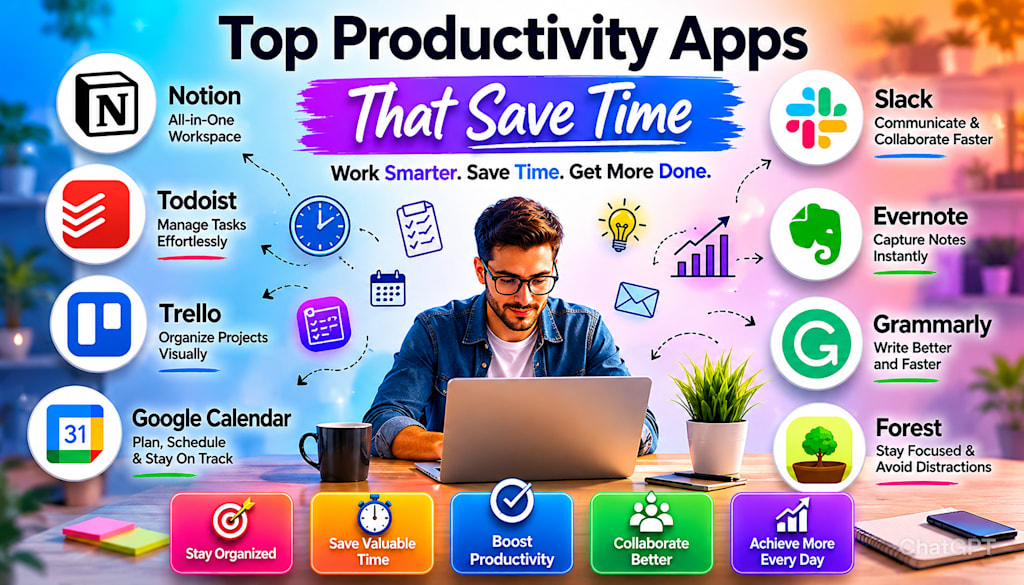
The Best Time-Saving Apps to Boost Focus, Organize Tasks, and Get More Done Every Day
In today's fast-paced world, time is one of the most valuable resources we have. Whether you're a student, freelancer, entrepreneur, or corporate professional, staying productive can be challenging. Between emails, meetings, deadlines, and personal responsibilities, it's easy to feel overwhelmed. Fortunately, technology offers solutions. Productivity apps have evolved dramatically over the past few years, helping people organize their work, automate repetitive tasks, manage projects, and stay focused. The right productivity tools can save hours every week and significantly improve efficiency.
If you're looking to work smarter rather than harder, here are some of the best productivity apps that can help you save time and achieve more every day.
1. Notion – The All-in-One Workspace
One of the most popular productivity tools today is Notion.
Notion combines:
- Note-taking
- Task management
- Project planning
- Databases
- Team collaboration
Instead of using multiple apps for different tasks, users can manage everything from one central workspace.
Why It Saves Time
- Keeps all information organized in one place
- Reduces app switching
- Customizable templates for projects and workflows
Whether you're planning a business project or organizing your personal goals, Notion provides incredible flexibility.
2. Todoist – Simple Task Management
Many productivity problems come from forgetting important tasks.
Todoist helps solve this issue through a clean and intuitive task management system.
Key Features
- Task scheduling
- Recurring reminders
- Priority levels
- Productivity tracking
Todoist makes it easy to capture tasks immediately and organize them efficiently. Instead of trying to remember everything, you can rely on a trusted system.
3. Trello – Visual Project Organization
For visual thinkers, Trello is one of the best productivity apps available.
Trello uses boards, lists, and cards to organize projects visually.
Best Uses
- Content planning
- Team collaboration
- Project tracking
- Workflow management
The drag-and-drop interface makes project management simple and efficient.
Teams especially benefit from Trello because everyone can see project progress in real time.
4. Google Calendar – Master Your Schedule
Time management starts with proper scheduling.
Google Calendar remains one of the most effective tools for organizing your day.
- Time-Saving Benefits
- Meeting reminders
- Event scheduling
- Shared calendars
- Time blocking
Many productivity experts recommend blocking specific time periods for focused work. Google Calendar makes this strategy easy to implement.
5. Evernote – Capture Ideas Instantly
Great ideas often appear unexpectedly. Evernote helps users capture thoughts, notes, images, and documents quickly.
Why People Love It
- Powerful search functionality
- Cross-device synchronization
- Organized notebooks
- Quick note capture
Instead of losing valuable information, Evernote ensures everything remains accessible and searchable.
6. Microsoft OneNote – Digital Note-Taking Made Easy
Another excellent note-taking solution is Microsoft OneNote.
It offers:
- Handwritten notes
- Organized notebooks
- Multimedia integration
- Cloud synchronization
Students and professionals often use OneNote to keep meeting notes, research, and project information organized.
7. Slack Faster Team Communication
Emails can quickly become overwhelming. Slack streamlines workplace communication through channels, direct messages, and integrations.
Benefits
- Faster collaboration
- Reduced email clutter
- Instant communication
- Organized discussions
Teams often save significant time by centralizing communication within Slack.
8. Grammarly – Write Faster and Better
Writing emails, reports, articles, and messages consumes a large portion of many people's workdays.
Grammarly helps users improve grammar, spelling, clarity, and tone automatically.
- Productivity Advantages
- Reduces editing time
- Improves communication
- Prevents mistakes
- Enhances professionalism
Whether you're writing business emails or blog posts, Grammarly helps speed up the process.
9. RescueTime – Understand Where Your Time Goes
Many people think they're productive until they track their actual behavior. RescueTime monitors how users spend their time on devices
What It Tracks
- Websites visited
- App usage
- Focus time
- Productivity scores
The insights often reveal surprising time-wasting habits and opportunities for improvement.
10. Forest – Stay Focused and Avoid Distractions
Smartphones are one of the biggest productivity killers. Forest uses a unique approach to encourage focus.
When users start a focus session:
- A virtual tree begins growing
- Leaving the app stops the tree's growth
This simple gamification technique motivates people to stay focused on important tasks.
11. Zapier – Automate Repetitive Tasks
Automation is one of the most powerful productivity strategies. Zapier connects different apps and automates repetitive processes.
Examples
- Save email attachments automatically
- Create tasks from forms
- Post social media content automatically
- Sync information between platforms
Even small automations can save hours every month.
12. Clockify – Track Work Hours Efficiently
For freelancers and remote workers, time tracking is essential.
Clockify helps users:
- Track billable hours
- Monitor productivity
- Generate reports
- Manage projects
Accurate time tracking improves both productivity and profitability. How to Choose the Right Productivity Apps. Not every app works for everyone.
Before downloading dozens of tools, ask yourself:
What is your biggest challenge?
- Forgetting tasks?
- Managing projects?
- Staying focused?
- Tracking time?
- Team collaboration?
Choose apps that solve your specific problems rather than trying every new tool available.
Common Productivity Mistakes
Using Too Many App
Ironically, productivity tools can reduce productivity if you constantly switch between them.
Ignoring Automation
Many repetitive tasks can be automated completely.
Lack of Consistency
Even the best app won't help if you don't use it regularly.
Focusing on Tools Instead of Habits
Apps support productivity, but good habits drive long-term success.
Final Thoughts
Productivity isn't about working longer hours—it's about using your time more effectively. The best productivity apps help eliminate distractions, streamline workflows, automate repetitive tasks, and improve organization.
Whether you choose Notion for planning, Todoist for task management, Slack for communication, or Zapier for automation, the right tools can dramatically improve how you work.
The most successful people aren't necessarily the busiest. They're often the ones who use their time wisely. By incorporating a few of these productivity apps into your daily routine, you can reduce stress, accomplish more, and create extra time for the things that matter most.
About the Creator
Robert Redford
i create powerful, easy-to-read articles on everything from history and world events to technology, lifestyle, and thought-provoking ideas. If sparks curiosity, I write about it. Always exploring, always delivering something worth reading.
Enjoyed the story? Support the Creator.
Subscribe for free to receive all their stories in your feed.
Comments
There are no comments for this story
Be the first to respond and start the conversation.