
The Video File Problem Nobody Talks About
What I learned after exporting more videos than I planned to share.

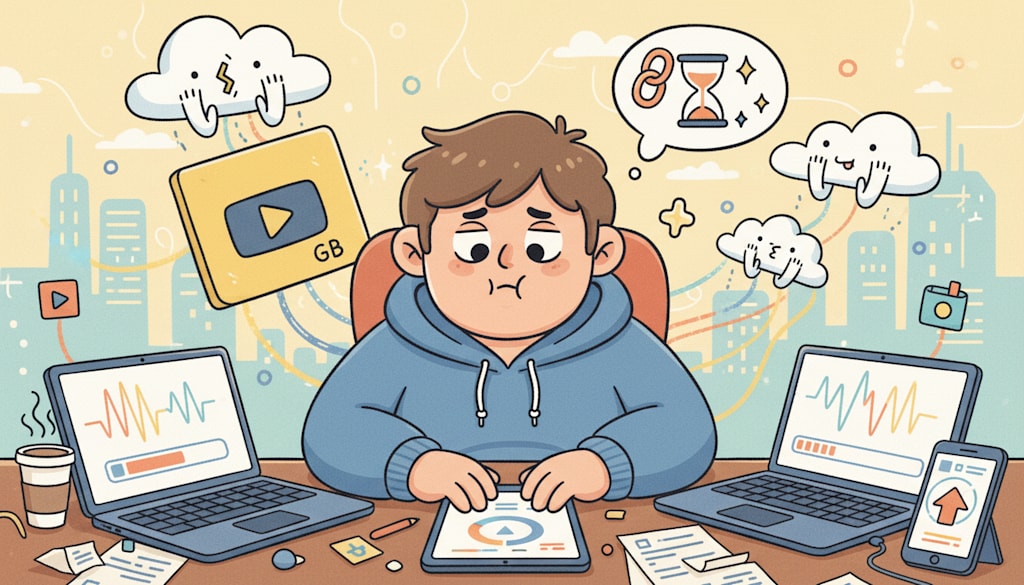
Last week I finished editing a short video much earlier than expected.
The cuts were clean.
The pacing felt right.
The captions were readable.
The ending landed where it needed to land.
For a moment, I thought the work was basically done.
It wasn't.
I still had to upload it.
That was where everything slowed down.
The file was too large for one platform. Another platform took forever to process it. A cloud folder upload kept restarting. The version I wanted to send to a client looked fine on my laptop, but sharing it became more annoying than editing it.
Not filming.
Not editing.
Not writing captions.
Just trying to make the final video easy to upload, send, and publish.
It sounds like a small problem until it happens every week.
Most people talk about video creation as if the hard part ends at the export button. But anyone who works with video regularly knows there is a strange final stage after editing.
The video is done.
The file is not.
The Edit Is Finished, But The Video Isn't Ready
This is one of those problems that feels too boring to discuss.
You finish a video.
You watch it back.
You make a few small fixes.
You export the final version.
Then you check the file size.
Suddenly the momentum disappears.
The video is too large to attach to an email.
The upload bar barely moves.
The platform rejects the file.
The preview takes too long to load.
The file looks unnecessarily heavy for something people will watch on a phone.
None of these problems feel creative. They are not exciting. They are not the kind of thing anyone wants to include in a workflow breakdown.
But they can delay publishing just as much as a bad edit.
What makes it frustrating is the timing.
By the time you reach this stage, you are already mentally finished with the project.
You do not want to make another version.
You do not want to reopen the timeline.
You do not want to think about export settings again.
You just want the video to be shareable.
Most Videos Don't Need To Be Re-Edited
For a long time, I treated large video files like an editing problem.
If a file was too big, I assumed I needed to go back into the editor.
Lower the export quality.
Change the resolution.
Adjust the bitrate.
Try again.
Wait again.
Check again.
Sometimes that made sense. But often, it was more work than the situation required.
Most finished videos do not need a new creative decision.
They need a smaller file.
A screen recording.
A product demo.
A short tutorial.
A meeting clip.
A social video.
A draft for review.
These videos usually do not need to become cinematic masterpieces. They need to stay clear enough to watch and light enough to move around.
That distinction changed how I think about the final step.
The question is not always, “How do I make this export perfect?”
Sometimes the better question is, “How do I make this finished video easier to use?”
Publishing Consistency Depends On Boring Friction
People often talk about consistency as if it is only about discipline.
Post more often.
Create more often.
Show up every week.
That advice is not wrong, but it misses something important.
A lot of creators are not blocked by a lack of ideas. They are blocked by small workflow problems that keep appearing after the creative work is done.
A thumbnail that needs resizing.
A caption that needs rewriting.
A file that takes too long to upload.
A video that has to be exported twice.
A client preview that fails because the attachment is too large.
Each issue looks minor on its own. Together, they make the process feel heavier than it should.
This is why I have become more interested in tools that remove friction rather than tools that promise dramatic results.
Sometimes the goal is not to transform the work.
Sometimes the goal is simply to stop the final step from becoming another project.
Different Platforms Treat Video Differently
One lesson I learned slowly is that one video file rarely works equally well everywhere.
A file that uploads smoothly to one platform may feel too heavy for another.
A high-quality version may be useful for archiving, but unnecessary for a quick social post.
A video that looks sharp on a desktop monitor may not need the same weight when most viewers will see it on a small screen.
This is where video workflows get messy.
You may need one version for storage.
Another for publishing.
Another for sending.
Another for review.
And if every version requires opening editing software again, the whole process becomes annoying.
The challenge is not always making a better video.
The challenge is adapting the same video to different situations without wasting time.
The Tools I Actually Use
My workflow is not complicated.
For editing, I use whatever tool fits the project.
For quick trimming, I sometimes use built-in apps.
For heavier editing, I use a proper timeline editor.
For reducing file size after the video is already finished, I prefer a browser-based tool when the task is simple.
That is where a video compressor can be useful.
What I like about this kind of tool is not that it feels impressive. It is that it fits the moment when I usually need it.
The video is already done.
I do not want to install anything.
I do not want to reopen the full editing project.
I do not want a watermark added to something I already finished.
I just want to upload the file, reduce it, download it, and move on.
That sounds basic, but basic is exactly what this part of the workflow needs.
Compression Is Not Magic
It is worth being honest about the limits.
Compression cannot make a poorly shot video look good.
It cannot rescue footage that was already too blurry.
It cannot turn a messy edit into a polished one.
And if you need very specific technical control over every export setting, a desktop editing tool may still be the better choice.
There is also the obvious reality of upload speed.
If the original file is large, getting it into any online tool still depends on your internet connection.
But for the kind of everyday videos many creators deal with, that tradeoff is usually acceptable.
The benefit is not perfection.
The benefit is avoiding another round of unnecessary exporting.
Good Compression Feels Invisible
The best outcome is not that viewers notice the compression.
The best outcome is that nobody thinks about the file at all.
The video loads.
The quality feels normal.
The upload works.
The file is easy to send.
The post goes live.
That is the whole point.
Most viewers are not analyzing bitrates or file structure. They are deciding whether the video is worth watching.
If the video still looks clear and plays smoothly, the technical work has done its job.
In that sense, good compression is similar to good editing.
When it works, it gets out of the way.
Creators Need Fewer Final-Step Problems
The more I publish, the more I notice how much creative energy disappears into tasks that are not really creative.
Finding the right export setting.
Waiting for files to process.
Uploading the same video to three places.
Making a smaller version because the first one was too large.
These steps are easy to ignore because they do not feel important.
But they affect whether work actually gets shared.
A finished video sitting on your desktop does not help much.
A video that is easy to upload, send, and publish has a much better chance of reaching people.
That is why I now think about file size earlier than I used to.
Not obsessively.
Not technically.
Just practically.
Will this be easy to share?
Will this upload without becoming a problem?
Will I have to make another version later?
Those questions save time.
The Real Shortcut
After working with more video than I expected, I have become less interested in complicated productivity advice.
Most shortcuts sound better than they feel.
The useful ones are usually quiet.
A cleaner export process.
A faster way to prepare files.
One less reason to delay publishing.
Smaller videos do not make weak content strong.
The idea still matters.
The edit still matters.
The story still matters.
But reducing friction around the final file helps good work move faster.
For me, that is the real shortcut.
Not a shortcut around quality.
A shortcut around the unnecessary delay that happens after the work is already done.
And sometimes, that is exactly what keeps a video from staying unfinished on your desktop.
About the Creator
Enjoyed the story? Support the Creator.
Subscribe for free to receive all their stories in your feed.
Comments
There are no comments for this story
Be the first to respond and start the conversation.