
The Small Photo Cleanup Habit That Made My Posts Look More Intentional
A practical look at AI image enhancement, social media visuals, and why “good enough to post” matters more than perfection.

I used to think a photo was either good or bad.
If it looked decent, I posted it.
If it looked blurry, dull, or messy, I deleted it and moved on.
That was fine when I was posting casually. But once I started paying more attention to how my content looked online, I noticed something annoying: a lot of my photos were not actually bad. They were just unfinished.
The subject was good, but the background was distracting.
The idea was clear, but the image looked a little soft.
The lighting was not terrible, but it made everything feel flat.
The photo worked on my phone, but looked low quality after uploading.
An AI-generated image looked nice at first, but the details became weird once I zoomed in.
None of these problems felt dramatic. But together, they made posts look less intentional.
And on social media, “less intentional” often means people scroll past.
That is when I started doing one small thing before posting: I began cleaning up my images first.
Not heavy editing.
Not beauty filters.
Not trying to make every photo look perfect.
Just basic cleanup.
Most Photos Do Not Need More Drama. They Need Less Distraction.
There is a lot of pressure online to make everything look polished.
But I do not think every image needs to look like a campaign shoot. In fact, over-edited images can feel worse. They can look fake, too smooth, too sharp, or too obviously processed.
For me, the better goal is simple: make the image easier to look at.
That usually means improving the parts that quietly make a photo feel low-effort.
A little blur.
A little noise.
A messy background.
A low-resolution crop.
A dull color tone.
A distracting object near the subject.
These are small things, but they change how a post feels.
A clear image makes a tip feel more useful.
A clean product photo makes a small business look more trustworthy.
A sharper cover image makes a blog post feel more finished.
A better social media thumbnail gives people one less reason to ignore the post.
This is not about chasing perfection. It is about removing friction.
The Cleanup Stage Is the Part People Ignore
People talk a lot about content ideas.
What should I post?
What caption should I write?
What trend should I use?
What hook will get attention?
All of that matters. But the visual still carries a lot of weight, especially in social media feeds.
The strange part is that many images are almost ready.
Almost clear enough.
Almost bright enough.
Almost the right size.
Almost clean enough to use.
That “almost” is where I used to waste time.
I would try to crop around a messy background.
I would brighten a photo until it looked washed out.
I would avoid using old pictures because they looked too soft.
I would regenerate AI images again and again when the main issue was just quality.
Now I treat image cleanup as a small step in the posting process, like proofreading a caption.
Before publishing, I ask:
Does the image look clear?
Is the subject easy to understand?
Is anything distracting?
Will it still look decent after compression?
Does it fit the platform I am posting on?
If the answer is no, I fix what I can.
Different Tools Help With Different Jobs
I do not think there is one perfect image tool for everyone.
Canva is great when I need to turn an image into a finished design. If I am making a social post, a simple graphic, or a quick thumbnail with text and layout, Canva is usually easy to work with.
Adobe tools make more sense when the edit needs control. If I need to carefully remove, replace, or adjust part of an image, Photoshop and Firefly are stronger options. But they also feel heavier when the task is simple.
Luminar Neo is more photography-focused. It fits better when the goal is realistic photo correction, lighting adjustment, or portrait improvement.
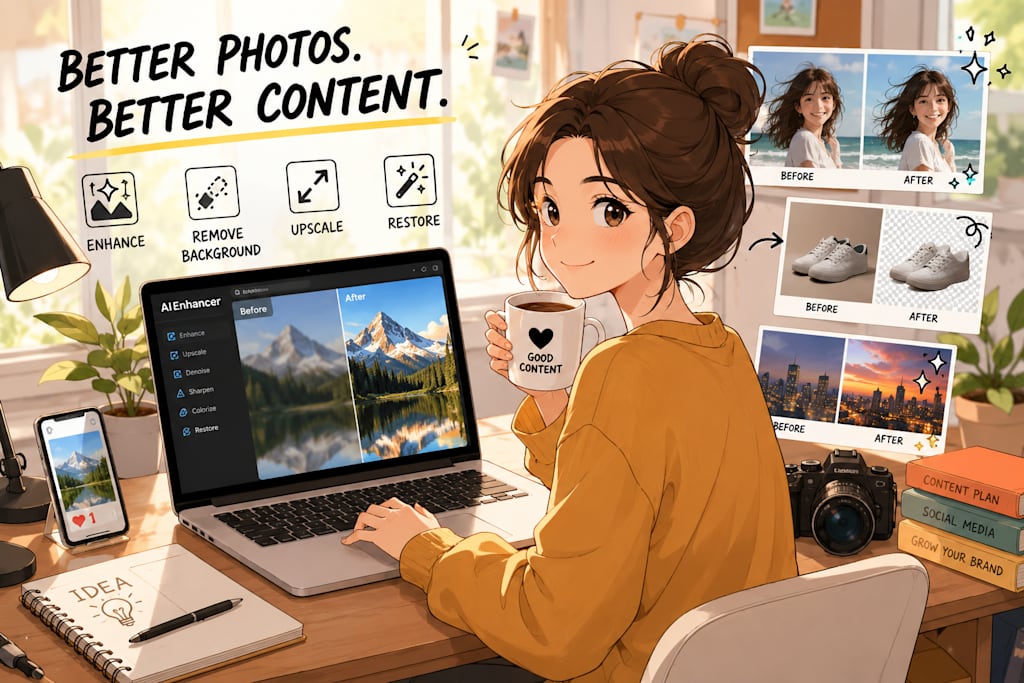
For quick image cleanup, enhancement, upscaling, and restoration, I have been using AIEnhancer. I like it for the kind of images that are not broken, but not quite ready either. It is useful when I want to improve the image itself without turning the whole process into a design project.
That distinction matters.
Sometimes I do not want to create a new visual.
I just want the existing one to look cleaner.
AI Editing Is Helpful, But It Still Needs Human Judgment
This is where I think people should be careful.
AI image tools can improve a lot, but they are not magic. They can also make bad guesses.
If a face is extremely blurry, AI might create details that look natural but are not accurate.
If text is unreadable, AI may not restore the real words.
If a background is messy, AI may clean it up in a way that looks good at first but strange when you look closely.
That is why I never treat the result as automatically finished.
I zoom in.
I check the face.
I check the product shape.
I check the hands, edges, text, and background.
I make sure the image still feels believable.
For social media, believable matters more than perfect.
People can sense when an image has been pushed too far. Plastic skin, strange sharpness, fake textures, and over-cleaned backgrounds can make a post feel less trustworthy, even if the image is technically “better.”
The best kind of AI cleanup is the kind people do not notice.
They just see a clear image and keep reading.
This Habit Saves More Time Than I Expected
The biggest benefit has not been that my images suddenly look amazing.
The biggest benefit is that I hesitate less.
Before, I would spend too much time deciding whether an image was usable. If it had a small problem, I would either avoid posting it or spend too long trying to fix it manually.
Now I have a simple rule:
If the photo has a good subject or a useful purpose, I try cleaning it up before giving up on it.
That has helped me reuse more images, especially for blog covers, social media posts, old photos, product shots, and AI-generated visuals that only need a final polish.
It also changed how I think about content quality.
A post does not need a perfect image.
But it does need an image that does not work against it.
That is a much more realistic standard.
My Takeaway
The small life hack is not “use AI to make everything perfect.”
It is this:
Before you throw away an image, see if it only needs cleanup.
A little sharpening can save a soft photo.
A small background fix can make the subject clearer.
A higher-resolution version can make a cover image look more professional.
A restored old photo can become usable again.
A cleaned-up AI image can look more ready for publishing.
For anyone posting regularly, this matters.
Social media already moves fast. We do not need every visual to be flawless. But if an image represents your idea, your product, your personal brand, or your work, it should at least look clear and intentional.
That is the real value of AI image processing for me.
Not perfection.
Just fewer distractions.
Cleaner visuals.
And a little more confidence before hitting publish.
About the Creator
Violet
Exploring how AI reshapes memory and creativity.
Enjoyed the story? Support the Creator.
Subscribe for free to receive all their stories in your feed.
Comments
There are no comments for this story
Be the first to respond and start the conversation.